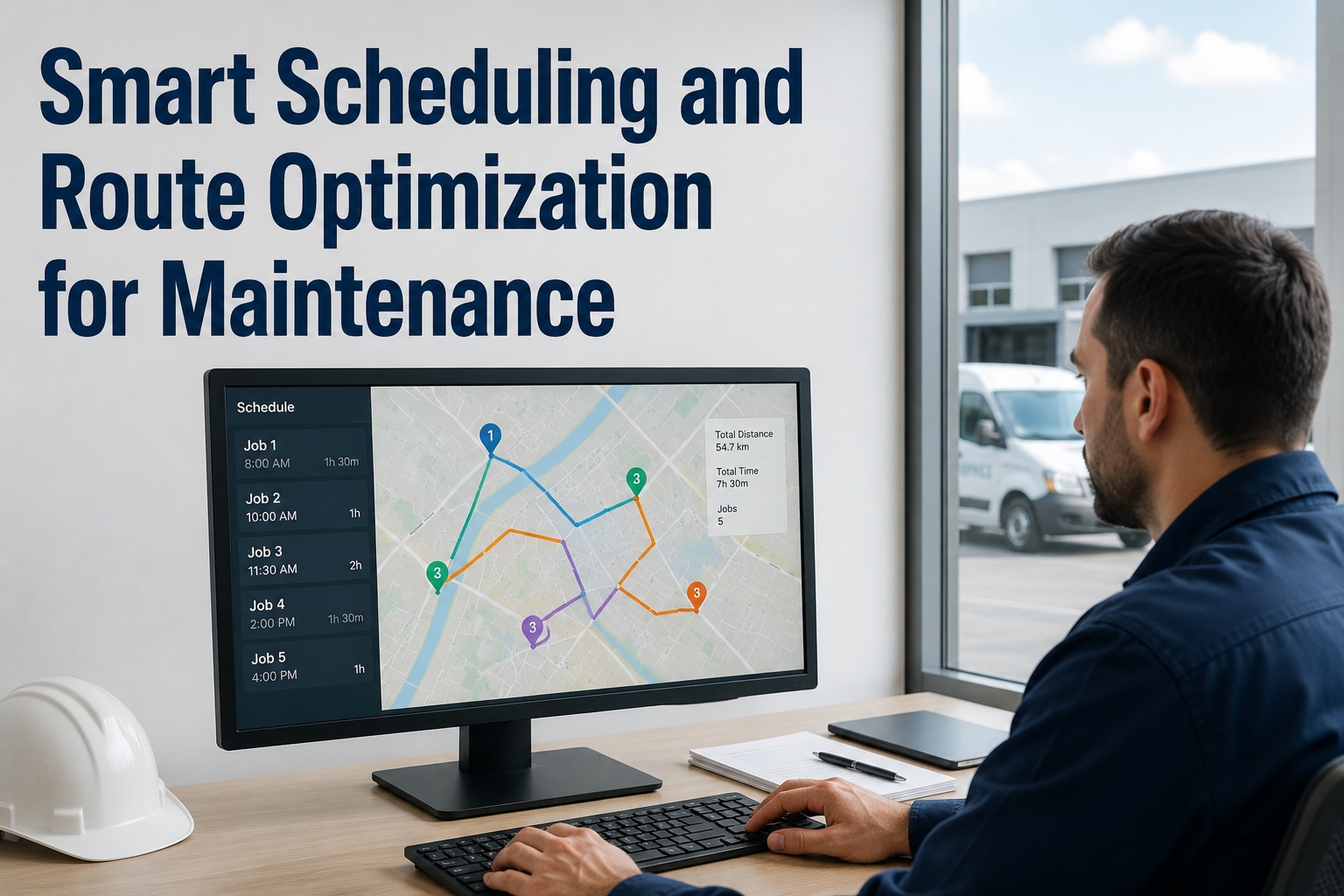
Maintenance route optimization is the practice of grouping and sequencing work orders by location, technician skill, and priority so property maintenance teams spend their hours turning wrenches instead of sitting in traffic. For a portfolio of buildings, smart maintenance scheduling routinely recovers 1–2 productive hours per technician per day — the equivalent of adding a third technician to a two-person crew without adding payroll. This guide breaks down the four levers of scheduling software for property maintenance — geographic clustering, skill matching, priority weighting, and dynamic dispatch — with real numbers on what each is worth. If you want to see this running on your own properties, Start Free Trial and import your first sites in minutes.
Is Your Maintenance Team Driving More Than It's Fixing?
Sending a technician across town for one ticket while three more sit in the same building is how maintenance productivity quietly dies. Smart scheduling and route optimization turn scattered work orders into tight, geographic runs — so a two-technician team handles the workload of three.
What Wasted Windshield Time Actually Costs a Property Portfolio
Industry field-service benchmarks show technicians in multi-site property maintenance spend 20–30% of the paid day in transit. At a fully loaded cost of $38–$52 per labor hour, that is real money leaking out of every route.
Worked example: a regional manager overseeing 14 residential properties with two technicians and roughly 55 work orders a week. Before route optimization, each tech averaged 6.2 completed tickets a day and 96 minutes behind the wheel. After clustering tickets by building and sequencing stops, completions rose to 8.4 per day and drive time fell to 61 minutes — a 35% throughput gain that deferred a $68,000 third-hire for over a year.
How Smart Maintenance Scheduling Works: 4 Levers That Cut Drive Time
Efficient maintenance scheduling is not one feature — it is four decisions made well, in the right order, every morning. Get all four right and the route almost builds itself.
Geographic Clustering
Group open work orders by property, building, and even floor before assigning anyone. A technician who services three tickets in one building instead of three tickets across three zip codes saves 40–70 minutes of transit daily. Property maintenance routing starts on the map, not in the inbox.
Skill and Certification Matching
Dispatching the nearest tech is only smart if that tech can actually close the ticket. HVAC, electrical, plumbing, and fire-safety work each carry licensing requirements; a mismatched dispatch means a second trip. Skill-matched assignment cuts repeat visits by 25–40% and protects compliance on regulated assets.
Priority Weighting
Not every ticket deserves the same urgency. A weighted model — safety risk, tenant impact, SLA deadline, asset criticality — decides what leads the route and what can wait for the next cluster pass. This keeps emergency response under 60 minutes without shredding the whole day's plan.
Dynamic Re-Dispatch
Plans break by 10 a.m. When an emergency call lands or a job runs long, the schedule must re-sequence in seconds, not after a 20-minute phone tree. Maintenance dispatch for property teams that re-plans live keeps on-time completion above 90% even on chaotic days.
Property Maintenance Scheduling Software vs. the Whiteboard: Side by Side
Most portfolios still schedule with a spreadsheet, a group chat, and a dispatcher's memory. Here is what that costs compared with scheduling software built for property maintenance.
| Scheduling Task | Spreadsheet + Phone | Smart Scheduling Software |
|---|---|---|
| Building the daily route | 45–90 min of manual sorting each morning | Auto-clustered by location in under 2 minutes |
| Matching skills to tickets | Relies on dispatcher memory; mismatches common | Skill tags filter assignments automatically |
| Emergency re-dispatch | Phone tree; 15–30 min to reshuffle the day | Drag-and-drop re-sequence in seconds |
| Technician utilization | 55–65% wrench time typical | 75–85% wrench time achievable |
| Proof of completion | Paper notes, photos lost in texts | Time-stamped photos and digital sign-off per stop |
| Visibility for managers | End-of-day recap calls | Live map and status dashboard all day |
What an Optimized Maintenance Route Looks Like, Hour by Hour
Here is a realistic single-day timeline for one technician covering a 12-property portfolio — the same workload, planned two different ways.
Route Auto-Builds Overnight
Overnight tickets are clustered by building and sequenced before the tech clocks in. No morning sort, no guesswork — the day's run starts with the highest-weighted cluster.
Building A — Four Tickets, One Stop
Two plumbing fixes, a lighting repair, and a preventive HVAC filter change — all in the same property, all matched to this tech's skill set. Four completions before 10:30.
Emergency Call — Re-Sequenced in Seconds
A water leak at Building F jumps the queue. The schedule re-orders the remaining stops automatically; two low-priority tickets shift to tomorrow's cluster. On-site in 38 minutes.
Buildings B and C — Adjacent Stops
The afternoon run chains two properties 1.2 miles apart instead of two across town. Total afternoon transit: 22 minutes instead of the 70 the old route would have burned.
Day Closes With Proof, Not Paperwork
Nine tickets closed — each with photos, time stamps, and tenant sign-off synced to the asset record. Tomorrow's route is already drafting itself from tonight's new requests.
How OxMaint Turns Route Optimization Into Daily Throughput
OxMaint is an AI-powered CMMS and EAM platform that builds smart scheduling directly into your work orders — no separate routing tool, no dispatcher spreadsheet, no morning scramble.
Location-Aware Work Orders
Every work order carries its property, building, and asset location, so tickets cluster automatically by site. Teams typically recover 60–90 minutes of productive time per tech per day.
Skill-Tagged Assignment
Tag technicians by trade and certification; OxMaint only surfaces assignable techs for each job. Mismatched dispatches — and the second trips they cause — drop by up to 40%.
Priority-Driven Queues
Safety risk, SLA deadlines, and asset criticality weight every ticket, so emergencies surface instantly and routine work fills the route around them. On-time completion climbs above 90%.
Live Maintenance Analytics
Dashboards track wrench time, drive time, first-time-fix rate, and cost per work order across the portfolio — the numbers you need to prove ROI and defend headcount decisions.
Watch OxMaint Build Tomorrow's Route in a 30-Minute Demo
Bring your property list and a week of real work orders — we will show you exactly how geographic clustering, skill matching, and priority weighting reshape your team's day.
Maintenance Route Optimization: Frequently Asked Questions
What is maintenance route optimization?
Maintenance route optimization is the process of grouping and sequencing work orders by location, technician skill, and priority to minimize travel time between jobs. For property maintenance teams spread across multiple buildings, it typically recovers 1–2 productive hours per technician per day and cuts fuel costs by 15–20%.
How much drive time can scheduling software for property maintenance actually save?
Most portfolios see a 20–30% reduction in transit time within the first 60 days. A technician losing 90 minutes a day to driving usually drops to 60 or less once tickets are clustered geographically — worth roughly $9,000–$12,000 per tech per year in recovered labor. You can Start Free Trial and measure the difference on your own routes within two weeks.
Can smart maintenance scheduling handle emergency work orders?
Yes — that is where it earns its keep. Priority weighting pushes emergencies to the front of the queue instantly, and dynamic re-dispatch re-sequences the remaining stops in seconds. Low-priority tickets roll to the next cluster automatically, so one urgent call no longer destroys the whole day's plan.
Do I need GPS trackers or extra hardware for property maintenance routing?
No. Modern property maintenance scheduling software runs on the smartphones your technicians already carry. Location data comes from the work order's property and asset records, and stop sequencing happens in the app — no vehicle hardware, no installs, no IT project.
How long does it take to switch from spreadsheets to a CMMS with route optimization?
Most teams are live in days, not months. Import your properties and assets from a spreadsheet, tag technicians by skill, and the system starts clustering work orders immediately. If you want a guided rollout for a larger portfolio, Book a Demo and we will map the migration plan with you.
Give Your Two-Technician Team the Capacity of Three
OxMaint clusters your work orders by location, matches them to the right skills, and re-plans the day in seconds when emergencies hit — so your portfolio gets fixed faster with the crew you already have.
Free 14-day trial · No credit card · Live on your properties in days


.png)