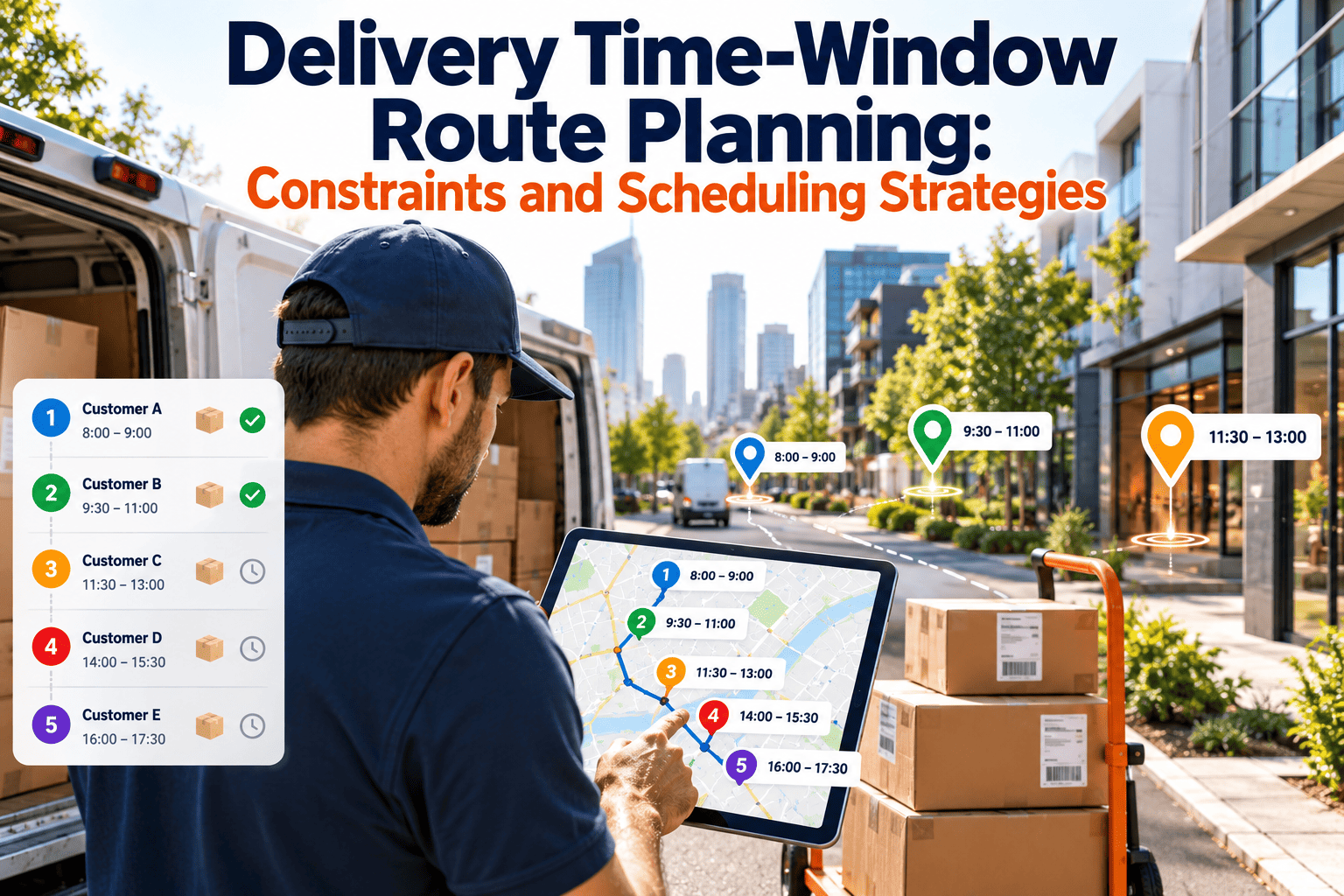
Narrow delivery windows turn route planning from a distance problem into a promise-keeping problem. Every added constraint, whether a two-hour slot, a refrigerated vehicle, or a required driver skill, shrinks the set of workable routes and raises the cost of a bad assumption. This guide explains how to model time windows and related constraints, choose scheduling strategies, and avoid the shortcuts that break commitments. It also shows how a dependable fleet, supported by maintenance management software, keeps those commitments realistic.
Delivery Time-Window Route Planning: Constraints and Scheduling Strategies
Plan routes around service windows, capacities, driver skills, and vehicle limits without breaking customer promises or slowing your planner to a crawl.
Where Time Windows Hurt Most: A Risk Matrix
Window tightness and stop density interact. A tight window in a sparse rural area is a different problem from the same window in a dense city with parking delays.
What the matrix tells a planner
- Narrow windows reward accurate travel and service times more than clever algorithms.
- Dense areas need parking and access allowances built into service time.
- High-risk cells call for fewer stops per route, not just better sequencing.
Hard, Soft, and Tiered Windows
How you define a window changes what the planner is allowed to do. Many operations treat every window as hard and then wonder why routes are expensive.
| Window type | Meaning | Planning impact | Typical use |
|---|---|---|---|
| Hard | Arrival outside the window is not acceptable. | Most restrictive; may force extra vehicles or dropped stops. | Appointments, dock slots, regulated receiving. |
| Soft | Late or early arrival is allowed at a penalty. | Lets the planner trade lateness against cost. | Standard residential or commercial deliveries. |
| Tiered | Priority customers get hard windows, others soft. | Balances service promises and efficiency. | Mixed customer bases with service levels. |
| Rolling | Window is narrowed or updated as the day progresses. | Requires dynamic updates and customer notices. | Same-day and on-demand delivery. |
Classify before you optimize
Audit your windows and ask which are truly contractual. Relaxing a small share of non-critical windows to soft often improves the plan more than any solver upgrade.
Constraints That Sit Beside the Window
Capacity
Weight, volume, pallet positions, and unit counts must be checked together, not one at a time.
Vehicle type
Height limits, refrigeration, lift gates, and road restrictions limit which vehicle can serve which stop.
Driver skills
Certifications, licenses, and customer familiarity may restrict who can take a stop.
Shift rules
Maximum hours, break timing, and overtime thresholds can silently invalidate a plan.
Service time
Stop duration varies by customer type, floor, signature needs, and product handling.
Load order
Last-in, first-out loading means stop sequence must match how the vehicle is physically packed.
Why combined modeling matters
Solving windows first and capacity later produces routes that pass one test and fail another. Good platforms evaluate all constraints in the same search.
Make Sure the Vehicles Behind the Plan Are Ready
A perfect window plan fails when a vehicle is out of service. Track inspections, repairs, and preventive schedules in one system.
Six Scheduling Strategies That Protect Promises
- 1Segment by window tightnessSeparate hard-window stops from flexible ones so tight commitments get planning priority.
- 2Cluster by place and timeGroup stops that share geography and window overlap before sequencing within each group.
- 3Add deliberate buffersPlace slack before narrow windows rather than spreading it evenly across the route.
- 4Reserve slot capacityLimit how many orders can be sold into a window so promised slots remain deliverable.
- 5Sequence inside windowsWithin overlapping windows, order stops to minimize waiting and backtracking.
- 6Re-optimize during the dayUpdate routes when traffic, delays, or order changes threaten later windows.
Selling Windows You Can Actually Deliver
Window promises are made at checkout or booking, long before routes exist. The gap between those two moments causes many missed deliveries.
Before: open slot selling
- Every slot appears available until the cutoff
- Popular windows are oversold
- Dispatchers absorb the conflict at planning time
- Late deliveries and rescheduling calls follow
After: capacity-aware slots
- Slots reflect fleet capacity by zone and time
- Dense areas close earlier than sparse ones
- Planners receive orders they can serve
- Fewer exceptions reach the road
Root Causes of Missed Windows
| Root cause | Warning sign | Practical fix |
|---|---|---|
| Wrong service times | Drivers fall behind early in the route | Measure actual stop duration by type and update the model. |
| Optimistic travel times | Delays grow through the day | Use time-of-day travel data, not a flat speed. |
| Oversold slots | Same windows fail repeatedly | Cap orders per slot, zone, and time band. |
| Late vehicle departure | Day starts behind plan | Fix loading flow and vehicle readiness at the depot. |
| Unplanned breakdown | Routes reassigned mid-shift | Strengthen inspection and preventive maintenance. |
| Poor address data | Failed or delayed stops | Validate addresses and capture access notes. |
Keeping Computation Time Under Control
Adding every constraint to every order can slow planning until dispatchers cannot wait for results. Design the problem so the solver stays useful.
- Plan in zones, then refine at the route level, rather than solving the whole network at once.
- Fix assignments that never change, such as locked driver-zone pairings.
- Use a quick first plan, then improve it in the background while dispatchers review.
- Keep penalty settings simple and documented so results remain explainable.
- Review constraints regularly and remove rules that no longer matter.
Metrics for Window Performance
Where Oxmaint Supports Window Reliability
Oxmaint is maintenance software, not a route planner. Its role is keeping vehicles and equipment dependable enough for the plan to hold.
- Preventive maintenance schedules by mileage, time, or engine hours reduce unplanned downtime.
- Mobile inspections turn driver-reported defects into work orders quickly.
- Asset management stores service history, warranties, and documents for each vehicle.
- Corrective maintenance tracking shows repair status so dispatchers know which vehicles to plan around.
- Inventory tracking helps keep common parts on hand to shorten repairs.
- Reports and dashboards highlight repeat failures and downtime by vehicle.
Time-Window Planning Checklist
- Each window classified as hard, soft, tiered, or rolling
- Service times measured from real stops
- Travel times reflect time of day
- Slot capacity limited by zone and window
- Capacity, vehicle, skill, and shift rules solved together
- Buffers placed ahead of narrow windows
- Live re-optimization and customer notices in place
- Vehicle readiness confirmed before dispatch
Frequently Asked Questions
What is time-window route planning?
It is planning delivery routes so each stop is reached within an agreed time range while respecting capacity, vehicle, and driver constraints.
Should every delivery window be a hard constraint?
Usually not. Reserve hard windows for contractual stops and use soft or tiered windows elsewhere to lower cost.
Why do routes miss windows even with optimization software?
Common causes are inaccurate service times, optimistic travel times, oversold slots, and unavailable vehicles.
Can maintenance software improve on-time delivery?
Indirectly, by reducing breakdowns and surprise downtime. You can start with Oxmaint to organize vehicle maintenance.
How do I see the maintenance workflow in action?
A short walkthrough covers inspections, work orders, and schedules. You can book a demo to review it.
Planning for Special Delivery Conditions
Standard residential routes are the easy case. Many delivery operations also carry stops that need their own planning logic.
Appointment and dock deliveries
- Treat confirmed appointments as hard windows and protect them with buffer time before the slot.
- Include dock queue time and check-in procedures in service time, since arrival is not completion.
- Record receiving hours by site so the planner never schedules outside them.
- Flag sites that charge or refuse late arrivals so they receive scheduling priority.
Perishable and temperature-sensitive loads
- Model maximum time out of temperature control as a constraint, not a note.
- Sequence the most sensitive items earlier unless windows prevent it.
- Confirm vehicle refrigeration capability before assigning the route.
- Capture temperature checks at pickup and delivery for traceability.
Multi-day and recurring schedules
- Separate recurring stops from one-off orders so planners can protect standing commitments.
- Keep driver familiarity for recurring customers where it improves access and service.
- Review standing windows regularly, since customer needs change over time.
Handling Late Orders, Failures, and Exceptions
A window plan is tested by the changes that arrive after it is built. Define in advance how exceptions are handled.
Late additions
- Set a cutoff after which new orders join the next day's plan unless a defined exception applies.
- Insert urgent stops into the route with the smallest disruption to protected windows.
- Show dispatchers the cost of each insertion before accepting it.
Failed deliveries and no-access stops
- Define how long a driver waits and what contact attempts are required.
- Reschedule within a defined window and notify the customer immediately.
- Track repeat failures by address to correct access notes or window choices.
Delays already in progress
- Decide which windows are protected and which may slip when a route falls behind.
- Offer proactive customer messages before a window is missed, not afterward.
- Reassign stops to nearby routes only when it genuinely reduces total lateness.
Designing a Buffer Policy That Does Not Waste Capacity
Buffers protect promises, but too much slack costs routes and stops. A deliberate policy beats informal padding.
Principles
- Place buffers where uncertainty is highest, such as dense areas, peak traffic periods, and difficult sites.
- Use smaller buffers for stops with accurate historical service times.
- Review buffer use monthly and trim slack that is never consumed.
- Distinguish planned buffer from slack created by poor sequencing.
Testing your window plan
- Replay recent busy days through the planner using your current constraints and compare results.
- Run what-if scenarios with longer service times and heavier traffic.
- Test a lost vehicle and see how many windows can still be protected.
- Document assumptions so results can be compared after changes.
Technology Features That Support Window Planning
When comparing planners, look for specific capabilities that make window constraints manageable rather than generic claims.
Modeling capabilities
- Multiple windows per stop, such as a morning and an afternoon option.
- Separate hard and soft windows with configurable lateness penalties.
- Service time that varies by stop, customer, and parcel type.
- Driver skills, vehicle attributes, and zone restrictions in the same search.
- Break and shift rules that adjust sequence automatically.
Operational capabilities
- Capacity-aware slot offers that connect to checkout or booking.
- Live re-optimization when delays threaten later windows.
- Customer notifications tied to window changes.
- Planned-versus-actual reports by window, route, and driver.
- Scenario testing so planners can compare options safely.
Reading Window Performance by Segment
A fleet-wide on-time number hides where promises fail. Break results down to find the actual problem.
Useful cuts
- By time of day, to see whether morning or late windows fail more often.
- By zone, to separate dense areas from sparse ones.
- By window width, to learn how narrow is too narrow for your operation.
- By customer type, to check whether priority commitments are protected.
- By driver or route type, to find training or planning gaps.
What to do with the findings
- Widen or retire windows that repeatedly fail without a business reason.
- Add capacity or buffer in the zones that miss most often.
- Correct service times where one stop type regularly runs long.
- Share results with sales and customer service so promises match capability.
Aligning Sales, Customer Service, and Dispatch
Window promises cross departments. Misalignment between them causes failures that no planner can fix.
Shared agreements
- Define which windows may be sold and how capacity is released.
- Agree how exceptions are approved and who pays for them.
- Give customer service live visibility into route status.
- Hold a regular review of missed windows with all three teams present.
Common Time-Window Planning Myths
Several assumptions persist in delivery planning and quietly raise cost or cause missed promises.
Myths worth dropping
- Narrower windows always mean better service. In practice, narrow windows without matching capacity create more misses and more rescheduling.
- More optimization time always produces better routes. Past a point, better data and realistic service times matter more.
- Every customer needs the same window. Tiered windows often serve both customers and cost better.
- Late deliveries are driver problems. Most are caused by planning assumptions, loading, or vehicle availability.
Questions Planners Should Ask Every Week
A short recurring review keeps window planning honest and catches drift before customers do.
Weekly review questions
- Which windows were missed most often, and what did those stops have in common?
- Did service times in any zone move away from the model?
- Which slots were oversold, and who approved them?
- Which vehicles or breakdowns forced route changes?
- What did drivers report about access, parking, or customer availability?
Protect Every Window With a Dependable Fleet
Bring preventive maintenance, inspections, and repairs into one workflow so vehicles are ready when routes begin.