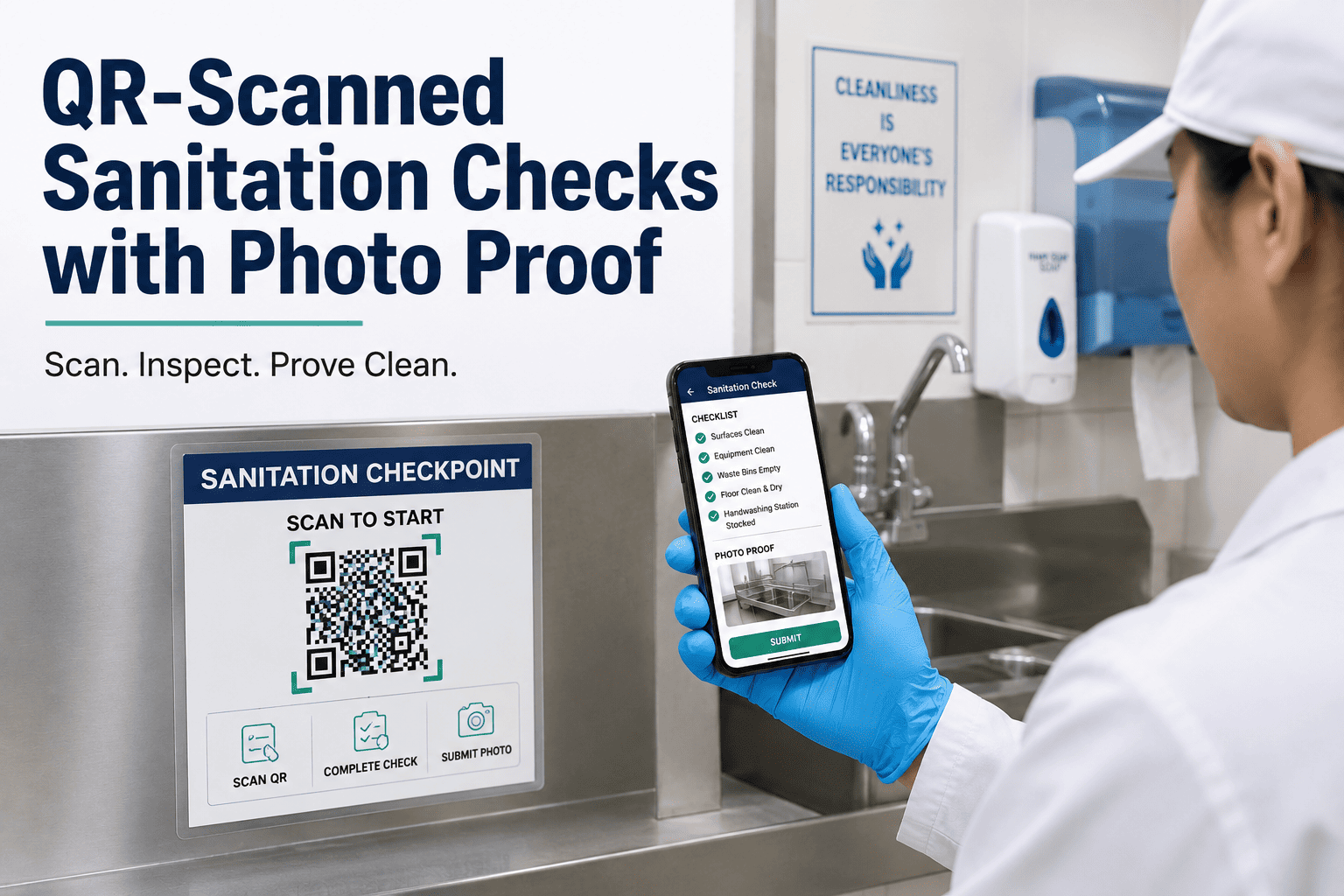
Food plants lose an average of 8–12 production hours per week to unverifiable sanitation sign-offs, with paper CILs accounting for nearly 40% of audit rework during FDA and SQF reviews. QR-scanned sanitation checks with mandatory photo proof collapse that gap by tying every task to a timestamped, geo-verified record inside your CMMS the moment a technician scans the code at the CCP. This guide walks through the tagging strategy, mobile workflow, photo standards, and audit-ready automation that turn a paper trail into defensible evidence for every zone and every shift. You can put it into production in days — Start Free Trial and configure your first digital CIL this week.
What if every sanitation task arrived with photo proof, a timestamp, and a GPS pin — automatically?
QR codes mounted at each CCP load the exact digital CIL the moment a tech scans them. Photos are mandatory before completion. Auditors see a defensible record for every zone, every shift — without a single clipboard.
CCP sign-offs
One QR code per CCP, one source of truth per scan
A mid-sized protein processor running 14 CCPs across three shifts typically fields 42 sanitation sign-offs per day. Tag each control point with a weatherproof QR plate and the right CIL loads instantly — no search, no wrong-form errors, no skipped steps.
Anchor the QR to the asset
Mount an anodized aluminum or polyester QR plate directly on the filler head, conveyor belt, CIP return loop, or hand-wash station — not on a wall six feet away. The scan point is the verification point.
Bind the code to a single digital CIL
Each QR resolves to one CIL template inside the CMMS: task list, chemicals, concentrations, contact times, and the mandatory photo prompts. Change the template and every future scan inherits the update.
Layer in zone and shift context
The QR carries metadata — zone code, line ID, allergen class — so the CMMS auto-populates the record without technician keystrokes. That eliminates 90% of manual entry errors.
Print for the floor, not the office
Use 2.5 cm codes with UV-stable laminate rated for IP69K washdown. A faded or water-damaged code is a missed scan — and a missed scan is an audit finding waiting to happen.
From scan to signed record in under 90 seconds
The mobile flow is engineered so the fastest path to "done" is also the compliant path. Skip a photo and the Complete button stays disabled — the system literally will't let a half-verified task close.
Tech scans the QR at the CCP
The CMMS mobile app opens the exact digital CIL for that asset, pre-loaded with zone, line, allergen class, and the technician's shift assignment. Average time-to-load: under 2 seconds on a standard plant Wi-Fi network.
Work the checklist, log readings
Each line item — ATP swab result, sanitizer ppm, contact time, temperature — is captured in-line. Out-of-range values trigger an automatic deviation flag that routes to the QA lead before the tech moves on.
Mandatory photo upload
The app requires at least one timestamped photo before the Complete button activates. Multiple photo prompts can be configured per CIL — pre-rinse, post-CIP, visual inspection — each pinned to the task line.
Timestamp + GPS lock the record
On submit, the record is sealed with server-side timestamp, device GPS coordinates, technician ID, and a tamper-evident hash. The record is now audit-defensible and instantly retrievable by QA, production, or the auditor.
Five rules that make photos defensible, not decorative
A photo only counts as evidence if a third-party auditor can read it six months later. These five standards — enforced inside the CMMS photo prompt — separate proof from filler.
Frame the asset, not the floor
The subject — filler nozzle, belt seam, drain grate — must occupy at least 60% of the frame. Overhead context shots are supplementary, never the primary evidence photo.
Embed the timestamp overlay
The app stamps date, time, technician ID, and asset QR onto the image metadata. This is non-editable and survives export — it is what separates a CMMS photo from a gallery snapshot.
Capture within the task window
Photos must be taken during the active CIL window — typically 10 minutes before to 5 minutes after completion. Late uploads are flagged as deviations and require QA acknowledgement.
Minimum resolution: 1280×960
Below this threshold, surface residue and biofilm are indistinguishable. The app rejects sub-threshold images at capture, prompting a retake before the tech can proceed.
One photo per required prompt
If the CIL specifies pre-rinse, post-CIP, and visual inspection photos, all three must be present. The record cannot close with a missing prompt — no exceptions, no override codes.
Annotate deviations on-image
When a defect is found, the tech marks it with an in-app arrow or circle and a 10-word note. The annotation is burned into the evidence copy and linked to the corrective-action ticket.
The audit trail that writes itself
Every closed task carries five immutable data points. Together they form a chain-of-custody record that satisfies FDA 21 CFR Part 11, SQF Edition 9, and BGS audit requirements — without a single manual signature.
| Data Point | Source | What It Proves | Audit Standard |
|---|---|---|---|
| Server timestamp | CMMS server clock (NTP-synced) | Exact moment of task completion | FDA 21 CFR Part 11.10(e) |
| GPS coordinates | Mobile device location services | Tech was physically at the CCP | SQF 2.4.3 traceability |
| Technician ID | Authenticated app login + PIN | Named individual performed the task | ISO 22000 §7.5.3 |
| Photo hash | SHA-256 of original image file | Image is unaltered since capture | FDA 21 CFR Part 11.10(k) |
| CIL version | CMMS template revision number | Correct procedure was followed | BGS §5.4 documented info |
A 180-asset plant, 14 CCPs, three shifts — the math
Consider a poultry processing facility running 180 sanitation-relevant assets across 14 designated CCPs, three shifts per day, 312 production days per year. On paper CILs, each sign-off consumed 4.5 minutes of clerical work — search, fill, sign, file — and roughly 1 in 8 records was rejected during internal QA review for missing fields or illegible handwriting.
After deploying QR-scanned CILs with mandatory photo proof inside the CMMS, the same plant saw sign-off time drop to 70 seconds, rejections fell to near-zero (deviations are caught at capture, not at review), and the QA team recovered 22 hours per week previously spent chasing paper. During the next SQF audit, the sanitizer pulled 90 days of CCP records in under three minutes — zero findings.
Stop auditing paper. Start auditing proof.
Deploy QR-scanned sanitation checks with mandatory photo evidence across every CCP in your plant — live in days, not quarters.
The five-step configuration that produces audit-ready records automatically
Import your asset register
Load assets, zones, and CCPs via CSV or direct ERP integration. Each asset receives a unique QR binding — no duplicate codes, no orphan scans.
Build digital CIL templates
Convert existing paper checklists into structured CILs: task lines, input types (numeric, pass/fail, photo), acceptable ranges, and deviation routing rules.
Configure photo prompts
Define which task lines require photos, minimum resolution, and annotation rules. Set the Complete-button gate so no task closes without required evidence.
Deploy QR plates to the floor
Print and mount weatherproof QR codes at each CCP. Scan-to-test each code against the live CIL before go-live; misrouted codes are reissued in minutes.
Turn on audit export
Schedule automated daily exports of all sanitation records to your document control system. Auditors receive a read-only portal link — pull any date range, any zone, any shift.
First defensible shift
Most plants run their first fully photo-verified sanitation shift within 5–7 business days of starting configuration. No capital expenditure, no new hardware beyond a smartphone.
Answers to the questions plant managers ask first
What happens if a technician's phone loses Wi-Fi mid-scan?
The mobile app stores the CIL, photo, and all inputs locally on the device. The moment connectivity returns — even 30 minutes later — the record syncs to the server with the original capture timestamp, not the sync time. No task is lost, no timestamp is fabricated, and the offline window is logged in the record metadata for full transparency.
Can I require different photo counts for different CCPs?
Yes. Each CIL template defines its own photo prompts independently. A low-risk hand-wash station may require one photo, while a high-risk filler CIP loop might require four: pre-rinse, chemical application, post-rinse, and final visual inspection. You can configure this per asset, per zone, or per allergen class. See it in action — Book a Demo and we'll mirror your top three CCPs live.
How long are photo records retained, and are they Part 11 compliant?
Records are retained for a configurable period — default is seven years, aligned with FDA expectations. Every record carries a server timestamp, technician ID, SHA-256 image hash, and CIL version number, satisfying FDA 21 CFR Part 11 requirements for electronic records and electronic signatures. The audit trail is tamper-evident and read-only once sealed.
Do I need to buy special ruggedized scanners or hardware?
No. The system runs on any smartphone or tablet with a camera and Wi-Fi — iOS or Android. Most plants issue technicians a mid-range ruggedized phone already in use for other plant apps. If you prefer dedicated hardware, any IP-rated Android device works. There is no proprietary scanner, no docking station, and no per-device license fee.
How quickly can a new hire learn the scan-and-photo workflow?
Most technicians are proficient after a 20-minute walkthrough. The app guides them step by step — scan, work the list, take the prompted photo, submit. There is no menu navigation, no form selection, no free-text fields to misfile. Plants report new-hire sanitation onboarding time dropping from two shifts to under one hour. You can pilot it on your next shift — Start Free Trial.
Your next audit should take minutes, not days.
Deploy QR-scanned sanitation checks with mandatory photo proof across every CCP — defensible records from day one.
Free 14-day trial · No credit card