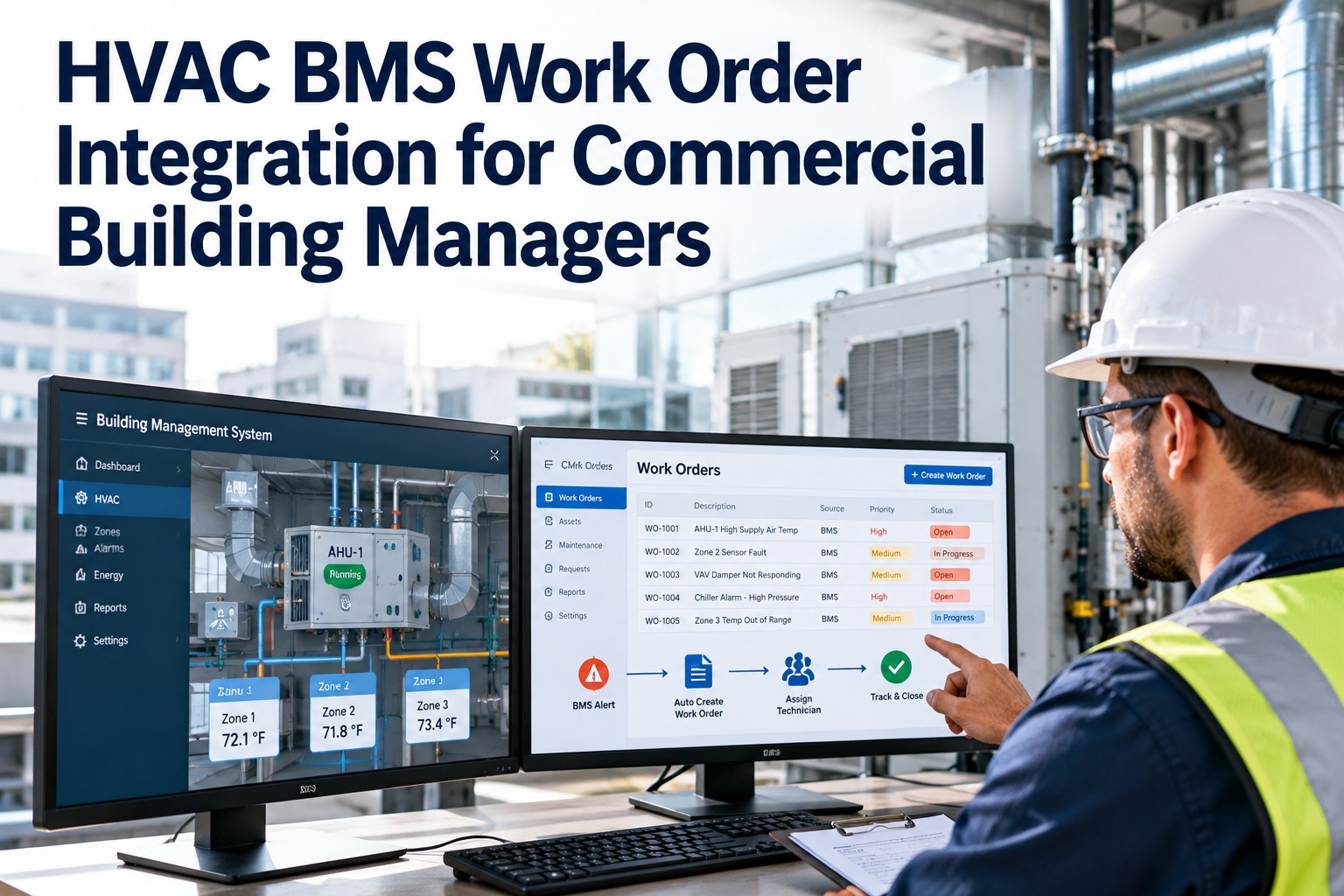
A facility team managing 40 AHUs, 8 chillers, 12 cooling towers, and a building management system generating 30 alarms a week does not have a maintenance problem — it has a coordination problem. Every fault report, every BMS alarm, every scheduled PM, and every contractor visit is a work order that needs to be created, assigned, tracked, and closed with the right information attached. Without a purpose-built HVAC work order management system, those tasks live in WhatsApp groups, email threads, and a supervisor's memory — and the pattern of what's failing, what's deferred, and what's costing money is invisible. OxMaint's HVAC work order management platform creates, assigns, tracks, and closes every maintenance task across chillers, AHUs, pumps, cooling towers, and BMS alarms — giving facility teams the coordination layer that turns reactive scrambling into structured, measurable operations.
Blog · Work Order Management · HVAC CMMS
HVAC Work Order Management Software for Facility Teams
Create · Assign · Track · Close — Chillers · AHUs · Pumps · Cooling Towers · BMS Alarms
P1
Chiller CH-02 — High Condenser Temp Alarm
Assigned: J. Torres · BMS Alert → WO Auto-Generated · 23 min ago
In Progress
P2
AHU-07 — Filter Replacement Due (PM)
Assigned: M. Singh · Scheduled PM · Due Today
Pending
P3
Cooling Tower CT-1 — Biocide Dose Check
Assigned: L. Park · Weekly PM · Compliance Required
Pending
P4
Pump P-3B — Vibration Trend Alert
Assigned: J. Torres · IoT Sensor Alert · 3 hrs ago
Scheduled
73%
Reduction in average work order response time after OxMaint deployment
91%
PM compliance rate achieved by OxMaint-managed facility teams
3 min
Average time from BMS alarm to assigned work order in OxMaint
0 hrs
Manual report compilation — analytics update live from every closed WO
The HVAC Work Order Lifecycle — How OxMaint Manages Every Step
1
Work Identified
BMS alarm auto-ingestion
Technician mobile report
PM schedule auto-trigger
IoT sensor alert
Tenant / occupant request
→
2
WO Created & Classified
Asset linked automatically
Priority assigned (P1–P4)
Work type classified
Parts checklist attached
Procedure document linked
→
3
Assigned & Dispatched
Skill-matched technician
Mobile push notification
Asset history visible
Location and access info
Permit requirements flagged
→
4
Executed & Closed
Start / stop timestamps
Readings and findings entered
Parts consumed recorded
Photos uploaded
Follow-up WO if needed
Work Order Types — HVAC Asset Coverage
Chillers
Condenser cleaning PM
Refrigerant log
Oil analysis WO
Vibration alarm
kW/ton efficiency check
AHUs / FCUs
Filter replacement PM
Belt tension check
Coil clean
Drain pan inspection
Damper actuator test
Cooling Towers
Biocide dose check
pH / TDS log
Drift eliminator PM
Basin cleandown
Legionella risk review
Pumps
Vibration trend WO
Bearing lube PM
Seal leak inspection
Pressure differential check
Motor amperage log
BMS / Controls
Alarm investigation WO
Sensor calibration PM
Setpoint deviation
Control sequence verify
Trends analysis review
Boilers / Plant
Combustion analysis PM
Safety valve test
Water treatment log
Flue gas inspection
Annual service WO
Before vs After — HVAC Work Order Management
Without OxMaint
BMS alarms pile up in email — no structured response workflow
Supervisor manually assigns tasks by phone or radio — 30+ min dispatch lag
No visibility into technician workload or current task status
PM completions tracked in spreadsheet — compliance rate unknown until audit
Repeat failures discovered when the third work order is raised
Monthly maintenance report takes 2 days to compile manually
With OxMaint
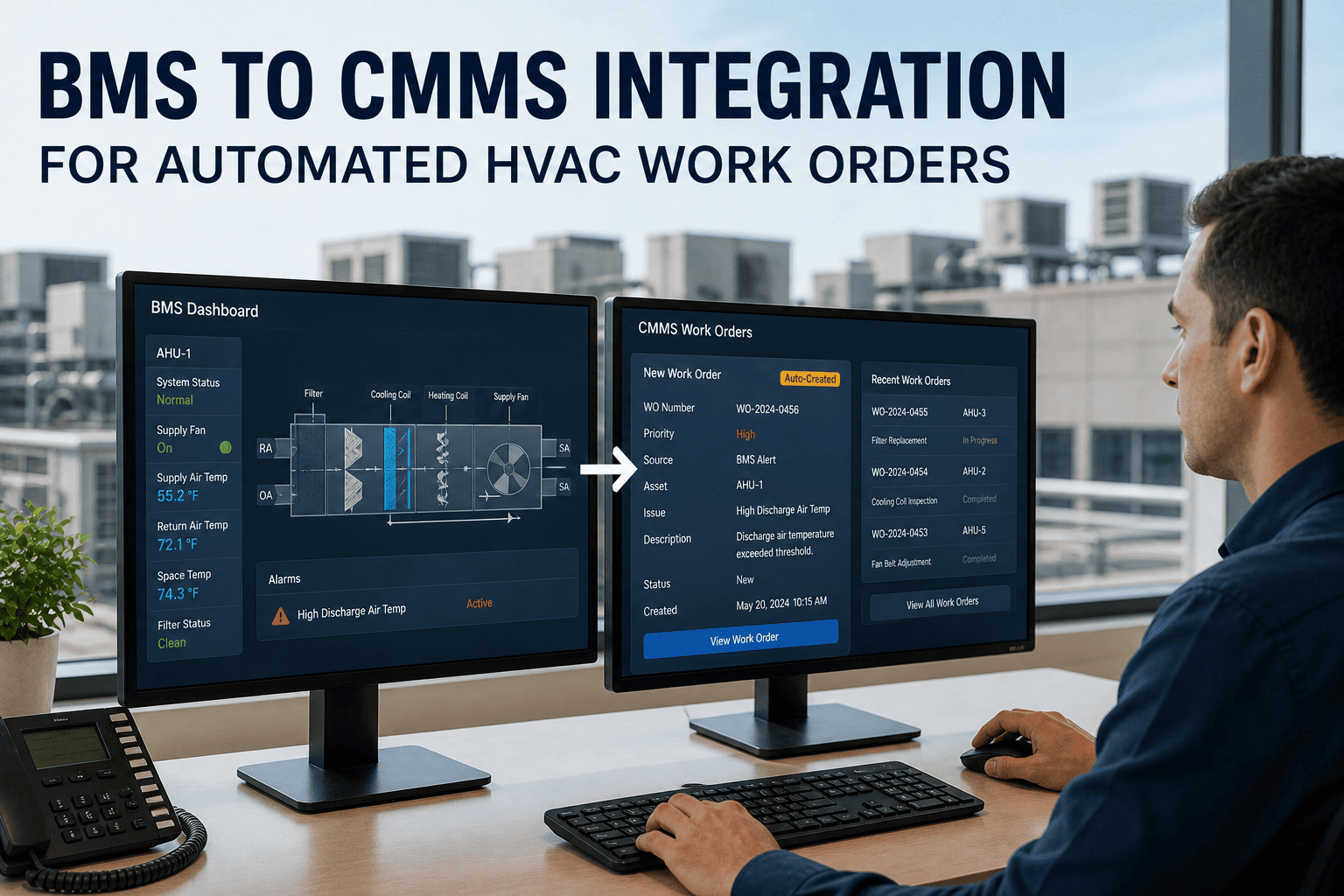
BMS alarms auto-converted to work orders — assigned and notified in under 3 min
AI dispatch routes WOs to the right technician — no supervisor coordination needed
Live dashboard shows every open WO, assignee, and estimated completion
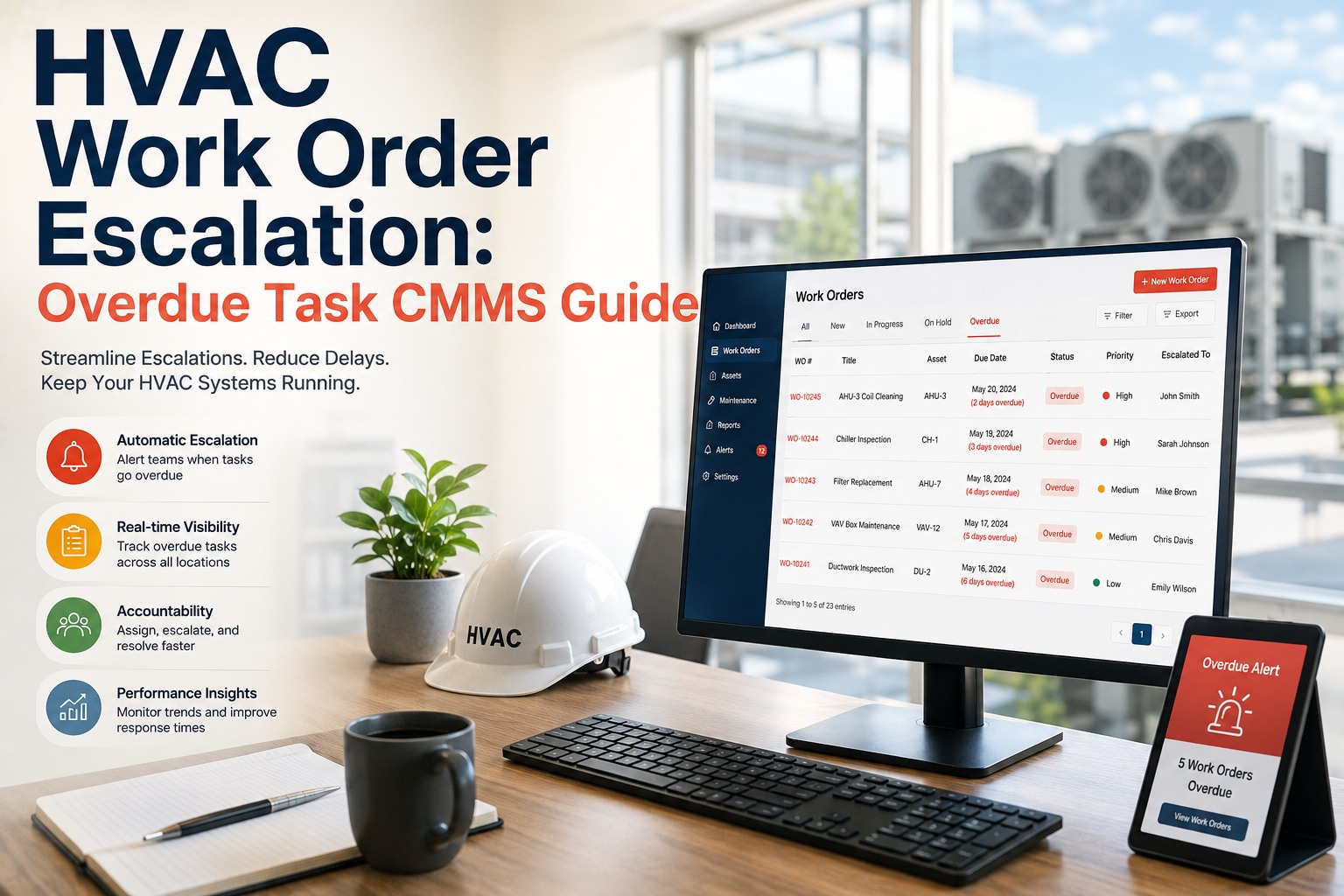
PM compliance tracked live — overdue tasks escalate before the impact window
Repeat failure flag on second unplanned WO within 30 days — RCA prompted
Live analytics dashboard — MTTR, compliance rate, backlog age always current
KPIs OxMaint Calculates Automatically from Work Order Data
Mean Time to Repair
Total Downtime ÷ Repair Events
Track per asset class and technician
PM Compliance Rate
Completed PMs ÷ Scheduled PMs × 100
Live — per asset, area, and portfolio
Planned Maintenance %
Planned Hrs ÷ Total Maintenance Hrs
Flags reactive spiral below 60%
First-Time Fix Rate
WOs Resolved First Visit ÷ Total WOs
Identifies parts and procedure gaps
Repeat Failure Rate
Repeat WOs (30 days) ÷ Total WOs
Auto-flags recurring fault patterns
Backlog Age
Open WOs ranked by days outstanding
Risk-scored — critical assets prioritised
"
Most facility teams I work with are not short of capable technicians — they are short of organised information. The technician arrives at a chiller for a BMS alarm and does not have the last three service records, the refrigerant log, or the parts list for the most likely fault cause. The supervisor has no visibility on whether the technician is still on the job or has moved to the next task. The maintenance manager produces a monthly report from a spreadsheet that shows what happened last month but gives no indication of what is at risk this week. OxMaint solves all three of those problems from the same work order record. When the technician closes the work order on their mobile, the supervisor's dashboard updates, the asset history is appended, and the analytics recalculate. That closed-loop visibility is what distinguishes a maintenance team that is managing its assets from one that is merely responding to them.
Thomas Achebe, CFM, CMRP
Head of Facilities Operations · 15 Years HVAC and Building Services Management · Certified Facility Manager (IFMA) · Certified Maintenance and Reliability Professional (SMRP) · Specialist in CMMS deployment, HVAC work order optimisation, and maintenance KPI frameworks for commercial property portfolios
Every BMS Alarm, Every PM, Every Fault Report — One Structured Work Order System.
OxMaint creates, assigns, tracks, and closes every HVAC maintenance task with the information your team needs attached — and the analytics your managers need updated automatically.
Frequently Asked Questions
How does OxMaint integrate with a BMS to automatically create work orders from alarms?
OxMaint connects to BMS platforms including Siemens Desigo, Honeywell EBI, Johnson Controls Metasys, Schneider EcoStruxure, and Trend via BACnet, Modbus, and MQTT protocols. When a BMS alarm is triggered — high condenser temperature, AHU supply air fault, chilled water flow failure — OxMaint receives the alarm signal, creates a work order with the alarm description and asset reference pre-populated, assigns it based on the configured dispatch rules, and sends a mobile push notification to the assigned technician. The entire sequence from BMS alarm to technician notification takes under 3 minutes. Alarm-to-WO mapping is configured during onboarding — each BMS alarm code is linked to the relevant asset, priority level, and procedure document in OxMaint.
Start a free trial to configure your BMS integration.
Can technicians access and complete work orders on mobile devices without internet connectivity?
Yes. OxMaint's mobile application supports offline mode — technicians can access their assigned work orders, view asset history, complete inspection checklists, and log readings without a continuous internet connection. All data captured offline is automatically synchronised to the OxMaint server when connectivity is restored. This is particularly important for plant room and basement environments where mobile signal is limited. The offline mode covers all core work order functions including photo capture, parts consumption recording, and work order closure. Supervisors see the work order status update on their dashboard as soon as the technician's device re-connects to the network.
Book a demo to see OxMaint's mobile offline capabilities.
How does OxMaint handle reactive and planned work orders differently for reporting purposes?
OxMaint classifies every work order at creation as planned (PM-triggered, scheduled inspection, or pre-planned project work) or reactive (fault response, BMS alarm, or occupant complaint). This classification drives the Planned Maintenance Percentage (PMP) KPI — one of OxMaint's core analytics metrics — which shows the proportion of total maintenance hours spent on planned versus reactive work. Facilities below 60% PMP are flagged as being in a reactive maintenance spiral. The analytics dashboard shows PMP by asset class, by area, and by time period — making it immediately visible whether a specific HVAC system or plant room is generating disproportionate reactive work that indicates an underlying reliability problem requiring investigation.
Explore OxMaint's planned vs reactive analytics with a free trial.
OxMaint · HVAC Work Order Management
Stop Coordinating HVAC Maintenance by Phone and Whiteboard. Start Managing It in One Platform.
OxMaint's HVAC work order management software gives facility teams a single system for every chiller, AHU, pump, cooling tower, and BMS alarm — with live analytics updating automatically from every task your team completes.