An equipment asset register template is the foundation of every structured manufacturing maintenance program — giving plant managers, maintenance planners, and reliability engineers a single, organized format to capture every asset's ID, location, specifications, purchase date, warranty status, and criticality. Without a standardized asset register, manufacturing plants operate with fragmented data scattered across clipboards, outdated spreadsheets, and siloed databases — and critical equipment details get lost when technicians change shifts or leave the team. OxMaint replaces static Excel asset registers with a real-time, searchable equipment database that links directly to work orders, PM schedules, and maintenance history — so every asset record stays current, complete, and audit-ready. Sign Up Free to build your live equipment asset register inside OxMaint today.
From Static Excel to a Live Equipment Asset Register
OxMaint turns your asset register template into a connected, searchable equipment database — linked to work orders, PM schedules, and full maintenance history for every asset on your plant floor.
Why Manufacturing Plants Need a Standardized Equipment Asset Register
A manufacturing plant without a structured asset register has no reliable baseline for maintenance planning, compliance reporting, or capital budgeting. Equipment details live in someone's memory, a technician's notebook, or an outdated spreadsheet that nobody trusts. A standardized equipment asset register template fixes this by creating a single documented record for every asset — with consistent fields, traceable history, and a format that every department can rely on. Book a Demo to see how OxMaint structures equipment registers for complex multi-site manufacturing operations.
Without an Asset Register
Equipment details stored across multiple spreadsheets
No clear asset ownership or criticality classification
Warranty expiry and service contracts missed
Compliance audits rely on manual paper records
Maintenance history lost when technicians leave
Capital planning based on incomplete asset data
OxMaint Asset Register
Single searchable database for all plant equipment
Criticality ratings linked to PM frequency and priority
Warranty and contract alerts triggered automatically
Compliance-ready export per asset on demand
Full maintenance history retained per asset indefinitely
Asset lifecycle cost data available for budget planning
What an Equipment Asset Register Template Should Capture
An effective asset register template goes beyond a simple equipment list — it captures the full operational and financial context of every asset your plant depends on. Book a Demo to see how OxMaint structures asset records for manufacturing plants with hundreds or thousands of equipment items, or Sign Up Free and import your existing asset list directly into the platform.
Asset ID / Tag Number
Unique identifier tied to a physical asset tag — ensures every work order, PM task, and maintenance record links back to one traceable equipment record.
Asset Name and Description
Clear equipment name, type, and functional description — so any technician, planner, or auditor can identify the asset without ambiguity.
Location / Plant Area
Building, floor, line, or zone where the asset is installed — enabling location-based filtering, route planning, and area-specific compliance reporting.
Make, Model and Serial Number
Manufacturer details, model reference, and serial number — essential for spare parts sourcing, OEM documentation, and warranty verification.
Purchase Date and Cost
Acquisition date and original capital cost — used for depreciation tracking, lifecycle cost analysis, and capital replacement planning.
Warranty Expiry Date
Warranty end date and supplier contact — so maintenance teams claim covered repairs before expiry instead of paying out-of-pocket unnecessarily.
Criticality Classification
Critical / high / medium / low rating that drives PM frequency, spare parts stocking levels, and response time requirements for breakdown work orders.
Assigned Technician / Trade
Primary responsible technician or trade category — ensuring every asset has a named owner for maintenance accountability and knowledge retention.
Service Contract / Vendor
Third-party service agreement details, vendor contacts, and contract renewal dates — keeping external maintenance commitments visible and managed.
Equipment Asset Register Template: Manufacturing Plant Format
Scroll →
| Asset ID |
Asset Name |
Location |
Make / Model |
Serial No. |
Purchase Date |
Warranty Expiry |
Criticality |
Assigned Trade |
| EQ-001 |
CNC Machining Centre |
Shop Floor – Bay 1 |
Mazak / VCN-530C |
MZK-2019-44821 |
Mar 2019 |
Mar 2024 |
Critical |
Mechanical |
| EQ-002 |
Overhead Crane – 10T |
Assembly Hall |
Demag / EKKE 10 |
DMG-2021-00312 |
Jun 2021 |
Jun 2026 |
Critical |
Mechanical / Certified |
| EQ-003 |
Air Compressor |
Utility Room |
Atlas Copco / GA30 |
ATC-2020-77714 |
Jan 2020 |
Jan 2025 |
High |
Mechanical |
| EQ-004 |
MCC Electrical Panel |
Electrical Room – B2 |
Schneider / Prisma P |
SCH-2018-33005 |
Aug 2018 |
Aug 2023 |
Critical |
Electrical |
| EQ-005 |
Conveyor System – Line 3 |
Packaging Line |
Hytrol / 190-BED |
HYT-2022-09921 |
Nov 2022 |
Nov 2027 |
High |
Mechanical |
| EQ-006 |
Industrial Chiller |
Roof Plant Room |
Carrier / 30XA-0162 |
CAR-2020-55612 |
Apr 2020 |
Apr 2025 |
High |
HVAC / Mechanical |
| EQ-007 |
Injection Moulding Machine |
Moulding Bay |
Engel / Victory 200 |
ENG-2021-82234 |
Sep 2021 |
Sep 2026 |
Critical |
Mechanical |
| EQ-008 |
Pump / Motor Assembly |
Process Area |
Grundfos / CM5-4 |
GRF-2019-14409 |
Feb 2019 |
Feb 2024 |
Medium |
Mechanical |
How OxMaint Replaces Static Asset Register Spreadsheets
01
Import Your Asset List
Upload your existing Excel or CSV asset register directly into OxMaint. All fields map automatically — no manual re-entry required.
02
Enrich Asset Records
Add photos, manuals, service contracts, spare parts lists, and criticality ratings to each asset record — building a complete equipment profile.
03
Link to PM Schedules
Attach PM task lists directly to each asset. OxMaint auto-generates work orders at the right interval — daily, weekly, monthly, or meter-based.
04
Track Maintenance History
Every work order closed against an asset builds its maintenance history automatically — available instantly for audits, RCA, or vendor warranty claims.
05
Report and Optimise
Asset-level reliability reports, cost summaries, and compliance exports available on demand — replacing manual spreadsheet updates entirely.
Asset Register Implementation Roadmap
1
Asset Inventory
Week 1
Walk the plant floor, tag all equipment, capture IDs, locations, make/model, serial numbers, and criticality ratings into the template.
2
Data Import
Week 2
Upload your completed register into OxMaint via Excel/CSV import. Add photos, manuals, and warranty details to priority assets first.
3
PM Linkage
Week 3
Attach PM task lists and maintenance schedules to each asset. First automated work orders generated and validated with the maintenance team.
4
Live Operations
Month 2+
Full asset register live in OxMaint. Maintenance history, compliance records, and reliability reports replace all manual spreadsheet management.
Results Plant Teams See with OxMaint Asset Management
100%
Asset visibility — every piece of equipment tracked with full history, specs, and maintenance records in one place
34%
Reduction in unplanned downtime within 90 days of structured asset register and PM program implementation
Zero
Missed warranty claims — expiry alerts and contract reminders triggered automatically per asset
Instant
Compliance audit readiness — full asset records with maintenance history exportable on demand for ISO and OSHA
Your Equipment Asset Register — Live, Searchable, and Linked to Maintenance
OxMaint converts your static Excel asset register into a connected equipment database — every asset tracked, every PM linked, every maintenance record retained automatically.
Book a Demo to see how manufacturing plants manage their full asset portfolio on OxMaint, or
Sign Up Free and import your first asset register today.
Frequently Asked Questions
What should an equipment asset register template include for a manufacturing plant?
A complete asset register should capture asset ID, name, location, make/model, serial number, purchase date, warranty expiry, criticality rating, and assigned trade. OxMaint structures all of these fields into each asset record automatically — no manual template management needed.
Can I import my existing Excel asset register into OxMaint?
Yes. OxMaint supports bulk import from Excel and CSV formats. Your existing spreadsheet becomes a live, searchable equipment database linked to PM schedules and work orders within hours of import.
How does OxMaint handle asset criticality classifications?
Each asset in OxMaint carries a criticality rating — critical, high, medium, or low — that automatically influences PM frequency, spare parts stocking alerts, and work order priority levels across the platform.
Does OxMaint support compliance documentation linked to asset records?
Yes. Every PM task, inspection, and work order closed in OxMaint generates a timestamped record linked to the asset — exportable for ISO, OSHA, and other regulatory audits on demand.
How quickly can a manufacturing team build a live asset register in OxMaint?
Most teams have a live, connected asset register running within one to two weeks — including data import, asset enrichment, PM linkage, and technician onboarding on mobile.
Free to Start — No Credit Card Required
Every Asset. Every Record. Every Maintenance History — Tracked Automatically.
OxMaint replaces static equipment asset register templates with a live, connected asset database built for manufacturing plants. Start building your asset register today.
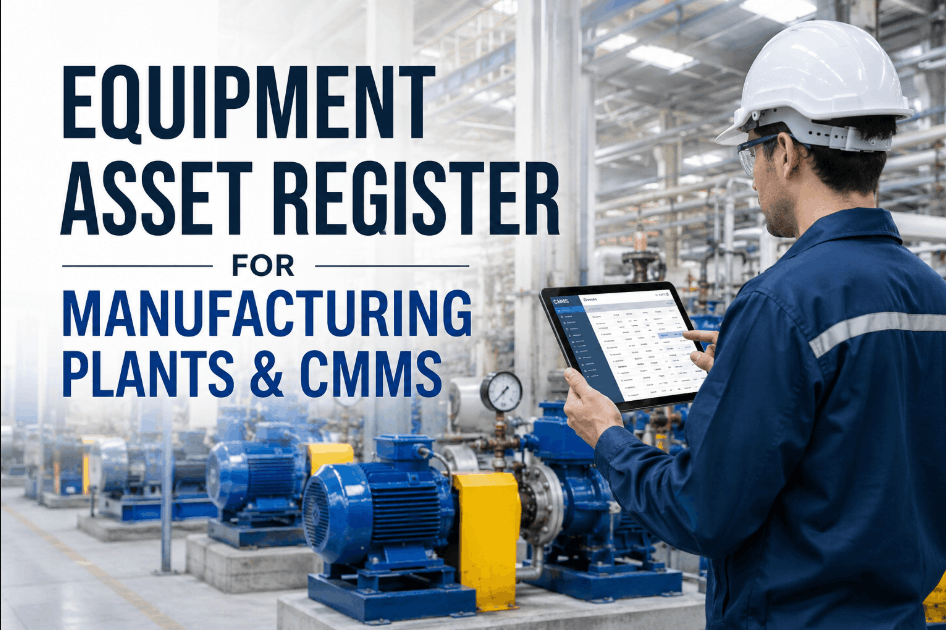
![equipment-asset-register-template-for-manufacturing-plants-[free-excel]](./manage-post-2k26/uploads/equipment-asset-register-template-for-manufacturing-plants-[free-excel].png)

![machine-downtime-tracking-template-for-manufacturing-[excel-dashboard]](./manage-post-2k26/uploads/machine-downtime-tracking-template-for-manufacturing-[excel-dashboard].png)
![maintenance-cost-tracking-template-for-plant-managers-[free-excel-2026]](./manage-post-2k26/uploads/maintenance-cost-tracking-template-for-plant-managers-[free-excel-2026].png)
![oee-calculation-template-for-manufacturing-plants-[excel---dashboard]](./manage-post-2k26/uploads/oee-calculation-template-for-manufacturing-plants-[excel---dashboard].png)
![5-year-capital-maintenance-plan-template-for-manufacturing-facilities-[excel]](./manage-post-2k26/uploads/5-year-capital-maintenance-plan-template-for-manufacturing-facilities-[excel].png)

