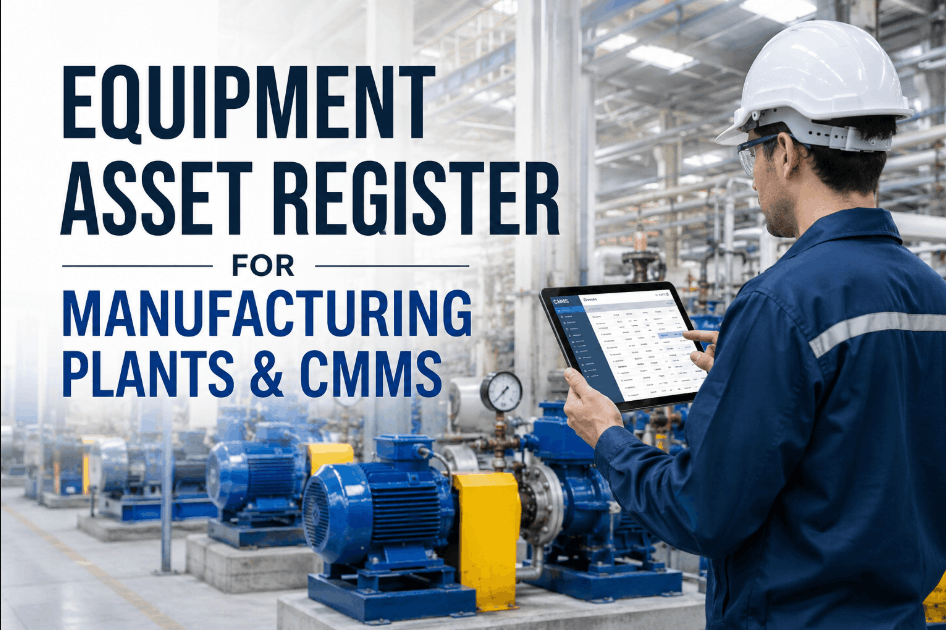
Every reliable maintenance program starts with a clean equipment asset register — a structured record of every machine, its location, its history, and its criticality. Without one, PM scheduling, work order routing, and spare parts planning all break down. This guide covers how to build an equipment asset register for a manufacturing plant, including asset hierarchy, nameplate data capture, criticality tagging, and how to import it cleanly into a CMMS. Sign Up Free and build your asset register directly inside Oxmaint AI.
One Clean Asset Register, Every Plant Connected
Oxmaint AI gives every asset a full digital record — hierarchy, nameplate data, criticality, and QR identity — in one platform.
What Is an Equipment Asset Register?
An equipment asset register is a centralized record of every physical asset in your plant — its identity, location, specifications, maintenance history, and criticality ranking. It's the foundation every other maintenance process depends on: PM scheduling, work order routing, spare parts matching, warranty tracking, and compliance reporting all pull from the asset register. A register that lives in disconnected spreadsheets quickly goes stale; a CMMS-based register stays accurate because every work order and inspection updates it automatically. Book a Demo to see how Oxmaint AI keeps your asset register current in real time.
Why a Clean Asset Register Matters for Manufacturing Plants
Accurate PM Scheduling
PM tasks can only be assigned correctly when asset type, model, and criticality are recorded accurately.
Faster Work Order Routing
Technicians spend less time identifying equipment when asset location and history are one scan away.
Correct Parts Matching
Nameplate data and BOM links prevent technicians from ordering or installing the wrong replacement part.
Reliable Criticality Ranking
A structured hierarchy makes it possible to score and rank assets consistently by safety and production risk.
Audit-Ready Compliance
Regulators and ISO auditors expect traceable asset records tied to maintenance and inspection history.
Better Capital Planning
Accurate asset age and condition data supports smarter replace-versus-repair investment decisions.
Core Data Fields Every Asset Record Needs
Use this field structure as your baseline when building or cleaning up your asset register. Sign Up Free to import your asset list using this exact structure.
| Field | Description | Why It's Needed | Source |
|---|---|---|---|
| Asset ID / Tag | Unique identifier, often paired with a QR code | Enables instant lookup and scan-based identification | Assigned during register setup |
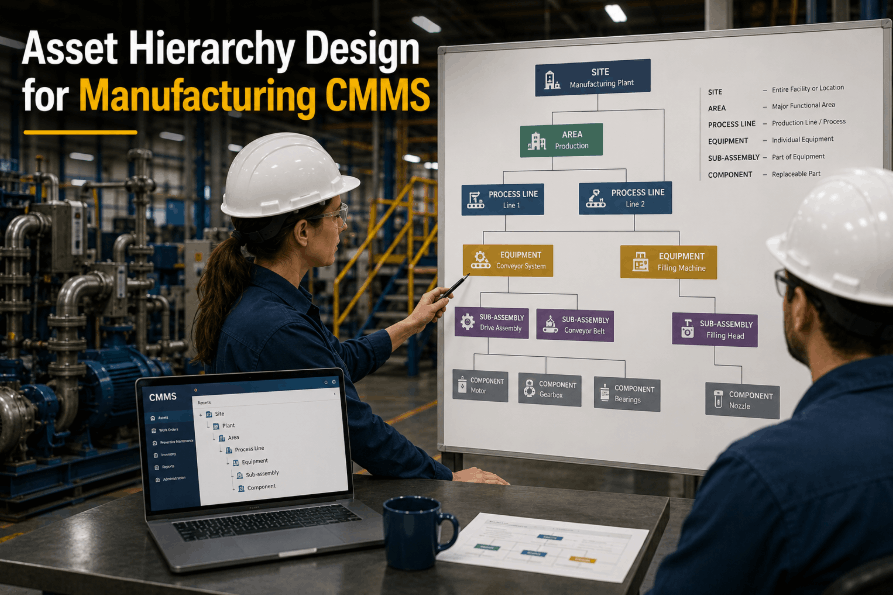
| Asset Hierarchy | Plant → Line → System → Component structure | Supports rollup reporting and criticality scoring by location | Plant layout and process maps |
| Nameplate Data | Manufacturer, model, serial number, capacity | Required for accurate parts matching and warranty tracking | Physical nameplate or OEM documentation |
| Criticality Rank | Safety, production, and redundancy score | Drives PM priority and backlog triage decisions | Criticality assessment workshop |
| Installation Date | Commissioning or install date | Basis for asset age and depreciation tracking | Procurement or commissioning records |
| Warranty Status | Warranty expiration and coverage terms | Prevents paying for repairs still covered by OEM warranty | Purchase order and OEM contract |
| Linked BOM / Parts | Associated spare parts and bill of materials | Speeds up correct parts selection during repair | OEM parts catalog |
How to Build Your Asset Register: Step-by-Step
Follow this sequence to move from scattered asset data to a single, CMMS-ready register. Book a Demo to see this exact workflow inside Oxmaint AI.
Walk the Floor and List Every Asset
Conduct a physical walkthrough of every line and area to capture assets that may be missing from existing records entirely.
Build the Asset Hierarchy
Structure assets in a Plant → Line → System → Component hierarchy so reporting can roll up cleanly at every level.
Capture Nameplate and Spec Data
Photograph and record manufacturer, model, and serial number for every asset — this data anchors parts matching later.
Assign Criticality Rankings
Score each asset on safety, production, and redundancy impact so PM and backlog priorities can be set consistently.
Tag Assets With QR Codes
Print and apply QR labels so technicians can instantly pull up asset details, history, and open work orders on the floor.
Import Into Your CMMS
Bulk import the cleaned register into your CMMS, mapping fields correctly so PM schedules and work orders link automatically.
How AI and QR Scanning Keep Your Register Accurate
Scan any tag to instantly see full asset details, health score, and maintenance history — no manual searching.
Every asset record carries a live health score generated from inspection, sensor, and repair history.
Every completed work order and inspection automatically appends to the asset's permanent record.
Generate and print QR labels for hundreds of assets at once directly from the register.
Asset master data syncs bidirectionally with SAP EAM and other ERP systems to eliminate duplicate records.
AI vision cameras cross-check physical asset condition against register data during automated inspection sweeps.
Common Asset Register Mistakes to Avoid
Even plants with an existing register often carry hidden data quality problems. Book a Demo to see how a register audit inside Oxmaint AI surfaces these gaps quickly.
Flat asset lists without a Plant → Line → System structure make reporting and criticality analysis nearly impossible.
Records without manufacturer, model, and serial number slow down parts ordering and warranty claims.
Without a criticality rank, every asset gets treated equally, wasting PM effort on low-risk equipment.
Spreadsheet-based registers go stale fast since nothing updates them automatically as work is completed.
Asset Register Best Practices for Manufacturing Teams
Use a Consistent Naming Convention
Standardize asset ID formats across the plant so records stay searchable and reports stay accurate.
Photograph Every Nameplate
Attach nameplate photos to each record so field data can be verified without a return trip to the asset.
Review Criticality Annually
Reassess criticality rankings yearly as production priorities and redundancy plans change.
Keep the Register in Your CMMS
A CMMS-hosted register updates automatically with every work order, keeping data current without manual effort.
Tag Every Asset With QR Codes
QR tags turn every asset into a scan-to-access record for technicians working on the plant floor.
Audit the Register Periodically
Schedule periodic register audits to catch decommissioned, relocated, or duplicate asset records.
Build a Register That Powers Every Maintenance Decision
Asset hierarchy, nameplate data, criticality tagging, and QR identity — all connected in Oxmaint AI.
Frequently Asked Questions
The asset register is the data — every asset's identity and history. A CMMS is the platform that hosts, updates, and acts on that data through work orders and PMs.
A mid-sized plant typically completes a physical walkthrough and initial register build within 2–4 weeks, depending on asset count and complexity.
Yes — most CMMS platforms support bulk import from spreadsheets, though cleaning and standardizing fields first improves accuracy. Sign Up Free to import your existing asset list.
Criticality ranking scores each asset by safety, production, and redundancy impact, so maintenance priorities reflect actual risk rather than guesswork.
QR codes aren't mandatory but significantly speed up technician workflows by enabling instant scan-to-access asset records. Book a Demo to see QR scanning in action.
Ready to Build Your Equipment Asset Register?
Start free with Oxmaint AI and turn your asset data into a connected, always-current register.

.png)
![equipment-asset-register-template-for-manufacturing-plants-[free-excel]](./manage-post-2k26/uploads/equipment-asset-register-template-for-manufacturing-plants-[free-excel].png)