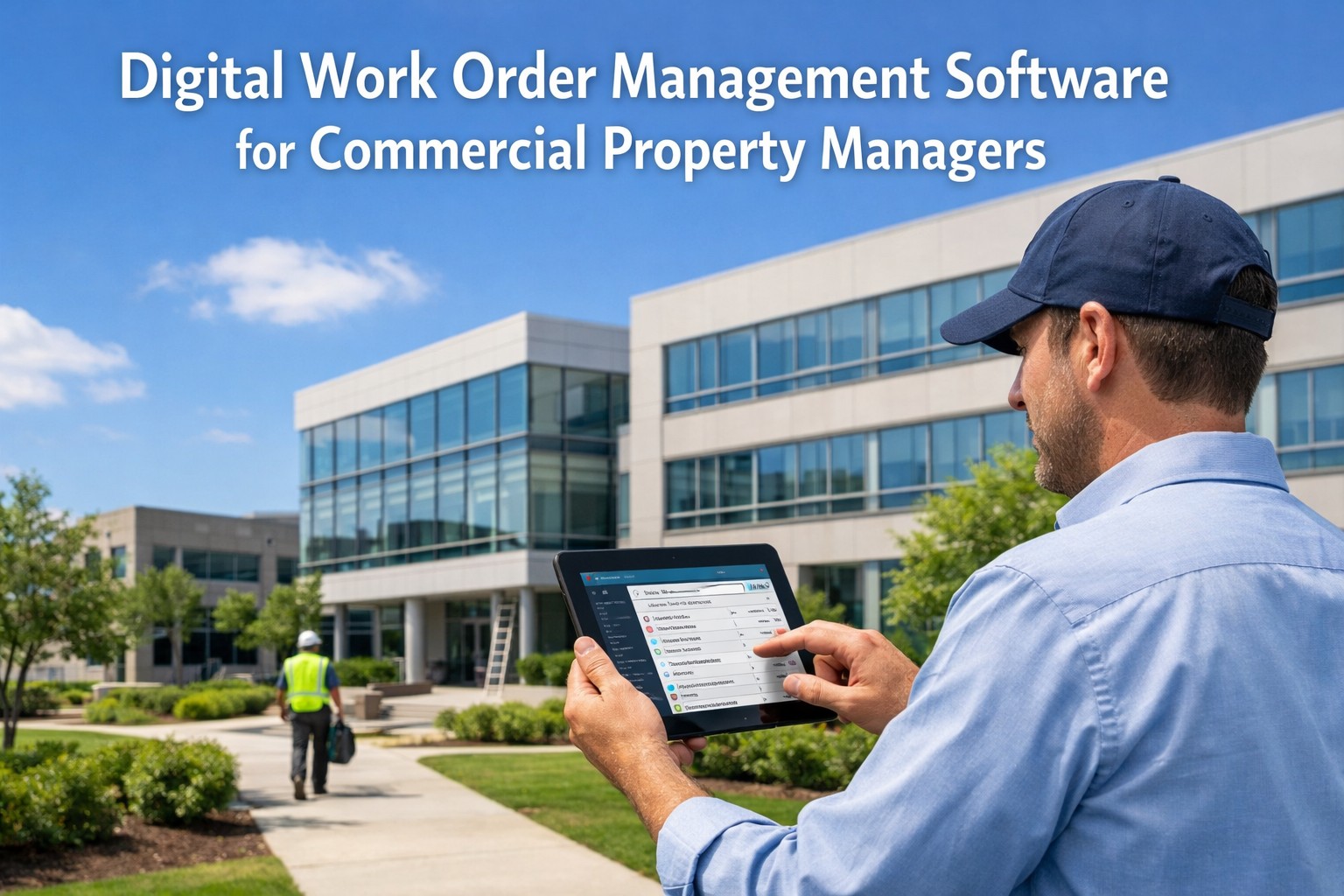
Most property maintenance teams are not failing because of bad people or bad intentions. They are failing because they are running 2024 operations on 2004 tools. Spreadsheets break under scale, paper trails disappear during audits, and reactive work order chaos costs portfolios an average of $1.3M per year in preventable spend. The shift to a modern CMMS is not a technology upgrade — it is an operational decision with measurable financial consequences. If your team is still running on spreadsheets, book a demo and we will show you exactly what a structured digital migration looks like for your portfolio.
74%
Of facility teams still use spreadsheets or paper logs as their primary maintenance record system
3.8x
Faster work order resolution time after switching from spreadsheet tracking to a CMMS platform
$48K
Average annual savings per building in the first year after completing a spreadsheet-to-CMMS migration
60 days
Typical time for a property team to reach 80%+ PM compliance after deploying a modern CMMS
Your Spreadsheet Is Not a Maintenance System. Oxmaint Is.
Oxmaint replaces disconnected spreadsheets with a unified asset registry, automated work orders, and real-time portfolio visibility. No implementation fees. Live within days.
What Does Digitizing Property Maintenance Actually Mean?
Digitizing maintenance means replacing manual, disconnected record-keeping with a structured CMMS (Computerized Maintenance Management System) that centralizes asset data, work orders, PM schedules, and compliance records in one platform. It is not about adding a new app to an existing broken workflow. It is about replacing the workflow entirely — so your team stops chasing paper and starts managing outcomes. See what a fully digitized maintenance operation looks like for a portfolio your size — book a demo with our team and we will map the transition against your current setup.
Asset Registry
Every asset across every property logged with install date, condition score, service history, and remaining useful life. No more guessing when equipment was last serviced or who touched it.
Digital Work Orders
Work requests and PM tasks auto-generated, assigned, and tracked in real time. Technicians close jobs from their phone. Managers see status instantly, not at the end of the week.
Automated PM Scheduling
Preventive maintenance schedules generated automatically based on asset type, age, and condition scores. No manual calendar management, no missed service cycles, no compliance gaps.
Portfolio-Level Reporting
Aggregated KPIs across all properties exportable in under 2 minutes. Maintenance spend per square foot, PM compliance rates, and asset condition distribution — all investor-ready.
Why Spreadsheets Fail at Scale: 6 Breaking Points
Spreadsheets work for one person managing five assets. They collapse for a team managing five properties with 500 assets across multiple technicians and compliance requirements. These are the exact breaking points that drive emergency costs and operational drag. Identify which of these are costing your portfolio the most — book a demo and our team will map the gaps against your current operations in 30 minutes.
01
No Real-Time Visibility
Spreadsheets are static. A work order logged at 9am is invisible to everyone else until the file is shared, re-opened, and refreshed. Teams managing 10+ properties report spending 6-8 hours per week just reconciling maintenance status across files.
02
Version Control Failures
When five people edit the same spreadsheet across email threads, version conflicts create data loss, duplicate entries, and invisible errors. 43% of facility managers report discovering maintenance history gaps during insurance claims or compliance audits — when it is too late.
03
No Asset Condition Tracking
Spreadsheets record events, not conditions. They cannot score an asset's health, calculate remaining useful life, or trigger a work order when a threshold is crossed. Without condition data, CapEx planning is guesswork and emergency replacements cost 4.8x more than planned ones.
04
Compliance Documentation Risk
Manual records scattered across spreadsheet tabs and email chains fail audits. OSHA citations average $15,625 per occurrence. Properties with documented digital PM programs face 40% fewer compliance findings during inspections than those relying on spreadsheet logs.
05
Zero Mobile Capability
Technicians in the field cannot effectively update a spreadsheet from a phone mid-job. This creates a logging lag where repairs are done but records are updated hours or days later — if at all. 62% of reactive maintenance events go incompletely documented in spreadsheet-based operations.
06
No CapEx Forecasting
Spreadsheets cannot generate rolling capital expenditure models from asset condition data. CapEx overruns in spreadsheet-managed portfolios average 22% annually — compared to 12% for teams using condition-backed CMMS forecasting. That gap compounds across every property every year.
The Digital Maturity Gap: Where Most Teams Actually Are
Most property teams sit somewhere in the middle of a digital transformation they have not fully committed to. Understanding where your operation sits on the maturity curve is the starting point for knowing exactly what the migration needs to accomplish.
Level 1
Paper and Email
Work orders on paper, technician updates via text message, service history in filing cabinets. Zero visibility, zero compliance trail, maximum emergency exposure.
74% of teams at Level 1-2 experience at least one major compliance gap per year
Level 2
Spreadsheet Tracking
Excel or Google Sheets for asset lists and PM calendars. Better than paper, but static, prone to version errors, and invisible to mobile technicians. 74% of teams are here.
Teams at Level 2 spend 6-8 hrs/week reconciling records vs. 45 min for CMMS users
Level 3
Basic Work Order Software
Digital work orders with some history logging. Still lacks asset condition scoring, CapEx forecasting, and portfolio-level reporting. A step forward but not a complete system.
Level 3 teams still miss 30-40% of preventive cycles due to no condition triggers
Level 4
Full CMMS with Condition Scoring
Unified asset registry, automated PM scheduling, condition-based lifecycle tracking, and investor-grade CapEx forecasting. This is where Oxmaint operates and where your team needs to be.
Level 4 teams cut unplanned downtime 45% and CapEx overruns by 40% within year one
Ready to Move from Level 2 to Level 4?
Oxmaint takes property teams from spreadsheet chaos to full CMMS maturity — with no implementation fees, no data loss, and a live system within days of starting. Your first PM schedule can be running before the end of your first week.
How Oxmaint Handles the Spreadsheet-to-CMMS Migration
The biggest fear in any system migration is data loss and operational disruption. Oxmaint is designed for zero-downtime transitions. Most property teams are fully operational in the platform within days and reach full migration within their first 30 days. Start your free trial and begin the migration today with no upfront cost and no long onboarding cycle required.
Step 01
Asset Data Import
Export your existing spreadsheet asset list. Oxmaint ingests it directly into the asset registry with hierarchy tagging (Portfolio, Property, System, Asset, Component). No rebuilding from scratch.
Step 02
Baseline Condition Scoring
Every imported asset receives an initial condition score based on age, install date, and known maintenance history. This becomes the baseline for all PM scheduling and CapEx forecasting from day one.
Step 03
PM Schedule Generation
Preventive maintenance schedules auto-generate from the asset registry with configurable intervals. Your existing PM calendar logic transfers directly — no manual recreation of every maintenance cycle.
Step 04
Technician Onboarding
Technicians access work orders from their mobile device from day one. No desktop required. Work order assignment, status updates, and job closure all happen in the field — live in the platform instantly.
Step 05
Historical Data Migration
Existing service history from spreadsheets and paper logs is mapped to asset records so your team does not lose institutional knowledge built over years. Historical data informs condition scoring and lifecycle projections immediately.
Step 06
Portfolio Reporting Activation
Once assets and work orders are live, portfolio-level KPI reporting activates automatically. Maintenance spend per square foot, PM compliance rates, and asset health scores exportable in under 2 minutes for any stakeholder review.
Spreadsheets vs. CMMS: The Operational Gap in Numbers
Same team. Same properties. Same assets. The only difference is the system they run on. Here is what that difference produces across every operational dimension that matters. Want these numbers applied to your actual portfolio? Book a demo and we will run the comparison against your current maintenance spend in 30 minutes.
Work Order Speed
Manual creation, email assignment, status tracked by memory. Average resolution lag of 3-5 days for non-emergency tasks.
Auto-generated, mobile-assigned, real-time status. 3.8x faster resolution. Zero status ambiguity.
Record Integrity
Version conflicts, manual entry errors, missing logs. 43% of teams discover gaps during audits. Cannot be undone.
Every action timestamped and user-attributed. Immutable audit trail per asset. Always audit-ready.
PM Compliance
Calendar reminders missed. PM cycles skipped during busy periods. Average PM compliance rate under 55% in spreadsheet operations.
Auto-triggered PM work orders with technician assignment. Teams reach 80%+ compliance within 60 days of going live.
CapEx Planning
No condition data. Replacement timelines based on memory or vendor quotes. CapEx overruns average 22% annually.
Condition-scored rolling 5-10 year models. Defensible capital requests. 40% faster approval from ownership.
Technician Time
6-8 hrs/week spent on record reconciliation and status chasing. 60-70% of time reactive rather than planned.
45 min/week on admin. 30% more time on planned wrench-work. Technicians arrive with full asset history on every job.
Reporting
Manual assembly from multiple files. Portfolio reporting takes 1-2 days. Data frequently inaccurate or stale.
Automated portfolio reports in under 2 minutes. Always current. Always investor-grade and compliance-ready.
Where Digitization Delivers the Fastest Returns
Not every part of the migration delivers equal ROI speed. These are the operational areas where switching from spreadsheets to a CMMS produces the fastest measurable returns, ranked by time-to-impact for a typical 10-property commercial portfolio.
Emergency Repair Cost Reduction
90%
PM Compliance Rate Improvement
82%
Admin and Reporting Time Saved
78%
Compliance Audit Pass Rate
72%
CapEx Forecast Accuracy
65%
Technician Productive Time
58%
Percentage improvement reported by property teams within 90 days of completing CMMS migration from spreadsheet-based operations
Every Week on Spreadsheets Is a Week of Avoidable Cost
The data is clear. Teams that complete the migration to a modern CMMS recover their investment within weeks and compound the savings across every property for years. The question is not whether to make the switch — it is how fast you can do it without disruption.
Digital Transformation Investment Analysis: Costs vs. Returns
The digitization investment is not large. The return is. These figures reflect real implementation and savings data for commercial property portfolios migrating from spreadsheet or paper-based operations to a modern CMMS. We can model this against your specific portfolio size and current maintenance spend — book a demo and get your custom projection in one session.
| Solution |
Implementation Cost |
Annual Savings |
Payback Period |
| CMMS Work Order Digitization |
$1,200 / building |
$48,000 / avoided emergency and admin costs |
Under 2 weeks |
| Asset Registry and Condition Scoring |
$900 / building |
$35,000 / deferred replacement and lifecycle savings |
Under 2 weeks |
| Automated PM Scheduling |
$800 / building |
$29,000 / compliance and unplanned downtime savings |
Under 2 weeks |
| IoT Sensor Integration (HVAC, Electrical) |
$2,400 / building |
$52,000 / prevented failures and energy savings |
Under 4 weeks |
| Automated CapEx Forecasting |
$1,800 / portfolio |
$28,000 / budget accuracy and approval speed |
Under 3 weeks |
| Full IoT + CMMS Platform Deployment |
$8,500 / building |
$143,000 / building annually |
Under 6 months |
Complete IoT implementation delivers 3.2x ROI within 18 months, with most solutions paying for themselves in under 6 months.
Investment Reality: Full IoT deployment costs average $8,500 per building but returns $143,000 annually. The 3.2x ROI makes IoT investment essential for competitive operations.
The Results of Going Digital: What Teams Report After Migration
3.8x
Faster work order resolution for teams that switch from spreadsheet tracking to a live CMMS platform
25%
Average reduction in total maintenance spend within 12 months of a complete spreadsheet-to-CMMS migration
80%+
PM compliance rate achieved within 60 days of going live on Oxmaint for most multi-property portfolios
45%
Reduction in unplanned downtime events in the first year after completing a full CMMS deployment
Frequently Asked Questions
How long does it actually take to migrate from spreadsheets to a CMMS?
Most property teams using Oxmaint are operational within days and complete full migration within 30 days. The process starts with importing your existing asset list, which Oxmaint ingests directly from a spreadsheet export. PM schedules generate automatically once assets are entered. There are no heavy implementation fees and no long onboarding engagements. Teams reach 80%+ PM compliance within 60 days of going live. The fastest path to see what this looks like for your specific portfolio is to run a live session with our team —
book a demo and we will walk through your migration step by step.
Will we lose our existing maintenance history during the migration?
No. Oxmaint is designed for zero-data-loss migrations. Historical service records from spreadsheets and paper logs are mapped to asset records during the import process. That history feeds directly into condition scoring and lifecycle projections from day one, so you do not start with a blank system — you start with context. For teams with years of service history, this institutional knowledge becomes more valuable in a structured CMMS than it ever was in a spreadsheet because it actively informs maintenance decisions rather than just sitting in a file.
What happens to compliance documentation during the transition period?
Compliance records continue uninterrupted during migration. Oxmaint runs parallel to your existing system during the transition period — your team logs new service events in the CMMS while historical records are imported. Within the first 30 days, all compliance documentation is centralized in one audit-ready system. Every inspection, certification, and service event is timestamped and user-attributed. Properties on structured CMMS programs face 40% fewer compliance findings during inspections than those on manual systems.
Start your free trial and set up your first compliance calendar before your next scheduled inspection.
How do technicians adapt to a new system without slowing down daily operations?
Oxmaint is built mobile-first precisely because technicians live in the field, not at desks. Work orders appear on their phone, job closure happens in the field, and asset history is visible before they arrive on site. Most technicians are fully comfortable with the workflow within their first week. The real productivity gain is that they stop spending time on paper logs and status calls and spend more time on actual maintenance work. Teams report a 30% increase in planned wrench-time within 60 days of onboarding field technicians to the platform.
Is a CMMS only worth it for large portfolios, or does it work for smaller operations too?
A CMMS delivers measurable ROI at any scale where reactive maintenance is a cost problem. Even a 3-property portfolio averaging one emergency repair per month can recover the full annual cost of Oxmaint from a single avoided emergency call. The operational benefits — real-time visibility, automated PM scheduling, and mobile work orders — are equally valuable whether you manage 3 properties or 30. Oxmaint is specifically designed to scale from small portfolios to large ones within the same system, so you never outgrow it.
Tell us about your current portfolio size and we will show you the exact ROI calculation — book a demo today.
How does Oxmaint handle CapEx planning after the spreadsheet migration?
Once your asset registry is live and condition scores are established, Oxmaint generates rolling 5-10 year capital expenditure models automatically. These models pull from actual asset age, condition scores, maintenance history, and remaining useful life estimates — not manual entries or vendor guesses. Investment committees and lenders receive defensible, data-backed capital requests rather than spreadsheet estimates. Property teams using condition-backed CapEx models report 40% faster capital approval from ownership compared to estimate-only submissions. This alone justifies the migration cost for most portfolios within the first budget cycle.
Stop Managing Modern Properties on Outdated Tools.
Oxmaint moves your team from spreadsheet chaos to a fully digital CMMS — with zero data loss, no implementation fees, and a live system within days. Asset registry, PM scheduling, work order management, compliance tracking, and investor-grade CapEx reporting in one platform.
Zero-data-loss migration from spreadsheets
Live within days, not months
Mobile-first work orders for field technicians
Automated PM scheduling and compliance tracking