A unit turn checklist is the structured sequence of maintenance tasks a property management team executes to take an apartment from move-out to rent-ready — and top operators compress that property turnover process into 3–5 days instead of the industry-average 10–14. Every vacant day is lost rent, so a disciplined apartment turnover checklist directly protects NOI. This guide breaks down the full rental turnover maintenance workflow — pre-move-out inspection, punch-list scoping, vendor coordination, quality control and the CMMS backbone that ties it together. Ready to stop losing rent days? Start Free Trial or read on for the complete make ready checklist framework.
Every vacant day costs you rent. A disciplined unit turn checklist gets units rent-ready in days, not weeks.
Top property managers cut their average turnover from 14 days to 3–5 by standardizing the make ready maintenance process — from pre-move-out inspection to final QC walk. OxMaint's AI-powered CMMS automates the workflow, tracks every task, and closes the loop on damage claims and vendor coordination.
Why a standard unit turn process is a revenue lever, not just paperwork
A 200-unit community averaging 25% annual turnover loses roughly $87,500 in rent per year for every extra day added to its average unit turn time — and that figure excludes vendor overtime, extended marketing costs and concessions to fill stale listings. The apartment make ready process is where that money is won or lost.
A 320-unit garden-style community turns 80 units per year at an average of 12 days each — 960 rent-days lost. By implementing a unit turn checklist inside a CMMS, the maintenance director cuts average turnover to 5 days, recovers 560 rent-days, and adds $19,600 in recovered rent annually before counting vendor efficiency gains.
The complete unit turn maintenance checklist — 6 phases from move-out to rent-ready
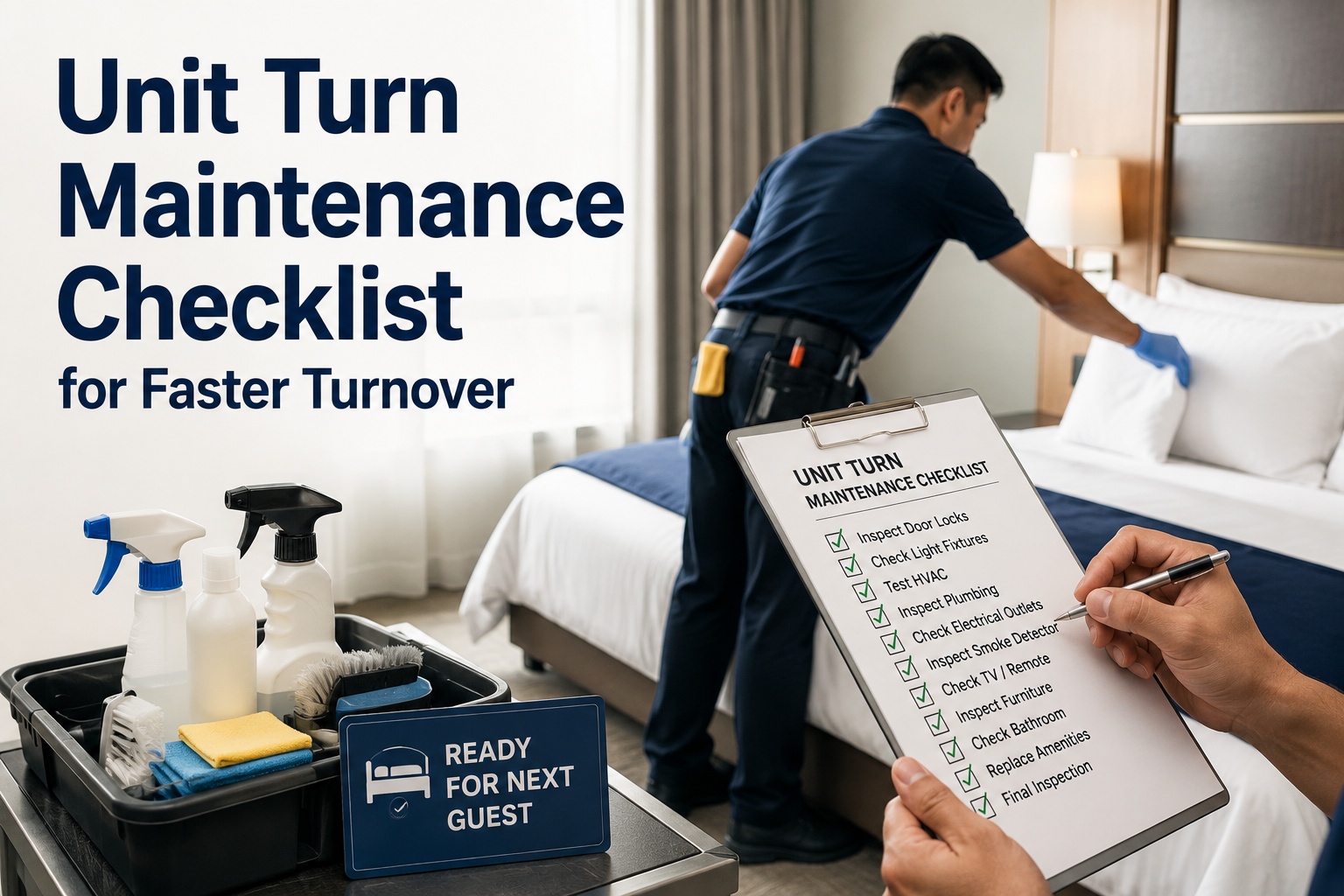
Every successful property turn checklist follows a repeatable sequence. Below is the tiered apartment turnover checklist used by high-performing maintenance teams, structured so nothing falls through the cracks and every task is assignable, trackable and verifiable inside a CMMS.
Pre-Move-Out Inspection
- Schedule inspection 5–7 days before lease end
- Document existing damage with timestamped photos
- Identify charge-back items vs. normal wear-and-tear
- Flag safety hazards for immediate repair
- Pre-order parts and materials for known issues
- Notify resident of cleaning expectations and deposit logic
Move-Out Walk-Through
- Collect keys, fobs, mailroom and amenity access
- Verify unit is broom-clean per lease terms
- Compare condition against pre-move-out photos
- Log all new damage with location and severity codes
- Generate deposit deduction itemization within 3 business days
- Launch unit turn work order in CMMS immediately
Punch-List Scoping
- Run standardized make ready checklist by unit type
- Categorize tasks: in-house maintenance vs. vendor
- Estimate labor hours, materials and turnaround per task
- Identify parallel vs. sequential work (paint before flooring)
- Check spare-parts inventory; auto-generate purchase orders
- Assign target completion date based on leasing pipeline
Vendor Coordination
- Auto-assign work orders by trade: paint, floor, clean, HVAC
- Schedule vendors in dependency order with buffer slots
- Share scope, photos and access instructions via CMMS portal
- Track vendor check-in/check-out and completion photos
- Enforce SLA windows; escalate overdue tasks automatically
- Reconcile invoices against completed scope before approval
Repairs & Make-Ready Execution
- Appliances: test, clean, replace gaskets and filters
- Plumbing: check leaks, caulk tubs, replace toilet seats
- HVAC: change filters, verify thermostat, service if needed
- Electrical: replace burned-out bulbs, test GFCI outlets
- Walls: patch, prime, paint with community-standard color
- Floors: steam-clean carpet or replace LVT as scoped
Quality Control & Rent-Ready Sign-Off
- Independent QC walk by supervisor or leasing team
- Verify every punch-list item completed with photos
- Test all appliances, faucets, outlets and HVAC cycles
- Confirm unit is spotless and odor-free
- Close work order; mark unit rent-ready in property system
- Capture lessons learned: cycle time, vendor scorecard, costs
How a 5-day unit turnover process actually unfolds
The fastest property teams don't work harder — they sequence work so trades overlap and no unit sits idle waiting for the next step. Here is what a compressed, CMMS-driven apartment turn checklist looks like on a real calendar.
Move-Out, Scope & Demo
Resident vacates by 10 AM. Maintenance supervisor completes the move-out walk-through by noon, uploads photos to the CMMS, and auto-generates the full punch-list work order. Trash-out and carpet removal begin the same afternoon.
Repairs & Patch
In-house techs handle plumbing, electrical, appliance swaps and drywall repair. The CMMS triggers parts requests for anything not in stock so the paint crew isn't blocked. HVAC service vendor completes seasonal tune-up.
Paint & Flooring
Paint crew primes and paints walls, ceilings and trim with community-standard color. Flooring vendor installs replacement LVT or stretches new carpet. Work orders auto-close as each trade submits completion photos.
Deep Clean & Punch
Cleaning vendor deep-cleans kitchen, baths, windows and floors. Maintenance returns for final punch: blinds, switch plates, hardware, smoke detectors. Any incomplete items auto-escalate to the maintenance supervisor.
QC Sign-Off & Rent-Ready
Leasing or maintenance supervisor completes the QC checklist on mobile, verifies photos, and closes the master turn work order. Unit is marked rent-ready and available for showings by 12 PM — 5 days from key collection.
How OxMaint streamlines the unit turnover process
Spreadsheets, whiteboards and group texts are why units take 14 days. OxMaint's AI-powered CMMS replaces that chaos with a single platform that manages every work order, vendor, part and inspection — so your rental turnover maintenance runs on rails.
Template-Driven Turn Work Orders
Launch a complete apartment make ready checklist in one tap — every task, trade and dependency pre-loaded by unit type. No more missed steps or forgotten smoke detectors.
Automated Vendor Scheduling
Auto-assign work orders to approved vendors by trade and availability. Vendors receive scope, photos and access codes through a portal; the CMMS tracks check-in, completion photos and SLA compliance.
Parts & Inventory Tracking
Know what's in the maintenance room before you scope the turn. OxMaint auto-deducts parts on work-order close, flags reorder points and generates purchase orders so paint, filters and hardware are always in stock.
Turnover Analytics & Benchmarks
Track average turn time, cost per unit and vendor performance in real time. Identify which communities, unit types or trades are dragging your average and fix the bottleneck before it costs another rent day.
Spreadsheet turn process vs. CMMS-driven unit turn checklist
The gap between a 14-day and a 5-day turnover is rarely about effort — it's about system. Here is what changes when you move from sticky notes and shared docs to a purpose-built maintenance platform.
| Dimension | Spreadsheet / Manual | OxMaint CMMS |
|---|---|---|
| Average turn time | 10–14 days; varies by who's on shift | 3–5 days; standardized by unit type |
| Punch-list creation | Hand-written or copied from last unit; items missed | Auto-generated from template; 100% scope coverage |
| Vendor scheduling | Phone calls and texts; no visibility into status | Auto-assigned by trade; live status and completion photos |
| Damage documentation | Phone photos in personal albums; hard to retrieve | Timestamped, geo-tagged, attached to work order |
| Parts availability | Discovered missing mid-turn; trips to hardware store | Pre-checked at scoping; auto-reorder at minimum |
| QC accountability | Verbal sign-off; no audit trail | Mobile checklist with photo proof and sign-off log |
| Turn cost visibility | Unknown until invoices arrive weeks later | Real-time cost per unit, per trade, per community |
| Rent days lost per unit | 10–14 days of zero revenue | 3–5 days — recover up to 9 rent days per turn |
See how OxMaint turns your units in 5 days, not 14
Book a 30-minute demo and we'll map your current turnover process to a CMMS-driven unit turn checklist — with a realistic timeline for cutting your average turn time in half.
Unit turn checklist: top questions property managers ask
What is a unit turn checklist and why does it matter for property turnover maintenance?
A unit turn checklist is a standardized, itemized list of every maintenance and cleaning task required to take an apartment from move-out condition to rent-ready. It matters because every vacant day is lost rent — a disciplined checklist compresses turnover from 10–14 days to 3–5, ensures no task is missed, and provides documentation for deposit deductions and damage claims.
How long should an apartment turnover take with a proper make ready checklist?
Top property management companies complete a standard unit turn in 3–5 days using a structured apartment turnover checklist and CMMS-driven vendor coordination. The industry average is 10–14 days, and the difference is almost always process — not crew size. You can see how OxMaint drives that timeline by scheduling a Book a Demo session.
What are the most common delays in the unit turnover process?
The biggest delays come from poor vendor scheduling (trades can't overlap), missing parts discovered mid-turn, incomplete punch-lists that require return trips, and no formal QC step so problems surface at the showing. A CMMS eliminates all four by auto-sequencing vendors, pre-checking inventory, standardizing scope and enforcing photo-verified sign-off.
Should I use a CMMS or a spreadsheet for rental turnover maintenance?
A spreadsheet works for portfolios under 20–30 units with minimal vendor coordination. Beyond that, the lack of real-time status, automated task assignment, photo documentation and cost tracking costs you rent days and vendor overcharges. Most teams see ROI within the first month of switching to a CMMS like OxMaint — recovered rent alone typically exceeds the subscription cost by 5–10x. Start Free Trial to test it on your next turn.
How do I document damage for deposit deductions during a unit turn?
Conduct a pre-move-out inspection 5–7 days before lease end and a move-out walk-through on key-collection day. Photograph every room with timestamps, compare against move-in condition photos, and log damage with location and severity codes inside your CMMS. This creates a defensible audit trail for deposit itemization and protects you in disputes — most states require the itemized list within 14–30 days.
Stop losing rent days. Start turning units faster with OxMaint.
Deploy a CMMS-powered unit turn checklist that cuts your average turnover in half, documents every task and recovers thousands in lost rent per unit per year.
Free 14-day trial · No credit card