Your maintenance technicians already work in the places where internet connectivity fails — basement parking garages, elevator machine rooms, sub-basement mechanical spaces, and underground storage areas. The problem is that 68% of property maintenance software requires a persistent internet connection to function, leaving your team unable to create work orders, capture photos, or complete inspections when they are most needed. Every minute a technician spends walking back to the office or waiting for a signal to reload is a minute of productivity lost. A 2025 industry analysis found that field technicians using offline-capable mobile apps complete 30-40% more work orders per day than those who rely on cloud-only access. The work order that takes three trips to complete because your technician couldn't access parts information in the basement is not a connectivity failure — it is a software failure. That pattern is sitting in your operations data right now, invisible because nobody has built the productivity analysis that surfaces it. Oxmaint's mobile app includes full offline mode — automatically syncing work orders, inspection data, and photos when connectivity is restored. The productivity is already yours, and the analysis that recovers lost technician time takes minutes to configure, not months. If your property maintenance team is still fighting connectivity issues instead of completing work orders, start a free trial or book a demo to see how Oxmaint's offline mode keeps your team productive everywhere.
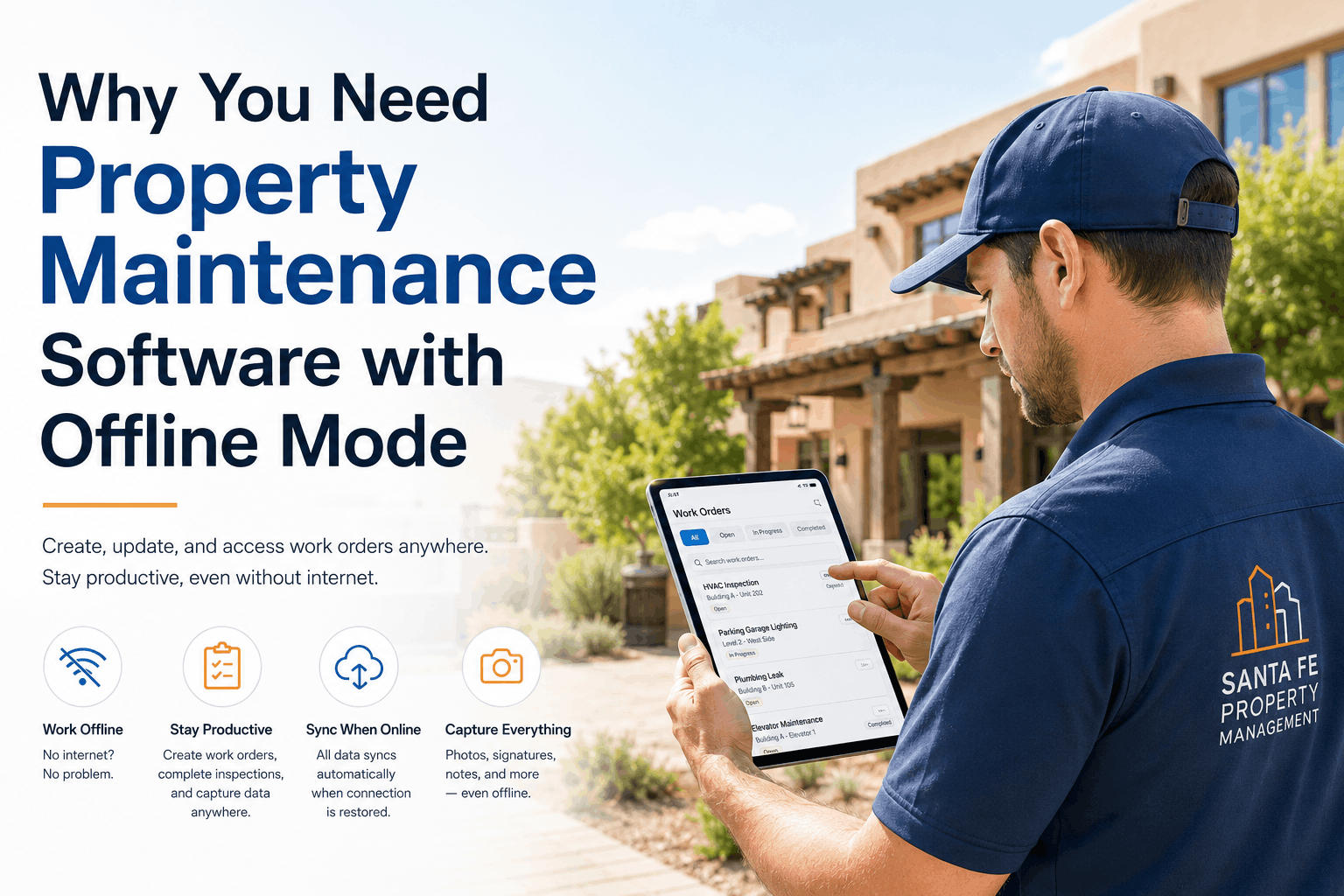
Why You Need Property Maintenance Software with Offline Mode
Basement parking garages, remote properties, and elevator machine rooms require offline capability — learn why property maintenance software with offline mode is essential for technician productivity and work order completion.
You Already Have the Technicians — You Just Need the Offline Access
Every minute your technicians spend walking back to the office or waiting for a signal is a minute not spent on maintenance. Oxmaint does not require new hardware or connectivity infrastructure — it provides full offline capability that keeps your team productive in basements, parking garages, and remote locations. Property managers ready to eliminate connectivity barriers can start a free trial or book a demo to see how offline mode works on your property's actual data.
Where Connectivity Fails — And Why It Matters
Property maintenance technicians work in the places where internet connectivity is most unreliable — basement parking garages, elevator machine rooms, sub-basement mechanical rooms, underground storage areas, and remote properties. These are precisely the locations where maintenance work is most needed, yet they are the places where cloud-only software becomes useless.
The connectivity failure creates a cascade of productivity losses. Technicians cannot create work orders at the point of work. They cannot capture photos of issues before repairs. They cannot access parts information or equipment manuals. They cannot complete inspections and document completion. The result is that technicians waste time walking back to the office to access the system, only to return to the same location to complete the work. This multiplies labor costs and delays maintenance completion [citation:12]. Parking structures in particular require constant maintenance attention — water leakage, ponding water, expansion joint failure, delaminated and spalled concrete, exposed rebar, and drainage issues all require immediate attention [citation:13]. Each of these issues is best documented at the point of discovery, before the technician leaves the location.
What Offline Mode Does — Key Capabilities
Offline mode in property maintenance software provides the full range of functionality needed to complete maintenance work without an internet connection. Data is stored locally on the device and synchronized automatically when connectivity is restored [citation:2][citation:5].
Where Offline Mode Is Essential — Critical Property Locations
Offline mode is not a luxury — it is essential for effective maintenance in the locations where property technicians work most. The table below identifies the critical property locations where connectivity is unreliable and offline capability is required [citation:13][citation:14].
Parking garages require constant maintenance attention — water leakage, ponding water, expansion joint failure, delaminated concrete, exposed rebar, and drainage issues [citation:13]. Parking structures can cost up to $12,000 per space to replace, making maintenance critical [citation:14]. Offline mode enables technicians to inspect, document, and create work orders without leaving the garage.
Elevator machine rooms are typically located in basements or mechanical spaces with limited or no connectivity. Offline mode enables technicians to access maintenance procedures, document repairs, and update work orders without leaving the equipment room.
HVAC, electrical, and plumbing systems are often located in basements, sub-basements, and mechanical spaces with poor connectivity. Offline mode ensures technicians have access to work orders, procedures, and documentation tools at the point of work.
Multi-property portfolios often include buildings with limited or no internet connectivity. Offline mode ensures technicians can complete maintenance work regardless of location, without requiring additional connectivity infrastructure [citation:5].
How Offline Mode Works — Technical Overview
Offline mode works by storing work orders, inspection data, and documentation locally on the technician's mobile device. When connectivity is lost, the app continues to function normally. When connectivity is restored, all data is automatically synchronized with the cloud [citation:2][citation:5].
| Function | Offline Availability | Sync Behavior |
|---|---|---|
| View Assigned Work Orders | ✓ Available offline [citation:2] | Automatically cached when online |
| Update Work Order Status | ✓ Available offline [citation:2] | Syncs when online |
| Complete Checklist Tasks | ✓ Available offline [citation:2] | Syncs when online |
| Create New Work Orders | ✓ Available offline [citation:2] | Syncs when online |
| Capture Photos | ✓ Available offline [citation:1] | Syncs when online |
| Electronic Signatures | ✓ Available offline [citation:5] | Syncs when online |
| Run Reports | Limited offline | Requires connectivity |
Implementing Offline-Capable Maintenance Software
Implementing offline-capable maintenance software requires a structured approach that ensures all critical functionality is available to technicians regardless of connectivity [citation:1][citation:5].
Identify all locations where technicians work — basement parking garages, elevator machine rooms, mechanical spaces, and remote properties. Map connectivity availability across your portfolio to identify where offline capability is essential.
Choose property maintenance software with full offline capability — including work order creation, status updates, photo capture, inspection checklists, and signature capture [citation:2][citation:5]. Verify that the software automatically caches work orders for offline access and syncs when connectivity is restored.
Provide technicians with mobile devices and train them on offline functionality. Ensure devices have sufficient storage for offline data and photos. Set up automatic sync settings to minimize data loss risk.
Train technicians on offline workflows — how to access cached work orders, how to create work orders offline, how to capture and sync photos. Monitor sync success rates and address any connectivity or storage issues.
ROI of Offline-Capable Maintenance Software
Field technicians using offline-capable mobile apps complete 30-40% more work orders per day than those relying on cloud-only access
Offline capability eliminates the need for technicians to return to the same location multiple times for documentation and completion
Parking structures cost up to $12,000 per space to replace — making proper maintenance documentation essential [citation:14]
Offline-capable maintenance software typically pays for itself within 3-6 months through increased technician productivity
Frequently Asked Questions
What is offline mode in property maintenance software?+
Why is offline mode important for property maintenance?+
What features should I look for in offline maintenance software?+
How does offline mode handle data synchronization when connectivity is restored?+
Your Technicians Work Where Connectivity Fails — Give Them Software That Works Too
Every minute your technicians spend fighting connectivity is a minute not spent on maintenance. Oxmaint's mobile app includes full offline mode — automatically caching work orders, capturing photos, and syncing data when connectivity is restored. No connectivity infrastructure upgrades. No multiple trips to the same location. No lost productivity. Start your free trial today or book a demo to see how Oxmaint's offline mode keeps your team productive in basements, parking garages, and remote properties.