Converting reactive maintenance to a preventive maintenance program is the single highest-ROI operational change a facility team can make — yet most attempts stall within 90 days because teams try to change everything at once instead of following a proven transition sequence. Reactive maintenance is not just a strategy problem; it is a cultural trap. When every shift starts with firefighting, there is never time to schedule the work that would prevent the fires. The U.S. manufacturing sector loses an estimated $50 billion annually to unplanned downtime, and facilities running primarily reactive programs spend 3–5 times more per repair than those with functioning preventive maintenance schedules. The good news: you do not need a greenfield facility, a new CMMS, or a reorganized team to start the transition. You need a ranked asset list, a structured PM schedule, and a platform that makes compliance easier than cutting a corner. This guide gives you the exact sequence — from criticality ranking to first PM cycle completion — used by maintenance teams that have permanently escaped the reactive loop. Want to shortcut the setup? Start a free trial on Oxmaint and have your first PM schedule running before end of week, or book a consultation and we will map the transition to your facility.
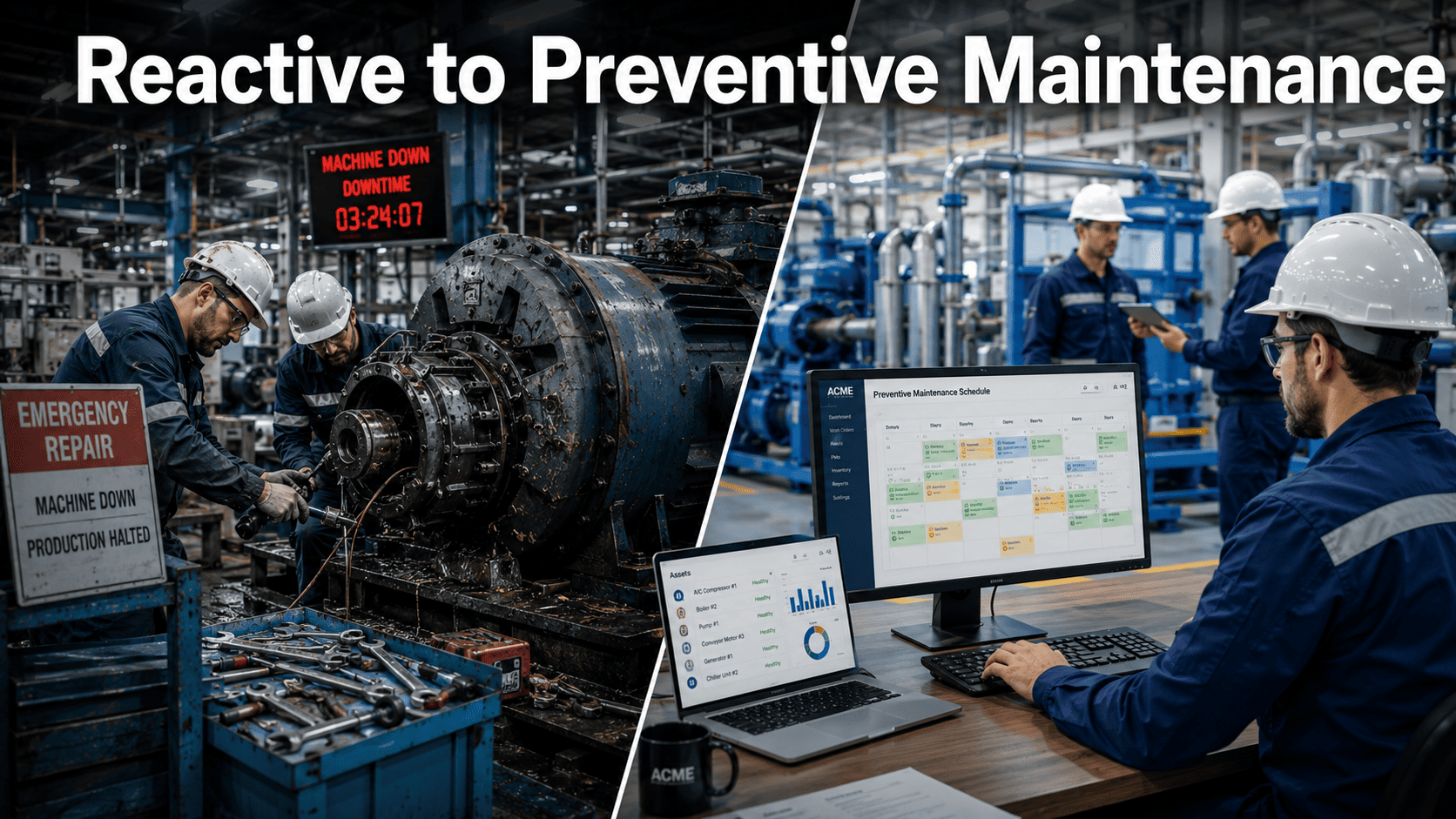
- Emergency calls at 2 AM
- $260K/hr downtime events
- 3–5× higher repair costs
- No audit trail, no data
- Team always behind
- Planned work, no surprises
- 62% less unplanned downtime
- Standard rates, stocked parts
- Auto audit trail, full history
- Team runs the schedule
See how fast your facility can shift from firefighting to planned maintenance — most teams have their first PM schedule live within 48 hours.
- AI-powered PM scheduling with auto work order generation
- QR-scan mobile workflows — no desktop, no paperwork
- Full compliance audit trail from day one
Trusted by 1,000+ maintenance teams across 9+ industries · Live in days, not months
What Does Converting Reactive to Preventive Maintenance Actually Mean?
Converting reactive to preventive maintenance means replacing failure-triggered repairs with scheduled, condition-aware maintenance tasks — performed before equipment breaks. It is not about eliminating all reactive work (some will always exist) but about shifting the ratio: most facilities stuck in reactive mode spend 80% of labor hours responding to failures and 20% on planned work. A functioning preventive maintenance program inverts that ratio within 12–18 months, with 70–80% of maintenance hours running on schedule and less than 20% as emergency response.
The transition is not primarily a technology project. It is a workflow and discipline project. A CMMS like Oxmaint's preventive maintenance module is the infrastructure that makes the new workflow stick — but the sequence of decisions before you open the platform determines whether your PM program delivers real reliability or becomes a backlog of ignored work orders.
The 8 Concepts Your Team Must Understand Before Switching
Criticality Ranking
Not all assets deserve equal PM attention. Ranking by failure consequence — production loss, safety risk, repair cost, and parts lead time — tells you where to focus first. The top 20% of assets by criticality cause 80% of your downtime budget.
Failure Mode Identification
Before writing a PM task, identify how each asset fails. A pump failing via seal degradation needs a different PM task than one failing via bearing wear. Generic OEM schedules miss most site-specific failure modes — and generate PM tasks that prevent nothing real.
PM Task Ownership
Every PM task must have a named owner, an estimated duration, and a required skill level. Unowned PM tasks drift into backlogs within weeks. Ownership assigned at the asset level — not the work order level — builds accountability into the structure.
Trigger Types: Time vs Usage
Calendar-based PM (every 90 days) suits assets with age-related wear. Usage-based PM (every 500 operating hours) suits rotating equipment. A CMMS must support both trigger types, or your PM schedule will drift into calendar-only intervals that miss high-cycle machines entirely.
Parts Readiness Before Scheduling
A PM work order that cannot be completed because a part is out of stock is worse than no work order — it erodes technician trust in the program within weeks. PM schedules must integrate with parts and inventory management so required materials are reserved before the task is scheduled.
Compliance Documentation
OSHA, ISO 55000, and insurance auditors need proof that PM tasks were completed — not just scheduled. Digital sign-off, photo evidence, and timestamped completion records are non-negotiable for regulated industries. Paper-based PM logs fail audits routinely because entries are missing or illegible.
Backlog Management
The transition period creates a backlog as deferred reactive work and new PM tasks compete for the same labor hours. A healthy PM program has a managed backlog of 2–3 weeks. Programs that let backlogs grow beyond 6 weeks collapse back into reactive behavior as technicians abandon the schedule to fight fires.
Continuous Improvement Loop
PM tasks that never find anything should be reviewed every 6 months — either the interval is too short, or the failure mode does not exist at your site. Tasks that repeatedly catch real faults should be moved to a shorter interval or upgraded to sensor-based predictive monitoring. The program improves itself when data drives the decisions.
Why Reactive Programs Are Harder to Escape Than They Look
The Emergency Always Wins
When a PM task and a breakdown compete for the same technician, the breakdown wins every time. This perpetuates the reactive cycle: PM gets deferred, deferred PM leads to the next failure, which again pre-empts PM. Breaking the cycle requires protected PM time with leadership enforcement — not just a better CMMS.
No Asset Data to Build From
Reactive programs rarely maintain accurate asset registers. Without knowing what you have, what it does, and when it was last serviced, writing PM tasks is guesswork. The first 2–4 weeks of any transition must go into building an accurate asset register — even if imperfect. An 80% accurate list today beats a 100% accurate list in 6 months.
Too Many PMs Too Fast
Teams often respond to a reactive crisis by scheduling PM on everything simultaneously. The resulting wave of work orders overwhelms technician capacity, creates a massive backlog, and the program collapses within 60 days. Phasing PM rollout by criticality tier — not by convenience — is what keeps the program alive through the transition period.
Compliance Gaps at the Worst Moment
OSHA, ISO 55000, and insurance reviews do not wait for your program to mature. A facility caught mid-transition with no documented maintenance history faces the same liability exposure as a fully reactive operation. Digital compliance documentation through Oxmaint covers you from the first PM task completed — not after full rollout. Book a consultation to discuss your compliance timeline.
How Oxmaint Powers the Reactive-to-PM Transition
Asset Register — Built in Hours, Not Weeks
Import your asset list via CSV, use QR-code scanning to register assets in the field, or start entering manually. Oxmaint's asset hierarchy (Site, System, Asset, Component) structures your register in a way that makes PM task assignment and reporting work properly from day one. Most teams have 80% of their critical assets registered within the first week — enough to start scheduling meaningful PM. Asset management is the foundation everything else sits on.
PM Schedule Creation — Time, Usage, or Condition Triggers
Build PM task templates for each failure mode identified in your criticality analysis. Oxmaint supports calendar-based triggers (every 30/60/90 days), runtime-based triggers (every 500 hours), and condition-based triggers (sensor threshold crossed). Assign tasks to technicians, attach required parts, and set completion checklists. The first PM work orders generate automatically — no manual scheduling after setup.
Mobile Work Orders — QR Scan to Complete
Technicians scan an asset QR code, see their assigned PM tasks, complete the checklist on mobile, add photos, and submit with a digital signature. No desktop login, no paper forms. Work order management tracks every completion with timestamp and technician ID — creating the audit trail that proves your program is running. Technician adoption is typically 1–2 days; the QR-scan workflow requires no training beyond "scan and complete."
AI Vision + Inspections — Compliance Without the Clipboard
Layer digital inspection checklists on top of PM work orders — OSHA-required checks, HACCP verifications, fire suppression tests — all captured and stored automatically. Oxmaint's AI Vision Camera (NVIDIA-powered) runs continuous visual inspection 24/7, catching corrosion, leaks, and thermal anomalies between scheduled PM rounds with 99.2% detection accuracy.
Analytics — Watch the Reactive Ratio Fall
Analytics and reporting tracks your planned vs reactive work order ratio week by week. The number that matters: the percentage of labor hours on scheduled PM. When that crosses 60%, your program has escaped the reactive loop. Oxmaint surfaces this metric automatically — and surfaces the specific assets still generating the most reactive work, so you know exactly where the next PM tasks should be added.
Teams that follow this sequence typically see a measurable shift in their reactive-to-planned ratio within 90 days. Start a free trial and have your first PM schedule live this week — or book a consultation and our team will walk through the transition plan for your specific facility type.
Reactive vs Preventive: What the Numbers Look Like Side by Side
| Metric | Reactive Program | Preventive Program (Oxmaint) |
|---|---|---|
| Emergency repair cost per event | 3–5× standard rate (overtime + expedited parts) | Standard rate — parts staged, tech briefed in advance |
| Unplanned downtime | Unpredictable — 8–24 hrs per major event | 62% reduction within 12 months — planned windows only |
| Technician labor split | 80% reactive, 20% planned | Target: 20% reactive, 80% planned within 18 months |
| Compliance audit readiness | Manual logs — gaps, missing entries, no photo evidence | Auto timestamped digital records — export in minutes |
| Parts inventory approach | Panic buying at premium — or nothing stocked at all | Data-driven stocking — auto-reorder at threshold |
| Safety incident exposure | High — rushed repairs under pressure, shortcuts common | Low — controlled planned work with full checklists |
| Management visibility | None — failures discovered after the fact | Real-time OEE and maintenance KPI dashboards |
| Program cost vs value | Hidden cost — buried in ops budget as "normal" | 30% total maintenance cost reduction within 12 months |
Use Oxmaint's ROI calculator to model the financial case for your specific facility size and asset mix before committing to the program.
Frequently Asked Questions
How long does it take to transition from reactive to preventive maintenance?
What is the first step in building a preventive maintenance program from scratch?
Can a small maintenance team run a preventive maintenance program alongside reactive work?
How does a CMMS help convert reactive to preventive maintenance?
Stop the Reactive Cycle — This Quarter
Your Team Has the Skills. Oxmaint Gives Them the System to Use Them on Planned Work Instead of Emergencies.
The reactive-to-preventive transition is not a 12-month project before you see results. The first 48 hours of Oxmaint — asset register, PM templates, first work orders live — already moves you further than most facilities get in 6 months of spreadsheet-based PM planning.
- AI-powered PM scheduling across time, usage, and condition triggers
- QR-scan mobile workflows — technician adoption in under a day
- Compliance audit trail from the first completed PM task
1,000+ maintenance teams · 62% less unplanned downtime · 9+ industries · Live in days