The slowest thing in most fleet shops isn't the wrench — it's the walking. A technician who leaves the bay for a filter here, a tool there, and a work order lookup somewhere else can burn half a PM on motion alone. One fleet proved it: by mapping a technician's footsteps around a truck and redesigning the flow, they cut a four-hour PM down to under two. This guide lays out a six-bay shop layout built to kill that wasted movement, and shows how OXMAINT AI, the AI-powered CMMS, keeps every bay fed with the right work order, checklist, and history so the layout actually delivers.
Fleet Maintenance · Shop Design · PM Throughput
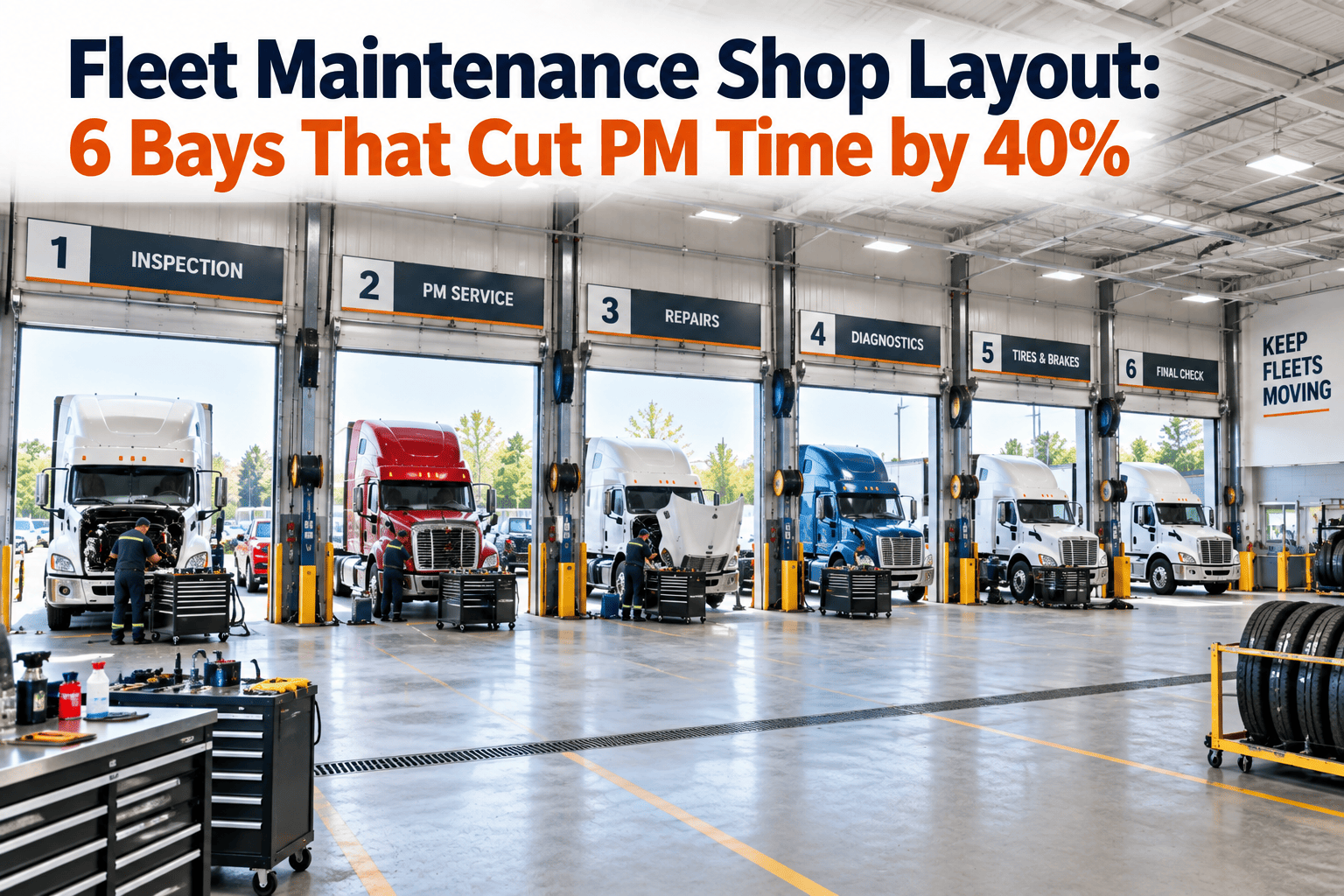
Fleet Maintenance Shop Layout: 6 Bays That Cut PM Time by 40%
You have skilled techs, good parts, and modern trucks — and still lose hours a week to walking, tool-hunting, and rework. Layout is the invisible KPI. A zoned six-bay shop keeps each vehicle moving in one direction and each tech in one place, and OXMAINT AI runs the work behind it: every PM, inspection, and repair lands in the right bay as an assigned work order, with the checklist and asset history already attached.
Vehicle in
→
Zoned bay flow
→
Work order + checklist
→
Truck out, PM logged
One work order per bay, checklist attached
Asset history at the tech's fingertips
PM schedules that trigger themselves
Where the 40% Actually Comes From
The time you save isn't magic — it's motion you stop wasting. When a fleet outfitted a tech with a pedometer and diagrammed his path around a truck, then removed the unnecessary steps, a four-hour PM dropped to one hour and forty-five minutes. That's the whole game: put tools, parts, and paperwork where the work happens instead of making the tech chase them. Start free and put the paperwork at the bay.
Walking
Trips for filters, tools, and fluids that should live at the bay
Searching
Hunting for the right tool, torque spec, or last service note
Waiting
Backing across traffic, queuing for a shared lift or diagnostic
Rework
Redoing steps because history or the checklist wasn't on hand
The Six-Bay Layout
Each bay is a zone with a single job, arranged so a truck flows through in one direction — no backing across the shop, no crossing paths. Tools and stock live where they're used; the work order and checklist for each stop are already loaded before the truck arrives. Book a demo to map this onto your own floor.
01
Tire & Wheel Bay
Mounting, balancing, torque, and tread checks with the wheel gear staged right here — not shared with a repair lift across the shop.
Tools staged: torque guns · tread depth · wheel dolly
▼
02
Lube & Fluids Bay
Overhead or reel-fed oil, coolant, and grease so the tech never leaves the pit. Filters shelved at the point of use.
Tools staged: fluid reels · filter shelf · drain system
▼
03
PM & Inspection Bay
The core cycle. Standardized layout, digital checklist on a tablet, last service history one tap away — the bay that decides your throughput.
Tools staged: PM cart · tablet · standard toolset
▼
04
Diagnostic Bay
Scan tools, connectivity, and quiet space for fault-code work — kept separate so a long diagnosis never blocks a fast PM.
Tools staged: scan tools · laptop · data port
▼
05
Brake & Repair Bay
Heavier, longer jobs on a dedicated lift with the press and heavy tooling close by, so they don't tie up the PM line.
Tools staged: press · brake tooling · heavy lift
▼
06
Detail & Release Bay
Wash, final walkaround, and sign-off. The work order closes here — and the truck's next PM date is already set before it rolls out.
Tools staged: wash station · release checklist
A Great Layout Still Needs the Right Work at Each Bay.
Zoned bays cut the walking — but a tech still stalls if the work order, checklist, or history isn't there. OXMAINT AI routes the right job to the right bay and puts the paperwork on the tablet, so the layout you built actually runs at speed.
What Each Bay Needs From the CMMS
The floor plan handles the space. OXMAINT AI handles the work moving through it — so no bay sits idle waiting on a lookup. Start free and feed every bay.
Every bay gets a live work order
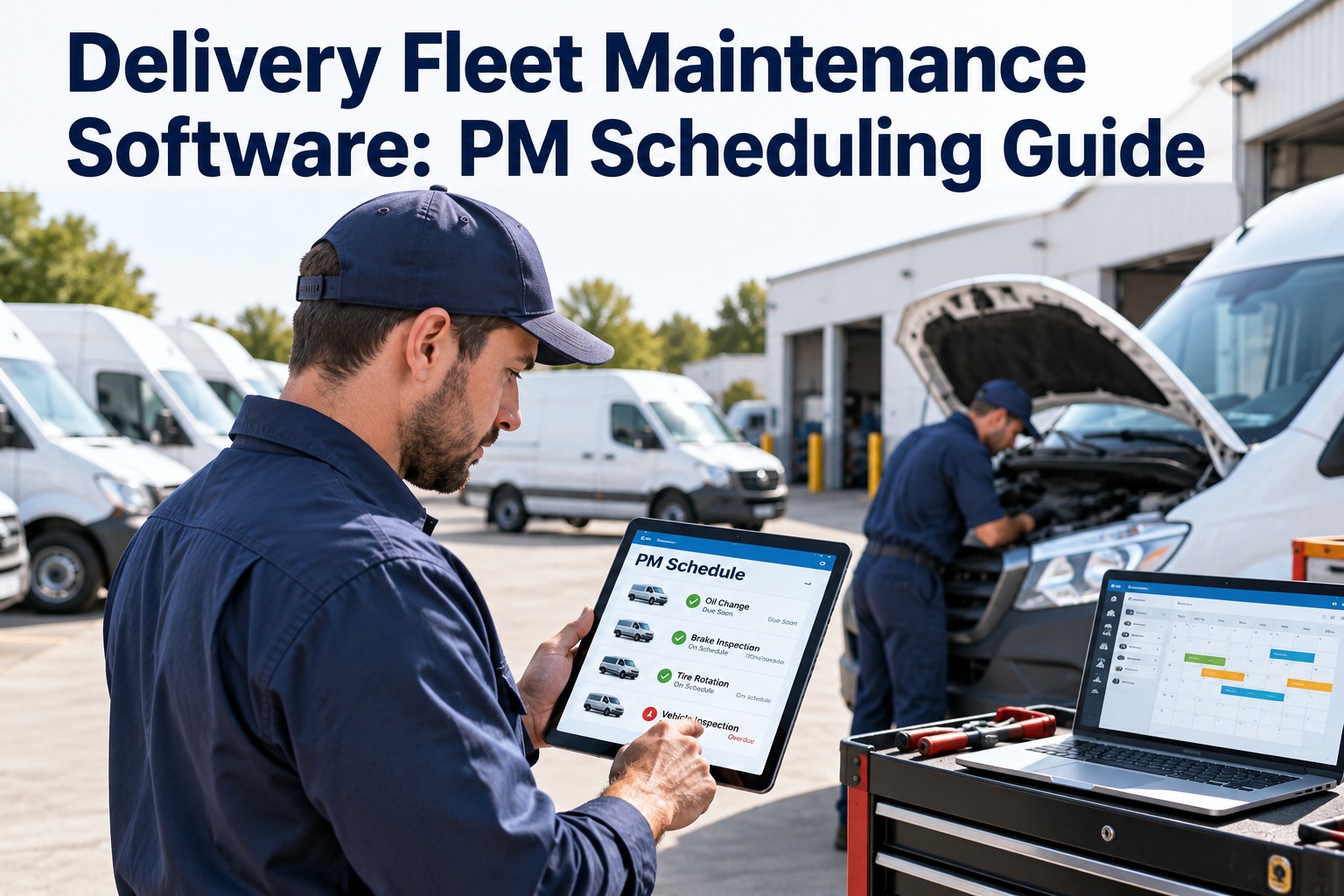
Each stop opens with the job, the checklist, and the asset's service history already attached — no walking to a desk to find out what's due.
PM & inspection bays run on auto-schedules
Recurring PMs and inspections generate and assign themselves on mileage or time, so the core bay always has its next truck queued.
Diagnostic finds convert to repair orders
A fault caught in the diagnostic bay becomes a work order for the brake or repair bay in one step — no re-writing, nothing lost between zones.
Techs log at the bay, on mobile
Findings, parts, and sign-off are captured at the truck and hit the record instantly — not written on paper and keyed in after shift.
One PM, Start to Release
Here's how a single truck flows through the six bays with OXMAINT AI running the work. Book a demo to see it on your fleet.
1
PM triggers on mileage. The work order generates itself and lands in the PM bay's queue with the checklist and last service note attached.
2
Truck flows tire → lube → PM. Each bay has its tools and stock staged; the tech works the checklist on a tablet without leaving the pit.
3
Diagnostic flags a brake wear item. It converts to a repair work order routed straight to the brake bay — no paper, no re-entry.
✓
Detail, sign-off, release. The work order closes at the last bay and the next PM date is set automatically before the truck leaves.
Open-Floor Shop vs. Zoned Six-Bay + CMMS
Frequently Asked Questions
Is a 40% PM-time reduction realistic from layout alone?
It's achievable when walking and searching are the bottleneck — one fleet cut a four-hour PM to under two by removing wasted steps. The gain comes from staging tools and paperwork at the bay, not from the software itself.
Start free and stage the work at each bay.
We don't have room for six separate bays — does this still work?
Yes. The zones matter more than the walls — even in a smaller shop you can group tire and lube, keep PM and diagnostic distinct, and preserve one-direction flow.
Book a demo to adapt it to your space.
Why does the PM bay matter most?
It runs your highest-volume, most repeatable work. A standardized layout with the checklist and history on a tablet is where the biggest, most consistent time savings live.
Start free and standardize your PM bay.
How does OXMAINT AI keep bays from sitting idle?
Recurring PMs and inspections generate and assign themselves, so the next truck is always queued for the bay that handles it instead of waiting on someone to build the work order.
Book a demo to see auto-scheduling.
Can techs use it without leaving the bay?
Yes — the work order, checklist, and history open on a tablet at the truck, and findings are logged there. That's the point: keep the tech and the paperwork in the same place.
Start free and try mobile logging.
Design the Floor. Let OXMAINT AI Run the Work.
Zone your bays to kill the walking, then route every PM, inspection, and repair to the right bay with the checklist and history already attached — so the layout you built runs at full speed.