Most facility managers do not have a compliance problem. They have a documentation architecture problem. The inspections are happening. The work orders are closing. The maintenance is getting done. But when a regulator arrives or an insurer requests a compliance history, the evidence is distributed across email inboxes, shared drives, CMMS notes, and paper binders — not assembled into a traceable record that auditors can verify. The result is that 41% of code violations discovered at audit were technically preventable: the inspection was completed, but the documentation was incomplete, late, or unfiled. Sign in to OxMaint to build the continuous compliance record that makes every audit a report pull instead of an emergency assembly — or book a demo to see AI compliance tracking configured for your facility portfolio and regulatory frameworks.
Four Numbers That Define the Facility Compliance Documentation Gap
Why Compliance Documentation Fails Even When Maintenance Doesn't
The failure mode is rarely a shortage of documentation. Most FM teams have significant volumes of records. What they have is a collection of files — across shared drives, emails, CMMS notes, and paper folders — that looks like evidence until someone qualified asks for it. The gap between stored documents and traceable, audit-ready evidence only becomes clear when a regulator arrives or an insurer requests a compliance history. At that point, teams don't have a compliance problem. They have a documentation architecture problem.
What Changes When AI Automates Compliance Reporting
AI compliance tracking is not a separate software layer on top of existing tools. It is compliance logic embedded directly in the work order and inspection system that already manages maintenance. Every time a technician completes a compliance-relevant inspection, the AI layer auto-generates the record, tags it to the correct regulatory framework, updates the compliance dashboard, and schedules the next inspection in the cycle — without any manual intervention from the site team. Sign in to OxMaint to see this working on your existing inspection programme.
When a technician closes a compliance inspection, the AI layer generates the structured compliance record automatically — linked to the regulatory framework, tagged with the finding severity, and added to the audit export queue. No manual record creation required after inspection close.
The AI layer actively checks evidence completeness — not just stores what it receives. If a finding exists without a linked corrective work order, it flags it. If a work order is closed without completion evidence attached, it flags that. If a compliance cycle is overdue for a site, it surfaces the gap. The system does not wait to be asked.
NFPA fire codes, OSHA standards, IBC structural requirements, ADA obligations, energy certifications, and insurer maintenance schedules are loaded into a single compliance calendar per building. The system identifies which standards apply to each building based on occupancy type, size, jurisdiction, and use — generating only the inspections actually required for that property's regulatory profile. Book a demo to see the compliance calendar configured for your buildings.
When a technician opens a compliance inspection on mobile, the form pre-populates with the regulatory standard, required inspection items, and mandatory fields that cannot be skipped. Photo capture is required for flagged items. GPS check-in is recorded on open. Digital signature is required on close. The form cannot be submitted with missing fields — eliminating the documentation gaps that create 41% of audit violations.
When a regulatory inspector requests 12 months of fire suppression inspection records, the compliance export generates in minutes — not assembled over two weeks from scattered sources. The report includes inspection dates, technician signatures, finding detail, corrective action links, and completion evidence per framework. Sign in to see OxMaint's compliance export for your portfolio.
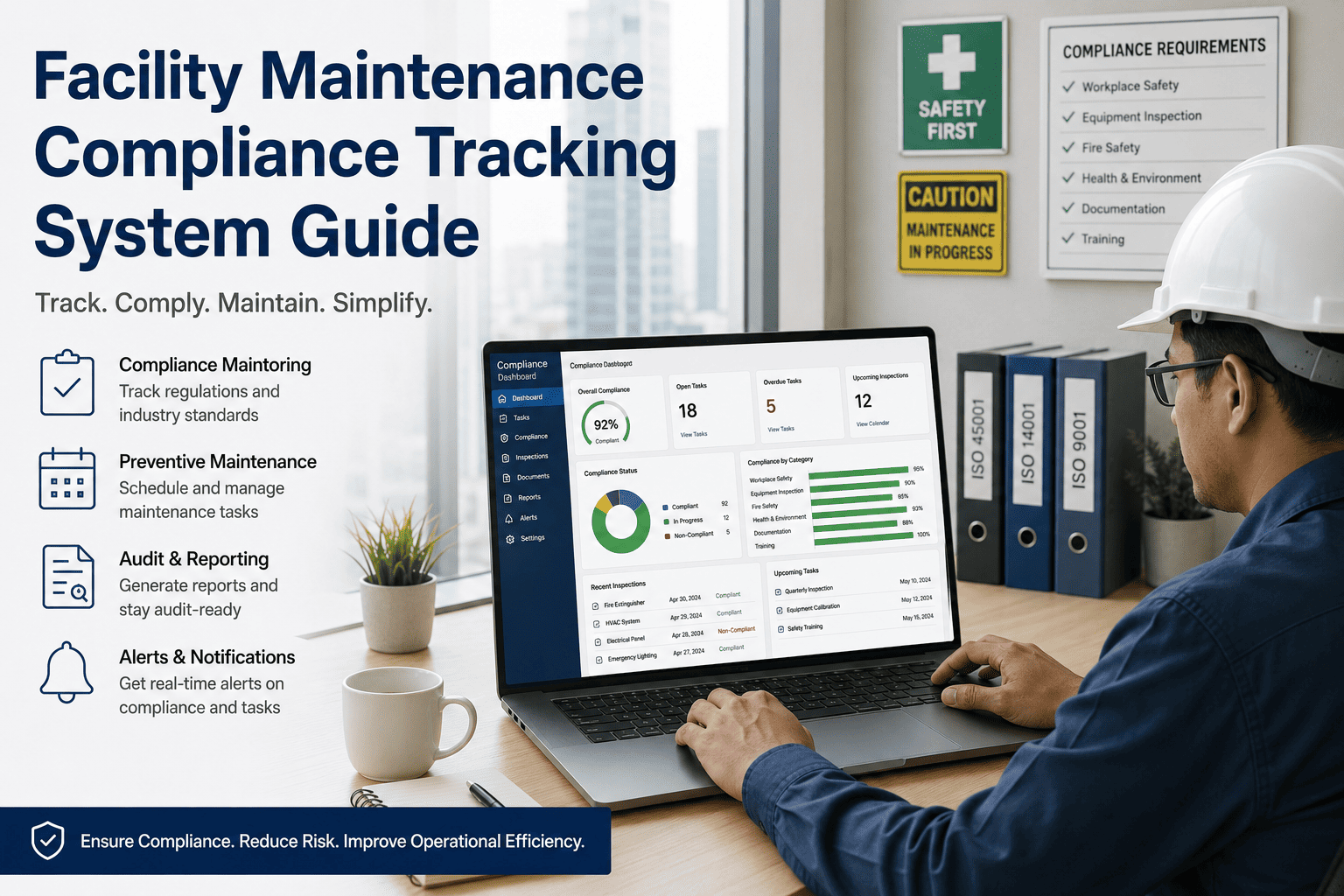
For FM teams managing 5, 50, or 500 buildings, compliance status across every site and every framework is visible on a single dashboard — green for current, amber for due, red for overdue. No manual status calls required. Portfolio-level compliance posture is a real-time view, not a quarterly report assembly. Cross-site gap analysis identifies which sites are at highest audit risk at any point in time.
Compliance Frameworks OxMaint Tracks for Facility Managers
| Framework | Applies To | Key Requirements Tracked | OxMaint Capability |
|---|---|---|---|
| OSHA 1910 / 1926 | All commercial and industrial facilities | Safety inspections, equipment certifications, incident records | Auto-scheduled inspections, incident log, corrective action tracking |
| NFPA 25 / 72 / 101 | All buildings with fire suppression or life safety systems | Sprinkler tests, alarm inspections, egress compliance | Quarterly / annual inspection scheduling, test result records, deficiency escalation |
| ASHRAE 188 | Buildings with cooling towers, hot water systems | Water management programme documentation, Legionella testing records | WMP document storage, test result tracking, corrective action workflow |
| ADA / IBC Accessibility | All public-facing and commercial buildings | Accessible route inspections, lift and ramp certifications | Compliance inspection scheduling, certification tracking, audit export |
| ENERGY STAR / Local Energy Codes | Commercial buildings subject to benchmarking requirements | Equipment efficiency records, energy performance documentation | Equipment record linking, energy data integration, certification deadline alerts |
| CMS / TJC (Healthcare) | Hospitals, nursing homes, Medicare/Medicaid facilities | Water management programmes, EC.02.05.02 requirements, life safety | ASHRAE 188-aligned WMP tracking, full inspection and corrective action audit trail |
| EPA Section 608 (Refrigerant) | Facilities with refrigerant-containing equipment | Refrigerant purchase, use, leak detection, disposal records per asset | Refrigerant log per asset, leak detection scheduling, EPA notification triggers |
Framework applicability depends on building type, jurisdiction, occupancy, and use. OxMaint's compliance module configures the applicable frameworks per building automatically based on property profile. Book a demo to configure frameworks for your specific portfolio.
How to Move from Episodic Audit Prep to Continuous Compliance
What Facility Compliance Professionals Say
We manage compliance across 34 commercial properties in three states — NFPA, OSHA, ASHRAE 188 for two properties with cooling towers, and insurer-mandated maintenance schedules on top of that. Before OxMaint, audit preparation was a four-person, two-month effort every time we had a regulatory inspection. We were pulling documents from four different systems, emailing site managers for records they sometimes couldn't locate, and assembling binders that we hoped told a coherent story. The first time we ran an audit export in OxMaint — twelve months of fire system inspection records, every finding linked to a corrective work order, every corrective action closed with photo evidence — the whole report took eleven minutes to generate. The auditor's first comment was that it was the most complete compliance record they had reviewed in that inspection cycle. That is the difference between a documentation architecture and a filing system.