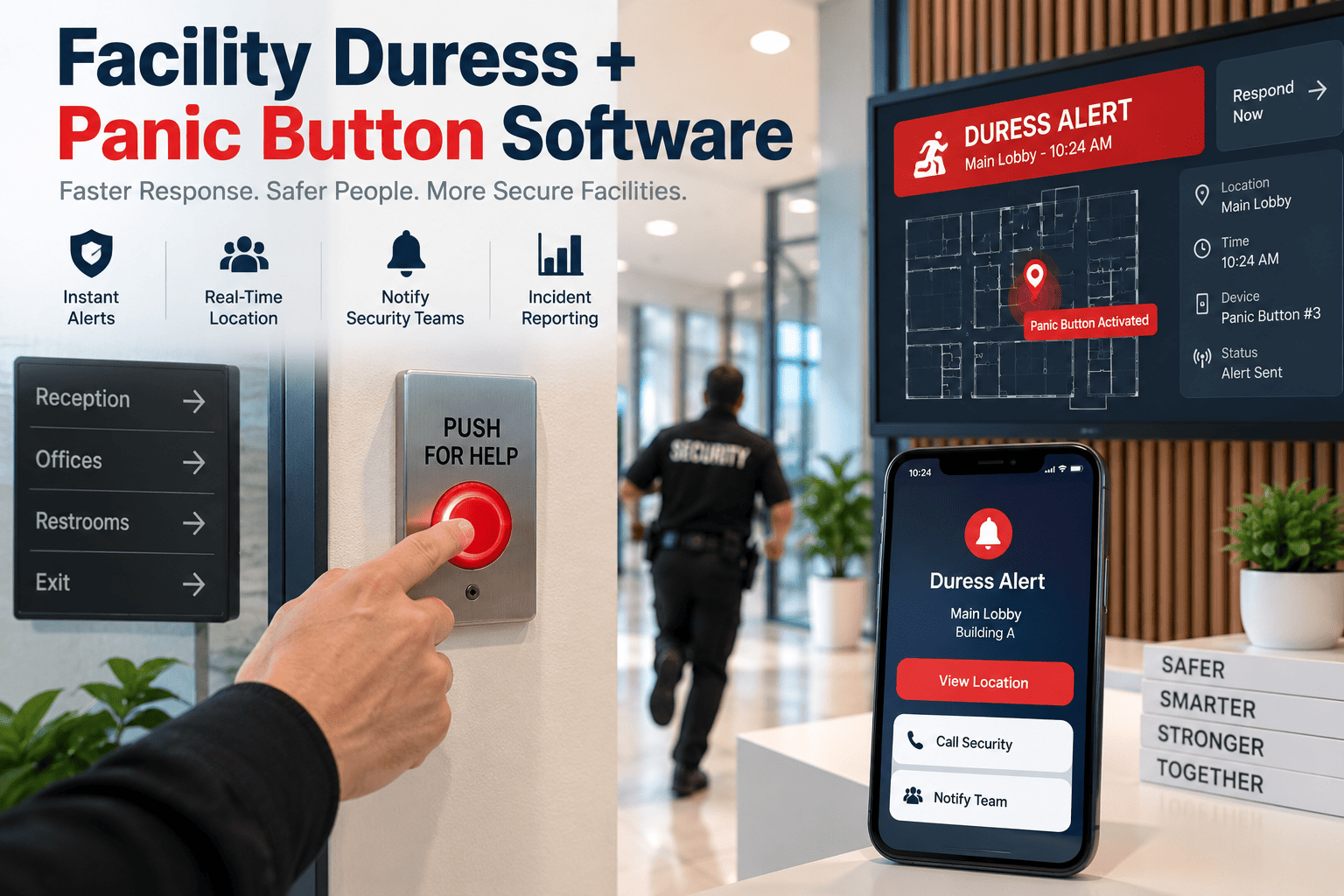
A duress button that has not been tested in eight months is not a safety device, it is a false sense of security. Facilities across healthcare, hospitality, retail, and industrial sites are expanding duress and panic button coverage in response to workplace violence regulations, yet most programs still rely on a spreadsheet and an annual walk-through to prove the devices work. Facility and safety teams researching duress and panic button software are usually trying to solve a testing and documentation problem, not just a hardware purchase. This guide covers how duress alarms differ from panic buttons, what actually causes them to fail silently, and how a structured maintenance and testing program keeps every device defensible in front of an auditor or a regulator.
A Duress Button Is Only Reliable If Someone Can Prove It Still Works
Low batteries, dead signal zones, and outdated firmware turn a safety device into a liability nobody notices until an emergency. Facility teams pairing duress hardware with a CMMS get scheduled testing, GPS location verification, and defensible records for every device on the floor.
Duress Alarms And Panic Buttons Are Not The Same Device
Facility teams often use the two terms interchangeably, but choosing the wrong device type for a given scenario undermines the entire safety program.
| Attribute | Duress Alarm | Panic Button |
|---|---|---|
| Alert style | Silent, discreet activation to avoid escalating a threat | Often audible or building-wide, intended for visible response |
| Best fit | Front-desk staff, lone workers, healthcare and financial settings | Evacuation triggers, public-facing emergencies |
| Typical response | Covert internal team or law enforcement dispatch | Building-wide notification and visible response protocol |
| Device forms | Wearable pendants, under-counter buttons, mobile app triggers | Wall-mounted stations, keyboard shortcuts, fixed panels |
Selection Note: A facility usually needs both device types rather than choosing one. Silent duress alarms protect staff in one-on-one situations, while building-wide panic buttons handle scenarios where public awareness improves the outcome.
Why Duress Systems Fail Without Anyone Noticing
Unlike a fire alarm that gets tested on a fixed regulatory schedule, duress and panic devices often sit untested for months, and the failure modes are rarely visible during normal operation.
Battery Drain On Wireless Devices
Wearable pendants and portable panic devices run on batteries that degrade silently, with no indication until the device is actually pressed during an emergency.
Dead Signal Zones
Basements, stairwells, and steel-framed areas can create coverage gaps where a wireless alert never reaches the monitoring station.
GPS Location Drift
Location accuracy can degrade indoors, sending responders to the wrong floor or wing during an actual activation.
Alert Routing Failures
A device can transmit correctly while the receiving system fails to route the alert to the right responder due to a configuration or firmware issue.
What A Defensible Testing Cadence Actually Covers
Regular testing is the only way to confirm a duress system works, and every test should verify the same four elements regardless of device type.
Battery Level Check
Confirm charge or battery voltage against manufacturer thresholds before it drops into the failure range.
Signal And Network Confirmation
Verify the device successfully connects to the monitoring network from its actual deployed location, not a test bench.
Alert Routing Verification
Confirm the alert notification reaches the correct designated responder or monitoring station, not a stale contact list.
Location Accuracy Test
Validate that GPS or beacon-based location data resolves to the correct room or zone, not just the correct building.
Turn Duress Testing Into A Scheduled, Documented Program
Book a 30-minute demo and see how OxMaint schedules battery checks, signal tests, and alert-routing verification for every duress and panic device on your site.
Coverage Risk By Facility Zone
Not every area of a facility carries the same duress risk. Mapping devices against zone risk level helps prioritize which tests and replacements happen first.
Reception, Cash Handling, Isolated Exam Rooms
Highest activation likelihood, lone-worker exposure, and public-facing threat scenarios. Test monthly and prioritize immediate replacement on any failed check.
Stairwells, Loading Docks, Overnight Corridors
Lower foot traffic but higher signal-dead-zone risk. Test quarterly with extra attention to network coverage verification.
Open Offices, Common Areas
Higher visibility and faster informal reporting of issues. Test on a standard semi-annual cycle aligned with broader safety audits.
Building A Testing Record That Holds Up To Audit
Workplace violence prevention regulations increasingly expect documented testing and maintenance, not just device presence.
- Register every duress and panic device as a tracked asset by zone, floor, and risk tier
- Schedule recurring test work orders per device with battery, signal, routing, and location checks logged individually
- Flag any failed test for immediate corrective work order rather than waiting for the next cycle
- Keep firmware version history per device to identify systemic issues across a batch
- Generate a single exportable testing history for safety committee review or regulatory audit
What A Structured Duress Testing Program Delivers
Duress And Panic Button Questions Facility Teams Ask
How often should duress and panic buttons be tested?
High-risk zones such as reception desks and isolated exam rooms are commonly tested monthly, while lower-traffic areas can follow a quarterly or semi-annual cycle depending on internal policy and applicable regulation.
What is the difference between a duress alarm and a panic button?
A duress alarm is typically silent and discreet to avoid escalating a threat, while a panic button often triggers an audible or building-wide response for scenarios where public awareness helps the outcome.
Why do duress devices fail without anyone noticing?
Battery drain, signal dead zones, GPS accuracy drift, and alert routing misconfiguration all degrade silently since the device is rarely activated during normal operation. Start a free trial to see how scheduled testing surfaces these issues before an emergency.
Can a CMMS replace our duress monitoring platform?
No. A CMMS like OxMaint does not monitor live alerts. It schedules and documents the recurring testing and maintenance that keeps the monitoring platform's devices reliable.
What should happen when a device fails a test?
A failed battery, signal, routing, or location check should immediately generate a corrective work order rather than waiting for the next scheduled test cycle, so the gap does not persist until the following quarter.
Make Every Duress Device Provably Ready
Schedule recurring tests, log battery and signal results per device, and generate one audit-ready export instead of chasing down paper checklists.
Free 14-day trial · No credit card