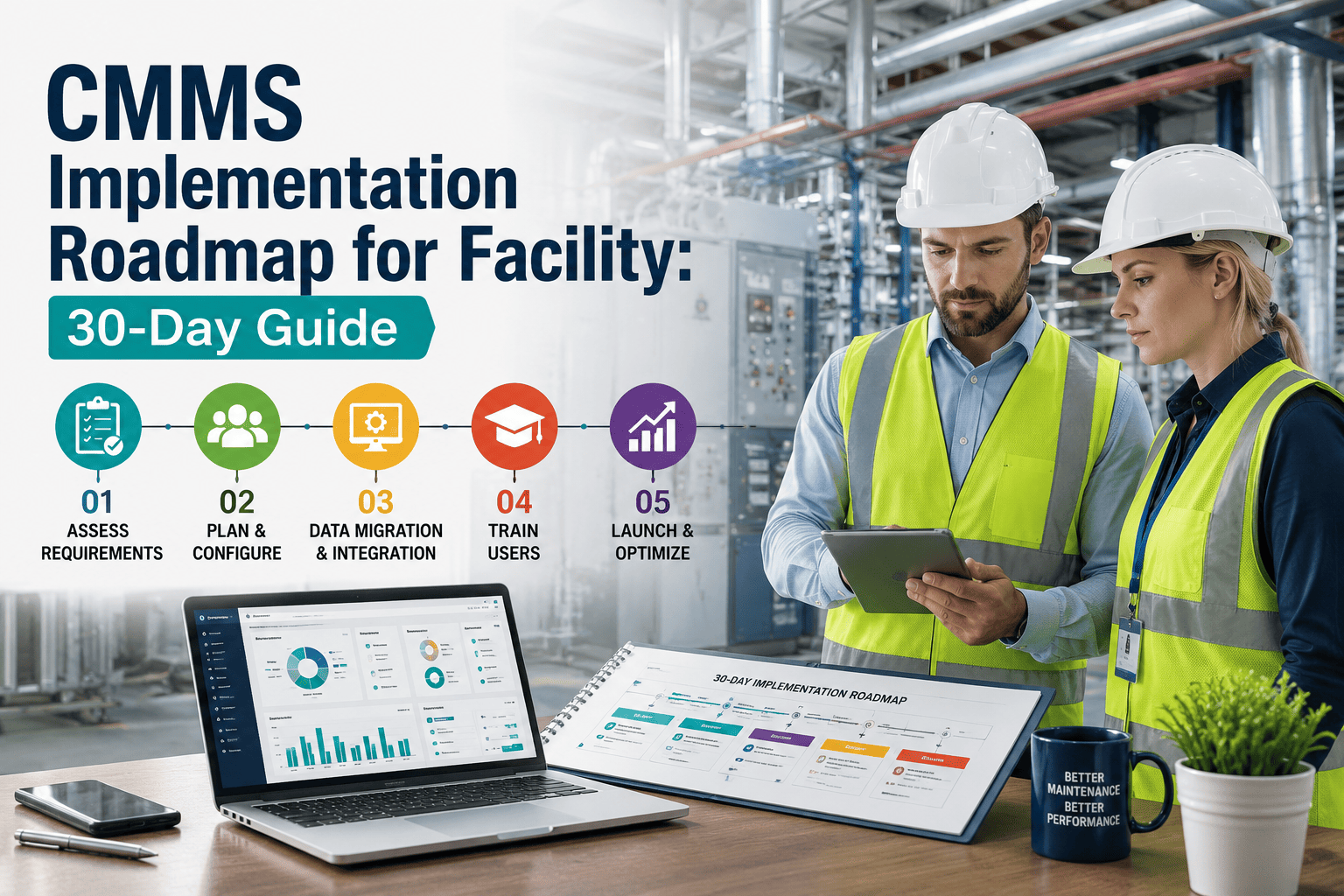
Most CMMS implementations fail not because the software is wrong but because the first 30 days are unstructured — assets are not fully imported, PM schedules are not configured, technicians are not trained, and the platform never becomes the operational system it was purchased to be. The result is a CMMS that runs alongside the existing paper or spreadsheet process rather than replacing it, producing no measurable improvement and leading to the conclusion that "CMMS doesn't work for us." This is not a software problem; it is an onboarding problem. Oxmaint's onboarding process is designed around a specific 30-day outcome: your first PM work orders running on schedule, your technicians completing work orders on mobile, and your dashboard showing real compliance data — before the end of your first month. Book a 30-minute session to walk through what Oxmaint onboarding looks like for your facility type and team size.
Your First 30 Days — What You Will Have at the End
All assets imported with asset IDs and locations
PM schedules running for all critical systems
Technicians completing work orders on mobile
First compliance dashboard showing live PM compliance rate
Work order assignment and escalation configured
Vendor and contractor access set up
Week 1 — Days 1 to 7
Account Setup, Asset Import, and Your First Work Orders
The first week is about getting your operational foundation into Oxmaint before anything else. The most common mistake at this stage is trying to configure everything at once — notifications, user roles, vendor portals, reporting templates — before the asset register is complete. Oxmaint's onboarding team follows a data-first sequence: assets and locations first, PM schedules second, user training third. Everything else is configured after your team is doing real work in the platform.
Day 1
Account Configuration
Your Oxmaint account is created with your facility hierarchy — buildings, floors, zones, or departments configured to match how your maintenance team thinks about your physical space. User roles are created for administrators, supervisors, technicians, and contractors. Your Oxmaint implementation contact is assigned and your 30-day check-in schedule is set.
Days 2–4
Asset Import
Assets are imported using Oxmaint's bulk CSV template — you provide your existing asset list from any spreadsheet, facility management system, or paper record, and the import tool maps it into Oxmaint's asset registry. If you do not have a digital asset list, Oxmaint provides a mobile asset capture workflow for your technicians to build the registry during their normal rounds. Most facilities complete their initial asset import in 2 to 4 days depending on portfolio size.
Days 5–7
First Work Orders
Your first reactive work orders are created — either migrated from your current backlog or entered fresh — and assigned to technicians for completion on mobile. This is intentionally before PM schedules are configured: getting your team familiar with the work order interface on real work builds the habit before automation is added. Technician mobile training (typically 20 minutes) is completed by day 7.
Week 2 — Days 8 to 14
PM Schedule Configuration and Technician Training
Week two is where the platform transitions from a work order tracker to a preventive maintenance engine. PM schedules are configured asset by asset, using the frequency, trigger type (calendar, runtime hours, or condition), and checklist template appropriate for each asset category. Oxmaint's PM template library includes pre-built templates for the most common commercial and industrial asset categories — HVAC, electrical panels, fire suppression, elevators, generators, and more — which are customized for your facility's specific PM requirements.
| Asset Category |
Default PM Template |
Trigger Type |
Typical Configuration Time |
| HVAC Systems |
Filter check, coil inspection, belt tension, refrigerant check |
Calendar (monthly / quarterly / annual) |
2–4 hours for full building |
| Electrical Panels |
Thermal scan, connection torque, breaker test, grounding check |
Calendar (annual) |
1–2 hours |
| Fire Suppression |
Sprinkler head inspection, pressure gauge, valve position, flow test |
Calendar (monthly / annual per NFPA) |
1–3 hours |
| Generators |
Load test, fuel level, oil level, battery voltage, exhaust check |
Calendar (weekly / monthly) + runtime hours |
1–2 hours |
| Plumbing / Backflow |
Pressure test, visual inspection, device test certification |
Calendar (annual — regulatory) |
1 hour |
Weeks 3 and 4 — Days 15 to 30
Go-Live, Dashboard Activation, and Your First Compliance Report
By week three, your PM schedules are running, your technicians are completing work orders on mobile, and the Oxmaint dashboard is accumulating real operational data. Week three focuses on reviewing what the data is showing — which PM completion rates are meeting targets, where compliance gaps exist, and whether work order assignment and escalation notifications are reaching the right people. Week four is the first full operational week, concluding with a review call with your Oxmaint implementation contact and generation of your first PM compliance report.
15
Dashboard Review — First Data Check
First review of Oxmaint dashboard with implementation contact. PM compliance rate, open work order backlog, and overdue PMs reviewed. Configuration adjustments made based on first 2 weeks of live data — notification thresholds, escalation timings, checklist items that need modification for your technicians' workflow.
21
Vendor and Contractor Access Activated
External contractors and service vendors receive portal access for service record submission. Any existing contractor PM schedules — fire suppression, elevators, pest control — are linked to the Oxmaint system so contractor-performed work appears in the compliance dashboard alongside internal maintenance work.
28
First Compliance Report Generated
First PM compliance report generated covering days 1 through 28. Report shows PM completion rate by asset category, open work order aging, and reactive versus planned work order ratio. This becomes the baseline against which month 2 and month 3 progress is measured — the starting point for your improvement narrative.
30
30-Day Review and Month 2 Plan
30-day implementation review call with Oxmaint team. Outcomes reviewed against the 30-day goals set at go-live. Month 2 configuration priorities identified — typically advanced reporting, additional asset categories, or integration with existing HR or procurement systems. Support transition from implementation team to standard Oxmaint support.
30 Days to a Running PM Program. Not 30 Days to a Configured System.
The difference is operational: Oxmaint's onboarding process ends with your team using the platform for real work, real compliance data in your dashboard, and a documented baseline to build from. Not a configured system waiting for adoption. Start your free trial or book a demo to see what the first 30 days looks like for your facility.
Expert Review
What CMMS Implementation Experts Say About the First 30 Days
"The single most important predictor of CMMS adoption success is whether real work orders are being completed in the system within the first two weeks. Facilities that spend the first month in configuration mode — importing assets, setting up notifications, customizing reports — without technicians doing live work in the platform consistently see adoption rates below 40% at month six. The data-first, work-first approach is the only sequence that builds the operational habit before configuration complexity is added."
James Tanner, CMRP
Certified Maintenance and Reliability Professional, CMMS Implementation Consultant — 15 Years in FM Technology
"I tell every facility manager the same thing before a CMMS implementation: your first 30-day goal is not to have a perfect system — it is to have a used one. A CMMS that your technicians open every day and use for real work orders is worth more than a perfectly configured system that nobody logs into. Oxmaint's onboarding sequence is designed around this principle, which is why their adoption metrics are consistently above industry average at the 90-day mark."
Maria Souza, CFM
Certified Facility Manager, Director of FM Technology Adoption — IFMA Board Member
Frequently Asked Questions
Oxmaint Onboarding: Common Questions Before You Start
The First 30 Days Determine the Next Three Years. Start the Right Way.
Oxmaint's onboarding process gives every new customer a structured path from account creation to operational PM program in 30 days — with a dedicated implementation contact, pre-built PM templates, mobile technician training, and a 30-day outcome review. No configuration limbo. No adoption guesswork. A running maintenance management system by day 30.