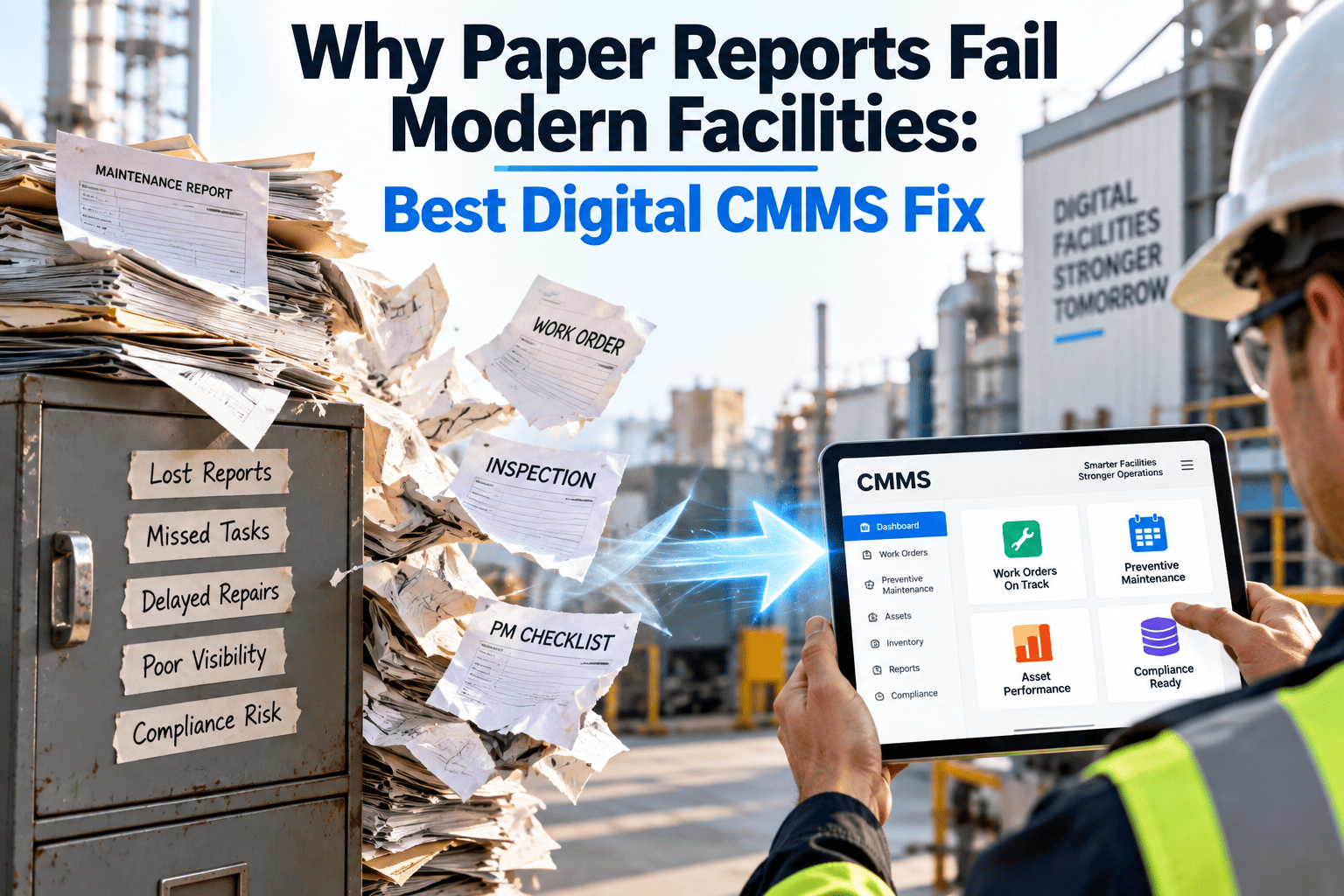
A fire panel logbook sits in a binder by the front desk. A boiler inspection sheet lives in a technician's truck. A roof-leak work order was scribbled on a sticky note that fell off a clipboard three weeks ago. None of this is unusual — it is how most facilities ran maintenance for decades — but it breaks down the moment a portfolio grows past one building or an auditor asks for proof instead of a story. That breakdown is why facility teams are replacing paper with a digital CMMS built for how modern buildings actually operate.
Paper was built for one building. Modern facilities aren't.
Clipboards, binders and sticky notes cannot scale to multi-asset, multi-site, compliance-heavy operations — and every day a facility runs on paper is a day of maintenance history that a digital CMMS could have captured, searched and acted on instead of quietly losing to a filing cabinet.
Five points where a paper-based system quietly fails
Paper does not fail all at once. It fails in specific moments — the ones that matter most, which is exactly the problem, because a system that only breaks under pressure looks fine every single day until it doesn't.
Why paper worked once and stopped working
Paper logs were never designed as a system of record. They were designed as a shift-to-shift note, and for a single site with one or two technicians, that was enough.
What changed on the facility side
- Portfolios grew from one building to dozens, with no shared record between them
- Assets became more complex, with manuals and warranties too detailed for a sticky note
- Compliance and insurance requirements now expect searchable, timestamped evidence
- Technician turnover means undocumented knowledge disappears faster than ever
What paper was never built to do
- Alert anyone before a preventive maintenance date is missed
- Aggregate data across sites without someone manually re-typing it
- Attach photos, signatures and meter readings to a single searchable record
- Survive a coffee spill, a lost binder, or a technician who forgot the clipboard
Paper logs versus a digital CMMS, task by task
The gap is easiest to see one task at a time. Each row is a task a facility team does every week — and a place where the two approaches diverge sharply, sometimes by minutes and sometimes by days.
| Task | Paper-based process | Digital CMMS process |
|---|---|---|
| Scheduling preventive maintenance | Wall calendar or spreadsheet, manually checked each week | Automated reminders and recurring work orders by asset |
| Logging a completed inspection | Paper form filed, photographed, or emailed after the fact | Mobile form completed on-site with photos attached instantly |
| Finding an asset's service history | Search binders, trucks, and old emails, hoping it was filed correctly | Search by asset name or QR tag, full history in seconds |
| Tracking parts and inventory | Manual counts, reorder decisions based on memory | Real-time inventory levels tied to work orders and reorder points |
| Reporting to leadership | Manual compilation of site summaries into a master document | Live dashboards aggregating every site automatically |
| Preparing for an audit | Days spent locating and organising physical records | Filtered report exported in minutes from a searchable system |
Following one failure through a paper process versus a digital one
A single breakdown shows the compounding effect most clearly. Here is the same failure handled two different ways, step by step, from the first phone call to the fix that prevents it happening again.
Detection
Paper: a tenant calls the front desk, who writes a note and hopes someone reads it. Digital: a technician or sensor alert creates a work order automatically, routed to the right person immediately.
Diagnosis
Paper: the technician arrives with no history on the asset and starts from zero. Digital: the technician opens the asset record on a phone and sees every past repair, part and note.
Repair
Paper: parts availability is checked by walking to the storeroom or calling around. Digital: inventory is checked from the work order itself before the technician leaves the shop.
Documentation
Paper: a form is filled out, filed, and often never re-read again. Digital: the completed work order updates the asset's history and feeds the next reliability decision automatically.
Prevention
Paper: the same failure is likely to recur because nobody connects it to a pattern. Digital: repeat failures are flagged, and a preventive schedule adjusts before the next one happens.
The core digital CMMS workflows that fix each gap
Moving off paper is not about digitising the same form — it is about giving each of these workflows a structure paper never had.
Preventive maintenance scheduling
Recurring work orders generate automatically by asset, with reminders that do not depend on someone remembering to check a wall calendar.
Mobile work orders
Technicians log labor, parts, photos and completion status from a phone, on-site, instead of reconstructing details later from memory.
Inspections and checklists
Structured digital checklists replace paper forms, with required fields and photo evidence attached to a searchable asset record.
Inventory and parts tracking
Stock levels update automatically as parts are used on work orders, so reorder decisions are based on real numbers, not memory.
Reporting and dashboards
Every site's data aggregates automatically, so leadership sees the portfolio view without waiting for a manual compilation.
Give your maintenance history a system, not a binder
Move preventive maintenance, inspections and work orders off paper and into a searchable digital record every technician and manager can trust.
A practical checklist for moving off paper
Facilities that switch successfully do it in stages, not all at once. This is the order that tends to work, based on what actually breaks first when a team tries to move too fast.
Build the asset register first, so every piece of equipment has a digital record before anything else moves.
Digitise preventive maintenance schedules for the highest-risk assets before the long tail of minor equipment.
Move inspections and checklists to mobile forms so technicians capture data at the point of work.
Run paper and digital in parallel for one full maintenance cycle before retiring the binders for good.
Set a review point to confirm every site has fully stopped relying on paper as a backup.
What is pushing facilities off paper in 2026
Paper has been a known weak point for years. Three trends are making it a more urgent one this year.
Tighter compliance expectations
Insurers, lenders and regulators increasingly expect searchable, timestamped proof of maintenance rather than a filing cabinet full of signed sheets, and a missing page is treated the same as a missed inspection.
Workforce turnover
Experienced technicians are retiring faster than facilities can replace them, and the informal knowledge they carried in their heads — never written down on any form — leaves with them unless it is captured somewhere permanent.
Portfolio growth
A facility manager overseeing three buildings can survive on paper through sheer effort. A manager overseeing thirty cannot, because there is no way to compare thirty stacks of binders against each other in any useful timeframe.
Rising cost of unplanned downtime
As equipment gets more expensive to replace and more central to operations, the cost of a preventable failure — the kind a missed paper reminder allows — keeps climbing every year.
What changes once paper is out of the workflow
Teams that complete the move rarely describe it as a dramatic transformation. They describe a long list of small frictions that simply stop happening.
Nobody hunts for a missing form
Every inspection, work order and PM record lives in one searchable place, so "where is that sheet" stops being a weekly question.
New hires ramp up faster
A new technician can open an asset's full history on day one instead of relying on a senior colleague's memory of what usually goes wrong.
Leadership stops waiting on reports
Portfolio dashboards update as work happens, so a monthly meeting is no longer the first time anyone sees the real numbers.
Audits stop being a fire drill
A compliance request becomes a filtered report pulled in minutes, rather than a multi-day search through physical files.
What a digital CMMS needs to actually replace paper
Not every software product removes paper from the workflow — some just adds a second, parallel system technicians ignore. These are the capabilities that determine whether paper genuinely disappears.
| Capability | Why it matters for leaving paper behind |
|---|---|
| Offline mobile access | Technicians in basements, rooftops and mechanical rooms can log work without a signal and sync later |
| QR or barcode asset tags | Scanning an asset pulls up its full history instantly, faster than searching a binder |
| Photo and signature capture | Evidence attaches directly to the work order instead of living in a separate camera roll |
| Recurring PM scheduling | Reminders fire automatically, removing the dependency on someone checking a wall calendar |
| Searchable asset history | Years of records become retrievable in seconds instead of a physical filing search |
| Exportable compliance reports | Audit and insurance requests are answered with a filtered report, not a week of scanning paper |
A product that covers this list removes the reasons technicians reach for a clipboard in the first place — which is the real test of whether paper actually goes away after go-live, rather than surviving as an unofficial backup for another two years.
Why teams hesitate to leave paper — and what actually happens
Most resistance to going digital comes from a handful of predictable concerns, and most of them do not hold up once a pilot site actually runs the new process for a month.
"Our technicians aren't tech-savvy"
Mobile work order forms are usually simpler than the paper equivalent — tapping fields and a camera button is a lower bar than filling out a multi-part carbon-copy sheet by hand.
"We've always done it this way"
That history is exactly why the data is scattered — a process built for one site and two people was never meant to scale to today's portfolio size.
"What if the system goes down"
Offline capture and automatic sync mean a lost connection delays an upload, not the work itself, which is a smaller risk than a lost or damaged paper form.
Moving from paper to digital — common questions
Do we have to switch every site at once?
No — most teams pilot at one site, confirm the workflow fits their technicians, then expand. Get Started with a single site this month.
What happens to years of existing paper records?
Key records can be scanned and attached to the matching digital asset record, so historical context is not lost even if every page is not re-entered, and older files can simply sit as a read-only archive.
Will technicians resist giving up paper forms?
Resistance usually fades once technicians see they no longer have to search for history or re-write the same information twice — most find the phone faster than the clipboard within the first few completed work orders.
Does a digital CMMS work without reliable internet on-site?
Mobile work orders can be completed offline and sync once a connection is available, so a weak signal in a mechanical room does not stop the work from being logged.
How do we see this in action before committing?
A short walkthrough covers asset setup, mobile work orders and reporting. Book a Demo to see it configured for your sites.
Stop letting maintenance history live in a binder
Replace paper logs, wall calendars and scattered spreadsheets with one searchable digital record for every asset, inspection and work order across your facilities — accessible from a phone, a tablet or a desktop.
Free trial · No credit card required