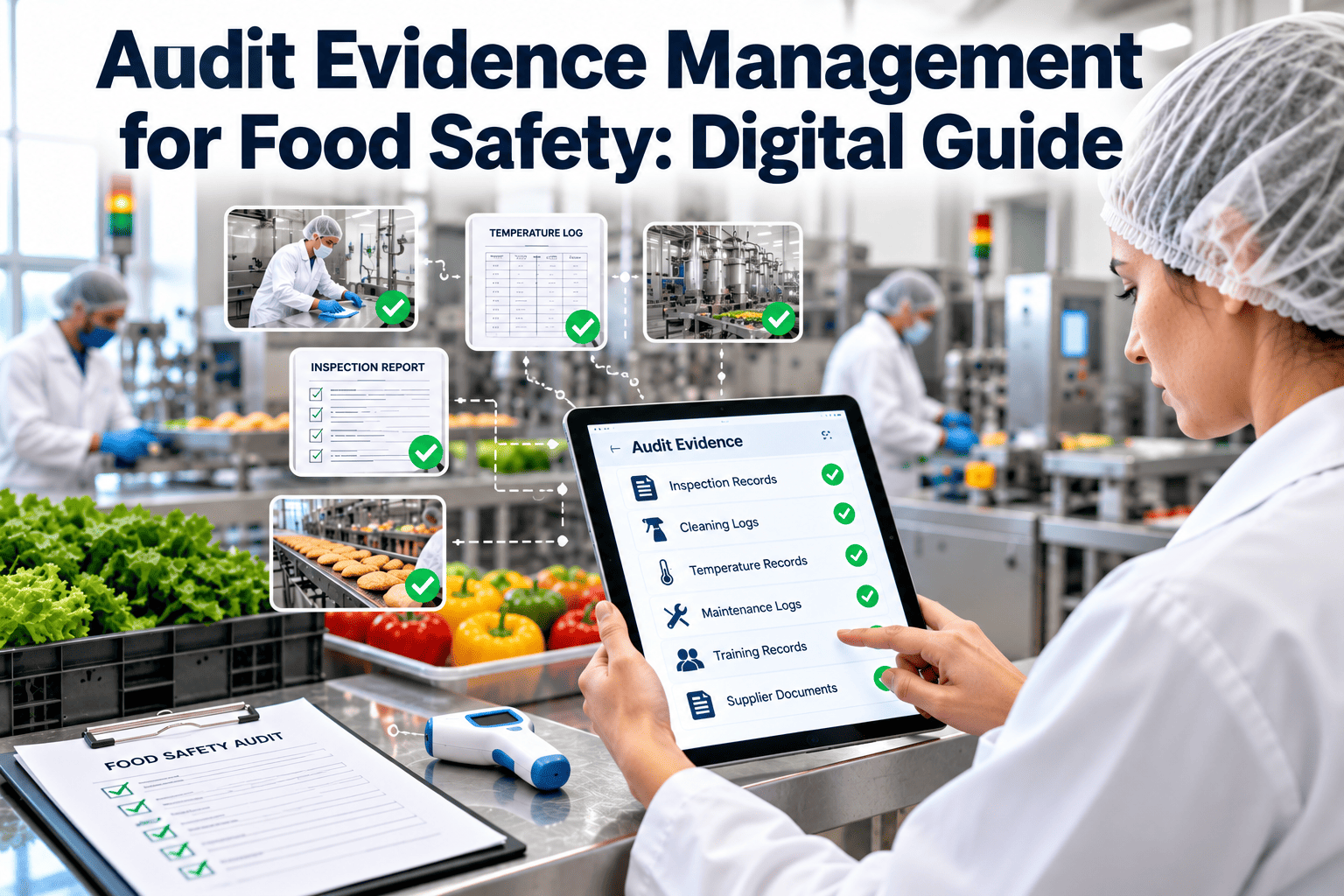
Most food safety audits are won or lost on evidence, not intentions. Auditors accept that procedures exist, then ask for proof that they were followed: a signed record, a dated photo, an approval, a test result. When that proof sits in email attachments, shared drives and personal notebooks, the team spends audit week searching instead of explaining. Audit evidence management organizes records, photos and approvals by requirement so they are ready when the question arrives. This guide covers how to structure it, what makes evidence credible and how a digital maintenance and inspection system can feed it.
Audit Evidence Management for Food Safety: Digital Guide
Store records, photos and approvals by requirement so evidence is complete, current and one search away when auditors ask.
Digital audit binder
RequirementWhat the standard or customer asks you to prove
ProcedureThe current approved method and its revision
RecordsSigned, dated entries and test results
PhotosBefore, after and condition evidence with time stamps
ApprovalsWho reviewed, released or closed each item
What counts as audit evidence
Documented
Records and logs
Completed checklists, work orders, calibration certificates, training sign-offs and test results. This is the evidence auditors sample most, so it needs to be complete and in a consistent format.
Visual
Photographs and video
Images of a repaired guard, a clean drain or a sealed gap show condition in a way text cannot. They are most convincing when time stamped and attached to the task they relate to.
Authorized
Approvals and sign-offs
Evidence that the right person reviewed or released something, such as a line start-up after a repair or the closure of a corrective action.
Observed
What the auditor sees and hears
Practice on the floor and answers from staff are evidence too. Records and practice need to match, which is why training and clear instructions matter as much as the files.
Qualities of evidence an auditor can trust
AttributableShows who did the work or made the decision.
ContemporaneousRecorded at the time, not reconstructed days later.
LegibleReadable and understandable years after the event.
OriginalThe first capture or a controlled, true copy.
AccurateConsistent with other records and with what happened.
CompleteNo missing fields, steps or follow-up actions.
Teams often assume that a digital record is automatically credible, but the same rules apply: a record is only as good as the process that created it. Check that entries are made by the person who did the work and that time stamps reflect real events. These attributes, familiar from data integrity practice, explain why paper sheets finished at the end of a shift and screenshots pasted into a slide deck are weaker evidence than a time-stamped entry made at the point of work.
Evidence maturity: where most plants are, and where to go next
Level 1
Collected for the auditEvidence is gathered in the weeks before the visit. Gaps are discovered late and sometimes filled in retrospectively.
Level 2
Filed by departmentEach team keeps its own folder. Records exist but cross-topic questions require several people.
Level 3
Organized by requirementRecords are tagged to the requirements they support, so a question maps directly to a set of evidence.
Level 4
Monitored continuouslyDashboards flag overdue tasks and missing fields during the month, so the audit is a review rather than a rescue.
Move from collecting evidence to capturing it
See how work orders, inspections and photos build an audit trail as the work happens.
Organizing the digital binder by requirement
Requirement topic
Equipment and maintenance
- PM schedule and completion history
- Repair work orders with photos
- Return-to-service inspections
- Calibration certificates
Hygiene and sanitation
- Cleaning schedules and task records
- Pre-operational inspections
- Verification and swab results
- Corrective actions
People and training
- Training matrix and sign-offs
- Competence assessments
- Contractor induction records
- Hygiene rule acknowledgements
Management and review
- Internal audit reports
- Management review minutes
- Action registers and closure proof
- Document control list
Evidence gaps that surface most often
| Gap | What the auditor notices | Prevention |
|---|---|---|
| Missing sign-off | Completed work with no named approver or release | Make approval a required step before a work order can close |
| Photo with no context | An image that cannot be linked to a task, date or asset | Attach photos to the work order at the time of capture |
| Superseded procedure | Record refers to a method that has since changed | Link tasks to the current revision and keep a version history |
| Corrective action without proof | Action marked closed with no evidence of effectiveness | Require verification evidence and a reviewer before closure |
| Inconsistent format | Different sites record the same task in different ways | Use shared templates with required fields across sites |
| Evidence stored outside the system | Key records in personal files or email threads | Provide a quick capture method that is easier than the workaround |
Photos, approvals and notes: capturing evidence at the point of work
Photos that help
- Take a before and an after image of the same area or part.
- Include something that identifies the asset, such as a tag or label.
- Capture the fault clearly, not just the repaired result.
- Attach images to the work order straight away, not later from a gallery.
Approvals that hold up
- Name the role allowed to approve each type of record.
- Prevent the person who did the work from being the only approver of critical releases.
- Record the date and time of approval automatically.
- Require a comment when a release is conditional or a check is failed.
An audit-readiness rhythm through the year
Ongoing
Weekly review of overdue tasks, incomplete records and open corrective actions by area owners.
Monthly
Sample records by requirement, trace each from procedure to proof and log any gaps for action.
Before the audit
Run a mock request session, confirm access rights for auditors and brief department heads on likely questions.
Audit day
Assign a guide and a records lead, keep a log of requests and answer from the system rather than from memory.
After the audit
Raise findings as actions with owners, confirm effectiveness and update procedures and tags where needed.
Evidence for corrective actions that auditors will believe
Trigger
Record the failed check, complaint or finding with date, area and the person who raised it, so the action has a clear origin.
Containment
Show what was done immediately, such as holding product, isolating equipment or re-cleaning, and who approved the decision.
Root cause
Document the cause and how it was found. Auditors look for more than a symptom such as retraining the operator.
Correction
Attach the work order, revised procedure or training record that fixed the cause, with photos where condition matters.
Effectiveness
Record a later check showing the problem did not return, and the name of the person who reviewed it before closure.
Remote and hybrid audits: sharing evidence safely
What changes for the team
- Auditors cannot pick up a binder, so every request must be answered through a screen or a shared file.
- Photos and video tours of the floor replace some walk-throughs, which raises the importance of image quality and context.
- Response time becomes visible because the call continues while someone searches.
- Version confusion is more damaging because there is no chance to explain the paper in person.
How to prepare
- Decide in advance which records are shared and by what method, and limit access to what the audit covers.
- Test screen sharing and the retrieval path with a colleague using a mock request.
- Keep a log of everything shared during the session for later review.
- Assign one person to retrieve records and another to keep the conversation moving.
Controlling who can see and change evidence
Create
Operators and technicians add records and photos at the point of work. They can correct their own entries only through a visible change that keeps the original.
Review
Supervisors and quality staff verify completeness, approve releases and close actions. Their names and times are recorded automatically.
Read-only
Auditors and customer representatives get limited, read-only access to the records relevant to their scope, with no ability to alter anything.
Administer
A small group manages templates, roles and retention. Changes to these settings are logged because they affect the integrity of the whole record set.
How auditors sample, and how to rehearse it
Start from the floorAn auditor notices a machine, a repair or a cleaning tool and asks to see the matching record. Rehearse by choosing random assets and retrieving their last three work orders.
Start from the recordAn auditor picks an entry and asks to see the area it refers to. Check that identifiers on records match what is physically on the equipment.
Follow a failureAn auditor selects a failed result and follows it to closure. Test that every failure in your sample has an owner, a correction and an effectiveness check.
Test the changeAn auditor asks what changed since last time. Keep a short list of new equipment, revised procedures and previous findings with the evidence that each was handled.
Measures that show the evidence system is working
Retrieval timeMinutes needed to answer a mock request.
Complete recordsShare of sampled records with no missing fields.
Overdue tasksWork scheduled but not closed on time.
Action ageDays that corrective actions stay open.
Photo useCritical work orders closed with images attached.
Repeat findingsIssues raised again after being closed.
How a CMMS contributes evidence
Preventive maintenanceScheduled work orders create dated proof that equipment is maintained as planned, with the technician, the tasks and any parts recorded.
InspectionsChecklists capture pass or fail results, comments and photos, and can open a corrective task automatically from a failed item.
Asset recordsHistory, manuals and certificates stay with the equipment, so a request about one machine returns everything in one place.
ReportingFilters by asset, date, area or result produce the evidence set for a requirement without manual assembly.
Oxmaint supports work orders, preventive maintenance, inspections, asset management, mobile capture and dashboards. Plants usually keep their controlled procedures and supplier files in a quality system, and link to the operational records held here.
Evidence for equipment returning to production
Records to capture after a repair
- The work order describing the fault, the fix and the parts used.
- A tool and fastener count where foreign body risk applies.
- Lubricant type, with confirmation that it is suitable for the area.
- Cleaning and sanitizing steps carried out before restart.
- Inspection result and the name of the person who released the line.
Why it matters in an audit
- It shows that maintenance work does not compromise food safety controls.
- It links two departments, maintenance and sanitation, in a single traceable event.
- It allows an auditor to test the program by choosing any recent repair at random.
- It gives the plant a defensible answer if product is questioned after a breakdown.
When these records are scattered across a maintenance log, a cleaning sheet and a handwritten release note, a single repair can take twenty minutes to reconstruct. When they sit in one work order with required fields, the same repair takes seconds to retrieve and the evidence is more consistent from one event to the next.
Keeping evidence trustworthy over time
Evidence ages. Staff change, equipment is replaced and procedures are revised, so a record that was perfectly clear when it was written can become puzzling a year later. Protect its value by keeping asset names stable, recording the procedure revision on every task, preserving the original entry when anything is corrected and noting who made the change and why. Review retention periods with your quality team, and make sure archived records can still be opened, searched and printed in the format an auditor expects.
Checklist for audit evidence readiness
Each requirement topic has a named owner and a defined set of evidence.
Records are captured at the time of work with a name, date and time.
Photos are attached to the task and asset they relate to.
Approvals are required before critical work orders or releases are closed.
Corrective actions carry evidence of completion and effectiveness.
Procedure versions are linked to the records produced under them.
Access for auditors is planned and limited to the right records.
Mock requests are timed and the results reviewed before each audit.
Audit evidence management FAQs
What is a digital audit binder?
It is an organized electronic collection of records, photos and approvals arranged by requirement. Auditors can follow one topic from procedure to proof without opening several systems.
Are photographs acceptable as evidence?
They are strong supporting evidence when time stamped and linked to a task or asset. They usually supplement the signed record rather than replace it.
How long should we keep audit evidence?
Follow the longest period set by regulation, your certification scheme and customer contracts, and confirm it with your quality team. Digital storage makes long retention easier to manage.
Can maintenance software hold audit evidence?
Yes, particularly for maintenance, inspection and corrective action records. You can get started with one area and expand once the process works.
How do we prepare the team for auditor questions?
Run timed mock requests with real examples, and review the gaps together. You can book a demo to see how records can be retrieved by requirement.
Have audit evidence ready before the auditor asks
Capture records, photos and approvals at the point of work and find them by requirement.


.png)
