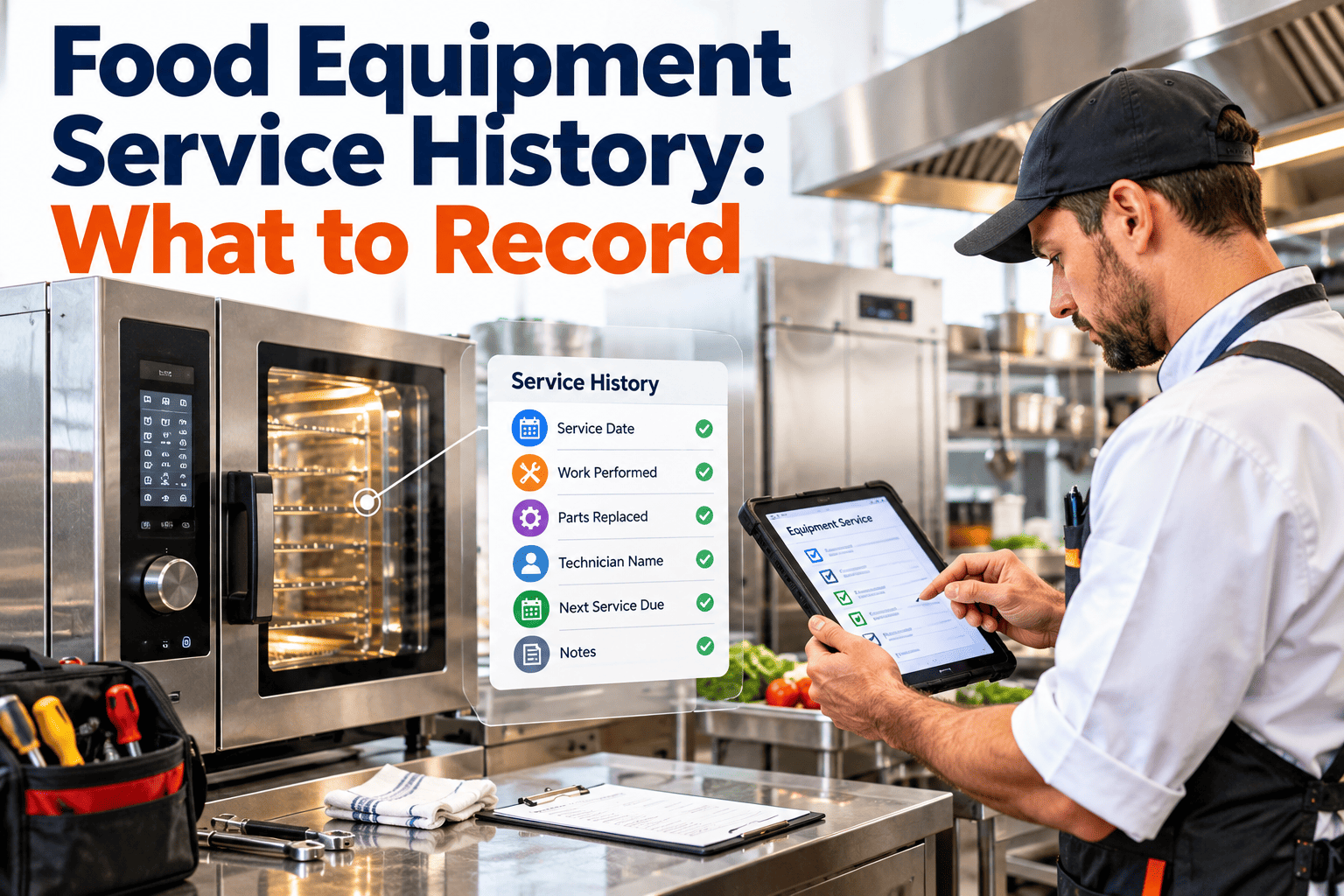
When a filler fails for the third time in a month, the first question is always the same: what was done to it last time? In many food plants the honest answer is a shrug, a half-remembered conversation or a folder nobody can find. Missing service history turns every repeat failure into a fresh mystery. This guide sets out exactly what to record for each machine so repairs, parts, calibrations and inspections form one searchable story, supported by a maintenance management system.
Food Equipment Service History: What to Record
Give every machine a complete life file. Capture what broke, what was changed, which parts went in and who signed it off, so the next decision starts from facts.
What missing service history costs a food plant
Without a service history
- Technicians repeat fixes that already failed.
- Nobody can say when a gearbox was last rebuilt.
- Spare parts are bought twice or not at all.
- Audit evidence is assembled in a panic.
- Replace or repair decisions rest on opinion.
- Knowledge leaves when an experienced technician does.
With a complete service history
- Recurring faults are visible at a glance.
- Component age and last service date are known.
- Stock matches the parts that actually fail.
- Records are retrievable by asset and date range.
- Lifecycle cost supports capital decisions.
- New staff learn from the machine's own record.
The cost is rarely one dramatic event. It is the steady drag of rework, repeat visits and guesswork across hundreds of small jobs.
A history record is not paperwork for its own sake. It is the shortest route from a symptom to a known cause.
The six layers of a useful equipment record
Identity and context
Unique asset number, description, manufacturer, model, serial number, install date, location, line and parent asset. Add the product contact status so food contact equipment is easy to filter.
Planned maintenance
The tasks, intervals and instructions assigned to the machine, plus every completion with date, technician and findings. Missed and deferred tasks belong here too.
Corrective and breakdown work
Reported symptom, diagnosed cause, action taken, time to respond, time to repair and production lost. This is the layer that reveals repeat failures.
Parts and materials
Part numbers, quantities, supplier and, for food contact parts, material or grade where relevant. Link each part to the work order that consumed it.
Checks and verifications
Calibrations, safety inspections, pressure and electrical tests, guarding checks and any food safety verification the machine supports.
Changes and approvals
Modifications, settings changes, software updates, relocation and return to production sign offs, including who authorised the change.
Field by field: what to capture on every work order
| Field | What to write | Why it matters later |
|---|---|---|
| Asset and component | The machine and the specific part, such as drive motor or seal bar. | Lets you count failures by component, not only by machine. |
| Reported symptom | What the operator saw or heard, in plain words. | Matches future complaints to past ones. |
| Root cause | What actually failed and why, not just what was replaced. | Separates a worn part from a process or setup problem. |
| Work performed | Steps taken, settings changed, adjustments made. | Allows the next technician to repeat or reverse the fix. |
| Parts used | Part number, quantity and source. | Drives stock levels and supplier decisions. |
| Time and downtime | Start, finish, labour hours and production stopped. | Builds the cost and reliability picture. |
| Food safety actions | Clean down, swab or release steps after the repair where required. | Shows the machine was safely returned to production. |
| Sign off | Technician, supervisor and, where needed, quality. | Proves accountability and approval. |
Extra details worth recording by equipment type
The core record is the same everywhere, but some machines deserve a few additional fields because of how they fail or how they touch food.
| Equipment | Additional history to capture | Reason |
|---|---|---|
| Fillers and sealers | Seal bar, nozzle and gasket replacements, changeover settings and format parts used. | Seal failures and leaks often trace back to wear parts and setup drift. |
| Ovens, fryers and cookers | Burner and element service, thermocouple changes, temperature uniformity checks. | Heat delivery affects both quality and the lethality of the cook step. |
| Conveyors and bearings | Belt and chain replacements, bearing change dates, tracking adjustments. | Component age explains when the next failure is likely. |
| Refrigeration and chillers | Defrost faults, refrigerant top ups, compressor hours and coil cleaning. | Repeat top ups and long runtimes signal developing leaks or fouling. |
| Mixers and grinders | Blade, seal and gearbox work, plus checks for missing metal fragments after repairs. | Worn parts can become foreign material if not controlled. |
| Detection and checkweighing | Verification results, sensitivity settings, reject system tests and calibration. | Shows the equipment that protects product was itself under control. |
Give every machine a record people actually use
Oxmaint links assets, work orders, parts and inspections so each machine builds its own history as the work gets done.
How one machine's life reads when the history is complete
Commissioning record
Serial numbers, as-installed settings, manuals and acceptance checks are attached on day one.
Planned tasks accumulate
Lubrication, belt checks and inspections show steady completion with small findings logged.
First pattern appears
Three jams trace to the same infeed sensor. The history shows the pattern before it becomes a crisis.
Major overhaul documented
Gearbox rebuilt, parts and settings recorded, and the interval reset using real component life.
Repair or replace decision
Cumulative cost, downtime and failure frequency support a capital request with evidence.
Questions a good history should answer in minutes
When was this last serviced?
By date and by component, including the last major overhaul.
Has this fault happened before?
Search by symptom, component and cause across the machine's life.
What parts went into it?
Part numbers, batches or suppliers where traceability of the part matters.
Was it safe to restart?
Evidence of clean down, verification and release after the repair.
Was it calibrated and inspected on time?
Due dates, results and certificates for instruments and safety devices.
What has it cost us?
Labour, parts and lost production summed over a chosen period.
Why service records go missing, and how to prevent it
Cause
Records written at the end of the shift from memory, so detail is lost.
Fix
Capture notes and photos on a mobile device at the machine while the job is fresh.
Cause
Free text with no structure, so nothing can be searched or counted.
Fix
Use short pick lists for component, failure cause and action, plus a notes field.
Cause
Contractor reports arrive as paper or email and never reach the asset file.
Fix
Require reports to be attached to the work order before it can be closed.
Cause
Machines move, get renamed or are rebuilt and the record loses the thread.
Fix
Keep a permanent asset ID and log relocations and modifications as events.
Cause
Nobody owns the quality of the data, so gaps are never challenged.
Fix
Have the planner review closed work orders weekly and send incomplete ones back.
Capturing contractor, OEM and shift handover work
External service visits
- Attach the visit report to the asset record the same day.
- Record the engineer, company, date and what was changed.
- Log parts fitted with part numbers, not just descriptions.
- Note any open recommendations and raise work orders for them.
Shift handover work
- Log temporary repairs and the date they must be made permanent.
- Note machines running with a known fault and the agreed limits.
- Record what was tried and ruled out so the next shift does not repeat it.
- Link the note to the asset, not only to a person's name.
Temporary repairs deserve special attention in food plants because tape, cable ties and improvised guards can become contamination risks if they are forgotten. A dated entry with an owner keeps them visible.
- Set a review date on every temporary fix
- Close the loop with a permanent repair work order
Rebuilding history for machines that have none
Few plants can recreate decades of paper. You do not need to. Start the clock now and backfill only what is valuable.
Register the assets
Give every machine an ID, plate data and location, starting with food contact and critical equipment.
Capture from today
Require a work order for every job so new history accumulates automatically.
Backfill the high value items
Add known overhauls, manuals, certificates and recurring problems that technicians still remember.
Review and tighten
Check which fields are routinely empty and simplify the form until it is completed every time.
- Do not delay go live waiting for perfect data
- Mark backfilled entries as estimated
Use short code lists so history can be counted
Free text tells a story, but codes let you count. A small, agreed list of failure causes and actions turns thousands of jobs into patterns you can act on.
A simple starting set
- Cause: wear, contamination, misalignment, loose fastener, electrical fault, operator error, setup error, no fault found
- Action: adjusted, cleaned, lubricated, repaired, replaced, reprogrammed, escalated
- Priority: safety or food safety, production stopped, production reduced, routine
- Work type: planned, corrective, inspection, calibration, modification
Keep the list short
- Eight to ten options per field is easier to use than forty.
- Review the list yearly and merge codes nobody uses.
- Always leave a notes field for the detail codes cannot hold.
Service history and food safety evidence
Auditors and customers expect evidence that equipment is maintained and that maintenance does not introduce hazards. Service records are where that evidence lives.
Where history supports compliance
- Preventive maintenance completion for food contact and critical equipment
- Records of post repair clean down and release to production
- Calibration and verification of measuring instruments
- Evidence of controlled use of tools, lubricants and temporary repairs
- Traceable corrective actions raised from audit findings
Check your own requirements
- Retention periods vary by scheme, customer and jurisdiction.
- Confirm what your certification body expects to see.
- Record the retention rule in your procedures.
How Oxmaint supports a complete service history
Asset management
One register for machines, components and locations with a permanent history per asset.
Work orders
Planned and corrective jobs with structured findings, labour and attached photos or reports.
Preventive maintenance
Recurring schedules and completion records that show what was due and what was done.
Inventory
Parts linked to the jobs that consumed them, so usage and stock reflect reality.
Inspections
Checklists that capture condition findings and raise corrective work when needed.
Reporting
Repeat failure, downtime and cost reports pulled from the same history.
Using the history to improve preventive maintenance
Once a few months of clean records exist, the history starts paying back. It shows which preventive tasks find real problems and which are habit.
Questions to ask of the data
- Which components fail between services, suggesting the interval is too long?
- Which tasks never find anything, suggesting the interval or content can change?
- Which breakdowns follow a recent repair, suggesting a quality problem with the fix?
- Which spare parts are consumed fastest and need a higher stock level?
Change one thing at a time
- Adjust an interval, then watch the next results.
- Record the reason for every change in the task history.
- Involve operators who know the machine best.
A weekly check that keeps the history trustworthy
Closed without detail
List work orders closed with empty cause, action or parts fields and send them back for completion.
Repeat failures
Find machines with the same fault twice in a short period and decide whether a root cause review is needed.
Orphan work
Look for jobs logged against a generic asset or area instead of a specific machine.
Missing sign off
Confirm food safety release and supervisor approval exist on every job that needed them.
Frequently asked questions
What should be in a food equipment service history?
Identity data, planned maintenance, breakdowns with causes, parts used, calibrations and inspections, and approved changes. Together these answer what happened and why.
How long should service records be kept?
It depends on your certification scheme, customers and local rules. Confirm the requirement and write it into your records procedure.
Do we need history for every small machine?
Start with food contact and critical equipment, then extend. Low risk items can have lighter records as long as the decision is documented.
Can a CMMS build history automatically?
It builds history as work orders are closed with good detail. You can book a demo to see an asset record in action.
How do we get technicians to fill the records in?
Make the form short, mobile friendly and useful to them. Review closed jobs weekly and show how history saves repeat work.
Stop guessing what was done to your machines
Register your assets, capture every job and let each machine build the record you will need at the next breakdown or audit. Begin with the equipment that hurts most when it stops.