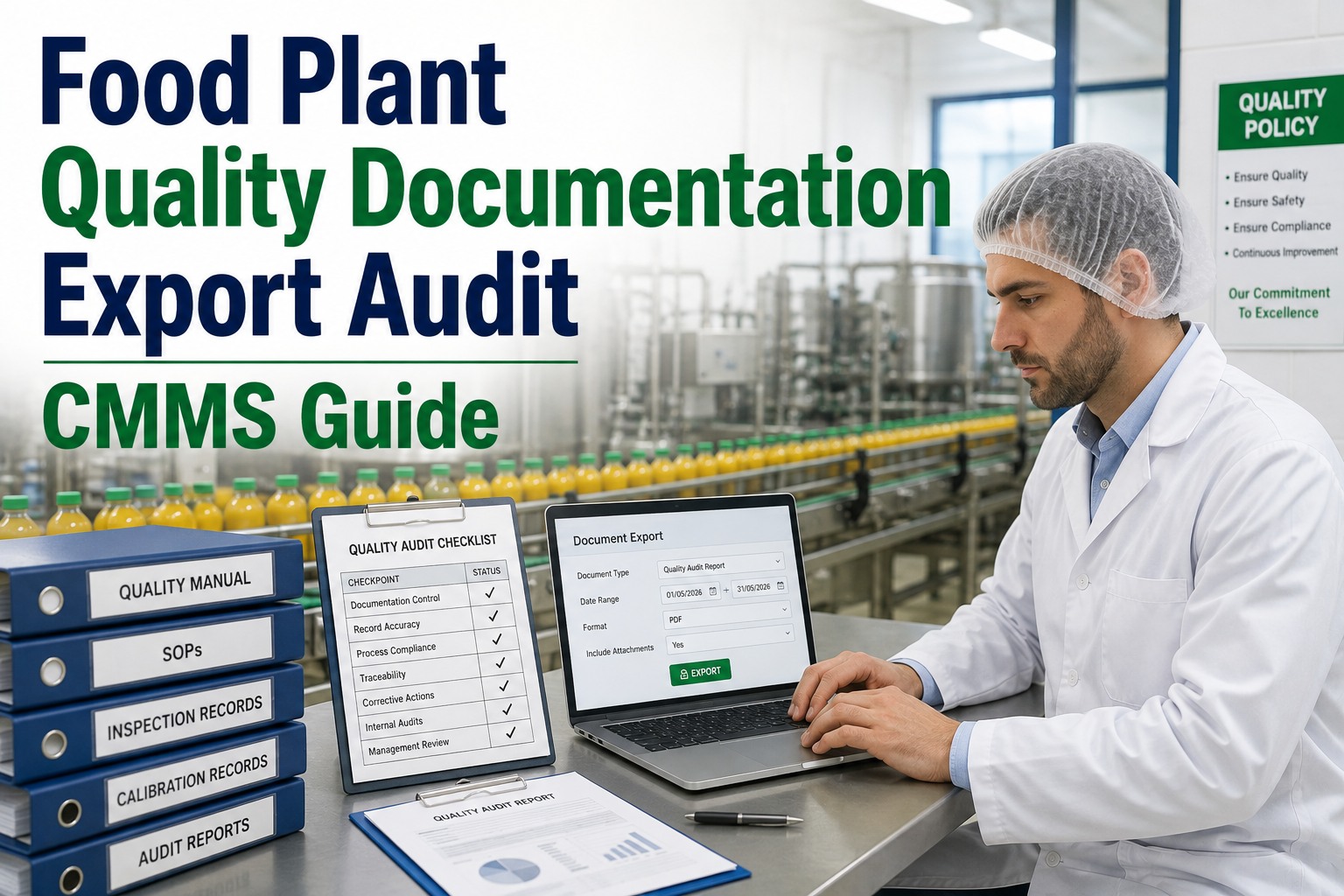
A frozen food processor in Wisconsin faced an FDA inspection that should have been routine. When inspectors requested the maintenance SOP for their pasteurizer CIP system, the maintenance manager knew the document existed. It had been updated eight months earlier when they modified the chemical concentration protocol. The problem was finding it. After 45 minutes of searching through a shared drive with 2,300 folders and conflicting file naming conventions, they located three different versions, unsure which was current. The inspector noted the observation. When asked for the equipment manual section covering temperature sensor calibration, another search began through a filing cabinet of paper manuals, some dating back to equipment installations 15 years ago. What should have been a 10-minute document request became a 3-hour scramble that shook inspector confidence in the facility's control of their maintenance program. Implementing document intelligence maintenance systems after that audit transformed how the facility manages maintenance documentation, making any SOP, manual, or compliance record accessible within seconds regardless of who needs it or where they are working.
Maintenance documentation in food manufacturing encompasses thousands of documents: equipment manuals from dozens of manufacturers, SOPs for maintenance procedures, calibration certificates, training records, compliance documentation, and work instructions that must be current, accessible, and audit-ready. Traditional document management through shared drives, filing cabinets, and binder systems fails at the scale and speed food manufacturing requires. Document intelligence applies technology to organize, search, link, and surface documentation in context, connecting the right information to the people and equipment that need it.
Sign up to organize maintenance documentation intelligently or book a demo to see how document intelligence transforms SOP and manual accessibility.
Document Intelligence
Document Intelligence for SOPs, Manuals, and Compliance Records
Transform maintenance documentation from scattered files into an intelligent, searchable system that connects the right information to the right work at the right time.
Of Technician Time Spent Searching for Documentation
Reduction in Document Retrieval Time with Intelligence
Of Audit Findings Related to Documentation Control
8 sec
average
Document Access Time with Intelligent Search
The Documentation Challenge in Food Manufacturing Maintenance
Food manufacturing maintenance generates and depends on massive volumes of documentation. Equipment manuals alone can number in the hundreds for a typical facility, each containing thousands of pages covering installation, operation, maintenance procedures, parts lists, and troubleshooting guides. Add maintenance SOPs, calibration procedures, work instructions, training materials, and compliance documentation, and the total easily reaches tens of thousands of documents that must be managed, maintained, and accessible.
Traditional document management approaches cannot handle this volume effectively. Shared drives become graveyards of files with inconsistent naming, multiple versions, and no clear ownership. Paper manuals deteriorate, go missing, or contain outdated information that nobody has updated. Tribal knowledge about where to find specific information leaves with retiring technicians. And the time spent searching for documentation is time not spent on actual maintenance work.
67%
of maintenance technician time in facilities without document intelligence includes some component of searching for documentation: looking for manuals, finding the right SOP version, locating calibration certificates, or asking colleagues where information is stored. This search time directly reduces productive maintenance capacity.
The consequences extend beyond efficiency. When technicians cannot find the correct procedure, they improvise based on memory or skip steps entirely. When auditors request documentation, scrambling to locate records creates negative impressions regardless of whether documentation ultimately exists. When equipment manuals are inaccessible, troubleshooting takes longer and repairs may be performed incorrectly. Document intelligence addresses these challenges by making documentation findable, current, and connected to the work that needs it.
Sign up for Oxmaint to implement document intelligence that makes maintenance documentation work as hard as your technicians do.
Organize Your Documentation Intelligently
Oxmaint document intelligence connects SOPs, manuals, and compliance records to equipment and work orders, ensuring the right documentation is always accessible when needed.
Core Document Intelligence Capabilities
Document intelligence encompasses multiple capabilities that transform static file storage into active documentation systems supporting maintenance operations.
01
Intelligent Search
Full-text search across all document types including OCR-processed scanned documents. Natural language queries that understand maintenance context. Search results ranked by relevance with document type filtering. Find information within documents, not just document titles.
Example: Search for "pasteurizer temperature sensor calibration" returns the calibration procedure SOP, relevant manual sections, recent calibration certificates, and related work order documentation.
02
Equipment Linking
Documents automatically linked to equipment records. Access all documentation for specific equipment from the asset record. Inheritance through equipment hierarchy so line-level documents are accessible from component records. Two-way navigation between equipment and documentation.
Example: From a filler machine record, access the installation manual, all related SOPs, current calibration certificates for associated sensors, and historical work documentation with one click.
03
Version Control
Formal revision tracking for controlled documents. Approval workflows before new versions become effective. Automatic archival of superseded versions while maintaining accessibility for historical reference. Clear indication of current versus historical versions.
Example: An SOP revision goes through draft, review, and approval stages. Once approved, the new version becomes the default while the previous version is archived with full audit trail.
04
Work Order Integration
Relevant documents automatically attached to work orders based on equipment, work type, and task requirements. Technicians see applicable SOPs, manuals, and procedures without searching. Documentation requirements enforced for regulated work.
Example: A PM work order for a metal detector includes the maintenance SOP, relevant manual sections, the LOTO procedure, and links to calibration documentation automatically.
05
Mobile Access
Documents accessible on mobile devices at the equipment location. Offline capability for areas without network connectivity. Optimized viewing for different document types on smaller screens. Quick access to recently viewed and frequently used documents.
Example: A technician troubleshooting a conveyor drive accesses the troubleshooting section of the manual from their tablet while standing at the equipment.
06
Compliance Support
Document retention period tracking and enforcement. Access controls limiting who can view, edit, or approve documents. Complete audit trail of document access and modifications. Rapid retrieval capabilities for audit response.
Example: An auditor requests calibration records for a specific date range. A single query returns all relevant certificates with traceability documentation in seconds.
SOP Management Best Practices
Standard Operating Procedures form the backbone of consistent maintenance execution. Effective SOP management ensures procedures remain current, accessible, and actually followed.
Essential Elements
Document identifier and revision information
Purpose and scope clearly defined
Safety requirements and prerequisites
Step-by-step instructions with decision points
Required tools, parts, and materials
Verification and completion requirements
References to related documents
Tip: Use consistent templates across all SOPs so technicians know where to find specific information regardless of which procedure they are using.
Process Steps
Identify need for revision (process change, error found, improvement identified)
Draft revision with clear change documentation
Technical review by subject matter experts
Approval by authorized personnel
Communication of changes to affected personnel
Training if significant changes require it
Archive superseded version with retention
Tip: Document the reason for each revision in revision history so future users understand why changes were made.
Review Triggers
Scheduled periodic review (typically annual for food safety SOPs)
Equipment modification or replacement
Process change affecting procedure
Incident or near-miss involving procedure
Audit finding related to procedure
Regulatory or standard requirement change
Tip: Schedule periodic reviews in your CMMS as recurring tasks so they do not get overlooked during busy periods.
Requirements
Initial training before first use of procedure
Documented acknowledgment of reading and understanding
Re-acknowledgment after significant revisions
Competency verification for critical procedures
Refresher training at defined intervals
Training records linked to personnel files
Tip: Automate acknowledgment tracking through document intelligence systems rather than managing paper sign-off sheets.
Equipment Manual Management
Equipment manuals represent critical reference documentation that supports troubleshooting, repair, and preventive maintenance. Effective manual management ensures this information remains accessible throughout equipment lifecycle.
Capture manuals at equipment acquisition and maintain throughout lifecycle. Convert paper manuals to searchable digital format through scanning and OCR. Request digital copies from OEMs when available. Organize by equipment with clear linking to asset records.
Obtain digital copies from OEM at purchase
Scan legacy paper manuals with OCR processing
Organize sections for easy navigation
Link to equipment records in CMMS
Verify completeness of all manual sections
OEMs periodically release manual updates reflecting design changes, procedure improvements, and safety bulletins. Maintaining current manuals ensures technicians work from accurate information.
Register for OEM update notifications
Review and incorporate updates promptly
Document manual revision status by equipment
Archive superseded versions for reference
Notify technicians of significant changes
Parts lists and diagrams within manuals support repair work and spare parts management. Extract and organize parts information for integration with inventory and purchasing systems.
Extract parts lists into searchable format
Cross-reference to inventory part numbers
Link assembly diagrams to parts data
Update when parts become obsolete
Note approved substitutes and alternatives
Manuals must be accessible where and when needed. Mobile access at equipment location, integration with work orders, and offline capability for areas without connectivity enable practical use.
Enable mobile device access for technicians
Link relevant sections to work orders
Provide offline access capability
Enable quick navigation to sections
Support search within manual content
Compliance Record Management
Food manufacturing compliance documentation must meet specific requirements for content, retention, and accessibility. Document intelligence supports compliance by enforcing these requirements systematically.
Maintenance Records
Equipment life + 3 years minimum
Calibration Certificates
5 years or equipment life
Training Records
Employment + 3 years
HACCP Records
2 years minimum (FDA FSMA)
Equipment Validation
Equipment life + 3 years
Note: These are minimum requirements. Customer specifications or company policies may require longer retention. When in doubt, retain longer.
Role-based access limiting document modification to authorized personnel
Audit trail of all access, viewing, and modifications
Protection against unauthorized deletion or modification
Electronic signature requirements for controlled documents
Documented approval workflows for sensitive changes
Backup and disaster recovery for compliance records
Rapid search by equipment, date range, document type
Bulk export capability for auditor review
Complete records including all attachments
Historical version access for point-in-time queries
Traceability chain documentation for calibrations
Training records by person or by procedure
Electronic signatures equivalent to handwritten signatures
Signature manifestations showing signer, date/time, meaning
System controls preventing unauthorized access
Audit trail showing creation and modification history
Validated system with documented controls
Written policies and procedures for system use
Book a demo to see how Oxmaint document intelligence supports compliance record management with built-in controls and audit capabilities.
Documentation That Works as Hard as You Do
Oxmaint document intelligence connects your SOPs, manuals, and compliance records to the work that needs them. Stop searching and start maintaining.
Implementation Approach
Implementing document intelligence requires systematic effort to organize existing documentation and establish processes for ongoing management. This phased approach delivers value while building toward comprehensive documentation control.
Phase 1
Assessment and Planning
2-3 Weeks
Inventory existing documentation locations and formats
Identify critical document categories for priority
Define document structure and naming standards
Map documents to equipment hierarchy
Establish version control and approval requirements
Define access control requirements by role
Phase 2
Critical Document Migration
4-6 Weeks
Migrate food safety equipment SOPs and manuals
Upload current calibration documentation
Link documents to critical equipment records
Establish baseline for compliance documentation
Train key users on document access and search
Validate retrieval capability for audit scenarios
Phase 3
Comprehensive Migration
6-10 Weeks
Migrate remaining equipment manuals
Upload all maintenance SOPs and work instructions
Scan and OCR legacy paper documents
Complete equipment-document linking
Integrate with work order generation
Train all maintenance personnel
Phase 4
Optimization and Sustainment
Ongoing
Implement periodic review schedules
Refine search and access based on user feedback
Address documentation gaps identified through use
Maintain currency with OEM manual updates
Monitor and enforce retention requirements
Continuous improvement based on audit feedback
Frequently Asked Questions: Document Intelligence Maintenance
How do we handle legacy paper documents that are not in digital format?
Scan paper documents and apply OCR (Optical Character Recognition) to make them searchable. Prioritize documents for equipment still in service and those required for compliance. Many scanning services can process large volumes cost-effectively. For critical documents, verify OCR quality and correct errors. Maintain original paper documents during transition and establish a clear cutover point.
What about manufacturer manuals that are copyrighted?
Manuals purchased with equipment typically include rights for internal use. Contact OEMs to request digital copies, which many now provide. Store manuals in systems with appropriate access controls. Do not distribute externally. For equipment where digital manuals are unavailable, internal scanning for maintenance use is generally acceptable under fair use, but consult legal counsel if uncertain about specific situations.
How do we ensure technicians actually use the documentation system?
Make documentation access easier than alternatives. Integrate with work orders so relevant documents appear automatically. Provide mobile access at equipment location. Train on search techniques. Remove paper copies that compete with the system. Include documentation use in work quality expectations. Track usage and follow up with those not engaging.
Sign up for Oxmaint to provide documentation access designed for practical technician use.
How often should SOPs be reviewed and updated?
Food safety SOPs should be reviewed at least annually. Other SOPs may follow longer cycles depending on risk and change frequency. Beyond scheduled reviews, trigger reviews when equipment changes, processes change, incidents occur, or auditors identify issues. Track review status in the document system and schedule reviews as recurring CMMS tasks. Document review outcomes even when no changes are needed.
What is the relationship between document intelligence and CMMS?
Document intelligence should integrate with CMMS rather than operate separately. Documents link to equipment records so accessing an asset shows all related documentation. Work orders include relevant SOPs, manuals, and procedures automatically. Completed work documentation attaches to work order history. Some CMMS platforms include document management capabilities; others integrate with dedicated document systems. The key is seamless connection so users do not navigate between separate systems.
Transform Documentation from Obstacle to Asset
Oxmaint document intelligence makes SOPs, manuals, and compliance records work for your maintenance team instead of hiding in file systems. Connect documentation to the work that needs it.