Hotel Room Condition Report Template: Inspection Before and After Guest Stay
By Alex Jordan on May 26, 2026
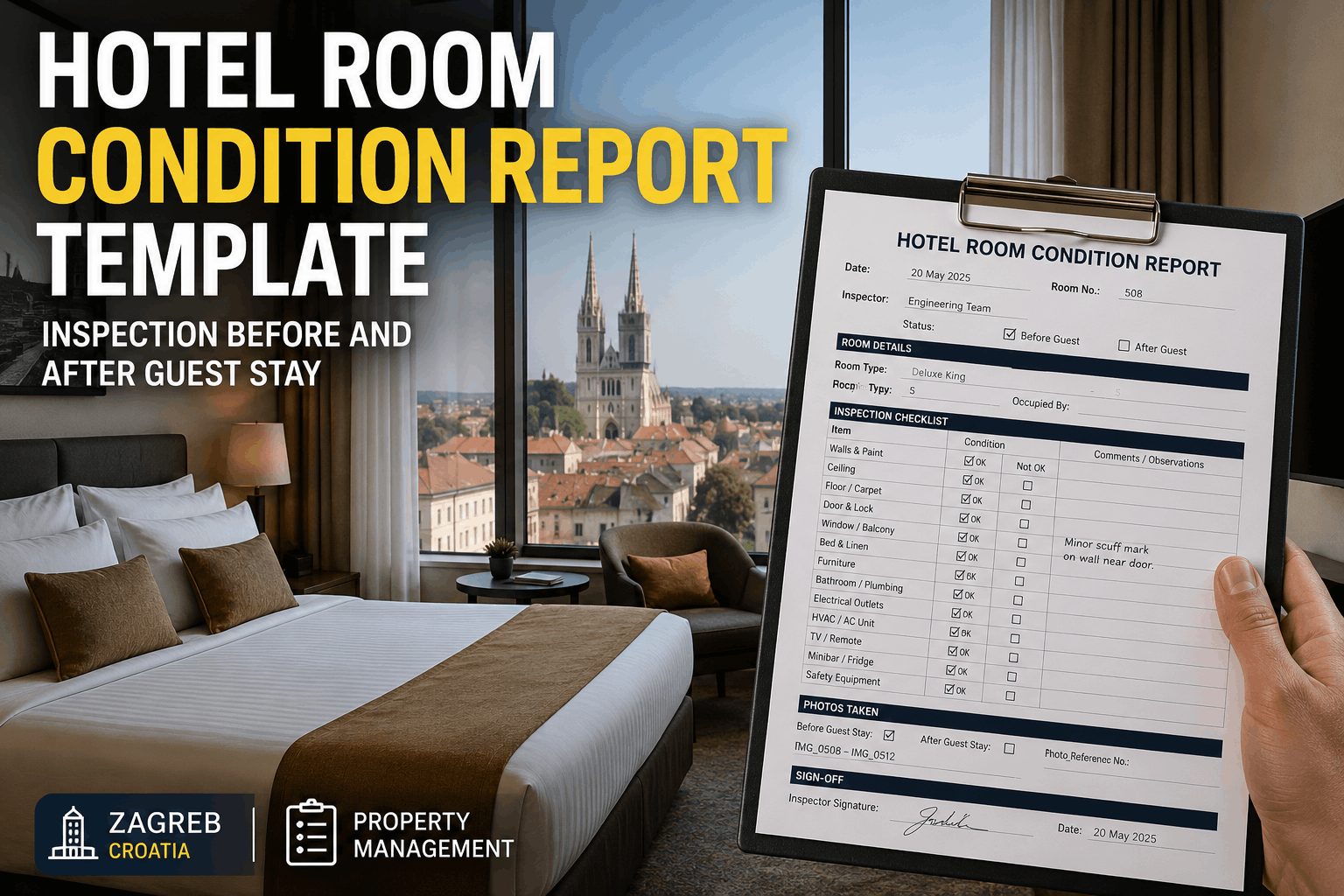
Hotel room condition documentation is the frontline defense against guest damage disputes, security deposit claims, and preventive maintenance failures. Every room must be inspected before guest check-in and immediately after checkout to document baseline condition and identify deterioration, damage beyond normal wear-and-tear, or maintenance issues requiring attention. A structured room condition report template with standardized checkpoints prevents housekeeping oversights, creates defensible records for damage accountability, and flags equipment failures before they impact future guests. Oxmaint's free hotel room condition report template covers 40+ inspection points across entrance, bedroom, bathroom, fixtures, amenities, and overall cleanliness — with photo documentation fields, condition rating scales (Excellent/Good/Fair/Poor), maintenance flag system, and guest signature confirmation. Use it to enforce brand standards, reduce damages, catch maintenance issues early, and maintain guest satisfaction at 95%+ by ensuring every room meets expectations.
Oxmaint · Free Hotel Template · Room Condition Inspection
40+ inspection checkpoints across entrance, bedroom, bathroom, and amenities. Photo fields, condition ratings, damage flags, maintenance alerts, and guest sign-off. PDF or Excel formats. Brand-standard compliance built in.
Why Room Condition Reports Save Properties From Damage Disputes
Defensible Damage Records
Photos + condition ratings + guest signature = proof of pre-existing condition. When guests claim pre-existing damage, your documentation defends against false security deposit claims.
Staff Accountability
Housekeeping supervisors sign off on room condition. If damage appears that wasn't documented during checkout, you know when it occurred and who was responsible.
Maintenance Issue Early Detection
Room inspection flags reveal slow deterioration (worn carpet, leaky faucet, HVAC issues) before they become guest complaints. Catch problems during turnover, not during occupied stay.
Brand Standard Compliance
Consistent room condition documentation ensures every room meets brand standards before guest arrival. 95%+ guest satisfaction is built on consistent quality control.
Operational Efficiency
Standardized checklist ensures housekeeping covers every inspection point consistently. Reduces rework, speeds turnover time, and prevents missed maintenance issues.
40-Point Room Inspection Checklist Structure
COMPREHENSIVE ROOM ASSESSMENT — SECTION BY SECTION
Like-new condition. No visible wear, stains, damage, or odor. Ready for immediate guest check-in. Brand standards met at 100%.
GOOD (G)
Minor cosmetic wear visible but fully functional. No damage, stains acceptable for extended wear items. Safe for guest use. Meets brand standards.
FAIR (F)
Noticeable wear, minor damage, or cosmetic issues requiring attention before guest check-in. May need touch-up, repair, or replacement before use.
POOR (P)
Significant damage, functional issues, or safety concerns. ROOM MUST NOT be rented until repaired/replaced. Generate maintenance work order immediately.
"A guest claimed a pre-existing stain on the carpet was from our neglect and demanded compensation. We had photos from the move-in inspection showing the same stain with condition rating 'Fair' documented. We showed the guest the timestamped photos and explained the stain was there when she arrived. She accepted it. Without the condition report, we would have had to choose between paying her or losing the online review. Now every room is documented, so we have proof for every dispute."
Linda P. — Housekeeping Manager
3-star hotel chain, 8 properties, California
How to Use Room Condition Reports in Your Workflow
1
PRE-CHECK-IN INSPECTION
After housekeeping completes turnover cleaning, supervisor conducts 15-minute room inspection using template. Rate each checkpoint, take photos of any damage or maintenance issues, and flag items requiring attention before guest arrival.
2
PHOTO DOCUMENTATION
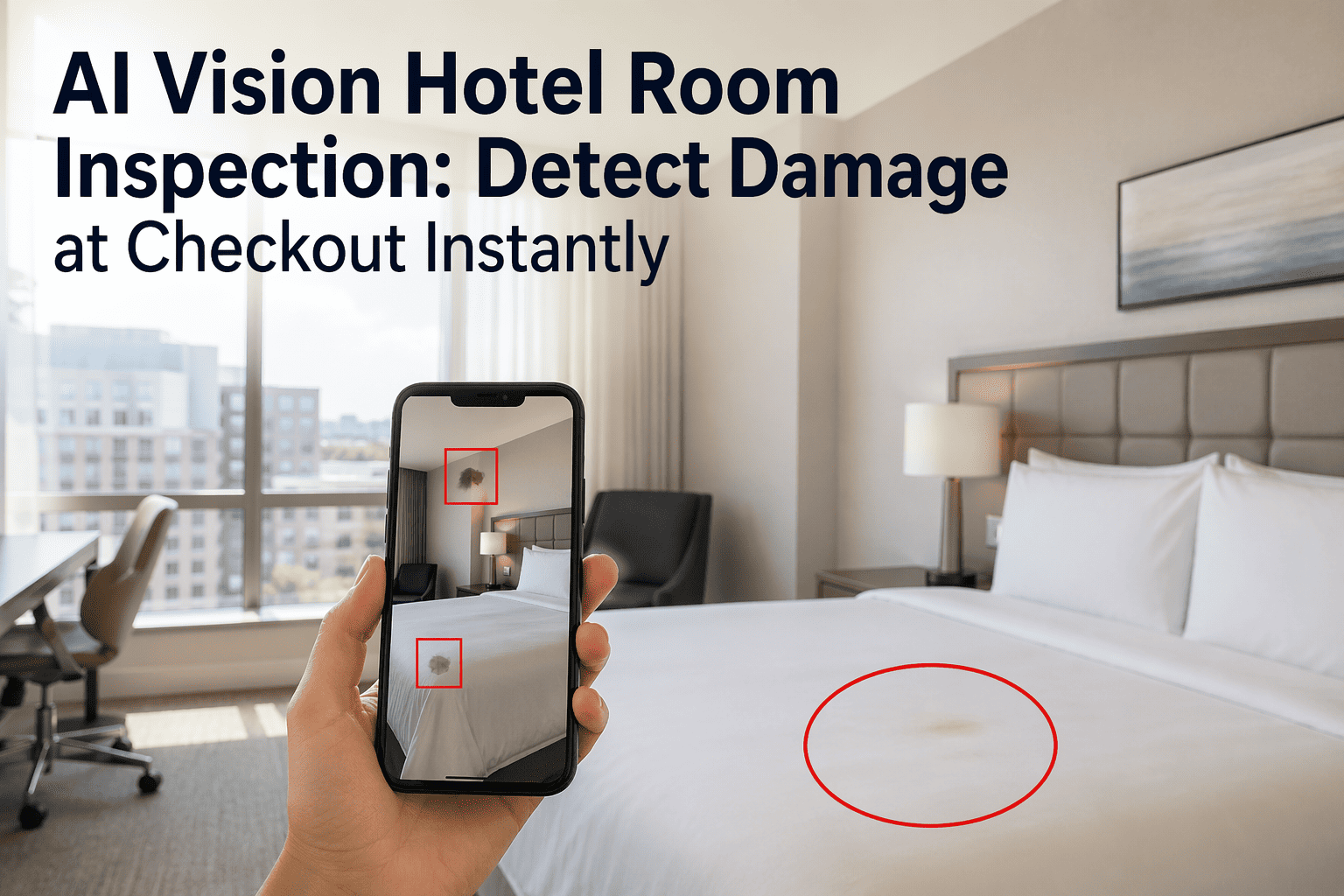
Capture condition photos: overall bedroom/bathroom, any damage (tears, stains, cracks), maintenance issues (broken fixtures, water stains). Use timestamps. Photos are proof of pre-existing condition.
3
MAINTENANCE FLAGGING
Any "Fair" or "Poor" ratings or spotted maintenance issues trigger automatic maintenance work order. Ceiling water stain = maintenance investigation. Worn carpet = replacement estimate needed. Don't book room until issues resolved.
4
GUEST CHECK-OUT INSPECTION
After guest checkout, conduct post-stay inspection using same template. Compare to pre-arrival condition report. New damage = document for potential security deposit deduction. Deterioration requiring maintenance = flag for repair/replacement.
5
ARCHIVAL & DISPUTE RESOLUTION
File room condition reports (pre + post) for each guest stay. If damage dispute arises, retrieve timestamped photos + ratings. Evidence supports your position and prevents unjustified damage claims or refund requests.
Condition Report Format & Fields
REQUIRED DOCUMENTATION ON EVERY ROOM CONDITION REPORT
Header Information
• Date & time of inspection • Room number & room type • Inspection type (Pre-check-in OR Post-checkout) • Inspector name & signature
Checkpoint Ratings
• E/G/F/P rating for each 40-point item • Any "F" or "P" ratings require notes explaining issue • Total score calculated (Excellent = 100%)
Photo Fields
• Photos of entrance, bed, bathroom • Close-ups of any damage (tears, stains, cracks) • Photo of condition rating placard in room • Timestamp on all photos (automatic)
Maintenance Flags
• Any equipment not functioning (HVAC, fridge, TV) • Structural issues (water stains, cracks) • Safety concerns (broken locks, sharp edges) • Auto-generates work order for "Poor" items
Notes & Comments
• General observations about room condition • Any unusual odors or cleanliness issues • Recommendations for repair/replacement • Guest-facing notes if issues encountered
Sign-Off
• Inspector signature & date • Supervisor approval (if required) • Guest signature (post-checkout) acknowledging condition • Digital timestamp for audit trail
Download Template Formats
CHOOSE YOUR FORMAT
Excel Workbook
Pre-/post-inspection tabs, checklist with dropdown ratings, photo attachment fields, auto-calculated score, maintenance flag generator.
Digital room inspection with real-time photo upload, automatic condition scoring, instant maintenance work order generation, and guest sign-off capture.
Q1 How long should a room condition inspection take?
15-20 minutes for a thorough inspection. Experienced supervisors can complete faster. Use a checklist to ensure consistency and prevent missed items. Time investment prevents guest complaints and damage disputes.
Q2 Should I conduct post-checkout inspections immediately after guests leave or later?
Immediately (within 30 minutes). Fresh damage is still visible; stains haven't set. Early detection of issues allows time to repair/replace items before next guest check-in. Delays mean longer room downtime.
Q3 Can housekeeping staff conduct room inspections, or must supervisors do it?
Supervisors should conduct final inspection. Housekeeping can do self-checks, but supervisor verification ensures consistency and provides accountability. Supervisor sign-off carries weight in damage disputes.
Q4 What do I do if a room gets a "Poor" rating and can't be rented?
Block the room immediately in the PMS as "Out of Service." Generate a maintenance work order with the inspection photos. Don't book guests in the room until repairs are complete and re-inspected as "Excellent" or "Good."
Q5 How should I store room condition reports for legal protection?
Archive reports (with photos) for minimum 1-2 years after guest checkout. Cloud storage with timestamps ensures admissibility if damage disputes arise. Digital copies are easier to retrieve and present as evidence than paper.
Q6 Should guests sign the room condition report before leaving?
Yes — post-checkout signature acknowledges they saw the inspection and agrees with findings. Digital signature or verbal confirmation logged is acceptable. This prevents "I didn't see that damage" disputes later.
Q7 How do I handle disputes when a guest claims pre-existing damage?
Compare pre-check-in and post-checkout condition reports side-by-side. If damage appears on post-checkout but not pre-check-in with photo evidence, it's guest-caused. If pre-existing, your pre-check-in report proves it wasn't your responsibility.
Q8 Can room condition data help identify training needs for housekeeping?
Absolutely — if one housekeeper's rooms consistently rate "Fair" vs. "Excellent" from others, provide additional training. Patterns in inspection data highlight quality gaps and guide coaching.
Document Every Room Condition — Protect Your Property & Revenue
Download the free room condition report template in Excel, PDF, or access via Oxmaint app. Standardized 40-point inspections, photo documentation, condition ratings, and maintenance alerts ensure every room meets brand standards and prevent damage disputes.