Property Work Order Template: Free Download for Maintenance Teams
By Alex Jordan on May 25, 2026
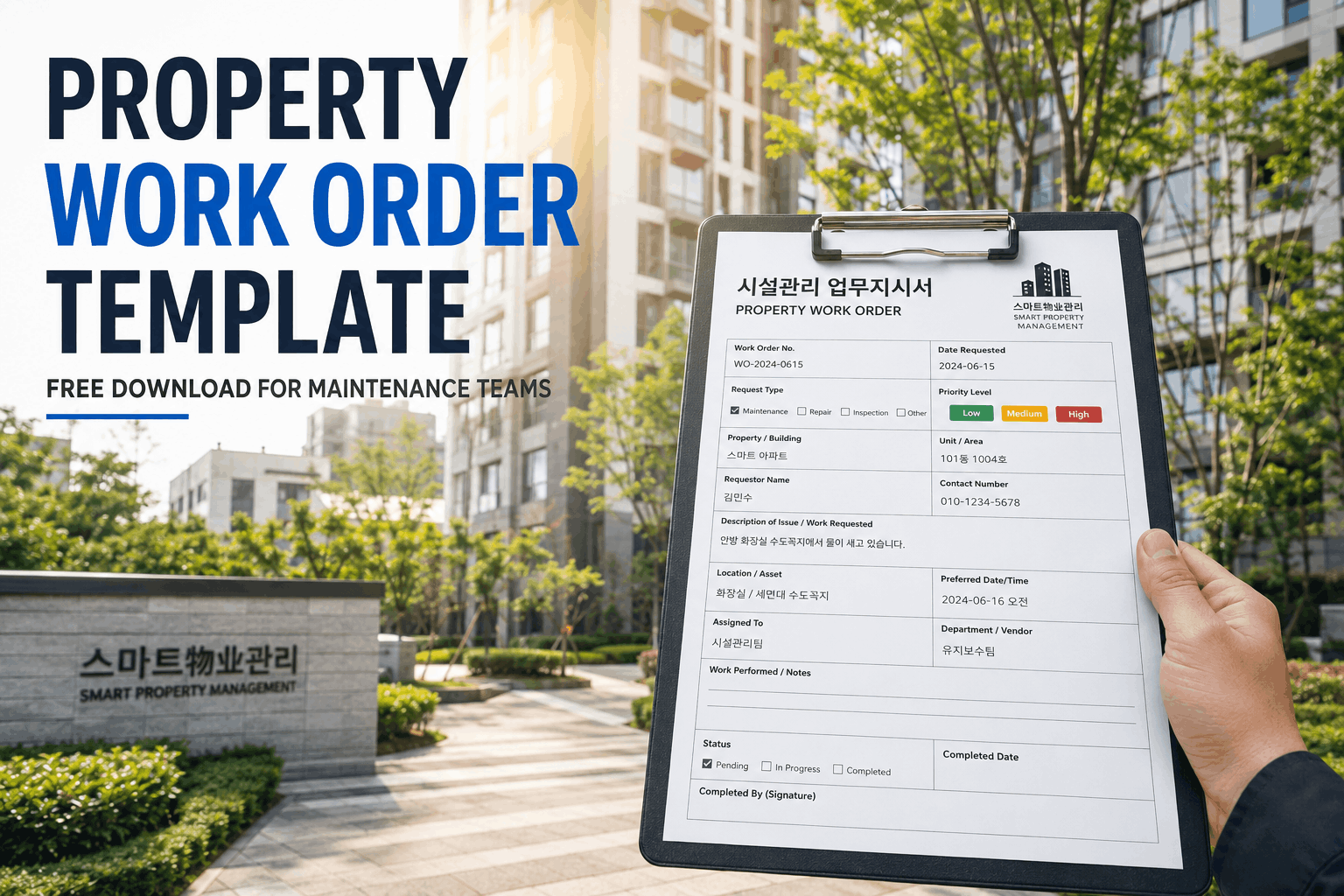
Property maintenance requests come in constantly — tenants report leaky faucets, broken appliances, HVAC failures. Without a standardized work order system, requests slip through cracks, contractors work inefficiently, and property managers lack accountability records. Oxmaint's free property work order template streamlines the entire workflow: tenants submit requests, managers assign tasks with priority levels, contractors confirm arrival and completion, and all documentation flows into a unified record system. The template includes mandatory fields for tenant contact, unit location, issue description, priority classification, assigned contractor, materials used, labor hours, and completion sign-off. For property managers handling 10-100+ units across multiple locations, a standardized work order template is the difference between organized operations and reactive chaos. Work orders create defensible records for security deposit disputes, insurance claims, and tenant communication — every completed repair is documented with date, cost, and contractor confirmation.
Oxmaint · Free Template · Property Work Order System
Free Property Work Order Template — Maintenance Request to Completion
Standardize your maintenance workflow. Track priority levels, assign contractors, log materials and labor costs, and capture completion photos. Available in Excel, Word, and PDF. Integrates with your property management system.
WHY WORK ORDER TEMPLATES TRANSFORM PROPERTY MANAGEMENT
3-5x
Faster response times when contractors are digitally notified vs. email/text. Work orders create automatic assignment and real-time status updates.
40%
Labor cost reduction when contractors access detailed work orders upfront. They arrive prepared with the right tools and materials instead of multiple trips.
85%
First-time completion rate improvement with detailed issue descriptions and photo documentation in work orders vs. vague tenant complaints.
$200-500
Average cost per work order. Documented completion records prevent disputed invoices and reduce tenant disputes over repair quality.
Tenant reports issue via online form, email, or phone. Property manager creates work order with unit location, issue description, date reported, and tenant contact. Tenant receives confirmation.
2
Assess Priority & Severity
Manager categorizes: Emergency (HVAC failure, water leak), Urgent (appliance malfunction), Routine (paint touch-up). Emergency = same-day response. Urgent = within 3 days. Routine = within 2 weeks.
3
Assign to Contractor
Select contractor from vendor list or call external service. Work order includes unit access instructions, resident contact, special requirements. Contractor receives notification and confirms acceptance.
4
Execute the Work
Contractor arrives, diagnoses issue, performs repairs. Logs actual materials used, labor hours, and any scope changes. Takes before/after photos. Discusses findings with tenant and property manager.
5
Document & Approve
Contractor submits invoice with work order number, description of work completed, photos, and signature. Tenant confirms work was done satisfactorily. Manager reviews invoice against estimates.
6
Close & Archive
Approved invoice is paid. Work order is closed and filed permanently. Record includes completion date, final cost, contractor performance notes. Searchable for future reference or similar issues.
Work Order Priority Levels & Response Times
STANDARD PRIORITY CLASSIFICATION FOR RENTAL PROPERTIES
? EMERGENCY
Response: Same day (within 4 hours)
Water leaks, HVAC/heating failure, electrical hazards, sewage backup, gas smell, no hot water, broken windows/doors, pest infestation
"Before Oxmaint, our maintenance team was juggling spreadsheets, text messages, and voicemails. A tenant would call about a leak, we'd email a contractor, then forget to follow up. Work orders were done haphazardly, costs were unpredictable, and we had no proof of completion for disputes. Now? Every work order is logged with a unique number, the contractor gets notified instantly, we track every dollar, and when a tenant challenges a repair, we have photos and signatures. Plus, our accounting team loves it — every invoice maps directly back to the work order. We've cut administrative time by 60% and eliminated duplicate work."
Robert D. — Property Operations Manager
Multi-family portfolio, 8 properties, 140+ units across California
Work Order Completion Checklist
BEFORE CLOSING A WORK ORDER, VERIFY
Issue Description matches work completed — Contractor addressed the specific problem reported by tenant
Materials & labor costs are itemized and verified — Compare invoice against estimate; any overages explained
Completion photos are attached — Before/after documentation shows work was performed
Contractor signature & date are present — Confirms work completion and professional responsibility
Tenant has acknowledged completion — Signature or email confirms satisfaction with work performed
Manager approval is recorded — Property manager reviews and approves payment authorization
Work order is filed & searchable — Permanently archived with property/unit reference for future access
Download & Integration Formats
Excel Workbook
Multi-tab spreadsheet with work order form, contractor roster, priority tracker, cost analytics, and monthly reporting dashboard.
Q1 What should I do if a contractor's bid exceeds the estimated cost?
Document the scope change on the work order before authorizing the overage. Photograph any unexpected findings (e.g., hidden damage). Get tenant or manager approval for increase. This protects you from contractor disputes and provides justification for the higher cost.
Q2 How long should I retain completed work orders?
Permanently archive all work orders for the property's entire holding period, plus 7 years minimum for tax/legal compliance. Cloud storage in Oxmaint ensures searchability. These records defend against security deposit disputes and prove maintenance diligence to insurers.
Q3 Can I use work orders to track preventive maintenance tasks?
Yes — create "Preventive" priority work orders for scheduled maintenance (HVAC tuneups, filter changes, gutter cleaning). These appear on your annual maintenance calendar and generate routine work orders automatically, keeping preventive work organized and cost-tracked alongside reactive repairs.
Q4 What if a tenant disputes the quality of completed work?
The signed work order with completion photos and contractor signature is your defense. Schedule a re-inspection if needed. If the contractor performed work satisfactorily per the original request, the issue may be a tenant expectation problem, not a legitimate defect. Work orders document what was requested and what was completed.
Q5 Can work orders be used to calculate maintenance costs per unit?
Absolutely — the Excel template auto-totals work order costs by property and unit. Divide annual total by unit count to get per-unit maintenance cost. This benchmarks against industry standards (typically $1,200-$2,400 per unit annually) and identifies properties with cost overruns.
Q6 How do I handle emergency work orders that don't get documented until after completion?
Backdate the work order to the actual service date but mark it "Emergency — Retrospective." Get contractor to sign confirming work date and scope. This maintains continuity of documentation while being honest about the timing. Better late than never.
Q7 Should contractors use the same work order for multiple visits to one property?
No — create separate work orders for each visit or service date. This maintains a clear audit trail and prevents scope creep. If one plumber visits twice for different issues, log two separate work orders. Cleaner documentation, easier cost tracking.
Q8 Can I use work orders to onboard new contractors?
Yes — assign a small initial work order to evaluate a new contractor's responsiveness, quality, and documentation. Review their compliance with the work order system (timely arrival, photo submission, invoice accuracy). If they perform well, add them to your preferred vendor roster.
Standardize Your Maintenance Operations — Today
Download the free work order template in Excel, Word, or PDF format, or activate Oxmaint's app for real-time contractor coordination, cost tracking, and compliance documentation. Stop managing repairs with texts and emails. Start documenting every job.





--free-download-2026.png)