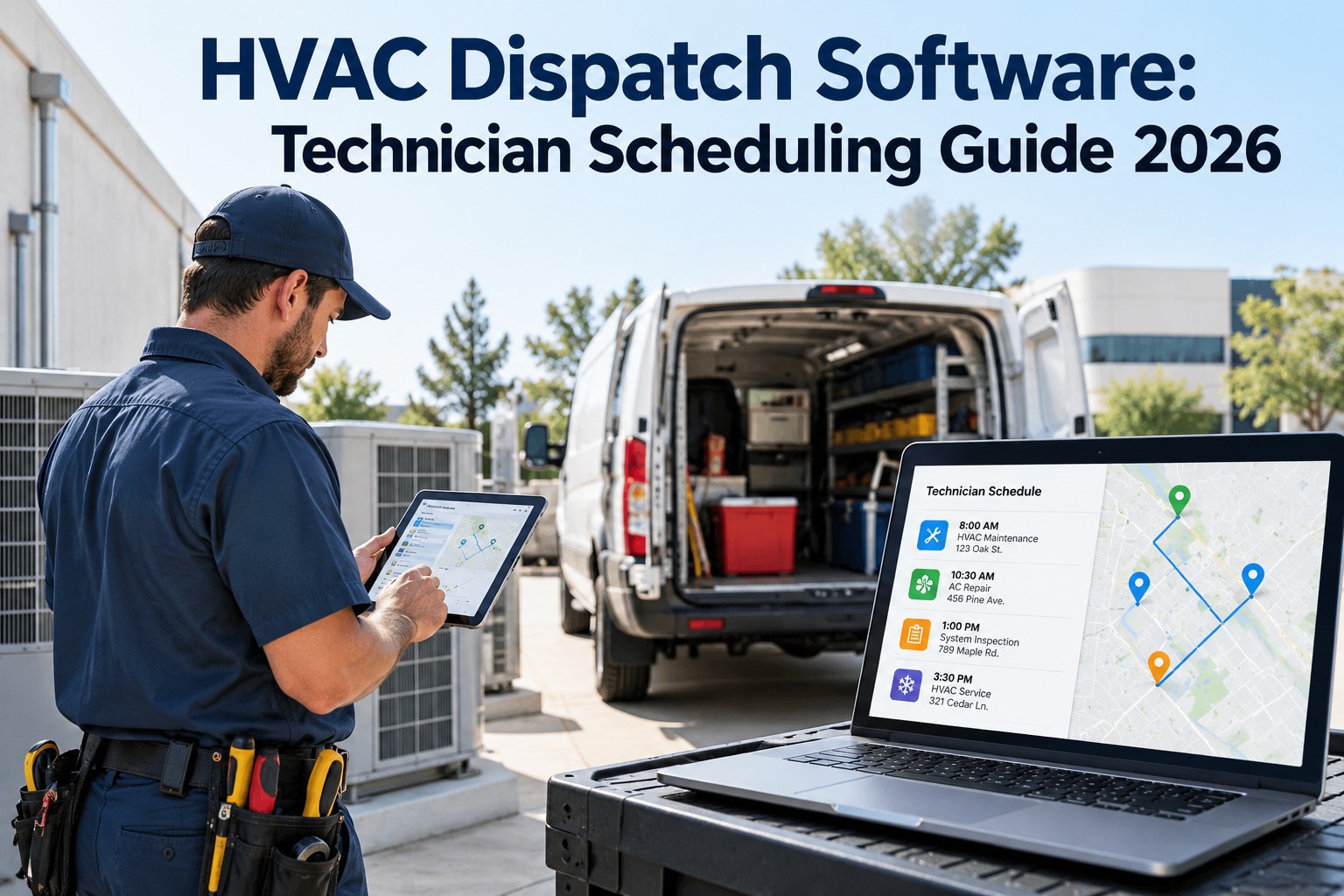
HVAC Dispatch Software: Technician Scheduling Guide 2026

By William Jerry on September 29, 2026

hvac-dispatch-software-technician-scheduling

A no-cooling call comes in at a data center at 9 a.m. Your nearest tech is 40 minutes away on a routine filter swap, your closest available tech isn't certified on that chiller, and the dispatcher is guessing on a whiteboard. By the time the right person arrives, the SLA is blown and the customer is furious. HVAC dispatch isn't about who's free — it's about the right tech, the right priority, the right route. OXMAINT AI, the AI-powered HVAC CMMS, scores every job's urgency, matches it to a qualified tech, and routes the day so the emergency doesn't wait behind a filter.

HVAC Field Service · Dispatch & Scheduling · CMMS · 2026

HVAC Dispatch Software: Technician Scheduling That Hits the SLA

Emergencies stuck behind routine calls. The wrong tech sent to the wrong job. A dispatch board that's a guess. OXMAINT AI, the AI-powered CMMS and maintenance management software, runs the whole flow on one platform: a service request is scored by urgency and asset criticality, matched to a certified technician, and routed by geography — so the two-hour job gets there in two hours and the tech arrives ready to fix it first time.

1Request → 2Prioritize → 3Match Tech → 4Dispatch & Route
DISPATCH BOARD · TODAY
EMGData Center · no cooling2 hr
URGOffice Tower · warm zone6 hr
SCHRetail · PM visit48 hr
DEFWarehouse · grille rattle7 days
Emergency routed to certified tech, 12 min out → SLA safe
2 hr
industry benchmark to respond to a life-safety HVAC emergency
4×
faster dispatch-to-resolution when response tiers are predefined
72%
of SLA breaches trace to undefined or unenforced standards
4 tiers
cover the vast majority of commercial HVAC dispatch

Dispatch Isn't About Who's Free

The whiteboard method sends whoever's available to whatever came in last. That's how an emergency waits behind a filter change and an uncertified tech gets sent to a chiller they can't fix — a guaranteed second trip. Good dispatch weighs urgency, skill and location together, every time. OXMAINT AI scores each of those automatically the moment a request lands. Start free and put your dispatch on rules, not guesswork, in OXMAINT AI.

Start With the Response Tiers

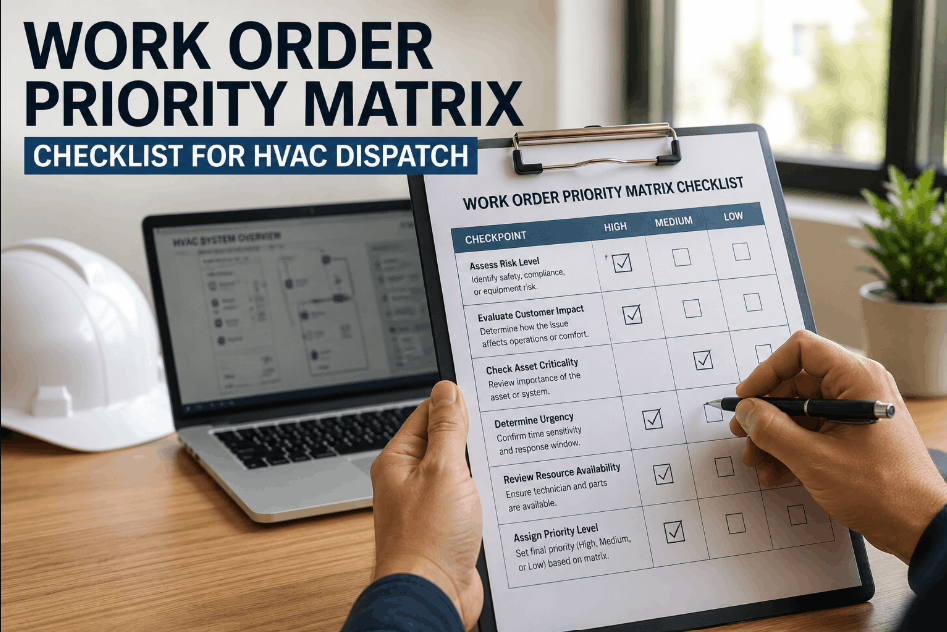
Every job isn't equally urgent, and pretending otherwise is where SLAs break. Four tiers cover almost all commercial HVAC dispatch, each with a target response window. OXMAINT AI tags every request to a tier and starts the clock. Book a demo to see tiered dispatch in OXMAINT AI.

EMERGENCY
Respond within ~2 hours
Life-safety, data center cooling, healthcare, no-redundancy assets
URGENT
Respond within ~4–8 hours
Widespread occupant discomfort or IAQ threshold breach
SCHEDULED
Respond within ~24–72 hours
Single-zone comfort complaint with available redundancy
DEFERRED
Respond within ~5–10 days
Cosmetic defects and low-priority repairs

When a tier goes unacknowledged, it should climb on its own — an urgent job left too long auto-escalates to emergency. OXMAINT AI runs those escalations so a slipping SLA raises a flag before it breaks.

Priority Depends on the Asset, Not Just the Complaint

A warm zone in a storage unit and a warm zone in an operating suite are not the same call. Response time should flex with asset criticality and site risk together — and OXMAINT AI sets the target on each job from exactly that combination. Start free and tag your assets by criticality in OXMAINT AI.

Asset & site profileEmergencyUrgentScheduled
Critical · no redundancy (life-safety, data)≤ 2 hr≤ 4 hr≤ 24 hr
Essential · partial redundancy (commercial)≤ 4 hr≤ 8 hr≤ 48 hr
Standard · full redundancy (storage)≤ 8 hr≤ 24 hr≤ 72 hr
Non-critical (comfort only)≤ 24 hr≤ 48 hr5–10 days

The Four Rules of Smart Assignment

Once a job has a priority, the software decides who goes and in what order. Four rules turn a chaotic board into an efficient day — and OXMAINT AI applies all four on every dispatch. Book a demo to see assignment logic run in OXMAINT AI.

Geographic Clustering
Group open jobs by proximity so a tech completes a tight radius of stops instead of looping back across town — less windshield time, more wrench time.
Urgency-Based Sequencing
Drop a high-priority job into an active route without blowing up the rest of the day — the emergency jumps the queue, the routine work reshuffles around it.
Skill-Matched Assignment
Match the tech's certifications and equipment experience to the job before proximity — the nearest tech is useless if they can't fix that unit. Cuts repeat visits.
Response Benchmarking
Track response speed by site and technician, then refine who gets sent where — the board learns which assignments actually hit the SLA.

The Nearest Tech Isn’t the Right Tech If They Can’t Fix It.

Proximity alone sends the wrong person and buys a second trip. OXMAINT AI weighs urgency, certification and location together, so the tech who shows up is the one who closes the job the first time.

From Ringing Phone to Routed Tech

Speed comes from removing the manual steps between a call landing and a tech rolling. OXMAINT AI runs that chain automatically, and updates it live as the day shifts. Here's the flow. Start free and run this dispatch flow in OXMAINT AI.

01
Request Lands
A service call or maintenance request opens a work order with the site, asset and reported issue attached.
↓
02
Score the Priority
Asset criticality and site risk set the response tier and SLA target automatically — the clock starts the moment it's logged.
↓
03
Match the Technician
The platform picks a certified, equipped tech by skill and equipment history, then by proximity — right person first, nearest second.
↓
04
Dispatch & Route
The job slots into the tech's clustered route and pings their phone with the work order, history and directions.
↓
05
Track & Escalate
An SLA dashboard tracks every open job live, and any tier at risk auto-escalates before the window closes.

What HVAC Dispatch Software Runs for You

Dispatch software isn't a shared calendar — it's the priority, skill and routing decisions made in seconds across a full board. OXMAINT AI runs them continuously off your own work orders and workforce records. Book a demo to see the dispatch toolset in OXMAINT AI.

PRIORITY
Criticality-Based Routing
Asset criticality tagging sets each job's tier and SLA, so urgent work is never buried under routine calls.
MATCH
Skill & Equipment Matching
Technician certifications and equipment experience are tracked, so the right qualified tech gets the job.
ROUTE
Geography-Aware Dispatch
Jobs cluster by location to cut windshield time and fit more real work into the day.
ESCALATE
Automated Escalation
A tier left unacknowledged climbs on its own, flagging a slipping SLA before it breaks.
BALANCE
Workload & Emergency Capacity
Load is balanced across the crew while reserve capacity is held back for the emergency that will come.
DASHBOARD
Live SLA Compliance View
Real-time dashboards show response speed by site and tech, and raise breach alerts as they develop.
“

Our old dispatch was a whiteboard and a dispatcher's memory. Emergencies waited because the board didn't know they were emergencies, and we'd send whoever was closest — then send a second tech the next day because the first couldn't work the equipment. Once jobs were scored by criticality and matched to certification before location, the emergencies got there on time and the second trips mostly stopped. The SLA dashboard is the first thing my managers open now.

Service Operations Manager · Commercial HVAC Contractor

Frequently Asked Questions

What does HVAC dispatch software actually do?
It scores each service request by urgency and asset criticality, matches it to a certified technician, and routes the day by geography — replacing the whiteboard guesswork that lets emergencies wait and sends the wrong tech. OXMAINT AI runs all of it on one platform. Start free and optimize your dispatch.
How fast should we respond to an HVAC emergency?
The industry benchmark for a life-safety or critical-asset emergency is about two hours; urgent jobs run 4–8 hours and scheduled work 24–72. OXMAINT AI tags each request to a tier and tracks the clock against it. Book a demo to see tiered response.
Should the closest technician always get the job?
No — skill comes before proximity. The nearest tech is no help if they aren't certified on the equipment, and sending them just buys a repeat visit. OXMAINT AI matches certification and equipment history first, then location. Start free and match the right tech.
How does routing reduce service delays?
By clustering jobs geographically so techs work a tight radius instead of crossing town repeatedly, and by slotting urgent jobs into active routes without wrecking the schedule. Less drive time means more jobs done on time. Book a demo to see route clustering.
Why do so many SLAs get missed?
Most SLA breaches trace back to undefined or unenforced response standards — if the board doesn't know a job is urgent, it treats it like anything else. Predefined tiers with automatic escalation are what keep the promise. Start free and enforce your SLAs.

Send the Right Tech, on the Right Route, in Time.

Run HVAC dispatch and technician scheduling on the OXMAINT AI maintenance management software — urgency-and-criticality scoring, skill-matched assignment, geography-aware routing, automatic escalation, and a live SLA dashboard. Stop letting emergencies wait behind filter changes.
Share This Story, Choose Your Platform!