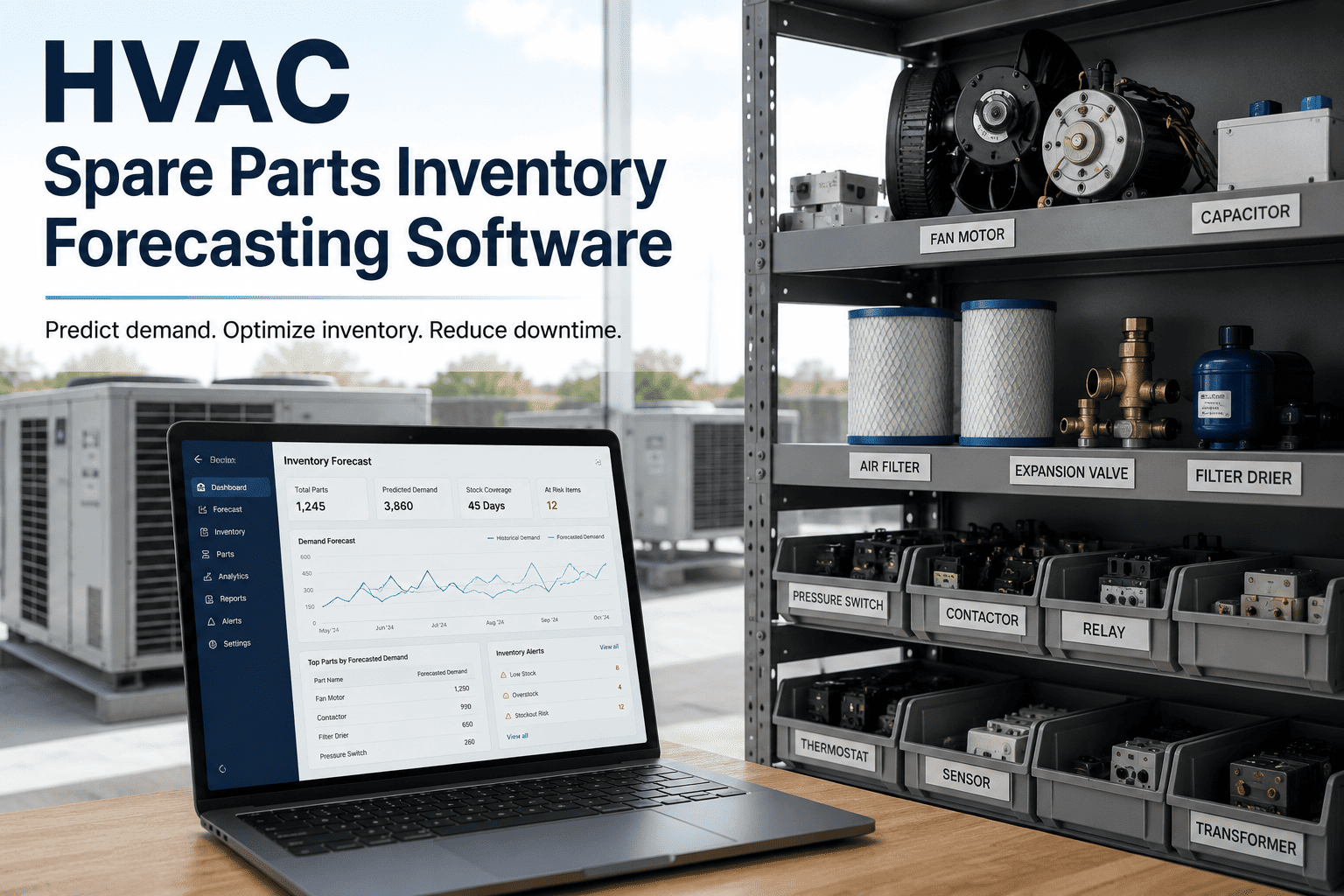
HVAC Spare Parts Inventory: Stockout Prevention & Management

By Willam Jerry on October 8, 2026

hvac-spare-parts-stockout-prevention-management

A stockout never costs you the price of the part. It costs you the hours — sometimes days an HVAC unit sits down waiting on a component that should have been on the shelf, while a space overheats, a tenant complains, or a process stalls. And it almost always ends in emergency procurement at a premium, plus a rush freight bill. The maddening thing is that stockouts are the most avoidable failure in maintenance: they come down to a handful of numbers you can set in advance. This guide covers how to prevent them — critical spares, reorder points, safety stock. OXMAINT AI — the AI-powered maintenance management software — tracks usage, sets the reorder points and flags a part before it runs out.

HVAC · Spare Parts Inventory · Stockout Prevention & Management · 2026

HVAC Spare Parts Inventory & Stockout Prevention

A stockout is a repair that can't start. Set the right critical spares, reorder points and safety stock, and the part is on the shelf when the unit goes down — not three weeks out on a rush order. The OXMAINT AI maintenance management software tracks usage and flags each part before it runs dry.

Critical spares Reorder points Safety stock Min / max
Not the part
a stockout costs the downtime waiting, not the price of the component
Reorder point
the number that decides whether a part is there when you need it
Lead time
the delay between ordering and receiving is what you plan around
Safety stock
the buffer that covers a late delivery or a demand spike

What a Stockout Actually Costs

The missing part is cheap; everything around it is not. A stockout turns a routine repair into a drawn-out outage and a premium purchase, and the bill lands in places that never show up on the part's price tag. Book a demo to see critical spares tracked in OXMAINT AI.

Extended downtime
The unit stays down for the whole lead time — the repair can't start until the part arrives, however small it is.
Premium procurement
Emergency buying means list price, rush freight and whatever the only available supplier charges that day.
Knock-on damage
A unit left down can drive comfort complaints, spoiled stock or a stalled process far costlier than the part.
Wasted labour
A technician who arrives, diagnoses, then can't finish for want of a part is a visit paid for twice.

The Reorder Point Is the Whole Game

Stockout prevention sounds complex but turns on one number per part: the reorder point — the stock level at which you reorder so the new supply lands before the shelf hits zero. Get it right and the part is always there; start free and let OXMAINT AI set reorder points from your usage.

Reorder Point
(Average daily use × Lead time in days) + Safety stock
The stock level that triggers a new order.
Safety Stock
Buffer for late delivery or a demand spike
What keeps a slow supplier from causing a stockout.
Max Level
Reorder point + reorder quantity
The ceiling that stops cash sitting idle on the shelf.

A Worked Example

Take one common part — say a condenser fan motor contactor. Walk the numbers and the reorder point falls out; these are illustrative figures to show the method, not a benchmark.

Average use
0.5 units per week
Supplier lead time
4 weeks
Safety stock (1-week buffer)
1 unit
Lead-time demand = 0.5 × 4
2 units
Reorder point = 2 + 1
3 units

So when stock falls to three, you reorder — and the new supply arrives before you run out, even with normal usage through the four-week wait. Set that number once per part and the guesswork is gone. Book a demo to see reorder points set from real usage.

The Four Levers of Stockout Prevention

Four things decide whether you stock out — which parts you hold, how long they take to arrive, how big a buffer you keep, and where you cap it. Pull on each deliberately; start free and manage all four in OXMAINT AI.

01Critical spares first

You can't stock everything, so rank parts by how badly a failure hurts and how long replacement takes. The high-criticality, long-lead items earn a guaranteed shelf spot; low-impact, next-day parts don't.

02Know your lead times

The reorder point is built on lead time, so a wrong lead time means a wrong buffer. Track what suppliers actually deliver in, not what they quote, and revisit it when a supplier slips.

03Size safety stock to risk

Safety stock covers the surprises — a late shipment or a run of failures. Set it larger for critical, erratic-demand parts and leaner for steady, easily-sourced ones, so cash isn't tied up where it isn't needed.

04Cap with a max level

Preventing stockouts shouldn't mean hoarding. A max level stops over-ordering, keeps cash off the shelf, and avoids parts expiring or going obsolete before they're ever used.

A Reorder Point Only Works If Someone's Watching the Shelf.

Set perfect reorder points and you still stock out if nobody notices stock crossing them. The OXMAINT AI maintenance management software deducts parts as work orders consume them and flags each one the moment it hits its reorder point — so the trigger fires on its own.

How to Prevent Stockouts in Practice

Preventing stockouts is a routine, not a one-off setup. These are the steps that keep the shelf honest; start free and run your parts on this footing in OXMAINT AI.

1
Rank parts by criticality
Score each part by failure impact and replacement lead time, so stocking effort goes where a stockout hurts most.
2
Set reorder points and buffers
Calculate each part's reorder point from usage and lead time, with safety stock sized to its risk.
3
Deduct parts at the work order
Record parts as jobs consume them, so on-hand counts are live — not a number from last quarter's count.
4
Auto-flag at the reorder point
Let the system raise a reorder alert the moment stock crosses the line, so nothing slips by unnoticed.
5
Link parts to PMs
Tie known PM parts to their schedules, so foreseeable demand is reserved before the job comes due.
6
Review usage and adjust
Revisit reorder points as usage and lead times shift, so the numbers track reality instead of drifting stale.

How OXMAINT AI Prevents Stockouts

The whole approach depends on live stock counts and a trigger that fires itself. Here's what the OXMAINT AI maintenance management software brings to HVAC parts inventory; start free and keep critical parts on the shelf in OXMAINT AI.

Live stock levels
Parts deducted as work orders consume them, so on-hand counts are real-time, not a stale spreadsheet figure.
Reorder-point alerts
Each part flagged the moment it hits its reorder point, so you order in time instead of discovering an empty bin.
Usage trends
Consumption tracked over time, so reorder points and safety stock stay tuned to how parts actually move.
Criticality tagging
Parts ranked by criticality, so the shelf protects the failures that hurt most and doesn't hoard the rest.
Parts linked to PMs
Known PM parts reserved against their schedules, so foreseeable demand never sneaks up as a stockout.
Parts on work orders
Every part issued against a job, so cost and usage are tied to the asset and nothing walks off unrecorded.
“

Our parts room was either empty of the thing we needed or full of things we never used. A compressor would fail and we'd lose days waiting on a contactor nobody had reordered, then pay rush freight on top. Setting reorder points on the critical parts and letting the system flag them changed everything — the shelf now covers the failures that actually happen, and the emergency orders have all but stopped. We're carrying less stock, not more, and still never caught short on the parts that matter.

Maintenance Supervisor · Commercial Facilities Group

Frequently Asked Questions

How do I prevent HVAC spare parts stockouts?
Rank parts by criticality, set a reorder point for each from its usage and supplier lead time, keep safety stock sized to the risk, deduct parts as work orders use them so counts stay live, and let the system flag each part when it hits its reorder point. The combination is what keeps critical parts on the shelf. Start free and set it up.
What is a reorder point and how do I calculate it?
It's the stock level at which you reorder so new supply arrives before you run out. Calculate it as average usage over the lead time plus safety stock — for example, 0.5 units a week over a 4-week lead time is 2 units of lead-time demand, plus 1 unit of safety stock, giving a reorder point of 3. When stock hits 3, you order.
Which HVAC parts should I keep in stock?
The ones where a failure hurts most and replacement takes longest — critical, long-lead items like contactors, capacitors, belts, fan motors, control boards and common refrigerant components for your equipment. Low-impact parts you can source next-day don't need shelf space. Criticality ranking is how you decide. Book a demo to see criticality tagging.
What is safety stock and how much should I hold?
Safety stock is the buffer above lead-time demand that covers surprises — a late delivery or a spike in failures. Hold more for critical parts with erratic demand or unreliable supply, and less for steady, easily-sourced ones. It's the dial that trades a little carrying cost for protection against a stockout.
How does a CMMS help manage spare parts?
It keeps live stock counts by deducting parts as work orders consume them, holds a reorder point and safety stock per part, flags each one automatically when it crosses the line, tags parts by criticality, links known parts to PM schedules, and trends usage so the numbers stay accurate — turning stockout prevention into a routine that runs itself.

Have the Part on the Shelf — Not Three Weeks Out on a Rush Order.

End HVAC stockouts with the OXMAINT AI maintenance management software — criticality ranking, reorder points and safety stock per part, live stock counts, automatic reorder alerts, and parts linked to PMs. Carry less, cover the failures that matter, and stop paying premium for parts you could have had waiting.



Share This Story, Choose Your Platform!