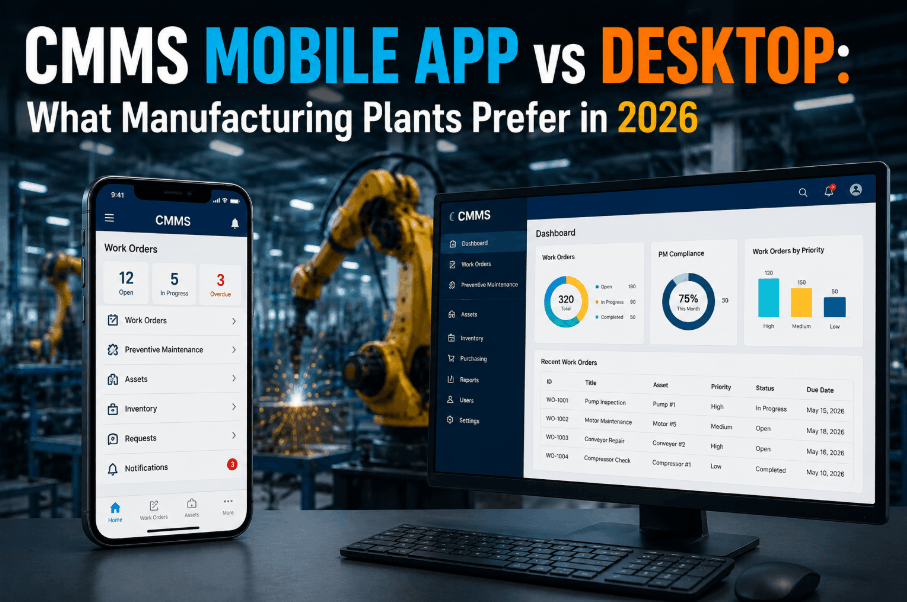
In 2026, the gap between mobile-first and desktop CMMS platforms has never mattered more to manufacturing plants. As technicians spend 80% of their shift on the floor — not at a desk — the best CMMS mobile app for manufacturing is no longer a convenience but a competitive differentiator. This guide breaks down real-world performance differences between mobile CMMS and desktop CMMS for plant maintenance teams, covering technician adoption rates, offline capability, work order speed, and measurable ROI. Whether you manage a single facility or a multi-site operation, choosing the right CMMS mobile app in 2026 could directly reduce downtime, cut repair costs, and keep your compliance records audit-ready. Sign Up Free and see how a mobile-first CMMS transforms plant maintenance from day one.
Why Manufacturing Plants Are Going Mobile-First in 2026
The Shift from Desktop to Mobile CMMS in Industrial Maintenance
CMMS Mobile App vs Desktop: Head-to-Head Comparison
Feature-by-Feature Breakdown for Manufacturing Plant Maintenance Teams
| Capability | Mobile CMMS App | Desktop CMMS | Impact for Manufacturing |
|---|---|---|---|
| Work Order Creation Speed | On-floor, real-time | Office/terminal-bound | Mobile reduces lag from fault detection to repair start |
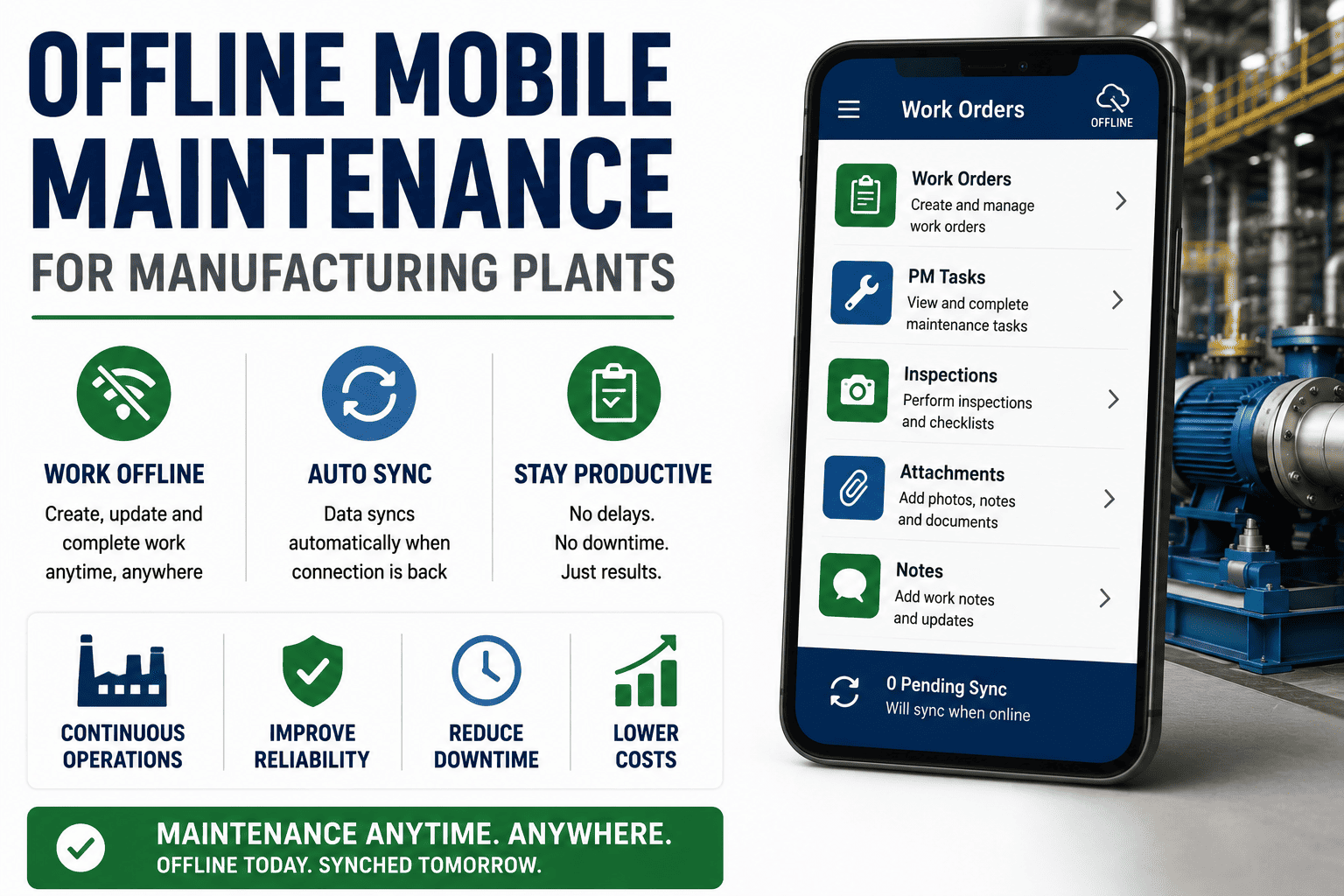
| Offline Functionality | Full offline mode | Requires network connection | Critical for basement plant rooms and signal-dead zones |
| Technician Adoption Rate | High — familiar UX | Moderate — training required | Faster rollout, lower resistance from floor-level staff |
| Photo/Video Documentation | Instant capture | Manual upload only | Richer fault records; faster root cause analysis |
| QR Code Asset Scanning | Native camera scan | Not practical | Eliminates manual asset ID errors at point of service |
| Push Notifications / Alerts | Instant delivery | Email / dashboard only | Reduces response time for critical machine faults |
| Dashboard & Reporting | Summary view | Full analytics suite | Desktop preferred for management KPI reviews |
| Multi-Site Portfolio View | Available on leading platforms | Standard | Desktop preferred for portfolio-level oversight |
Key CMMS Mobile App Features Manufacturing Plants Need in 2026
What Separates a Functional Mobile CMMS from a Floor-Ready Maintenance Platform
When Desktop CMMS Still Wins: Use Cases Where Screen Size Matters
The Right Tool for Planning, Analytics, and Portfolio Management
The verdict for most manufacturing plants is not mobile vs desktop — it is mobile-led with desktop for strategy. The best platforms in 2026, including Sign Up Free to explore OxMaint, deliver a responsive experience across both. Technicians operate exclusively from mobile; supervisors and plant managers split their time. Forcing technicians to return to desktop terminals to log work is a direct productivity and data quality cost that modern Book a Demo to see how OxMaint bridges both workflows in a single unified maintenance management platform.
CMMS Mobile App ROI: What Manufacturing Plants Measure
Quantifying the Financial Return of Mobile Maintenance Management
Choosing the Best Mobile CMMS for Manufacturing in 2026
Evaluation Criteria That Separate Tier-1 Platforms from Generic Apps
Manufacturing plants that evaluate mobile CMMS platforms on these six criteria consistently outperform peers who select based on price alone. The Sign Up Free path on OxMaint gives plant teams a direct route to testing these capabilities against real assets and workflows without a procurement cycle. For larger enterprise evaluations, Book a Demo to walkthrough multi-site configuration and integration requirements with the OxMaint team directly.
Frequently Asked Questions
What is a CMMS mobile app and how does it differ from desktop CMMS?
A CMMS mobile app is a smartphone or tablet-based maintenance management tool that allows technicians to create, update, and close work orders directly on the plant floor. Desktop CMMS is browser or software-based, requiring a fixed workstation. Mobile CMMS enables real-time data capture at point of work; desktop CMMS is better suited for planning, analytics, and reporting workflows.
Can a CMMS mobile app work without internet in a manufacturing plant?
Leading mobile CMMS platforms in 2026 include true offline mode, allowing technicians to complete work orders, run checklists, and log asset data without a network connection. Data syncs automatically when connectivity is restored. This is critical for plant environments with basement equipment rooms, Faraday-shielded areas, or unreliable Wi-Fi coverage.
How long does it take technicians to adopt a mobile CMMS?
Most technicians become proficient with a well-designed mobile CMMS in one to three days of active floor use. Platforms with consumer-grade UX, intuitive work order flows, and QR scan-to-asset functionality reduce onboarding time significantly compared to legacy desktop systems that require formal training programmes.
Is mobile CMMS suitable for large multi-site manufacturing operations?
Yes — enterprise-grade mobile CMMS platforms support multi-site hierarchies with role-based access, site-level dashboards, and cross-facility reporting. Plant managers see site-specific views; operations directors see consolidated portfolio performance. Verify that multi-site support is native to the platform and not a custom configuration before committing at scale.
What ROI can manufacturing plants expect from switching to mobile CMMS?
Plants switching from paper or desktop-only CMMS to mobile-first platforms typically report 20–55% reductions in work order backlog, 40–60% improvements in PM completion rates, and 15–30% reductions in emergency maintenance spend within the first year. ROI timeline varies by plant size, baseline data quality, and adoption speed.
Does OxMaint support both iOS and Android for manufacturing teams?
Yes — OxMaint delivers full feature parity across iOS and Android, ensuring consistent experiences for mixed-device plant environments. Offline work order management, QR asset scanning, photo documentation, and push notifications are available across both platforms without capability gaps.



.png)