"The compressor in Building 3." "The second unit from the left in the mechanical room." "You know, the big one John always works on." Every property-management team runs on identification like this — until John is on vacation, the unit gets swapped, a new tech shows up, or there are four identical rooftop units and nobody knows which one the work order means. That's the identification gap, and it quietly breaks everything built on top of it: PM schedules point at the wrong asset, capital planning runs on a guessed inventory, and audits become archaeology. Asset tagging closes the gap by giving every piece of equipment a permanent, scannable identity linked to its digital record — the boring foundation that makes portfolio-wide asset intelligence actually work. This guide covers tag types, naming conventions, the mobile scan workflow, and the CMMS structure behind it, and how OxMaint's maintenance management software ties it together. Start free or book a demo.
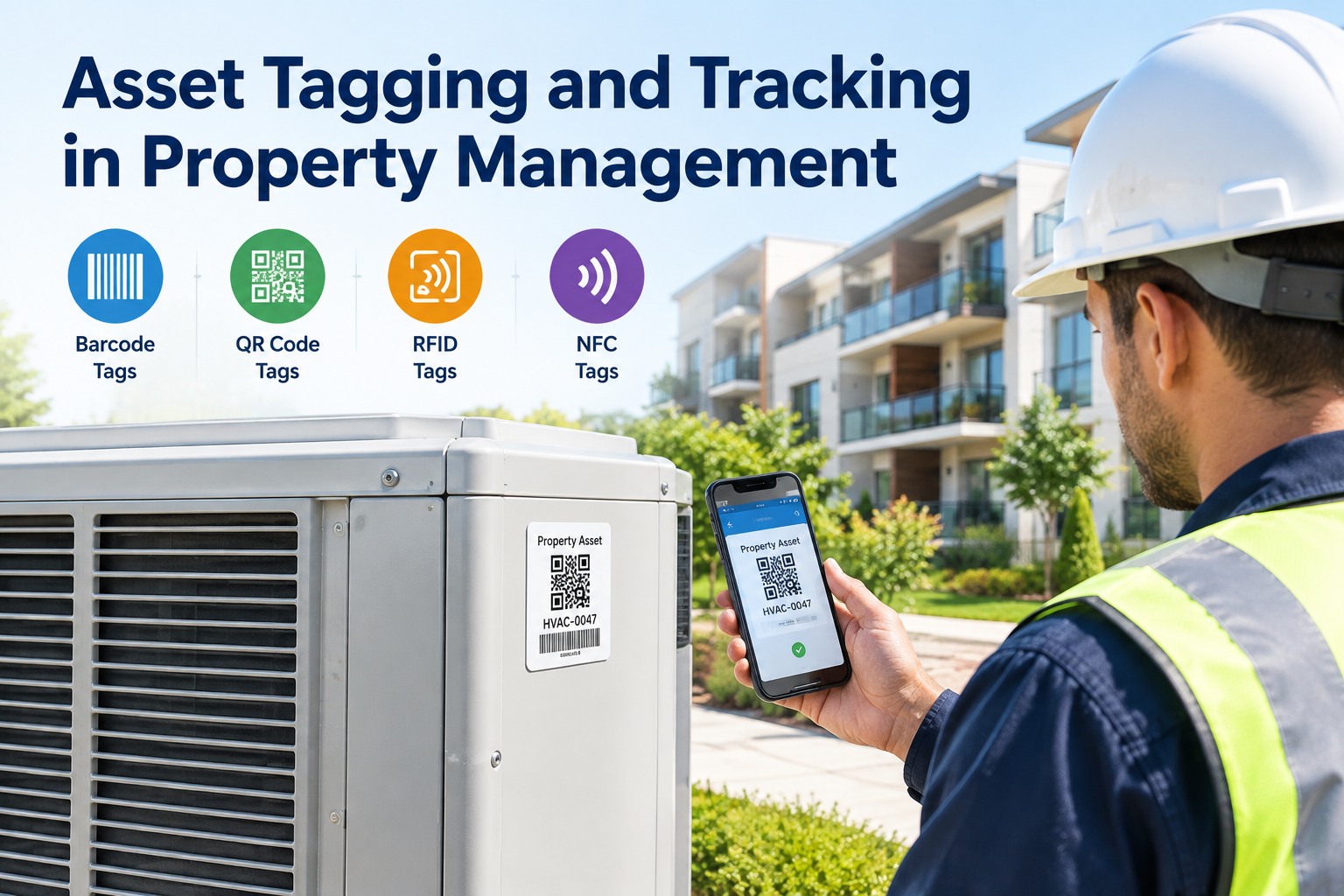
Asset Tagging & Tracking in Property Management
You can't manage what you can't find. Give every asset a scannable identity and a place in one naming hierarchy — and a tech's phone becomes the key to its full history, PM schedule, and work orders across the whole portfolio.
The Identification Gap — and What It Quietly Costs
Before tags, an asset is identified by description, location, or the memory of whoever knows it. All three fail exactly when you need them: personnel change, equipment moves, and multiple similar units blur together. A tag replaces that ambient knowledge with a permanent, unambiguous identifier that works for any technician, any time — the bridge between the physical object and its complete record. Sign up free and OxMaint links every tag to the asset's history, PM schedule, and documentation.
Four Tag Technologies — Pick by Environment, Not Hype
There's no single best tag; the right one depends on where the asset lives and how you'll scan it. Most property portfolios end up using two or three types across different asset classes. Here's the honest trade-off, from the cheapest to the most capable. Book a demo to see mixed tag types managed in one register.
A practical portfolio mix: QR on the bulk of serviceable equipment because any phone reads it, RFID in dense equipment rooms where bulk scanning beats per-tag cost, and NFC where you need proof a technician actually stood at the unit before signing off. And match the substrate to the environment — on-metal and anodized tags for machinery, high-temp or chemical-resistant labels for plant rooms — so the tag is still readable next year, not peeling off.
The Naming Hierarchy: One Logic Across the Whole Portfolio
A tag is only useful if the ID behind it fits a consistent structure. Apply one hierarchy — site, building, floor, space, asset — across every property, and records stay searchable and reportable portfolio-wide. Skip it and every building becomes its own dialect nobody else can read. Sign up free and OxMaint enforces the hierarchy as you add assets.
Tag the Assets That Matter — Not Every Doorknob.
Before printing a single label, decide which assets are worth tagging and what data each record carries — unique ID, asset class, location, service interval, ownership. In property, that's the equipment tied to uptime, compliance, and tenant experience: HVAC, pumps, boilers, fire & life-safety, elevators, electrical and building automation. OxMaint lets you define the record first, then assign the tag type that fits each asset's environment and scan method.
The Mobile Scan Workflow — One Scan, Four Things
The payoff of tagging shows up at the point of work: a technician scans, and the asset's whole world opens on their phone. No hunting for the right record, no guessing which unit, no calling the one person who knows. Here's what a single scan delivers. Book a demo to see the scan-to-work-order flow live.
Untagged / Spreadsheet vs. OxMaint Tagged Portfolio
A spreadsheet inventory is right the day it's made and wrong within a quarter, because nothing ties the row to the physical asset. Here's what changes when the tag is the link. Start free and tag your first building this week.
What OxMaint Gives the Property Team
OxMaint turns tags into portfolio-wide asset intelligence — every scannable identity linked to a structured record, so a phone at the equipment and a report at the desk read from the same source of truth. Here's the concrete mapping. Book a demo to see it on your portfolio.
Use this approach plus OxMaint to close the identification gap, put every asset on one naming hierarchy, and turn a technician's phone into instant access to any unit's full record — the foundation that makes PM, compliance, and capital planning work across the whole portfolio. Try OxMaint free or book a demo to see it on your properties.
Across our portfolio we had assets identified by whatever the last person called them — every building spoke its own language, and half our PMs pointed at 'the rooftop unit' with no way to know which one. When a tech left, their knowledge left with them. We tagged everything with QR, put RFID in the dense equipment rooms, and standardized every ID on one site-building-floor-space-asset hierarchy in OxMaint. Now a new tech scans a tag and gets the whole record on their phone — history, manuals, open work orders — and every walk-through keeps the inventory current instead of letting it rot. Our last capital-planning cycle ran off real data for the first time, and audits went from a scramble to a report.
Frequently Asked Questions
If You Can Find It, You Can Manage It.
OxMaint gives every asset a scannable identity on one naming hierarchy, opens its full record from a phone at the point of work, and keeps the inventory current with every scan — turning asset tagging into portfolio-wide intelligence for PM, compliance and capital planning. Start free — no credit card, unlimited users, forever. Or book a demo.