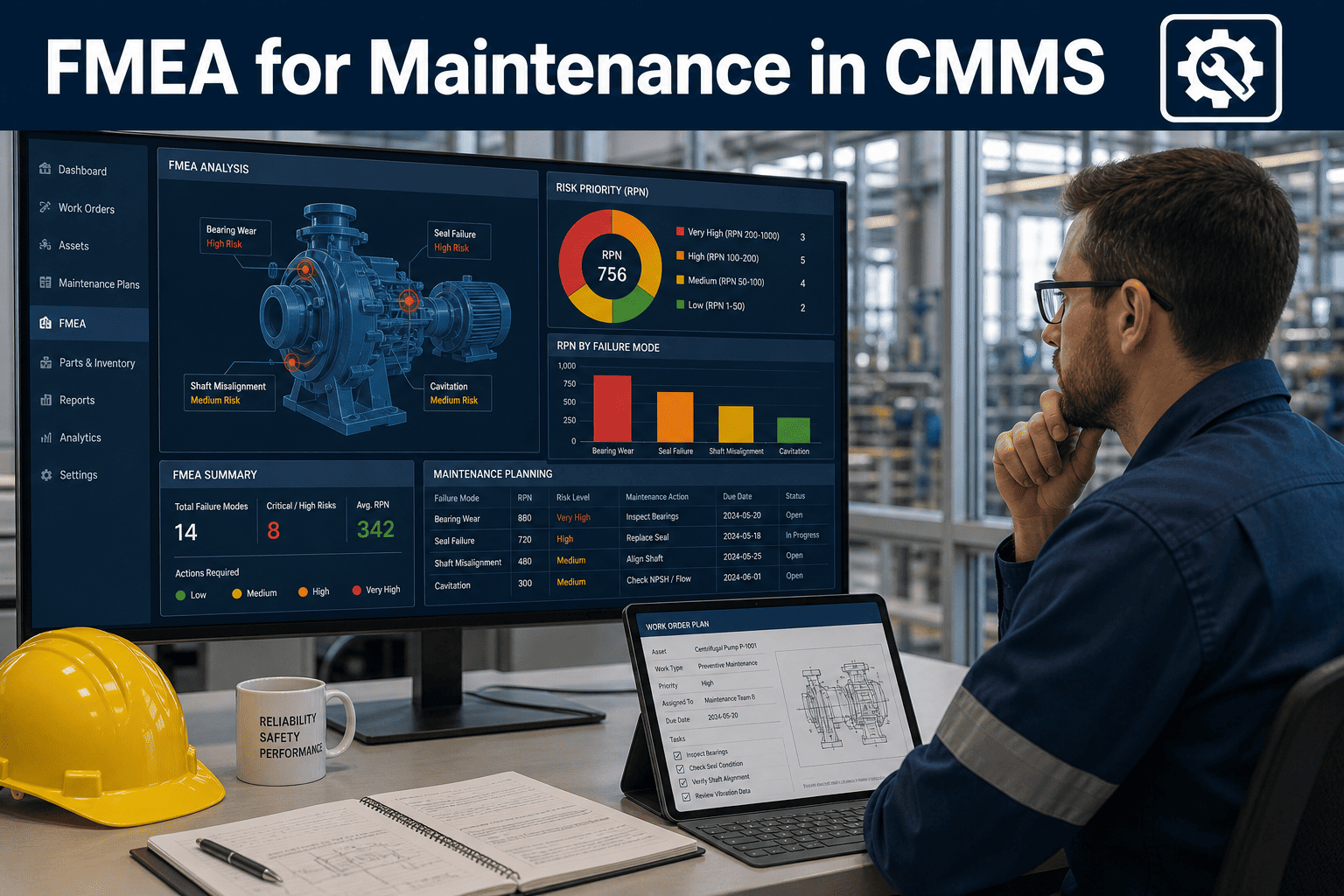
Most equipment failures do not happen without warning — they announce themselves through patterns that traditional maintenance teams simply lack the tools to decode. Failure Mode and Effects Analysis (FMEA) changes that entirely, giving maintenance professionals a structured method to identify what can fail, why it fails, and what the downstream consequences are before a single dollar is lost to downtime. When FMEA findings are built directly into a CMMS, the analysis stops being a document in a drawer and starts becoming a live operational system. Start a free trial to see how Oxmaint turns FMEA into scheduled, trackable preventive action, or book a demo and walk through a live FMEA-to-PM workflow with our team.
Failure Analysis · Reliability Engineering · CMMS Integration
FMEA for Maintenance: Build Failure Mode Analysis Into Your CMMS
Identify failure modes before they strike, score risk with precision, and convert your FMEA output into automated PM tasks — all inside one platform built for real maintenance teams managing real assets under real pressure.
82%
of equipment failures are predictable through structured FMEA analysis
4.8x
more costly to fix failures reactively than with planned maintenance
30–45%
reduction in unplanned downtime after FMEA-driven PM implementation
67%
of maintenance teams have no formal failure risk assessment process
The Foundation
What Is FMEA in Maintenance — and Why Does It Matter?
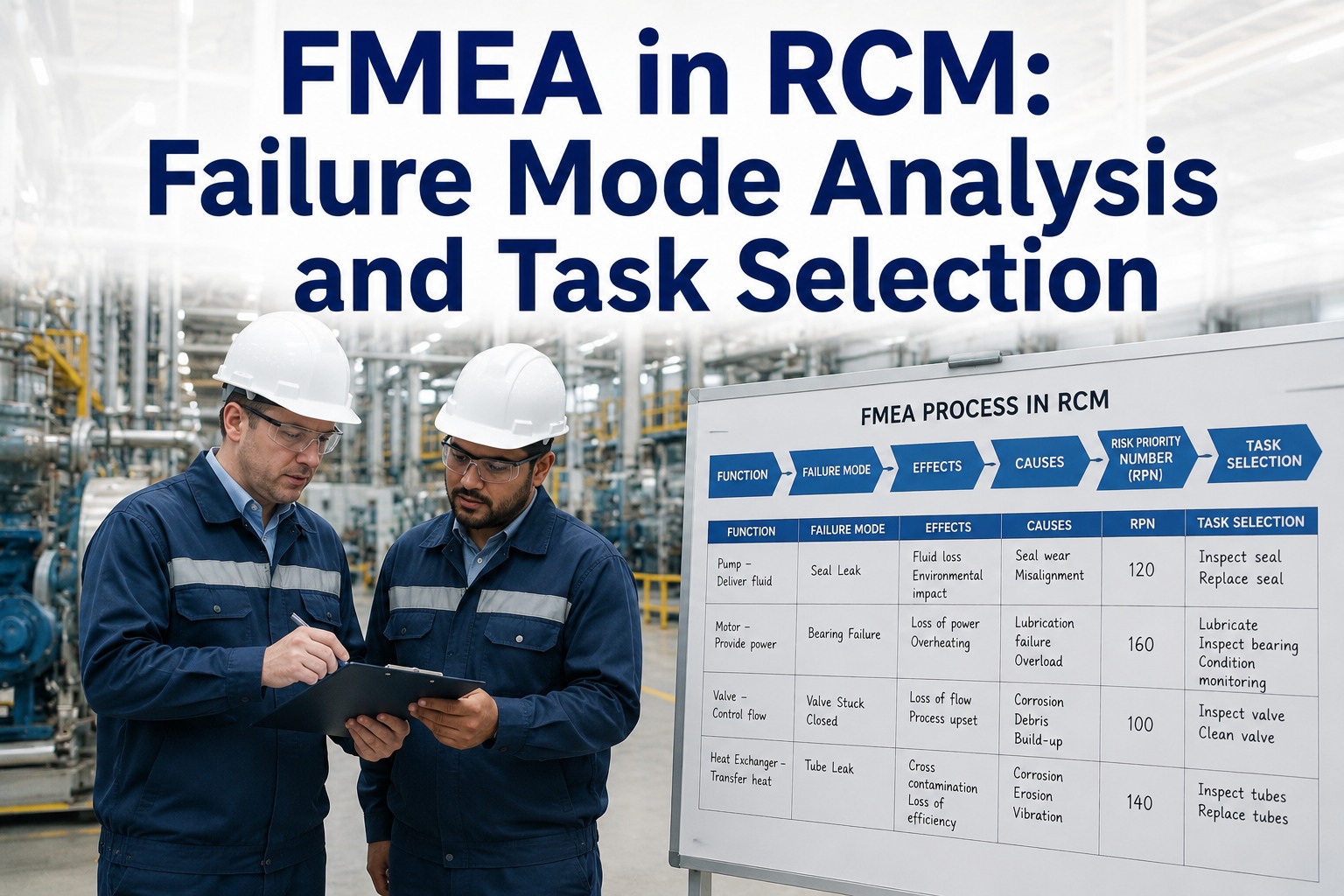
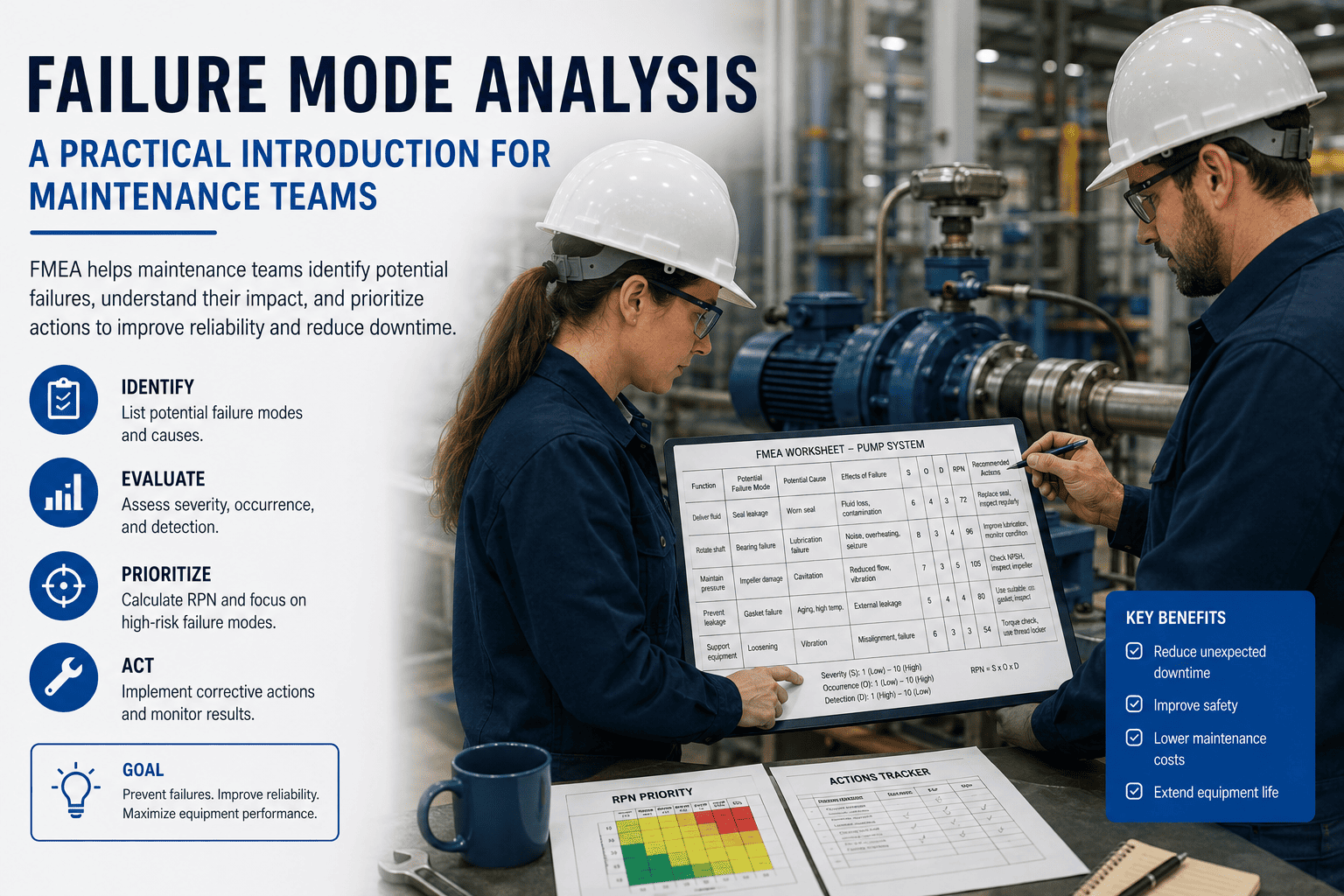
Failure Mode and Effects Analysis is a structured risk assessment method that asks three questions about every asset: What can fail? What causes the failure? What happens when it does? The answers, scored by severity, occurrence likelihood, and detectability, produce a Risk Priority Number (RPN) that tells your team exactly where to focus first. Without FMEA, maintenance schedules are built on gut feel. With it, every PM task has a data-backed reason to exist.
S
Severity
How serious are the consequences if this failure mode occurs? Scored 1–10. Safety-critical failures score highest.
O
Occurrence
How often is this failure likely to happen? Drawn from historical work orders and manufacturer data. Scored 1–10.
D
Detection
How likely is the failure to be caught before it causes damage? Lower detectability scores higher risk.
RPN
Risk Priority Number
S × O × D. Any RPN above 100 typically demands an immediate PM or inspection task in your CMMS.
The Framework
Six Steps From FMEA Worksheet to Active CMMS Task
A good FMEA is worthless if it lives in a spreadsheet. Here is the process that converts analysis into operational action — the approach Oxmaint is built to support end-to-end.
01
Define Asset Boundaries
Map each asset's functions and sub-components using Oxmaint's asset hierarchy. Clear boundaries prevent gaps in coverage.
02
Identify Failure Modes
List every way each function can fail — using historical work order data in Oxmaint to ground findings in real failure patterns.
03
Score and Rank Risk
Assign Severity, Occurrence, and Detection scores. Calculate RPN. Sort by priority. Flag anything above threshold for immediate action.
04
Select Maintenance Tasks
For each high-RPN failure mode, choose a maintenance strategy: time-based PM, condition-based inspection, redesign, or accept risk with monitoring.
05
Build Tasks in CMMS
Create PM schedules in Oxmaint tied directly to the asset record — with the FMEA failure mode and RPN stored as the task's documented justification.
06
Review and Update
When a failure occurs despite a PM, revisit the FMEA. Oxmaint's work order history gives you the data to rescore and improve continuously.
Where Teams Get Stuck
The Pain Points That Kill FMEA Before It Delivers Value
!
Analysis Stays Offline
FMEA worksheets built in Excel never connect to maintenance scheduling. The insight is real — it just never reaches the technician who needs it.
!
No Historical Failure Data
Occurrence scores are guessed because no one tracked past failures systematically. Without work order history, FMEA is fiction dressed as analysis.
!
RPNs Are Never Revisited
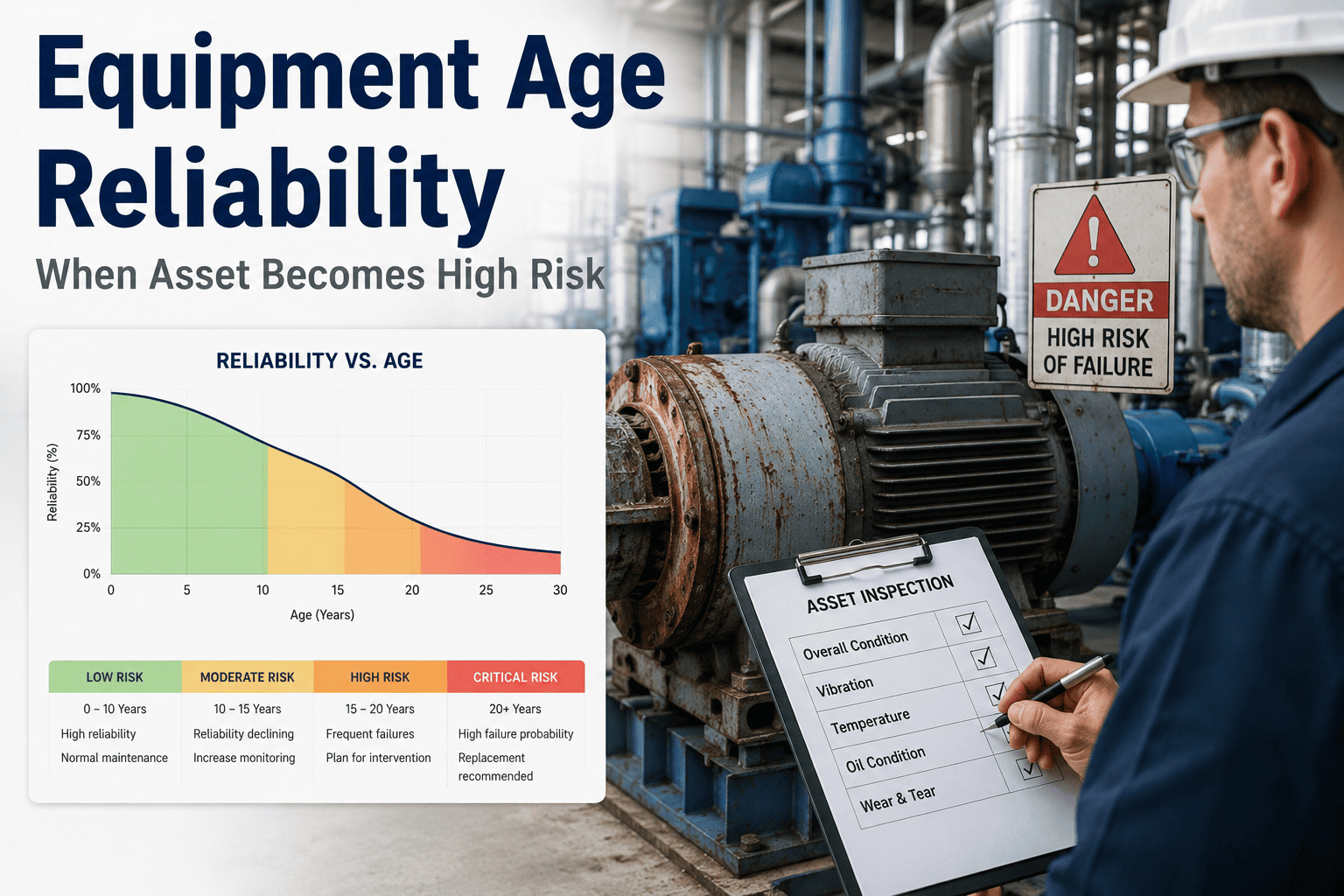
An FMEA done once in 2019 still drives PM schedules in 2025. No mechanism exists to trigger a review when failure patterns change.
!
PM Tasks Lack Justification
Technicians and auditors cannot see why a task exists. When budgets tighten, tasks without documented rationale are cut first — often the wrong ones.
Teams that solve these problems — by connecting FMEA analysis directly to their CMMS — report 30–45% fewer unplanned failures in the first year. Start a free trial to see how Oxmaint bridges that gap, or book a demo and see the FMEA-to-PM workflow live.
Oxmaint Solution
How Oxmaint Turns FMEA Results Into a Living Maintenance System
Asset Registry
Full Asset Hierarchy for FMEA Mapping
Every asset is structured as Portfolio → Property → System → Asset → Component. FMEA failure modes map directly to the right level — no ambiguity about what is being analyzed.
Failure History
Work Order Data That Feeds Occurrence Scores
Oxmaint's complete work order history gives you real failure frequency data — so your Occurrence scores are grounded in what actually happened on your site, not industry averages.
PM Scheduling
FMEA-Justified Preventive Maintenance Tasks
Each PM task stores its FMEA source — the failure mode, RPN, and recommended action. Technicians see why a task exists. Auditors see full justification documentation instantly.
Condition Tracking
Condition Scores That Reflect Real Deterioration
Oxmaint tracks asset condition continuously. When condition scores drop below thresholds tied to your FMEA detectability criteria, inspection tasks trigger automatically.
IoT Integration
Real-Time Sensor Data for Detection Scoring
Connect vibration, temperature, and pressure sensors via IoT and SCADA integration. Detection scores stay accurate because Oxmaint flags anomalies the moment they appear.
Reporting
Reliability Reports That Prove FMEA ROI
Track failure reduction, PM compliance, and MTBF improvements over time. Portfolio-level reporting shows exactly which FMEA-driven tasks are delivering the biggest risk reduction.
Before vs After
Reactive Maintenance vs FMEA-Driven Maintenance With Oxmaint
Measured Results
What Teams Report After Integrating FMEA Into Oxmaint
38%
Fewer Unplanned Failures
Average reduction in reactive work orders after the first FMEA-driven PM cycle inside Oxmaint.
2.4x
Longer MTBF
Mean time between failures extends when PM tasks are tied to actual failure modes rather than arbitrary intervals.
91%
PM Compliance Rate
Teams using Oxmaint's automated PM scheduling consistently hit compliance targets above 90% versus a 62% industry average.
6 mo
Typical Payback Period
Most sites recover the cost of Oxmaint within six months through prevented emergency repairs alone.
Stop Guessing. Start Preventing.
Your FMEA Should Drive Your CMMS — Not Collect Dust
Oxmaint connects failure risk analysis to preventive schedules, condition tracking, and work order history in one platform. No more FMEA spreadsheets that nobody reads. Every high-RPN failure mode becomes a scheduled task your team actually executes — and your leadership can audit in seconds.
Frequently Asked
FMEA and CMMS Integration — Common Questions
How do I use historical CMMS data to score FMEA occurrence accurately?
Pull work order history from Oxmaint filtered by failure type and asset. Count failure events over a defined period — typically 3 years — and use the frequency to assign an Occurrence score on the 1–10 FMEA scale. Oxmaint's reporting module lets you filter by asset, failure code, and date range in seconds, so scoring that used to take a week takes an afternoon.
Start a free trial and explore your failure data today.
Should I do FMEA on every asset or just critical ones?
Start with your highest-criticality assets — those whose failure causes the most production loss, safety risk, or regulatory exposure. In Oxmaint, criticality ratings are stored on each asset record, so prioritizing your FMEA scope takes minutes. Most teams achieve 80% of the risk reduction benefit by analyzing the top 20% of assets by criticality.
Book a demo to see how Oxmaint's asset criticality scoring supports FMEA scoping.
What RPN threshold should trigger a new PM task?
Most reliability engineers use an RPN of 100 or above as the threshold for mandatory maintenance action. However, any failure mode scoring 8 or above on Severity alone — regardless of RPN — should be treated as high priority. Oxmaint allows you to flag high-severity failure modes on the asset record and attach direct PM or inspection tasks so nothing slips through on a technicality.
How often should FMEA be updated once it is running in the CMMS?
Review FMEA scores annually at minimum — and immediately after any significant failure or near-miss. Oxmaint automatically logs every failure event with root-cause codes, so triggering a targeted FMEA review after an event is straightforward. When a PM task fails to prevent a failure it was designed to catch, that is a direct signal to revisit the Detection score for that failure mode.
Start a free trial to see how Oxmaint's event history supports continuous FMEA improvement.
FMEA · CMMS · Reliability
Turn Risk Analysis Into Scheduled Action — Starting Today
Oxmaint gives maintenance managers and reliability engineers one connected platform to identify failure risks, score them by priority, build PM tasks with documented justification, and track results over time. No heavy implementation. No spreadsheets. Just a system that turns FMEA from a one-time exercise into a continuous reliability engine.