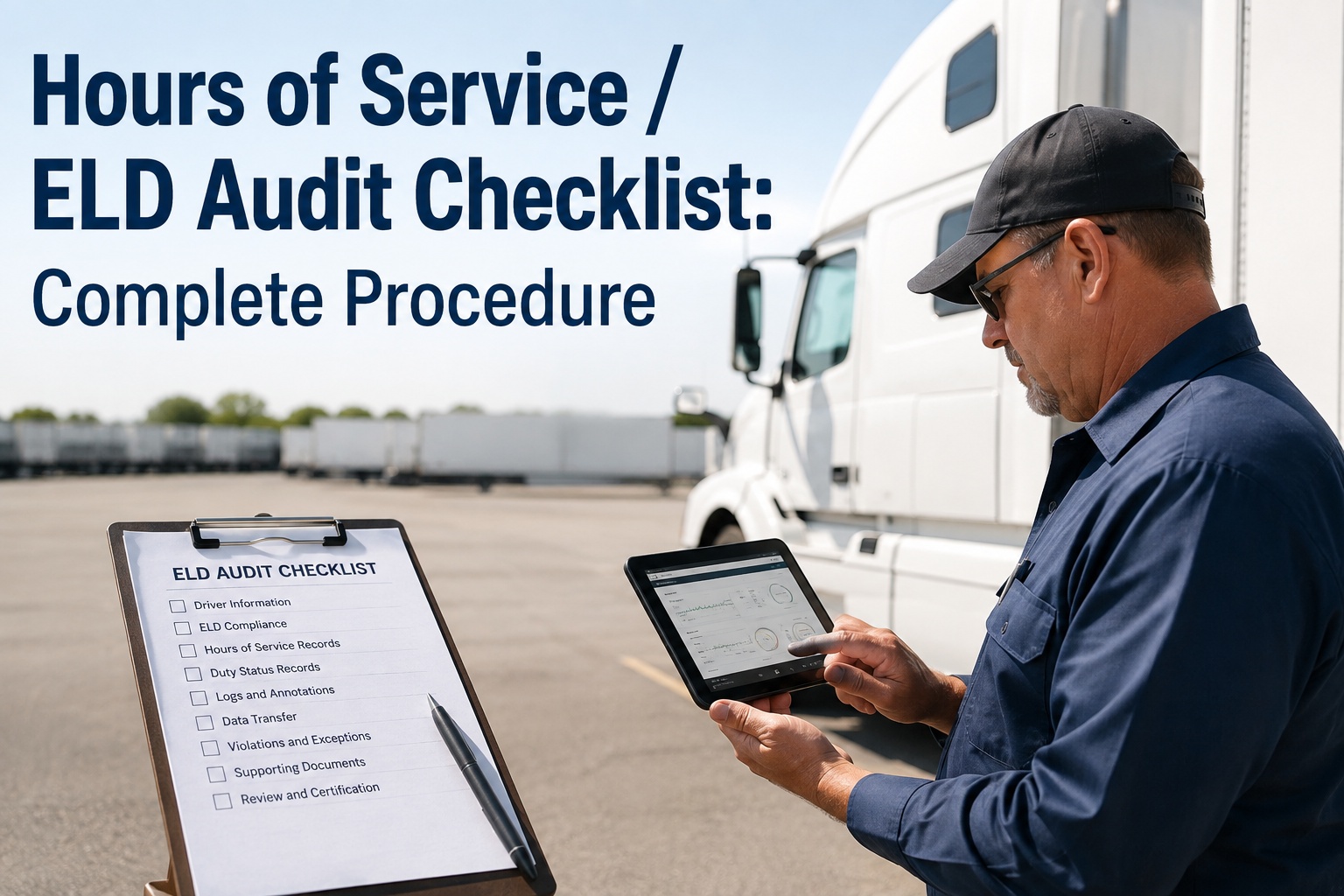
An Hours of Service / ELD audit checklist is the structured procedure fleet, safety, and compliance teams use to verify that every driver, vehicle, and inspection record meets FMCSA 395 compliance standards before a DOT or internal audit occurs. Auditors dig into this paperwork trail first, looking for gaps in driver qualification files, hours-of-service logs, and vehicle condition records that can trigger fines, out-of-service orders, or conditional safety ratings. OxMaint's AI-powered CMMS and EAM platform gives you a single digital system to assign checklists to drivers and inspectors on mobile, capture photos and e-signatures, track defects as work orders through repair and sign-off, and produce a full audit record on demand. Use this complete procedure and Start Free Trial to keep every vehicle roadworthy and every driver compliant without a last-minute scramble.
FMCSA 395 COMPLIANCE PROCEDURE
Ready for any DOT, insurance, or internal audit without a last-minute scramble?
A single missing defect entry or unsigned driver log can trigger out-of-service orders and fines up to $15,000. OxMaint digitizes the entire Hours of Service / ELD audit checklist so every vehicle stays roadworthy, every driver stays compliant, and your audit record is always one click away.
What auditors verify first:
- Driver qualification & HOS logs
- DVIR defect tracking & repairs
- ELD data transfer & synchronization
- Preventive maintenance documentation
COMPLETE AUDIT PROCEDURE
Hours of Service / ELD Audit Checklist: Step-by-Step SOP
FMCSA regulations under 49 CFR Part 395 require motor carriers to retain driver HOS records and ELD data for 8 days on board and 6 months at the principle place of business. Follow this hours of service / ELD audit checklist SOP to verify every record gap before an auditor finds it.
DRIVER COMPLIANCE
Driver Qualification & HOS Records
- Verify commercial driver's license (CDL) class matches vehicle type operated and is valid for the current review period.
- Review Medical Examiner's Certificate validity; confirm no driver is operating with an expired DOT medical card.
- Audit Hours of Service logs for the past 8 days to ensure compliance with 11-hour driving and 14-hour shift limits.
- Check for missing, edited, or unassigned ELD driving segments and ensure a certified written record explains each edit.
- Confirm 30-minute break requirement is documented for property-carrying CMV drivers after 8 hours of driving.
VEHICLE CONDITION
DVIR & Equipment Defect Tracking
- Verify Driver Vehicle Inspection Reports (DVIRs) are completed for every trip, covering brakes, steering, lights, tires, and coupling devices.
- Ensure any defect noted on a DVIR triggered a corrective work order before the vehicle was dispatched again.
- Track repair sign-off with e-signatures and timestamped photo evidence proving the defect was resolved.
- Check ELD device calibration andmalfunction diagnostics reporting for the past 7 days to ensure no silent data gaps.
- Validate annual vehicle inspection records (396.17) are on file for every power unit and trailer in the fleet.
MAINTENANCE AUDIT
Preventive Maintenance & Repair Logs
- Review scheduled preventive maintenance intervals to confirm no vehicle exceeded its PM due mileage or timeframe.
- Audit spare parts inventory transactions tied to work orders for accurate serial number and quantity tracking.
- Verify lubrication, oil change, and filter replacement records meet manufacturer engine and drivetrain specifications.
- Check brake adjustment and air system inspection frequency aligns with carrier safety management controls.
- Ensure all mechanic certifications and repair facility documentation are accessible for internal audit findings.
DATA & SYSTEM
ELD Data Transfer & Gap Analysis
- Perform ELD data transfer test (web services, email, or USB) to confirm backend telematics integration is active.
- Identify unidentified driving records and match them to the correct driver profile within 24 hours of occurrence.
- Conduct a management review gap analysis comparing current ELD provider compliance to the latest FMCSA registered list.
- Verify power-data diagnostics capture engine hours, vehicle miles, and ignition sync without missing event codes.
- Document all internal audit checklist findings, assign corrective work orders, and track remediation to closure.
AUDIT EXAMPLE
Hours of Service / ELD Audit Checklist Example: A 120-Truck Fleet
Consider a 120-truck regional carrier facing an internal compliance audit. Their safety director previously relied on paper DVIRs and disconnected ELD exports, resulting in a 15% gap in repair documentation during the last DOT review.
THE COST OF STATUS QUO
Annual cost of missing defect documentation and reactive administrative labor
- 1,200 paper DVIRs manually reconciled per month consuming 60+ staff hours
- 12% of identified defects lacked matching repair work order sign-off
- 4 vehicles placed out-of-service during a surprise DOT inspection
WITH OXMAINT
Audit-ready compliance with automated defect-to-work-order tracking
- Mobile app captures photo evidence and e-signatures at the point of inspection
- Automatic work order generation for every defect reduces admin time by 80%
- Full digital audit trail exported as PDF in seconds for DOT, insurance, or internal review
AUDIT READINESS MATRIX
Internal Audit Checklist: FMCSA 395 Compliance Requirements
Use this scannable compliance audit matrix to cross-reference your current records against FMCSA 395 mandates. OxMaint automatically flags any item in the status column that drops to non-compliant.
| Audit Domain | FMCSA Requirement | Retention Period | OxMaint Automated Tracking |
|---|---|---|---|
| Hours of Service | 11-hour driving / 14-hour shift limit compliance | 8 days on board, 6 months at office | Real-time ELD sync & exception alerting |
| DVIR Records | Pre-trip and post-trip inspection for defects | 14 days on board, 6 months minimum | Mobile digital forms with photo evidence |
| Vehicle Maintenance | Systematic PM schedule per manufacturer specs | 1 year at place of business | Predictive PM triggers based on usage data |
| Driver Qualification | Valid CDL, medical cert, and MVR review | Entire employment period + 3 years | Automated expiry alerts and document vault |
| ELD Data Transfer | Web services or local transfer capability | 8 days on device, 6 months backend | Telematics API integration & daily validation |
| Corrective Actions | Repair sign-off for all identified defects | Tied to vehicle lifecycle record | Auto-generated work orders to closure |
HOW OXMAINT HELPS
How OxMaint Digitizes Your Hours of Service / ELD Audit Template
OxMaint replaces spreadsheets, paper DVIRs, and disconnected ELD exports with an AI-powered CMMS that turns every audit checklist item into a tracked, automated workflow. These four capabilities map directly to FMCSA 395 compliance audit requirements.
Mobile Inspection Capture
Assign hours of service / ELD audit checklists to drivers and inspectors via the OxMaint mobile app. Capture photo evidence, e-signatures, and defect notes at the point of inspection, eliminating illegible paper DVIRs entirely.
Outcome: Cut DVIR processing time by 80% and achieve 100% defect documentation.
Automated Defect-to-Work-Order
Any defect flagged during an inspection instantly generates a corrective work order routed to the right mechanic with priority, parts, and repair instructions attached. Track the entire lifecycle through to sign-off and roadworthy status.
Outcome: Eliminate unrepaired defects and reduce out-of-service violations by 90%.
ELD & Telematics Integration
Synchronize HOS data, engine hours, and vehicle mileage directly from your ELD provider into OxMaint. The system performs automated gap analysis, flags unassigned driving segments, and validates data transfer compliance daily.
Outcome: Zero ELD data gaps and continuous FMCSA 395 sync validation.
Instant Audit Record Export
Produce a complete, time-stamped audit trail for any vehicle, driver, or date range as a formatted hours of service / ELD audit checklist PDF. Includes all DVIRs, repair work orders, PM histories, and corrective action closures on demand.
Outcome: Turn a 3-day audit prep scramble into a 30-second export.
MANAGEMENT REVIEW
Gap Analysis & Audit Findings: From Detection to Closure
An internal audit checklist only drives value if findings trigger corrective action. OxMaint's management review workflow ensures every audit finding is assigned, tracked, and verified through a structured closure process aligned with continuous improvement standards.
Detect & Document Findings
Conduct the hours of service / ELD audit checklist procedure across the fleet. OxMaint automatically logs any gap, missing record, or compliance failure as an audit finding with severity, evidence, and root-cause category.
Assign Corrective Work Orders
Each finding auto-generates a corrective work order assigned to the responsible manager or mechanic with a target closure date. Priority levels ensure out-of-service risks are escalated and addressed within 24 hours.
Execute Repairs & Remediation
Mechanics complete repairs within OxMaint, attaching parts usage, labor hours, and photo evidence. E-signatures lock the record, creating an immutable audit trail that satisfies DOT, insurance, and ISO 14001 audit requirements.
Verify Closure & Management Review
Safety directors verify corrective actions, close findings, and generate a management review dashboard showing compliance trends, repeat defects, and ROI metrics from the audit cycle for executive reporting.
SEE OXMAINT ON YOUR ASSETS
Book a 30-minute demo and see your fleet audit-ready in days
Stop scrambling before every DOT review. Let us show you how OxMaint digitizes your Hours of Service / ELD audit checklist, automates defect-to-repair tracking, and exports a flawless audit record on demand.
FREQUENTLY ASKED QUESTIONS
Hours of Service / ELD Audit Checklist FAQs
What is included in an Hours of Service / ELD audit checklist?
A complete Hours of Service / ELD audit checklist includes driver qualification files, HOS log verification for 11-hour and 14-hour limits, DVIR inspection records, ELD data transfer validation, vehicle maintenance documentation, and corrective action tracking for any identified defects. OxMaint digitizes this entire checklist into a mobile workflow with photo evidence, e-signatures, and automated gap analysis so nothing is missed.
How long must Hours of Service and ELD records be retained?
Under FMCSA 395 compliance regulations, drivers must retain HOS records and ELD data for 8 days on board the vehicle. Motor carriers must retain these records for 6 months at their principal place of business. OxMaint stores all inspection, repair, and compliance data securely in the cloud for the full retention period and lets you export a complete hours of service / ELD audit checklist PDF on demand. Start Free Trial to automate your retention today.
How does OxMaint track DVIR defects through to repair?
When a driver or inspector logs a defect on the OxMaint mobile app, the system instantly generates a corrective work order routed to the assigned mechanic with priority, parts requirements, and repair instructions. The mechanic completes the repair, attaches photo evidence and e-signatures, and closes the work order, creating a timestamped audit trail from detection to sign-off that satisfies any DOT or internal audit review.
What happens if an auditor finds a gap in my ELD or HOS records?
Gaps in ELD or HOS records can result in citations, fines ranging from $1,000 to $15,000 per violation, out-of-service orders, or a downgrade in your carrier safety rating. OxMaint's gap analysis feature runs daily checks on ELD data synchronization, flags unassigned driving segments, and alerts compliance managers to missing DVIRs before they become audit findings. Book a Demo to see how it works.
Can I use OxMaint's audit checklist template for ISO 14001 and internal audits?
Yes. While OxMaint is purpose-built for FMCSA 395 compliance and fleet maintenance, its configurable checklist engine, audit findings workflow, and management review dashboards support internal audit checklist procedures across ISO 14001 audit requirements, corporate safety programs, and insurance compliance reviews. You can build custom checklists, assign them to any role, and track corrective actions through the same closure process.
GET STARTED TODAY
Keep every vehicle roadworthy and every driver compliant
Join maintenance and reliability teams using OxMaint to digitize inspections, automate work orders, and stay audit-ready every day of the year.
Free 14-day trial · No credit card required