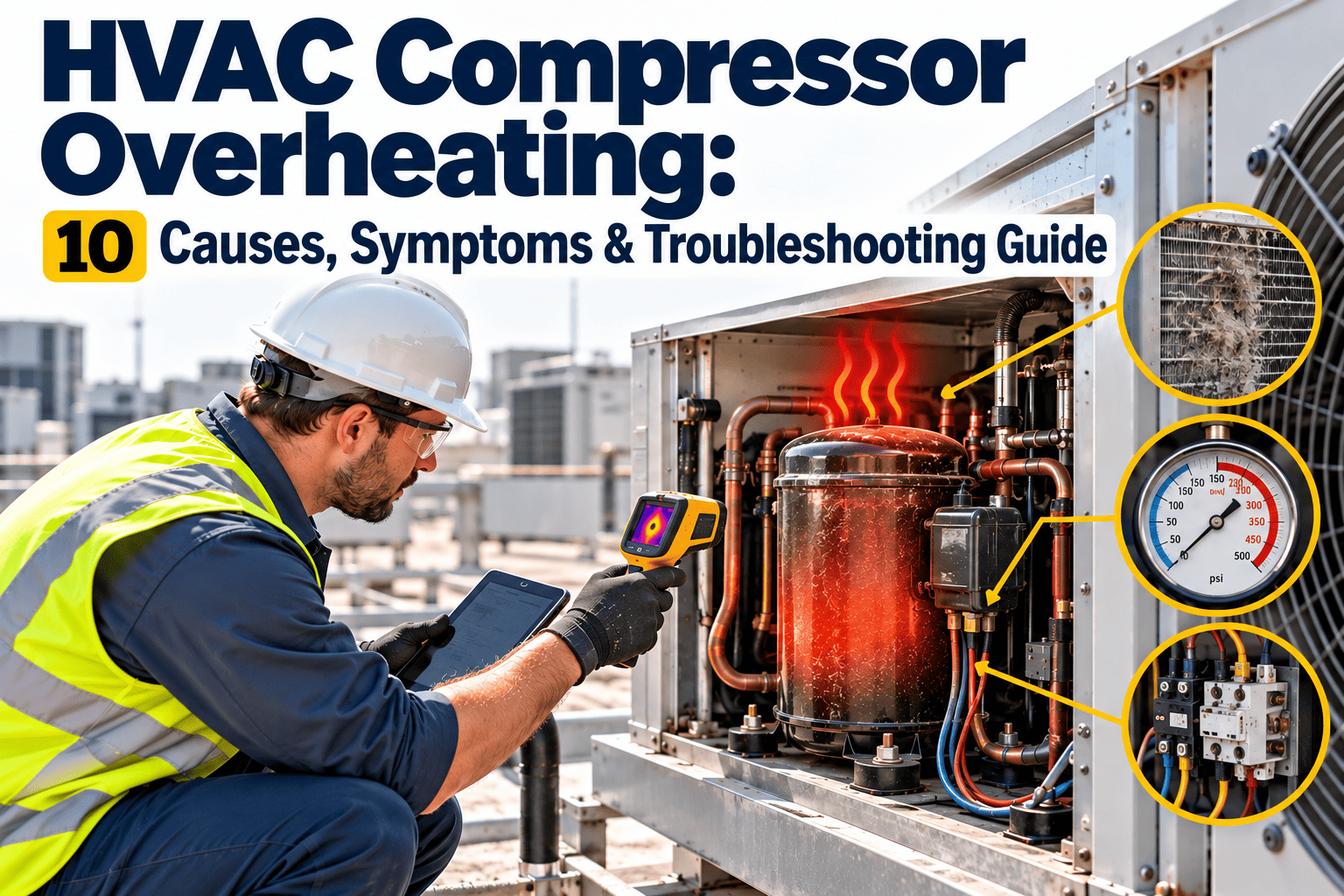
At 2:14 a.m., the rooftop unit tripped on high temperature, the compressor casing was hot enough to force a shutdown, and the night shift had no clean record of what failed first. That's why the work-order loop matters: detect the symptom, diagnose the cause, then convert the evidence into a repair work order before the next reset creates a bigger failure. This guide walks the ranking using OXMAINT AI, the AI-powered overlay for HVAC maintenance teams.
HVAC · Compressors · RTUs · Chillers
HVAC Compressor Overheating: Ten Causes Ranked Into Planner-Ready Work Orders.
OXMAINT AI overlays your existing CMMS/EAM — a thermal trip, an amp reading and a technician note get captured, ranked against the ten most common overheating causes, and drafted into a work order with suggested parts and labor for planner review.
Detect → Diagnose → Prioritize → Dispatch
Overlays Your Existing CMMS/EAM
10 Ranked Causes
10 Causes
ranked field-oriented from highest to lower-order risk
4 Steps
detect, diagnose, prioritize, dispatch — the operating model
0
new systems — Oxmaint AI overlays the CMMS/EAM you already run
1 Rule
a thermal trip is a protection event, not the root cause
Detect: What Overheating Looks Like in the Field
Compressor overheating rarely shows up as one neat symptom — more often it's a cluster of clues. Stop treating the trip as the diagnosis; it's the system saying "something upstream is wrong." Sign up free and capture your first overheating event.
◆
Thermal & Electrical
Thermal overload trips, high-temperature shutdowns, abnormal amperage
◆
Heat Signatures
Hot discharge line or unusually hot casing, short cycling under load
◆
Performance Loss
Weak cooling performance in the conditioned space
◆
Pressure Instability
High discharge pressure, unstable suction pressure, repeated alarms after reset
Diagnose: First-Pass Checks Before Opening the Machine
Before disassembly, check the low-cost, high-value items that often drive overheating. If the machine is trying to reject heat through a dirty coil, failed fan, or poor airflow path, the compressor is simply absorbing the consequence. Book a demo to see first-pass checks ranked live.
AIRFLOW
Coil & Airflow Path
Condenser coil condition, evaporator airflow, filter loading, outdoor clearance and recirculation
MECHANICAL
Fan & Belt
Condenser fan operation, rotation, capacitor health, belt condition where applicable
REFRIGERANT
Charge & Leaks
Refrigerant charge evidence, obvious leaks, pressure and temperature readings
CONTROLS
Setpoints & Sensors
Recent control changes, setpoint changes, sensor drift, ambient heat load
The 10 Causes, Ranked by Severity
A field-oriented ranking from highest immediate risk to lower-order but still important causes. Sign up free and rank your fleet's causes in OXMAINT AI.
01
Insufficient Airflow — Condenser or Evaporator
Heat can't leave the system fast enough, so discharge temperature climbs. Check filters, coil loading, fan operation, dampers, blocked returns first.
Critical · Parts: filters, fan motor, capacitor, belt, contactor · Labor: 1–3 hrs
02
Dirty or Blocked Condenser Coil
Restricted heat transfer increases head pressure and compressor workload. Check visible fouling, bent fins, oil film, debris, wash history.
Critical · Parts: coil cleaner, fin comb, replacement coil · Labor: 2–4 hrs
03
Failed Condenser Fan, Motor, or Capacitor
The unit can't reject heat, especially under peak ambient conditions. Check fan rotation, motor temperature, capacitor value, amp draw.
Critical · Parts: fan motor, capacitor, blade, belt · Labor: 1–3 hrs
04
Refrigerant Undercharge, Overcharge, or Leak-Driven Instability
Abnormal refrigerant conditions raise compression ratio and temperature. Check superheat/subcooling, visible leaks, frost patterns.
High · Parts: refrigerant, leak materials, Schrader cores, valves · Labor: 2–5 hrs
05
High Compression Ratio From Operating Conditions
Compressor is forced to work harder because suction is low or discharge is high — often a symptom chain, not a single defect.
High · Parts: condition-dependent · Labor: 1–4 hrs
06
TXV or Metering Issue, Including Liquid Slugging Risk
Unstable refrigerant feeding creates inefficient operation and thermal stress. Check superheat behavior, valve response, bulb placement.
High · Parts: TXV, sensing bulb, filter drier · Labor: 2–5 hrs
07
Electrical Faults Causing High Amperage or Poor Starting
Low voltage, contactor wear, weak capacitors, or phase imbalance can overwork the compressor. Check line voltage, phase balance, wire heating.
High · Parts: contactor, capacitor, start relay, wiring · Labor: 1–3 hrs
08
Mechanical Compressor Wear or Internal Damage
Worn bearings, valve damage, or winding stress creates excess heat and poor efficiency. If repeated repairs don't clear the issue, shift to replacement economics quickly.
Critical · Parts: compressor assembly, oil service materials, filters · Labor: 4–10+ hrs
09
Control or Sensor Fault Causing Improper Cycling
Bad readings or poor control logic can hold the compressor on too long or restart it too soon. Confirm the system is reading the actual condition, not a false alarm.
Medium–High · Parts: sensors, control board, wiring · Labor: 1–3 hrs
10
System Design Mismatch or Poor Unit Placement
Oversized load, poor clearance, or recirculated exhaust air makes overheating chronic — often a site-level issue, not just a mechanical repair.
Medium–High · Parts: configuration-specific · Labor: 2–6 hrs
Trip Logged. Cause Ranked. Work Order Drafted.
Oxmaint AI turns a messy overheating event — trip code, reset, partial measurement, field notes — into a structured, planner-ready maintenance packet.
Cause-Ranked Severity Matrix — Auto-Suggested Parts + Labor for Planner Review
Parts and labor suggestions are draft recommendations for planner review, not automatic purchase orders or guaranteed estimates. Book a demo to see this matrix live on your equipment.
Prioritize: When to Repair Now vs. Pause and Verify
STOP NOW
Immediate Shutdown
Repeated thermal trips or electrical overheating
- Repeated thermal trips
- Extreme discharge temperature
- Electrical overheating
- Oil failure indicators
SAME SHIFT
Confirmed & Repairable
Repair within the same shift once confirmed
- Airflow failure confirmed
- Dead fan confirmed
- Dirty coil confirmed
- Stable but worsening → next maintenance window
Escalate to replacement planning when internal compressor damage is likely, or when the same issue returns after a proper repair.
Detect → Diagnose → Prioritize → Dispatch
1
Detect
Capture the symptom as it happens — trip code, temperature reading, amperage, run time, ambient conditions, technician observations
2
Diagnose
Use first-pass checks to identify the most likely cause — airflow, coil contamination, fan failure, refrigerant abnormalities, electrical, control drift
3
Prioritize
Decide whether the asset should stop, repair within the shift, schedule next window, or escalate for replacement planning
4
Dispatch
Turn the verified or suspected cause into a draft work order a planner can review, adjust and assign
Dispatch: A Strong Draft Work Order Should Include
This is where Oxmaint AI adds value without replacing your CMMS/EAM — it overlays intelligence on top of the system you already use. Sign up free and standardize your draft WOs.
Draft Work Order Checklist
- ✓
Asset ID and equipment class
- ✓
Fault code or alarm history
- ✓
Symptom summary
- ✓
Suspected root cause
- ✓
Parts likely needed
- ✓
Estimated labor hours
- ✓
Safety and shutdown requirements
- ✓
Verification steps after repair
What OXMAINT AI Gives an HVAC Maintenance Team
Built to overlay the CMMS/EAM you already run — not replace it. Start free and load your first RTU fleet into OXMAINT AI.
Symptom Capture
Trip code, temperature, amperage, run time and technician notes captured consistently.
Ranked Cause List
The 10 most common causes ranked by severity for your exact symptom pattern.
Draft Parts & Labor
Suggested parts and labor bands for planner review, never auto-ordered.
CMMS/EAM Overlay
Works on top of your current system — no rip-and-replace project.
Verification Steps
Post-repair checks built into the draft so nothing gets closed early.
Cleaner Maintenance Memory
Technicians stop repeating the same diagnosis on the same asset.
"
Every trip used to start the diagnosis from zero — whoever was on shift, whatever they remembered. Now the symptom gets captured and ranked against the same ten causes every time, and the draft WO already has parts and labor attached before the planner even looks at it. We stopped repeating the same repair three times before finding the real cause.
HVAC Maintenance Manager · Multi-Site Facilities Portfolio
Frequently Asked Questions
Is a thermal trip the same as the root cause?
No. A thermal trip is a protection event — the system saying something upstream is wrong. The root cause still needs first-pass diagnosis.
Does Oxmaint AI replace our CMMS or EAM?
Are the suggested parts and labor bands guaranteed estimates?
No. They're draft recommendations for planner review, not automatic purchase orders or guaranteed estimates.
When should a compressor stop running immediately?
On repeated thermal trips, extreme discharge temperature, electrical overheating, or oil failure indicators.
What if repeated repairs don't clear the overheating?
Trip Detected. Cause Ranked. Work Order Ready.
Move your compressor overheating response onto OXMAINT AI — symptom capture, ranked causes, and planner-ready draft work orders inside the CMMS/EAM you already run.