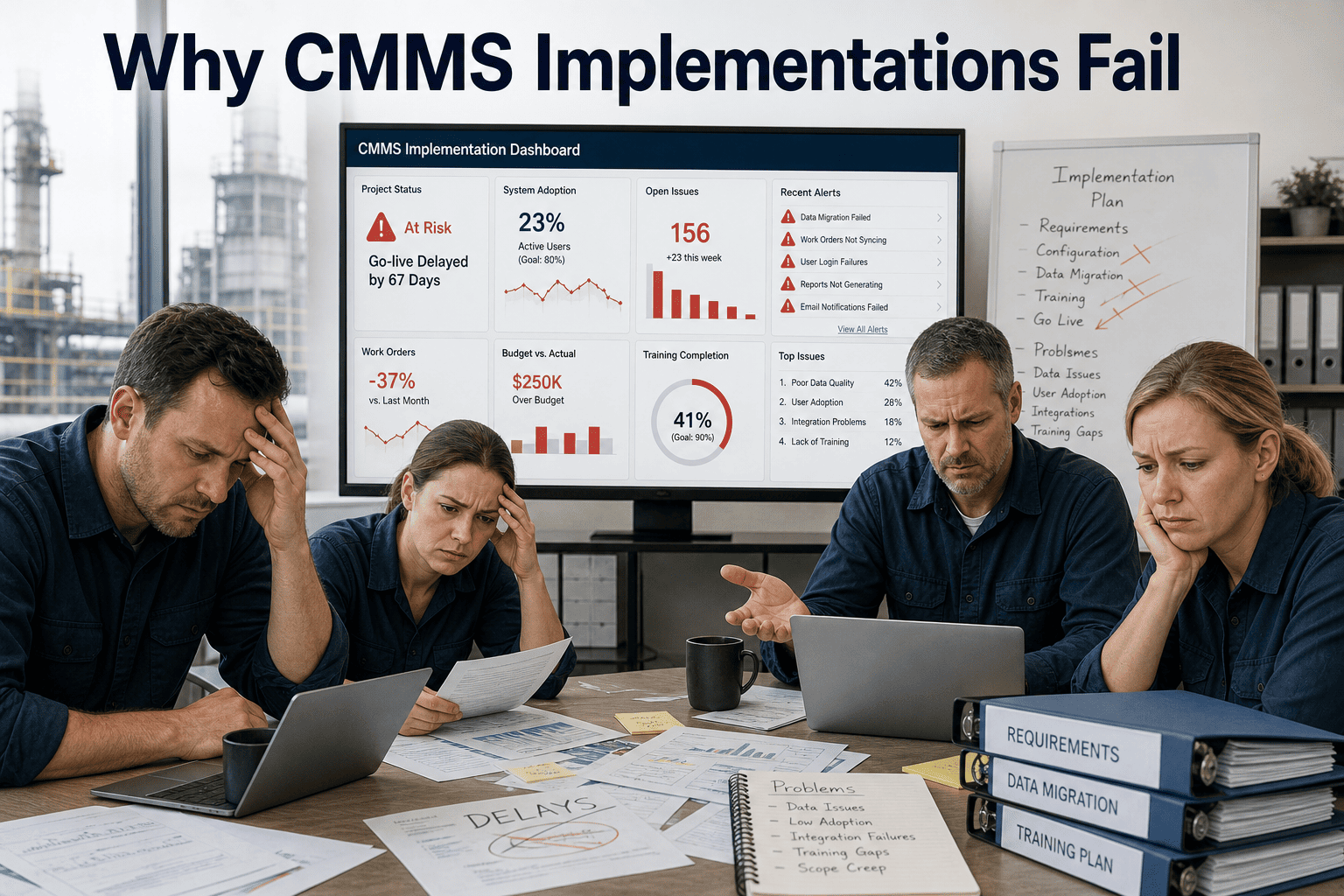
Most CMMS implementations fail quietly. The system goes live, the vendor declares success, and six months later utilization has dropped to 15% and technicians are back on whiteboards. The failure rarely happens at the technology layer — it happens in the ten predictable gaps between how the software is configured and how the operation actually runs. This guide identifies each failure mode, explains the mechanism behind it, and shows what a successful rollout looks like instead. Start a free trial and see why Oxmaint's mobile-first design eliminates the most common adoption killers before go-live.
Built to prevent failure
See how Oxmaint eliminates the most common CMMS adoption killers before go-live
Mobile-first workflows. No heavy onboarding. Teams operational within days, not months.
of CMMS implementations fail to achieve projected ROI within the first two years
Gartner, 2024
43%
of failed implementations cite poor data migration as the primary cause
Plant Engineering Survey, 2025
$85K
Average cost of a failed CMMS rollout including sunk implementation fees and lost productivity
Aberdeen Group, 2024
8 mo
Median time from go-live to failure recognition in under-planned implementations
Maintenance Technology, 2025
What Is a CMMS Implementation Failure — And Why It's So Common
A CMMS implementation failure is not a software crash or a technical outage. It's the slow collapse of adoption: technicians who stop logging work orders, managers who stop trusting the data, and executives who quietly deprioritize a platform that promised transformation but delivered frustration. The root cause is almost always organizational, not technical — the software worked fine; the rollout didn't account for how people actually work. Understanding the ten most common failure modes lets you design around them before they surface. Book a demo and walk through how Oxmaint structures implementations to prevent each of these failure points from day one.
The 10 Implementation Failure Modes — Framework
01
No Executive Sponsor
Without a VP or Director visibly championing the rollout, the CMMS becomes "IT's project" rather than an operational mandate. Adoption stalls when managers face competing priorities and no accountability structure.
02
Poor Asset Data Quality
Migrating incomplete, duplicate, or misclassified asset records into a new system doesn't clean them — it enshrines the errors at scale. Technicians lose trust in the system the first time they can't find their equipment.
03
Technician Exclusion from Design
Systems designed by administrators for administrators create workflows that don't match how technicians actually move through their day. If logging a work order takes 8 steps on a desktop, it won't happen on the floor.
04
Scope Creep During Rollout
Adding features, integrations, and custom fields during implementation delays go-live and creates a system too complex for initial users to navigate. Start with core workflows; expand after adoption is stable.
05
No Parallel Process Shutdown
Running the CMMS alongside paper logs, spreadsheets, and whiteboard systems indefinitely creates dual-entry burden and sends the signal that the new system is optional. Old systems must be formally retired.
06
Inadequate Mobile Experience
A CMMS that requires a desktop browser is a CMMS that technicians won't use in the field. If the mobile interface is a shrunken version of the desktop or requires cellular coverage in areas with poor signal, adoption collapses.
07
Training Delivered Once, Never Reinforced
One-time training sessions create initial competence that decays within weeks without reinforcement. New hires never get trained. Seasonal staff operate outside the system. Institutional knowledge doesn't transfer.
08
Wrong KPIs Tracked Post-Launch
Measuring "number of work orders created" instead of "PM compliance rate" or "MTBF improvement" creates perverse incentives. Teams optimize for the metric, not the outcome — and leadership loses visibility into real performance.
Where Implementations Break Down — The Real Pain Points
Integration Underestimation
ERP, SCADA, IoT sensors, purchasing systems — each integration is scoped as "simple" until it isn't. Unplanned integration work adds months to timelines and tens of thousands in consulting fees, often discovered after contract signature.
Vendor Support Dropoff Post-Launch
Vendor attention peaks during the sale and implementation, then drops sharply at go-live. Teams with unresolved configuration issues or workflow gaps get routed to ticket queues with 5–10 day response times at the moment they need support most.
Multi-Site Rollout Sequencing Errors
Launching across all sites simultaneously without a proven pilot creates compounded failure. Problems discovered at Site 1 are already embedded at Sites 2–8. Pilot-then-scale is not optional for multi-location rollouts.
No Baseline Metrics Established Pre-Launch
Without pre-implementation benchmarks for MTBF, emergency repair rate, and PM compliance, there's no way to quantify improvement post-launch. ROI claims become anecdotal. Leadership loses confidence. Budget gets cut at the next review.
How Oxmaint Prevents Implementation Failure
Mobile-First, Field-Ready Design
Every workflow — work order logging, PM completion, asset inspection — is designed for a technician on their phone, not an administrator at a desk. Adoption doesn't require behavioral change; it fits how the job already works.
Asset Hierarchy That Mirrors Reality
Portfolio → Property → System → Asset → Component. Your org structure maps directly to the software structure. No custom configuration to make the system reflect how you actually operate.
No Heavy Onboarding Required
Teams are operational within days, not months. Intuitive workflows mean technicians don't need a training program to start logging work orders — they need 20 minutes and a mobile device.
Portfolio Dashboard from Day One
Multi-site visibility is built into the platform architecture, not an add-on. Executives see portfolio performance from the first week — which gives leadership a reason to stay engaged and accountable to adoption.
IoT and SCADA Integration Native
Sensor integration is a configured connection, not a custom development project. Pre-built connectors eliminate the integration underestimation problem that delays most enterprise CMMS rollouts by 4–8 months.
GMP-Compliant Inspection Templates
Regulated industries don't wait for compliance features to be configured. GMP-compliant inspection records are available out of the box — no consultant-hours required to build what should already be in the platform.
Implementation Failure vs. Success — Before and After
Migrated from spreadsheets without audit or cleanup
90-day audit before migration; duplicates and gaps resolved
Technician input
Presented with finished system, minimal feedback loop
Technicians in configuration workshops; workflows built for them
Old system retirement
Paper/Excel runs in parallel "just in case" for 12+ months
Formal sunset date set at kickoff; hard cutover executed
Training model
One-time session at go-live
Role-based training + 90-day reinforcement + new-hire protocol
Success metrics
Tracked at go-live only; dropped from leadership agenda
Monthly PM compliance, MTBF, and emergency repair rate reviews
Multi-site sequence
All sites launched simultaneously
Pilot site proven first; learnings applied before portfolio rollout
ROI and Results — What Successful Implementations Deliver
30%
Reduction in emergency repair incidents
Average for operations with 80%+ PM compliance in the first year (U.S. DOE)
22%
Increase in technician wrench time
From eliminating reactive dispatch, manual logging, and paper-based reporting (Aberdeen, 2024)
18 mo
Payback period — well-planned rollouts
Median for mid-size operations with executive sponsorship and 75%+ adoption (Plant Engineering)
3×
Higher ROI vs. poor adoption implementations
Same software, same feature set — the implementation quality determines the outcome (Gartner, 2024)
Frequently Asked Questions
How long does a typical CMMS implementation actually take?
For a single-site operation with fewer than 500 assets, a well-structured CMMS implementation takes 6–12 weeks from contract to go-live when asset data is clean and stakeholder alignment is in place. Enterprise multi-site rollouts typically run 4–9 months for the full portfolio. Oxmaint's mobile-first architecture compresses single-site timelines significantly — teams are logging work orders within the first week, not waiting for a formal go-live milestone.
What is the minimum viable asset data quality for migration?
At minimum, each asset needs a unique identifier, location, asset category, and one responsible technician or team. Manufacturer, model, serial number, and install date are strongly recommended — without them, PM scheduling relies on guesswork rather than OEM specs. Condition scoring and failure history can be built over time. Do not delay migration to achieve perfect data quality; achieve good-enough data quality and improve it inside the system.
When should we retire the old system after CMMS go-live?
Set the retirement date at kickoff, not after go-live. A 30–60 day parallel run for quality validation is reasonable. Beyond 60 days, parallel systems create dual-entry burden that drives technicians back to the old system out of habit. The formal cutover deadline is the strongest adoption driver in a CMMS rollout — more effective than any training program.
What KPIs should we track in the first 90 days post-launch?
Track four metrics in the first 90 days: (1) PM compliance rate — what percentage of scheduled PMs are completed on time; (2) work order backlog — is it shrinking or growing; (3) reactive vs. planned maintenance ratio — are emergency repairs decreasing as a share of total work orders; and (4) system utilization — are all technicians logging work in the CMMS daily. These four metrics tell you whether the implementation is succeeding or whether intervention is needed before adoption collapses.
Mobile-First · No Heavy Onboarding · Portfolio-Ready
Run a CMMS Implementation That Actually Sticks
Oxmaint is designed to eliminate the adoption killers that sink most CMMS rollouts — mobile-first workflows, intuitive asset hierarchy, and no consultant-heavy onboarding. Teams are operational within days. Start a free trial with your real asset data, or book a demo and we'll walk through your specific rollout plan and flag the risks before they become problems.