A work order is a formal document that authorizes, describes, and tracks a specific maintenance task from request through completion. It contains what needs to be done, where, by whom, with what parts, by when, and at what cost — creating the auditable record that separates professional maintenance operations from verbal requests that get forgotten, duplicated, or completed without documentation. Every maintenance operation that runs without a structured work order system is operating blind: no data on response times, no visibility into technician workload, no cost tracking per asset, no compliance trail for regulators, and no historical record to inform capital planning decisions. Work orders are not paperwork — they are the fundamental unit of maintenance intelligence. Start your free trial and create your first digital work order in under 2 minutes.
What Is a Work Order? The Complete Definition
A work order is a documented instruction to perform a specific maintenance, repair, or operational task on a defined asset or location. It functions as both an authorization (approving the work to proceed) and a record (documenting what was done, when, by whom, and at what cost). In a CMMS (Computerized Maintenance Management System), the work order is the central object around which all maintenance data revolves — every asset history, every cost analysis, every compliance report, and every performance metric is built from work order data.
A complete work order contains seven essential elements that transform a vague request into an actionable, trackable, and auditable maintenance task:
The seventh element — the digital timestamp trail — is generated automatically by the CMMS: when the request was submitted, when it was approved, when the technician was assigned, when they checked in on-site, and when the work was marked complete. This audit trail is what transforms a work order from a simple task list into a compliance document, a performance metric, and a historical record that builds institutional knowledge over years of operation. Schedule a demo to see how Oxmaint captures all seven elements in a mobile-first workflow your technicians will actually use.
The 5 Types of Work Orders Every Maintenance Team Uses
Not all work orders serve the same purpose. Each type addresses a different maintenance scenario, carries different priority levels, and generates different data for operational analysis. Understanding the five types — and when to use each — is foundational to building a maintenance program that balances reactive response with proactive prevention.
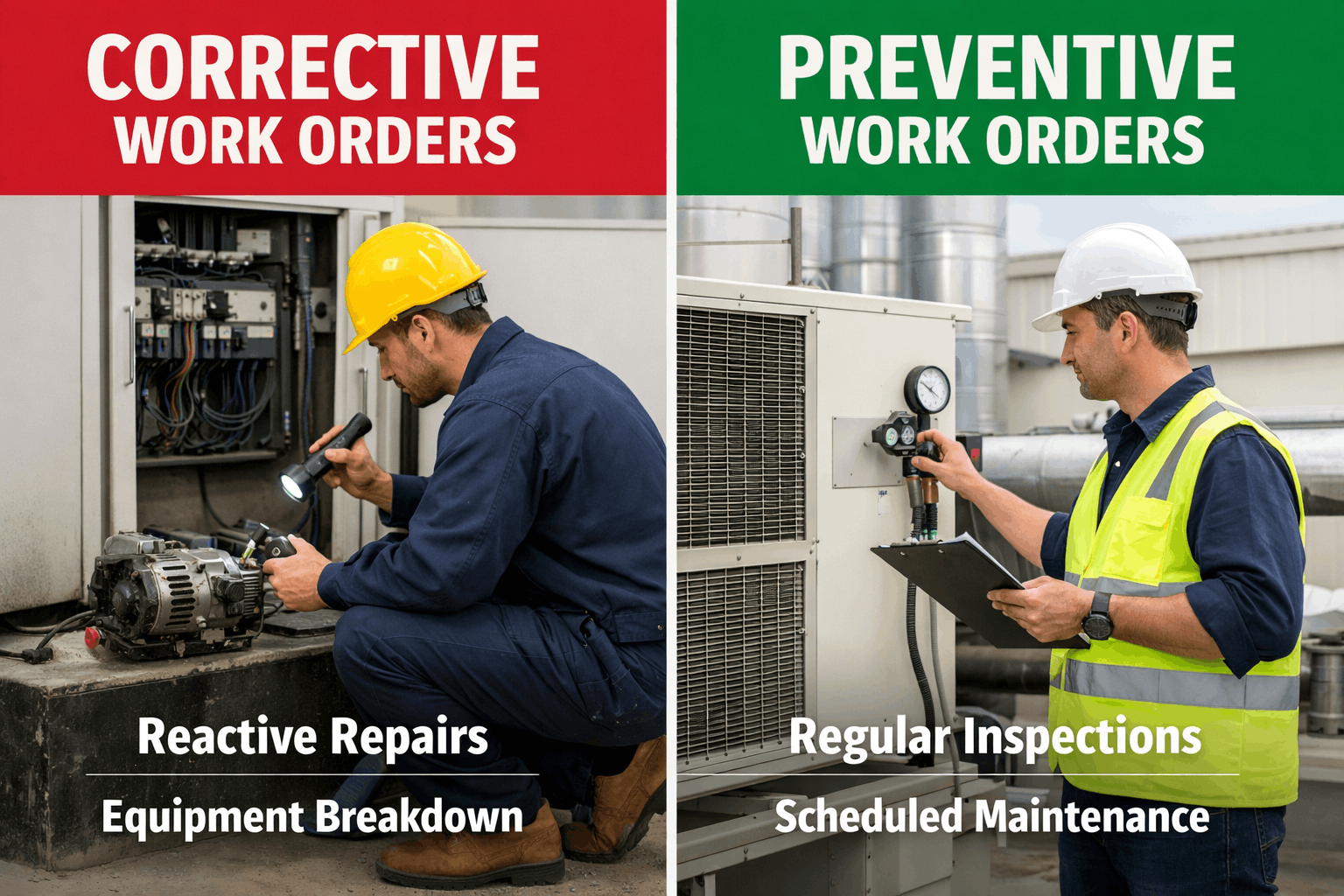
Corrective work orders are generated when equipment fails or a deficiency is discovered. The asset is already malfunctioning or non-operational. These are the most expensive work order type because they involve emergency labor rates, expedited parts, and unplanned downtime. The goal of every mature maintenance program is to minimize corrective work orders by converting them into preventive or predictive work.
Example: "Chiller #2 compressor tripped on high-head pressure at 3:47 AM. Building 5 cooling offline. Dispatch immediately."
Typical ratio: Best-in-class operations keep corrective work below 15% of total work orders. Paper-based operations average 45–60%.
Preventive maintenance work orders are generated automatically by the CMMS based on time intervals (every 90 days), usage meters (every 500 runtime hours), or condition triggers (when filter differential pressure exceeds threshold). They are the backbone of a proactive maintenance program — servicing equipment before it fails to prevent the corrective work orders that cost 3–5× more.
Example: "AHU-7 quarterly PM: replace filters, inspect belts, check bearing temps, clean drain pan, verify economizer operation. Due: March 15."
Typical ratio: Best-in-class operations maintain 45–55% PM work orders. This is the target that maximizes asset life while controlling cost.
Emergency work orders involve immediate safety hazards, regulatory violations, or conditions that endanger people or critical operations. They bypass normal priority queues and trigger automatic escalation to supervisors and safety personnel. Documentation is especially critical because emergency work orders often become evidence in insurance claims, OSHA investigations, and legal proceedings.
Example: "Gas leak detected in Chemistry Building Room 312. Evacuate and isolate. Dispatch hazmat-qualified technician and notify facilities director immediately."
Typical ratio: Emergency work orders should be under 5% of total volume. Higher rates indicate systemic safety deficiencies.
Predictive work orders are generated by AI or condition monitoring systems when sensor data indicates an asset is trending toward failure — but has not failed yet. They include the specific failure mode developing, the estimated time to failure, and the recommended repair. These are the highest-value work orders because they prevent emergency events at a fraction of the cost.
Example: "Chiller #2 drive-end bearing vibration trending 0.003 in/sec/week. 94% probability of failure in 18–22 days. Schedule bearing replacement during Thanksgiving break."
Typical ratio: AI-mature operations generate 15–25% predictive work orders — each one representing a prevented emergency.
Planned work orders cover scheduled capital improvements, renovations, installations, and multi-trade projects that require coordination, budgeting, and management approval. They often contain multiple sub-tasks assigned to different technicians or contractors and include cost tracking against approved budgets. These work orders connect maintenance operations to capital planning.
Example: "Building 9 boiler replacement project. Phase 1: equipment removal (Contractor A, Week 12). Phase 2: new boiler installation (Contractor B, Weeks 13–14). Phase 3: commissioning and testing (In-house, Week 15). Budget: $285,000."
Typical ratio: Planned/project work orders represent 5–15% of total volume but 40–60% of total maintenance spending.
The Work Order Lifecycle: From Request to Close-Out
Every work order follows a defined lifecycle with specific stages, handoffs, and documentation requirements at each step. Understanding this lifecycle ensures nothing falls through the cracks and every work order generates the data needed for performance analysis and compliance reporting:
| Stage 1 | Request Submitted — A maintenance need is identified by staff, occupants, sensors, or the CMMS PM scheduler. The request includes the problem description, location, and urgency assessment. In a digital CMMS, requests can be submitted via mobile app, web portal, email, or IoT sensor trigger. |
| Stage 2 | Triage & Classification — The request is reviewed, validated, and classified by work type (corrective, PM, emergency, predictive, planned), priority level, and trade required. Duplicate requests are merged. Incomplete requests are returned for details. AI can automate this step entirely. |
| Stage 3 | Approval — Work orders exceeding cost thresholds or requiring special authorization are routed for management approval. Standard work orders and PM tasks may be auto-approved. The approval chain and timestamp become part of the audit trail. |
| Stage 4 | Assignment & Scheduling — The work order is assigned to a specific technician based on skill, certification, proximity, and current workload. A start date and due date are set. AI routing optimizes assignment automatically, clustering nearby tasks and matching technician skills. |
| Stage 5 | Execution — The technician performs the work, documenting actual actions taken, parts used, labor time, and photos. Mobile CMMS apps enable real-time updates from the field — check-in on arrival, notes during work, and check-out on completion. |
| Stage 6 | Completion & Review — The work order is marked complete with final documentation. A supervisor reviews the work for quality, verifies the asset is operational, and approves close-out. Any follow-up work identified creates a new linked work order. |
| Stage 7 | Close-Out — The work order is officially closed. All costs are finalized — labor hours, parts consumed, contractor invoices. The data feeds into asset maintenance history, cost tracking, and compliance records permanently. |
| Stage 8 | Analytics & Reporting — Closed work order data feeds KPI dashboards: response time, completion rate, cost per work order, PM compliance, emergency ratio, technician productivity, and cost per asset. This is where work orders become maintenance intelligence. |
The entire lifecycle — from request to analytics — happens in minutes to hours with a digital CMMS. On paper, the same process takes days to weeks, loses information at every handoff, and generates zero analytical data. The lifecycle is not bureaucracy — it is the mechanism that converts individual repair tasks into the institutional intelligence that drives budget decisions, compliance documentation, and asset management strategy. Sign up free to digitize your entire work order lifecycle and start generating maintenance intelligence from day one.
Work Order Examples: Real Scenarios Across Industries
The best way to understand work order quality is to see specific examples. The following scenarios show what a well-written work order looks like for each type — compared to the vague, incomplete requests that paper-based systems typically produce:
| Scenario | Vague Request (Paper/Email) | Complete Work Order (CMMS) | Why It Matters |
|---|---|---|---|
| Classroom HVAC | "Room 204 is hot" | Corrective WO #4872: AHU-3 serving Bldg 5 Room 204 — supply air temp 82°F vs. 72°F setpoint. VAV box actuator suspected. Priority: High (class in session). Assign: HVAC Tech 2. Parts: VAV actuator #BEL-LF24. Est. 1.5 hrs. | The vague request could mean 10 different problems. The complete WO tells the tech exactly what to check, what parts to bring, and how urgent it is — saving a diagnostic trip. |
| Elevator Callback | "Elevator not working in Building 3" | Emergency WO #4873: Elevator #E3-1 Bldg 3 — stuck between floors 2 and 3. No passengers trapped (confirmed). Door interlock fault code E-47 on controller. Priority: Emergency (ADA compliance). Assign: Elevator contractor + in-house electrical. Notify: Facilities Director, ADA Coordinator. | The complete WO captures the fault code, confirms no entrapment (safety), triggers ADA escalation, and notifies stakeholders — all of which paper misses. |
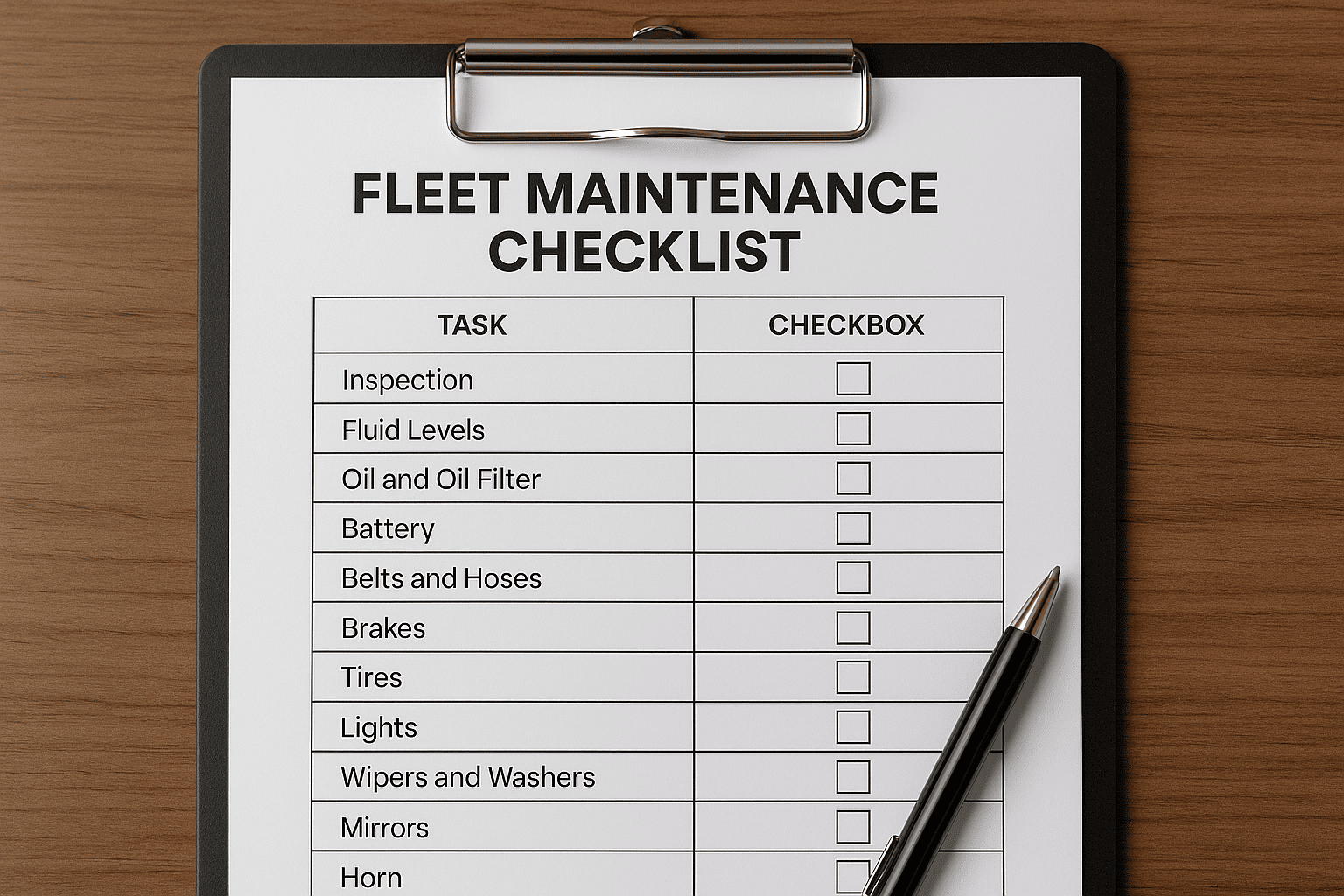
| Preventive Maintenance | "Change the filters sometime" | PM WO #4874: AHU-7 quarterly service. Checklist: (1) Replace 8x MERV-13 filters — stock confirmed. (2) Inspect belt tension and condition. (3) Record bearing temps with IR gun. (4) Clean condensate drain pan. (5) Verify economizer actuator full stroke. (6) Log discharge air temp. Due: March 15. Assign: HVAC Tech 1. Est. 2.0 hrs. | The PM work order is a standardized checklist ensuring consistent quality regardless of which technician performs the work — and generates the ASHRAE compliance data auditors need. |
| Plumbing Emergency | "Water leak in basement" | Emergency WO #4875: Active water intrusion in Bldg 7 Basement Rm B-04. Source: chilled water supply pipe flange joint. Estimated flow: 5 GPM. Isolation valve location: mechanical room B-01. Priority: Emergency. Assign: Plumber + HVAC (chilled water shutdown). Notify: Building occupants, IT (server room B-06 adjacent). | The complete WO identifies the source, tells the tech where to isolate, flags the IT server room at risk, and coordinates two trades — preventing $100K+ in collateral damage. |
| Predictive (AI-Generated) | Does not exist in paper systems | Predictive WO #4876: Chiller #2 drive-end bearing — vibration amplitude trending +0.003 in/sec/week over 6 weeks. ML model: 94% probability of bearing failure in 18–22 days. Recommended: replace bearing during Thanksgiving break. Parts: bearing kit #SKF-6312-2RS. Est. cost: $28,000 planned vs. $340,000 emergency. Assign: Chiller specialist. Schedule: Nov 25–27. | This work order type only exists in AI-powered CMMS platforms. It prevents the most expensive failures on campus — converting $340K emergencies into $28K planned repairs. |
Work Order KPIs: The Metrics That Matter
Work orders are not just task management — they are the data source for every maintenance performance metric. The following KPIs should be tracked from work order data to measure and improve maintenance operations:
The Work Order Process: Paper vs. Spreadsheet vs. CMMS vs. AI-Powered
How you manage work orders determines the quality of your maintenance data, the speed of your response, and the intelligence available for decision-making. Here is how the four common approaches compare across the metrics that matter:
| Capability | Paper Forms | Spreadsheets | Basic CMMS | AI-Powered CMMS |
|---|---|---|---|---|
| Request submission | Phone call or walk-in | Email or shared doc | Web portal + mobile app | Any channel + IoT auto-generation |
| Assignment speed | Hours to days | Hours | Minutes (manual) | Seconds (AI auto-routing) |
| Technician notification | Verbal or radio | Push notification + mobile | Push + GPS routing + parts pre-staging | |
| Asset history access | Filing cabinet (if it exists) | Searchable (if maintained) | Full digital history per asset | Full history + AI repair recommendations |
| PM auto-scheduling | Wall calendar / memory | Manual reminders | Automated by time/meter | Automated by condition + runtime + AI |
| Compliance documentation | Paper binders (if maintained) | Spreadsheet tabs | Digital records per task | Auto-generated audit-ready reports |
| Cost tracking | None or approximated | Manual entry (often skipped) | Per work order + per asset | Per WO + per asset + TCO + predictive ROI |
| Analytics & KPIs | None | Basic (manual charts) | Standard dashboards | Real-time AI dashboards + forecasting |
| Lost work orders | 15–25% estimated | 5–10% | Under 1% | 0% (system-tracked end-to-end) |
| Predictive capability | None | None | None | ML failure prediction + auto-WO generation |
Free Work Order Templates
Whether you are transitioning from paper to digital or building a new maintenance program, these template structures ensure every work order captures the data needed for effective maintenance management. Each template follows the seven essential elements outlined above and can be implemented in Oxmaint with zero configuration:
All three templates are built into Oxmaint as configurable work order types — with fields that auto-populate from your asset registry, checklists that standardize per equipment type, and mobile-first interfaces that technicians complete in the field. No template downloads needed — the system generates the right work order structure automatically based on the type selected. Sign up free and all three templates are ready to use immediately in your account.
Common Work Order Mistakes (And How to Fix Them)
Even organizations with digital work order systems make mistakes that undermine the value of their maintenance data. These are the five most common errors — each one directly fixable with proper CMMS configuration:
"Fix AC in Room 204" tells the technician nothing about symptoms, suspected cause, or urgency. It results in diagnostic trips, return trips for parts, and work order histories that provide zero analytical value. Fix: require structured descriptions with symptom fields, suspected component, and impact assessment. AI can auto-enrich descriptions from natural language requests.
Technicians close work orders as "completed" without documenting actual work performed, parts used, or root cause. This makes asset histories useless, compliance audits impossible, and cost tracking fictional. Fix: require completion fields (actual work, parts, labor hours, photos) before the system allows close-out.
When every work order is marked "high priority" or when no priority system exists, technicians make their own decisions about what to work on — typically defaulting to whoever complained loudest. Fix: enforce a structured priority framework tied to safety, compliance, student impact, and asset criticality. AI can auto-assign priority based on these factors.
Work orders that reference locations ("Building 5 Room 204") but not specific assets ("AHU-3") make it impossible to build maintenance histories, calculate total cost of ownership, or predict failures. Fix: require asset tag selection on every work order, linked to the asset registry. Mobile barcode/QR scanning makes this instant for field technicians.
Work Order Management Best Practices for 2026
The following best practices represent the current state of the art in work order management — combining traditional maintenance discipline with AI-powered capabilities that became production-ready in 2025–2026: