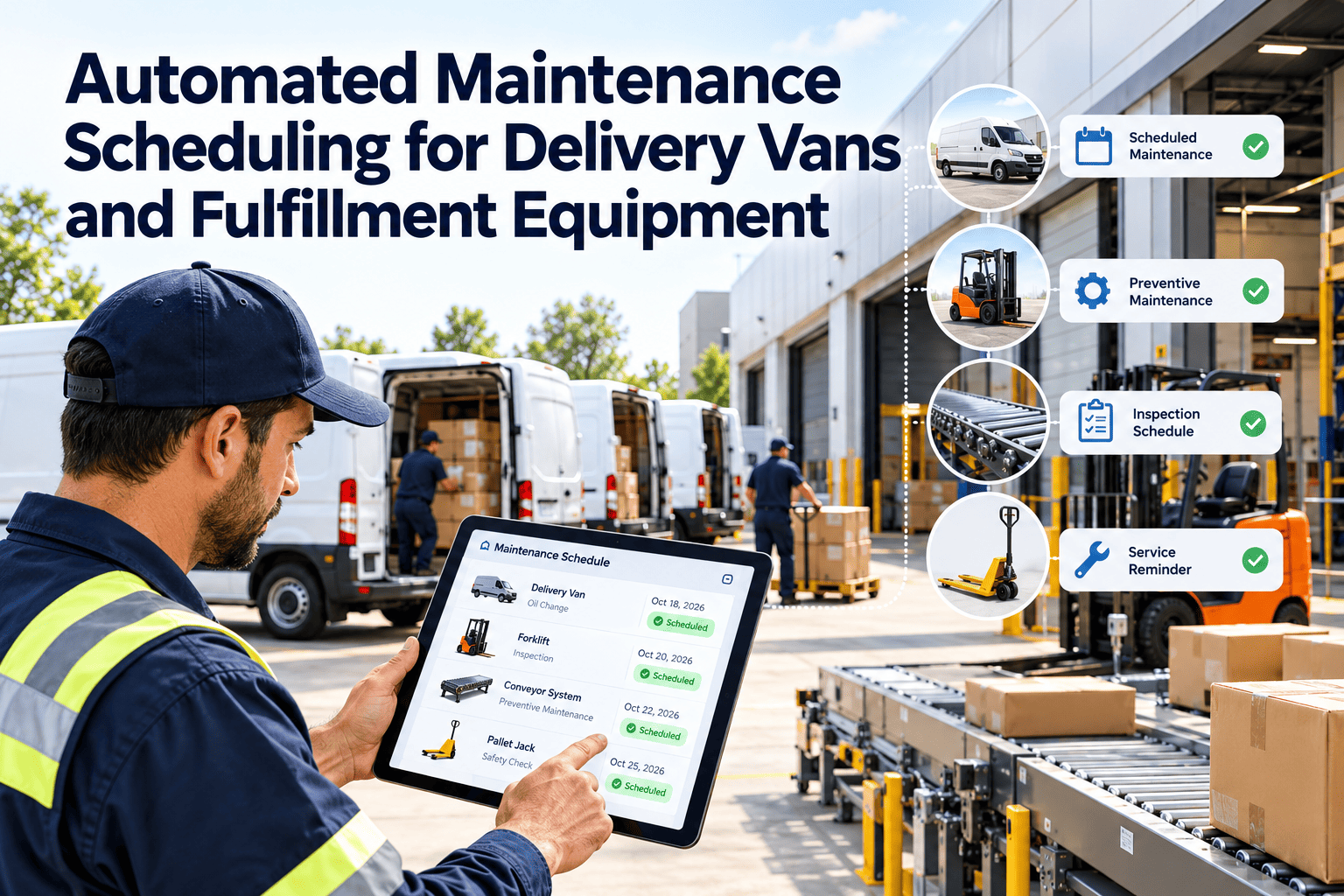
Manual maintenance scheduling always drifts. A planner updates the sheet on Monday, a van passes its mileage interval on Wednesday, a forklift runs a double shift, and the next service date is wrong by Friday. In delivery and warehouse operations, that drift turns into missed preventive maintenance and surprise failures on the busiest days. This guide covers automated maintenance scheduling for delivery vans and fulfillment equipment: triggers, route and shift awareness, resource leveling and the CMMS features in Oxmaint that make it run in the background.
Automated Maintenance Scheduling for Delivery Vans and Fulfillment Equipment
Where manual scheduling breaks in logistics
Mixed meters
Peak-season pressure
Hidden dependencies
Silent overdue items
Choose the trigger that fits the asset
| Asset | Primary trigger | Backup trigger | Typical task examples |
|---|---|---|---|
| Delivery van | Mileage | Calendar interval | Oil, brakes, tires, inspection |
| Forklift and reach truck | Engine or run hours | Calendar interval | Fluids, chains, forks, battery care |
| Conveyor and sortation line | Run hours or cycles | Condition readings | Belt tension, rollers, motors |
| Dock leveler and door | Calendar interval | Inspection findings | Hydraulics, seals, safety devices |
| Pallet jack and tugger | Calendar interval | Usage meter if fitted | Wheels, brakes, charging |
Five layers of automated scheduling
Trigger evaluation
Route and shift awareness
Resource leveling
Parts and kit staging
Escalation
Replace the weekly scheduling scramble
Route-aware scheduling for delivery vans
What the planner sees
- Vans nearing a PM threshold, ranked by urgency
- Planned routes and expected return times
- Open DVIR defects that can ride along with the service
- Spare vehicle availability to cover the route
What the planner decides
- Which night or gap fits the service
- Which spare van covers the route
- Whether to bundle tire or brake work
- When to move the PM earlier to avoid peak days
Warehouse equipment and shift-based checks
In the US, OSHA requires powered industrial trucks to be examined at least daily, or after each shift if used around the clock, before being placed in service (29 CFR 1910.178(q)). Automation helps make those checks consistent.
Protect peak season with blackout windows
Without planned windows
- PM is skipped to hit volume targets
- Breakdowns arrive in the busiest weeks
- Emergency repairs fill the shop
With planned windows
- Pre-peak PM is pulled forward on purpose
- Blackout dates keep non-urgent work off peak days
- Critical assets are checked before volume rises
CMMS capabilities that matter for scheduling
Usage-based PM
Work order templates
Mobile access
Inventory linkage
Dashboards
Asset history
Metrics to confirm the schedule is working
- PM compliance: services finished within the allowed window.
- Overdue backlog: count and age of late preventive work.
- Planned versus reactive share: how much work was scheduled.
- Wait time for parts: days assets sit idle after the service starts.
- Schedule adherence: jobs done in the slot they were booked.
Setting PM intervals for a mixed asset base
Delivery and fulfillment sites run very different equipment. Intervals should start with manufacturer guidance, then adjust to your own duty cycle and failure history.
- Start from the manufacturer's service schedule for each model and attachment.
- Shorten intervals for severe duty such as multi-shift use, dust, cold storage or heavy stop-and-go work.
- Review completed work orders each quarter and note what technicians found at each service.
- Lengthen an interval only when inspections consistently show no wear, and record the reason.
- Group tasks by service level so a smaller service and a larger one alternate cleanly.
Resource leveling in practice
Leveling spreads work so the shop never faces a pile-up. It matters most when many assets were bought or commissioned together.
Stagger the start
Cap daily load
Match skills
Reserve buffer
Fulfillment center equipment: what to schedule
Conveyors, sorters and packing equipment run constantly, so their maintenance must fit narrow windows between shifts or peaks.
| Equipment | Typical scheduled checks | Best window | Condition signals to watch |
|---|---|---|---|
| Belt and roller conveyors | Belt tension and tracking, roller condition, guards | Between shifts or low-volume hours | Noise, vibration, belt wear, motor temperature |
| Sortation systems | Sensors, diverters, drives, lubrication | Planned stops outside peak waves | Mis-sorts, jams, sensor faults |
| Packing and strapping machines | Cutters, heaters, belts, sensors, lubrication | Shift change or planned changeover | Scrap increase, jams, seal quality |
| Dock levelers and doors | Hydraulics, springs, seals, safety devices | Quiet dock periods | Slow operation, leaks, damaged seals |
| Charging stations | Cables, connectors, ventilation, fault logs | Planned off-peak periods | Failed sessions, overheating, connector wear |
Delivery van specifics worth automating
Usage-driven tasks
- Oil and filter service by mileage or hours
- Brake inspection scaled to stop-heavy routes
- Tire rotation, pressure and tread checks
- Battery and charging system checks
Calendar and compliance tasks
- Annual and periodic vehicle inspections
- Registration and licensing renewals
- Refrigeration or lift gate service intervals
- Recall and warranty campaign work
Electric forklifts and vans change the schedule
Battery-powered assets have fewer fluid services but add battery, charger and cable checks. Charging time also competes with productive time.
Handle missed windows and reschedules
Even good schedules slip. The difference is whether a missed window is visible and managed or quietly forgotten.
Common causes of a miss
- Asset was in use when the technician arrived
- Parts were not on hand
- Emergency repair took the technician
- Dispatch changed the route at the last minute
Automated response
- Work order stays open and flagged, not closed
- System proposes the next available window
- Supervisor is notified when a grace period ends
- Reason is recorded for later review
Kits and spare parts for scheduled work
Automated scheduling pays off only when parts are ready. Link each recurring PM to a defined kit.
Service kits
Critical spares
Reorder triggers
Reservation
Usage review
Supplier lead times
A rollout plan that starts small
Inventory the assets
Set templates and intervals
Pilot one group
Connect parts and mobile access
Expand and tune
How Oxmaint supports automated scheduling
- Preventive maintenance schedules based on meters, calendar dates or both.
- Automatic work order creation from templates with checklists per asset class.
- Mobile access so operators and technicians can inspect and update jobs on the floor or at the depot.
- Inventory links that reserve parts for scheduled work and flag shortages.
- Dashboards for overdue and upcoming work, so planners see problems before they become downtime.
Condition-based triggers add precision
Fixed intervals are a safe start. Condition data lets you service equipment when it needs attention rather than only when the calendar says so.
| Signal | Where it comes from | Rule example | Resulting work |
|---|---|---|---|
| Fault code | Vehicle telematics | High-severity code opens a priority job | Diagnosis and repair |
| Motor temperature or vibration | Line sensors or technician readings | Reading above a set limit creates an inspection | Bearing or drive check |
| Failed inspection item | Operator or driver checklist | Failed brake or horn check tags out the unit | Corrective work order |
| Repeated minor stops | Operator reports or line counters | Three jams in a shift raise a review | Adjustment and cleaning task |
Operators are part of the schedule
Automation works best when the people using the equipment feed it. Daily checks and quick defect reports keep the schedule honest.
Measure whether the automation is working
PM compliance
Overdue backlog
Planned share
Schedule adherence
Unplanned stops
Parts wait
Pitfalls to avoid when automating the schedule
- Importing every asset before the data is clean, which creates a flood of wrong work orders.
- Setting one interval for all equipment because it is simpler to enter.
- Ignoring seasonal peaks, so planned work lands on the busiest days.
- Letting overdue jobs pile up without an escalation path.
- Skipping technician training, so work orders are closed with no useful findings.
- Never reviewing results, so intervals stay wrong long after conditions change.
Questions to settle before turning on automation
Agree these points with operations first. They shape the rules and prevent surprises on the floor and on the road.
- Which assets are critical to a route or a line, and need the earliest alerts?
- What are the quiet windows by site, shift and season?
- How many assets may be out of service at once without hurting service levels?
- Who approves a deferred PM, and for how long?
- What happens to an asset that fails a safety check during a shift?
- Which meters are trusted, and which need manual entry at first?