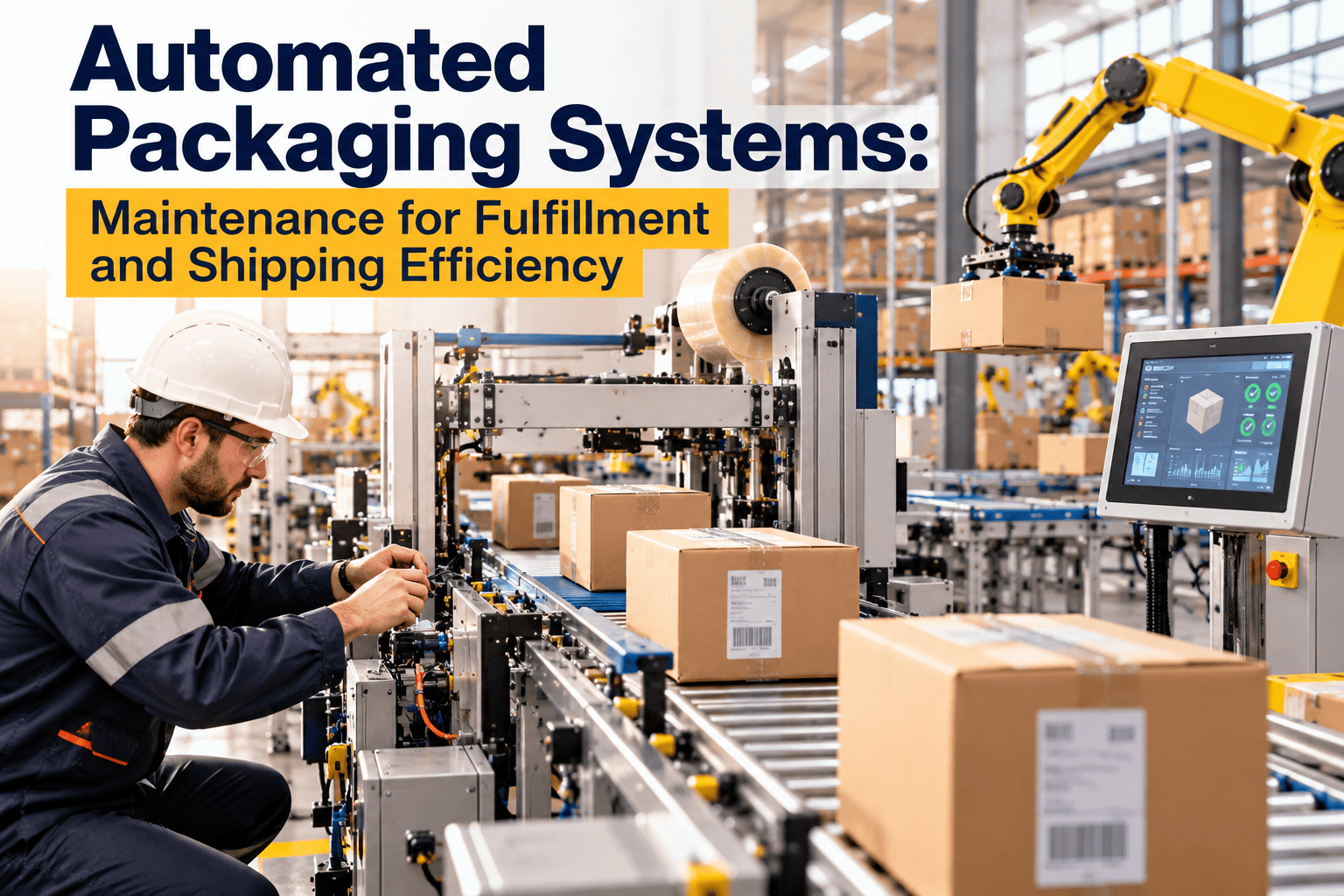
Automated packaging equipment can lift fulfillment throughput and cut manual labor, but only while it runs. Box makers, case erectors, tapers, weigh stations, and label applicators sit in series, so one stoppage idles the whole line and backs up the shipping dock. Selecting the right system matters, yet keeping it available matters just as much. This guide covers system selection, throughput sizing, warehouse system integration, and the maintenance program that protects uptime, including how maintenance management software organizes that work.
Automated Packaging Systems: Maintenance for Fulfillment and Shipping Efficiency
Choose, size, integrate, and maintain automated packaging equipment so fulfillment lines stay productive instead of becoming expensive bottlenecks.
Where Manual Packing Falls Short
Manual packing works at low volume and fails predictably as order counts, SKU variety, and peak swings grow.
Manual packing pressures
- Output varies by person and shift
- Box and void-fill choices are inconsistent
- Labor is hard to hire and train for peaks
- Errors lead to returns and reshipments
- Material waste is hard to see or control
What automation changes
- Repeatable cycle times
- Right-sized boxes made on demand
- Fewer touches per order
- Consistent sealing, weighing, and labeling
- New dependence on equipment reliability
Types of Automated Packaging Equipment
| System | Primary job | Best fit | Maintenance sensitivity |
|---|---|---|---|
| Automated box making | Forms right-sized boxes from corrugated stock | Varied item sizes and shipping cost control | Blades, creasers, feed rollers, and sensors. |
| Case erector and sealer | Forms and tapes standard cartons | Uniform, high-volume cartons | Tape heads, glue systems, and guides. |
| Auto bagging | Bags and seals items, often for small parcels | Apparel, small goods, and e-commerce mailers | Heat sealers, film feed, and print units. |
| Weigh and verify station | Checks weight against expected value | Error catching before shipping | Load cells and calibration drift. |
| Print and apply labeler | Prints and applies shipping labels | Carrier compliance at speed | Printheads, applicators, and ribbon or label feed. |
| Conveyors and diverters | Moves and sorts packages | Connects every station | Belts, rollers, motors, and photo-eyes. |
Sizing Throughput Before You Buy
Sizing mistakes cut both ways. Too small, and the line bottlenecks at peak. Too large, and capital sits idle.
- 1Profile ordersReview order lines, item dimensions, weights, and fragility across a full year, including peaks.
- 2Define peak demandSize for realistic peak hours, not annual averages.
- 3Find the slowest stationThe line runs at the speed of its slowest link, including upstream picking and downstream sortation.
- 4Plan for downtimeInclude scheduled maintenance windows and expected stops when calculating real output.
- 5Leave growth marginAllow room for volume increase and added SKUs.
Plan Maintenance Before the Line Goes Live
Register every packaging asset, schedule preventive tasks, and give technicians mobile work orders from day one.
Integration With Warehouse Systems
Packaging equipment that cannot exchange data with the warehouse management system turns into an island that needs manual intervention.
- Order and carton data should flow to the line so box size and label content are generated automatically.
- Weight and dimension results should return to the system for carrier billing accuracy.
- Exceptions such as failed weight checks must route to a rework point without stopping the line.
- Equipment status and fault codes should be visible to supervisors and maintenance.
- Label and carrier rules should update centrally, not machine by machine.
Integration questions for suppliers
- Which interfaces are standard, and which require custom development?
- How are faults and cycle counts exposed to other systems?
- What happens to orders when a station goes offline?
Common Failure Points on Packaging Lines
Building a Preventive Maintenance Schedule
Use manufacturer guidance as the starting point and refine intervals using actual failure history and run hours.
- Clear debris and scraps
- Check tape, film, and label supply
- Look for abnormal noise or jams
- Clean sensors and photo-eyes
- Inspect belts, guides, and rollers
- Verify guard and e-stop function
- Lubricate per specification
- Check air filters and leaks
- Test weigh station accuracy
- Replace wear components on interval
- Inspect motors and drives
- Review calibration and safety records
Move from calendar to condition
Where meters or machine data are available, trigger work from cycle counts, run hours, or condition readings instead of the calendar alone, so parts are serviced when use demands it.
Spare Parts Strategy for High-Throughput Lines
Track parts by asset
Linking parts to the machine and failure that used them shows which components fail most, which stock levels are wrong, and where design or settings may be causing repeat problems.
Measuring Packaging Line Reliability
How Oxmaint Supports Packaging Automation Uptime
Oxmaint is maintenance management software. It does not control packaging machines, but it organizes the work that keeps them available.
- Asset management records each machine, its components, documents, and service history.
- Preventive maintenance schedules generate work orders by time, cycle count, or meter reading.
- Mobile work orders and inspections let technicians record findings at the machine.
- Corrective maintenance tracking captures breakdowns, causes, and repair time.
- Inventory management tracks wear parts and spares against minimum levels.
- Condition-based and predictive workflows can use readings to trigger work before failure.
- Compliance and safety records keep guarding, lockout, and calibration checks documented.
- Reports and dashboards highlight downtime, repeat failures, and maintenance cost by asset.
Practical starting point
Begin with the stations that stop the whole line, usually conveyors, box forming, and labeling. Build their schedules and spare lists first, then expand.
Packaging Automation Readiness Checklist
- Order profile reviewed across peaks
- Slowest station identified
- WMS interface and fault visibility confirmed
- All packaging assets registered
- Preventive tasks built from manufacturer guidance
- Tiered spare parts list approved
- Technicians trained on mobile work orders
- Reliability measures reviewed monthly
Frequently Asked Questions
What are automated packaging systems?
They are machines that form boxes, pack, seal, weigh, and label orders with little manual handling.
Which packaging machines fail most often?
Conveyors, box formers, and labelers commonly cause stoppages because wear parts and sensors are exposed to constant use.
How often should packaging equipment be serviced?
Follow the manufacturer's guidance, then adjust using run hours, cycle counts, and failure history.
Can maintenance software reduce packaging downtime?
It helps by scheduling preventive work and tracking repairs. You can start with Oxmaint to set it up.
Can I see a demo for a fulfillment facility?
Yes, a short session covers assets, schedules, and work orders. You can book a demo to review it.
Safety, Lockout, and Compliance on Packaging Lines
Packaging machines combine moving parts, pinch points, heat, and compressed air. Maintenance must be safe as well as effective.
Safety practices
- Apply lockout and tagout procedures before any intervention in a machine.
- Inspect guards, interlocks, and emergency stops on a defined schedule.
- Train technicians and operators on clearing jams safely.
- Document modifications so safety systems are not bypassed informally.
Records worth keeping
- Inspection results for guards and emergency stops.
- Calibration records for weigh stations and sensors.
- Training records for operators and maintenance staff.
- Incident and near-miss reports linked to the asset involved.
Training Operators for First-Line Maintenance
Operators see problems first. Giving them simple, structured responsibilities reduces small issues turning into stoppages.
Operator tasks
- Daily cleaning and visual checks at start of shift.
- Reporting unusual noise, misfeeds, or quality changes immediately.
- Refilling supplies correctly and following changeover steps.
- Logging minor stoppages with a reason, even when quickly cleared.
Technician tasks
- Scheduled inspections and component replacement.
- Root-cause investigation for repeat stoppages.
- Calibration and adjustment under documented procedures.
- Updating maintenance instructions as the team learns what works.
Reducing Changeover and Stoppage Losses
Not all lost time is a breakdown. Small stops and slow changeovers can drain throughput quietly.
Typical hidden losses
- Short jams cleared by operators and never recorded.
- Slow changeover between box sizes or label formats.
- Material quality problems that cause misfeeds.
- Waiting for supplies or maintenance help.
Ways to find them
- Record stoppage reasons by category for a few weeks.
- Compare losses by shift, product type, and station.
- Trial standard changeover steps and measure the change.
- Review supplier materials when misfeeds cluster around certain batches.
Choosing Between Repair, Rebuild, and Replace
Packaging equipment ages under heavy use. Decisions improve when maintenance history is available.
Evidence to gather
- Repair cost and downtime trend by asset over time.
- Availability of spare parts and manufacturer support.
- Throughput requirements compared with the machine's real capability.
- Safety and compliance gaps in older equipment.
Decision approach
- Compare cost of continued repair with the cost of lost throughput.
- Consider rebuild when structure is sound but wear parts dominate.
- Plan replacement before failure forces an emergency purchase.
Preparing a Maintenance Plan for a New Packaging Line
The best time to build a maintenance program is before commissioning, when manufacturer documents and spare parts lists are fresh.
Steps at installation
- Collect manuals, parts lists, wiring diagrams, and recommended maintenance tasks.
- Register each machine and major component as an asset with a clear naming system.
- Build preventive tasks and attach procedures and safety steps.
- Agree a critical spares list with the supplier before go-live.
- Train technicians and operators with the machines running.
During the first months
- Track every stoppage with a cause and duration.
- Review early failures for installation or setup problems.
- Adjust task intervals using real run hours and conditions.
- Confirm warranty obligations and keep service records to support claims.
Working With Equipment Suppliers and Service Contracts
Supplier support can extend your team's reach, but it works best when roles are written down.
Questions to clarify
- Which tasks must the supplier perform to keep warranty valid?
- What response times apply to breakdown calls, and what are the escalation steps?
- Which spare parts does the supplier stock, and what are typical lead times?
- Does remote diagnostic support exist, and what data does it need?
- How are software updates handled so they do not disrupt shipping?
Peak Season Readiness for Packaging Automation
Peak volume exposes every weakness. Prepare equipment, parts, and people before demand arrives.
Before peak
- Complete deferred preventive tasks and replace wear parts that are near their limit.
- Stock extra consumables such as blades, tape, film, and labels.
- Confirm technician coverage across all shifts and weekends.
- Rehearse the manual fallback process so orders still ship during a stoppage.
During peak
- Use short daily reviews of stoppage causes.
- Schedule only essential maintenance and protect it in the production plan.
- Keep critical spares visible and counted every day.
Common Packaging Maintenance Mistakes
These patterns repeat across fulfillment sites and are worth checking in your own operation.
Mistakes to avoid
- Treating every stoppage as a one-off instead of recording the cause.
- Skipping small cleaning tasks until residue causes sensor and feed problems.
- Stocking too few wear parts for fast-moving components.
- Relying on one experienced technician with undocumented knowledge.
- Ignoring calibration of weigh and label systems until errors reach the carrier.
Closing Thoughts on Packaging Automation Reliability
Automated packaging pays back when it runs predictably. Reliability comes from sizing realistically, integrating cleanly, and maintaining deliberately.
Priorities to carry forward
- Identify the stations that stop the whole line and protect them first.
- Build preventive schedules from manufacturer guidance and refine them with real data.
- Keep tiered spares and track parts against assets.
- Record every stoppage with a cause so patterns become visible.
- Review reliability measures monthly with operations and maintenance together.
Measuring the Return on Packaging Maintenance
Maintenance effort is easier to defend when its effect on throughput and cost is visible.
Evidence to track
- Hours of unplanned stoppage before and after a preventive program began.
- Parts consumed per machine and which components repeat.
- Overtime or extra labor caused by line outages.
- Reject and rework rates linked to equipment condition.
- Maintenance labor split between planned and reactive work.
Keep Your Packaging Line Shipping
Organize preventive maintenance, spare parts, and repairs for every machine so automation delivers the throughput you bought it for.