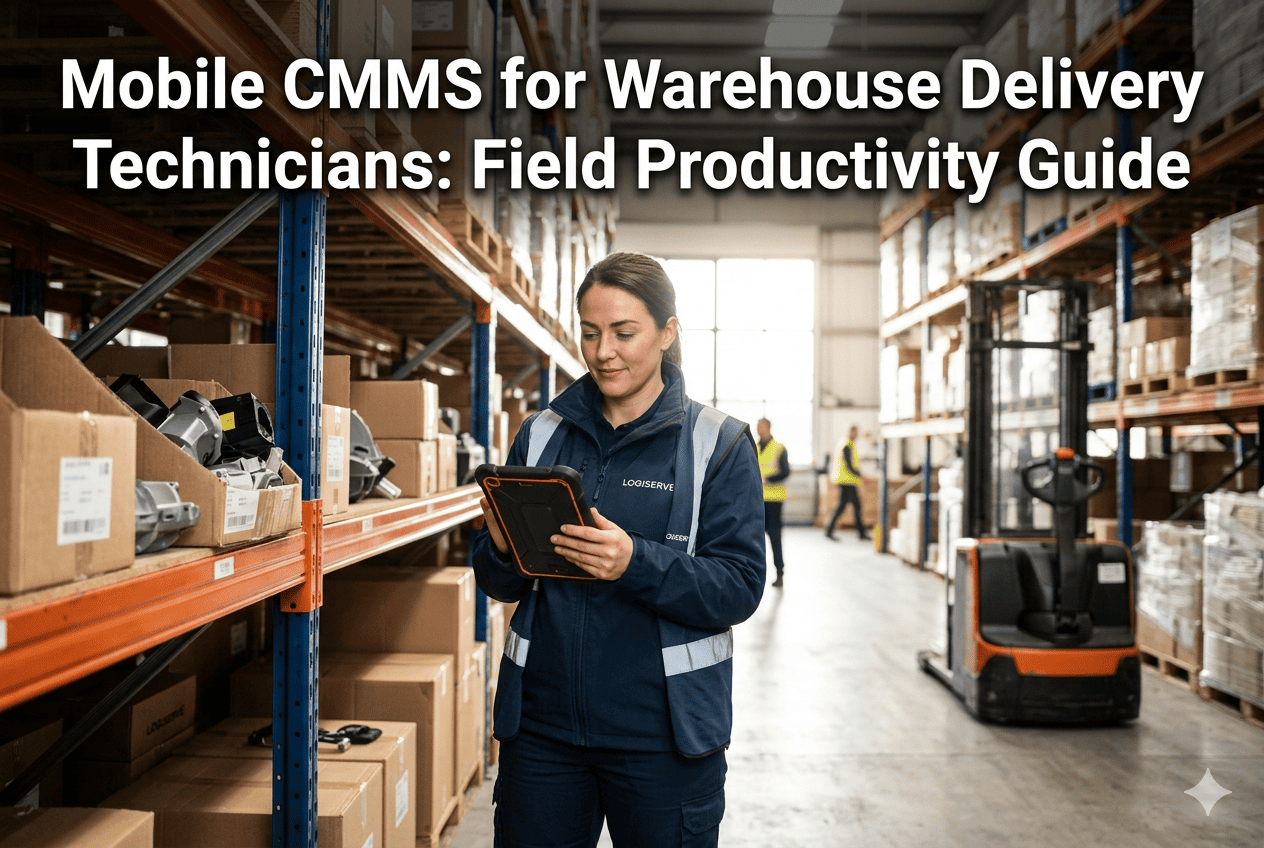
Mobile CMMS App for Delivery Fleet Technicians With Work Orders on the Go

By Alex Jordan on March 26, 2026

mobile-cmms-app-for-delivery-fleet-technicians-with-work-orders-on-the-go

Fleet technicians working overnight depot windows have never had good tools. Paper work orders arrive with incomplete information, require legible handwriting in poor lighting, and get lost between the workshop and the office. Tablet-based systems require WiFi that cuts out mid-job. The result is a maintenance record that reflects what was filed rather than what was done. OxMaint's mobile CMMS app changes the technician's working reality completely — work orders arrive on their phone before the vehicle returns, parts are confirmed by barcode scan, photos are captured at the job, and the work order closes with a digital signature the moment the repair is complete, whether they have signal or not.

OxMaint · Mobile CMMS · iOS & Android · Fleet Technicians
Every Work Order. Every Part. Every Repair. Managed From Your Phone.
Mobile CMMS for fleet technicians — receive prioritised work orders, scan parts barcodes, capture repair photos, and close tasks with digital sign-off. Works offline, syncs automatically.
55 min
Saved per technician per overnight shift when switching from paper work orders to OxMaint mobile

99.1%
Work order completion accuracy when technicians use mobile capture vs paper records

4 min
Average time to open, complete, and close a standard work order on the OxMaint mobile app

100%
Offline capability — work orders, parts logs, and photo capture work without any mobile signal

App Capabilities: What a Technician Can Do From Their Phone

The OxMaint mobile app covers the complete technician workflow from work order receipt to final sign-off — without requiring any desktop access at any point. Every feature works on iOS and Android, and every feature works offline. For depot technicians working 21:00 to 05:00 with unreliable yard WiFi, the offline capability is not a nice-to-have — it is the reason the shift runs smoothly. Download free on iOS and Android — your first work order queued within 10 minutes of login.

MOBILE APP CAPABILITIES — FEATURE AVAILABILITY & OFFLINE STATUS
Feature
What It Does
iOS
Android
Offline
Work Order Queue
Prioritised list of work orders — tap to open, view vehicle info, required parts, and fault detail
Photo Capture
Take and attach photos to a work order — before repair, during, and after sign-off for evidence record
Barcode / QR Scan
Scan parts barcodes to log usage — confirms correct part, updates inventory, links to work order automatically
Digital Sign-Off
Technician signs repair completion on screen — timestamped, device-stamped, synced to compliance record
Labour Time Logging
Start/stop timer per work order — actual labour time recorded per repair, linked to cost tracking
Inspection Checklist
Guided vehicle inspection checklist — each item ticked or flagged with notes, generates DVIR record on completion
OBD Live View
View live OBD sensor data on the app — fault codes, brake pressure, battery voltage — while physically at the vehicle
WiFi
Parts Lookup
Search the parts catalogue by name or part number — view stock levels, depot location, and reorder status
Cached
All data created offline syncs automatically the moment connectivity is restored — timestamp applied at time of entry, not time of sync.

Paper vs Mobile: What Changes for the Overnight Workshop Team

The overnight maintenance window is where the paper-based workflow breaks down most visibly. A technician arriving at 21:00 to a queue of 40 vehicles should spend those hours repairing vehicles — not deciphering handwritten fault descriptions, searching for the right paper work order, or manually reconciling parts used against the stockroom log in the morning. The shift-level time savings from OxMaint mobile are the most immediate and most visible benefit of deployment. Book a demo to see the overnight workflow configured for your depot team size and window.

OVERNIGHT SHIFT WORKFLOW — PAPER vs OXMAINT MOBILE · TIME PER TECHNICIAN
Shift Task
Paper Process
OxMaint Mobile
Time Saved
Triage incoming vehicles
45–60 min manual walk-round and fault assessment
Work queue pre-built — open app, start first job
50 min
Log parts used
Write part name, number, quantity on paper — office reconciles in morning
Scan barcode — part logged, inventory updated instantly
8 min / job
Document repair evidence
No photo — written description only, often incomplete
Photo captured in 30 seconds — attached to work order automatically
3 min / job
Close work order
Return paper to foreman — filed next morning, delays SAP update
Tap complete + sign — SAP updated immediately, fleet manager notified
12 hr delay
Shift handover report
Write shift summary on paper — next shift reads it manually
Auto-generated from completed work orders — visible in dashboard instantly
15 min
Total shift time recovered per technician per night
55+ minutes
Time that moves from admin into actual repair work

Integration Stack: How the App Connects to OBD, SAP, Digital Twin, PLC, and AI Camera

The OxMaint mobile app is the technician's interface to the full fleet maintenance intelligence stack. When a technician opens a work order on their phone, the fault description is pre-populated from OBD sensor data. The parts list is pre-suggested from the AI digital twin's predicted failure model. The repair is verified against the PLC workshop bay data. The completed record writes to SAP without any manual entry. AI camera images from the gate inspection are available in the app for visual reference before the repair begins. Connect all five technology layers to the OxMaint mobile app — start free today.

TECHNOLOGY INTEGRATIONS — WHAT EACH LAYER ADDS TO THE TECHNICIAN'S MOBILE WORKFLOW
Technology
What the Technician Sees in the App
Time Saved
Offline?
OBD
Vehicle Diagnostics
Pre-filled fault description from live sensor data — brake pressure reading, fault code, and 14-day trend graph available in the work order before the repair starts
No diagnosis time
Cached
AI Camera
Visual Reference
Gate departure images attached to the work order — technician can see the exact defect as captured by the AI camera before touching the vehicle
Visual pre-diagnosis
Full
Digital Twin
Predicted Parts
Suggested parts list pre-populated from the AI model — part numbers, quantities, and depot shelf location shown before the technician visits the stores
Eliminates stores trip
Full
SAP
Instant Record
Work order close on mobile writes directly to SAP PM/MM — no paper filing, no morning data entry, no 12-hour delay between repair and record
12-hr delay eliminated
Syncs
PLC
Bay Verification
Workshop bay assignment shown in the app — technician knows which bay to take the vehicle to, and PLC confirms when the repair is physically completed
Zero bay confusion
Online only

Work Order Lifecycle: From OBD Alert to Closed Record in Four Steps

The OxMaint mobile work order lifecycle eliminates every manual handover point between vehicle fault detection and completed maintenance record. OBD data generates the work order. The mobile app delivers it to the technician. The technician completes, photographs, and signs off on their phone. SAP receives the completed record. No paper, no delay, no transcription error at any step. Start free — your first automated work order flowing from OBD to technician mobile within 48 hours.

WORK ORDER LIFECYCLE — OBD ALERT TO CLOSED RECORD

Overnight
OBD Generates Alert
Brake pressure anomaly detected during route. OxMaint creates P2 work order with fault data, vehicle ID, and recommended parts list.

21:00
App Notifies Technician
Push notification on technician's phone. Work order appears in queue — ranked by vehicle dispatch priority. Technician taps to see full detail before vehicle arrives.

22:00–01:00
Technician Works & Logs
Scans part barcode, captures before/after photos, logs labour time. All captured offline if no signal. Work order updates visible to fleet manager in real time.
Before 05:30
Sign-Off & Record Closed
Technician signs digitally on phone. SAP record updated. Vehicle cleared for dispatch. Fleet manager sees green status before drivers arrive.

Deployment, Access Roles, and What a Team Looks Like at Go-Live

The OxMaint mobile app deploys to a 200-technician fleet in under one working day. Drivers and technicians download the app from App Store or Google Play, log in with a company account, and see their role-specific view immediately. No hardware to install, no IT project, no training day required. Book a demo to walk through a deployment plan for your depot team structure.

USER ROLES — WHAT EACH PERSON SEES IN THE OXMAINT MOBILE APP
Workshop Technician
Prioritised work order queue
OBD fault data per vehicle
Barcode scan + photo capture
Digital sign-off
Workshop Supervisor
Full depot work order view
Assign work to technicians
Live completion status per vehicle
Parts stock and usage dashboard
Fleet Manager
Fleet health + dispatch readiness
Cross-depot KPI summary
S1 critical defect alerts
Compliance record export
Driver
Daily walkaround DVIR checklist
Defect photo + severity report
Vehicle health score at start of day
Repair confirmation after S1 fix

"My night technicians used to spend the first hour of every shift just figuring out what needed doing. With OxMaint on their phones, they walk in, open the app, and the first work order is already on screen with the fault code, the suggested parts, and the vehicle bay. We've added roughly one full repair slot per technician per shift."

Workshop Manager
Regional Parcel Carrier — 6 depot technicians · 120 vehicles · UK

Frequently Asked Questions

Q1 Does the OxMaint app work on both iOS and Android?
Yes — the full app including work orders, barcode scanning, photo capture, inspection checklists, and offline mode is available on both iOS (App Store) and Android (Google Play). Download free — no hardware or IT setup required.
Q2 What happens to data entered offline when signal is restored?
All offline data — parts logged, photos captured, labour times recorded — syncs automatically when connectivity returns. The timestamp applied is the time of original entry, preserving accurate maintenance records for compliance purposes.
Q3 How does barcode scanning connect to the parts inventory?
Scanning a part barcode in the app automatically identifies the part, deducts the correct quantity from depot inventory, links it to the open work order, and triggers a reorder alert if stock falls below the minimum threshold. Book a demo to see barcode scanning configured for your parts catalogue.
Q4 Can a work order be closed on mobile and automatically update SAP?
Yes — digital sign-off on the mobile app triggers an immediate write to SAP PM/MM with work order details, parts used, labour time, and technician ID. No manual entry, no delay, no discrepancy between mobile and SAP records.
Q5 How long does it take to deploy the app across a 100-person technician team?
One working day. Technicians download the app, receive a login link via SMS or email, and see their assigned work queue within 10 minutes. No training session required — the interface is guided and role-specific from first login. Start your free trial — deployment support included.
Better Tools. Faster Repairs. Zero Paper.
Mobile CMMS for fleet technicians — works offline, integrates with SAP and OBD, deploys in one day.

Share This Story, Choose Your Platform!