A single dock leveler failure at peak receiving hours costs your warehouse $10,000 per hour in stalled throughput — yet most facilities spend more on emergency repairs than they ever would on a structured preventive maintenance program. Inbound delivery delays triggered by dock door malfunctions, misaligned levelers, and unscheduled equipment failures are not random events: they are the predictable outcome of treating dock assets as afterthoughts until they stop working. OxMaint CMMS gives warehouse and logistics managers a maintenance engine built specifically for dock infrastructure — cycle-triggered PM schedules, automatic work order generation on fault events, and real-time bay availability dashboards that stop inbound bottlenecks before they cascade into outbound SLA failures. Book a 30-minute demo to see how dock-native CMMS eliminates the reactive repair cycle that quietly drains throughput across your facility every week.
$10,000
Per hour — warehouse downtime cost from a single dock failure
45%
Reduction in dock downtime with scheduled preventive maintenance vs reactive
$15,000
Minimum emergency dock leveler replacement cost vs hundreds in annual PM
24%
Of all warehouse accidents happen on the loading dock — most are preventable
Why Dock Equipment Fails When You Can Least Afford It
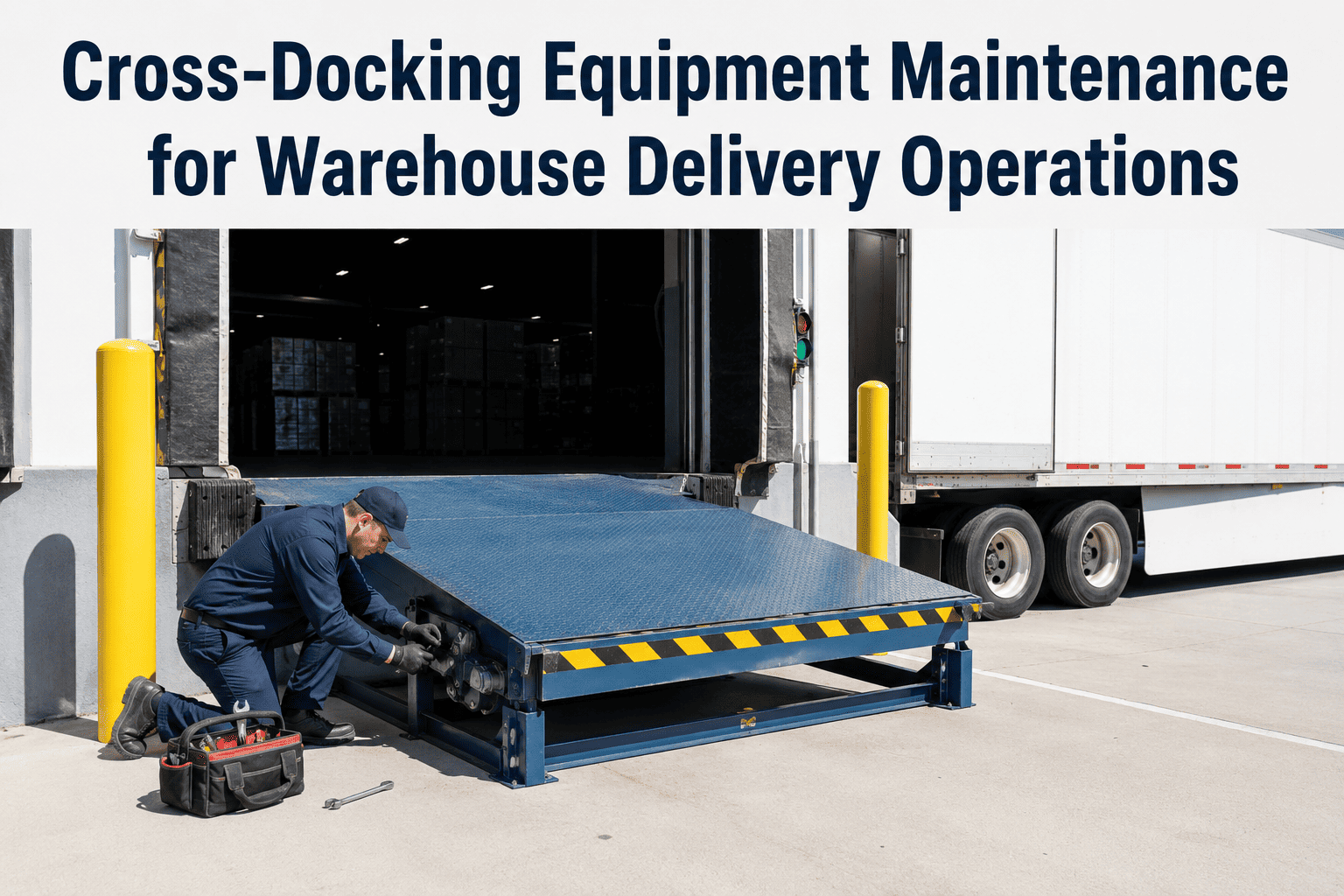
Dock doors, levelers, vehicle restraints, and seals operate in one of the harshest mechanical environments in any facility — constant impact, temperature swings, forklift strike events, and hundreds of trailer-mate cycles daily. A high-traffic distribution dock cycles each door 50 to 100 times per day. Without a maintenance system tracking actual cycle counts, most teams default to annual or semi-annual scheduled service that has no relationship to real wear levels. High-volume bays get under-serviced. Low-traffic bays waste service budget. The result is a pattern of unplanned failures that warehouse managers experience as sudden — but that a CMMS tracking cycle data would have flagged 3 to 6 weeks earlier. Start a free OxMaint trial and connect your dock assets to cycle-triggered maintenance scheduling from day one.
Equipment
Primary Failure Mode
Early Warning Signal
CMMS Trigger
Emergency Cost
Dock Leveler
Hydraulic failure, broken welds, lip mechanism jam
Slow cycling speed, deck instability, unusual noise
Every 500 cycles or 90 days (high traffic)
$5,000 – $10,000
Dock Door
Spring breakage, track misalignment, seal deterioration
Visible light gaps, slow travel, door drag on track
Every 180 days or after impact event
$5,000 – $15,000
Vehicle Restraint
Hook wear, hydraulic loss, engagement sensor failure
Indicator fault light, slow engagement, abnormal noise
Every 250 cycles or quarterly
$2,000 – $6,000
Dock Seal / Shelter
Foam compression failure, weather seal tear, side pad detachment
Visible daylight around trailer, temperature variance
Semi-annual + after forklift contact
$800 – $3,500
Dock Bumpers
Impact compression loss, anchor bolt failure, rubber degradation
Trailer contact noise, visible crush deformation
Annual inspection + post-impact check
$400 – $1,800
Stop Scheduling Dock Maintenance by the Calendar. Schedule It by Actual Usage.
OxMaint tracks dock door cycles, leveler operations, and impact events — triggering PM work orders when equipment actually needs service, not just when the calendar says so.
How Dock Failures Generate Inbound Delay Chains
Warehouse managers often track dock downtime as an isolated event — one bay down, route traffic to another. But inbound delivery delay consequences are rarely isolated. A single dock bay out of service during peak inbound windows forces carrier queuing, increases dwell time, and triggers detention fee charges that average $50 to $100 per delayed appointment. When 40% of delayed dock appointments result in more than two hours of detention, the downstream cost picture changes completely. OxMaint's bay availability dashboard gives operations managers real-time visibility into dock status so traffic can be rerouted before queuing begins.
INBOUND DELAY CASCADE — HOW ONE DOCK FAILURE COMPOUNDS
01
Dock Bay Goes Down
Leveler hydraulic failure or dock door jam at 08:00 receiving window. Bay taken out of service.
02
Carrier Queue Builds
3 inbound carriers rerouted to 2 available bays. Average wait time extends to 2.5 hours.
03
Detention Charges Trigger
Carrier detention fees: $75–$100/hr per truck. Three trucks waiting = $225–$300 per hour of delay.
04
Inbound Inventory Delayed
Late inbound receipts compress putaway time. Pick face replenishment stalls for afternoon shift.
05
Outbound SLA at Risk
Same-day outbound orders miss cut-off. Customer SLA failure recorded. Carrier performance score drops.
Total cost from one dock bay failure event (6-bay warehouse, 4 hr downtime):
$4,200 – $8,500 direct cost + unmeasured SLA consequence
CMMS-Driven Dock Scheduling: Bay Availability as a Managed Asset
Dock scheduling software has been shown to improve truck turnaround times by as much as 70% when integrated with real equipment availability data. Most dock scheduling tools, however, operate on the assumption that all bays are functional at all times — they schedule against capacity that maintenance failures quietly remove. OxMaint connects dock maintenance status to bay scheduling logic: a bay flagged for PM work is automatically marked unavailable in the scheduling window, preventing carrier appointments from being assigned to a bay that will cause a delay. Book a demo to see how OxMaint's bay status integration works with your inbound scheduling workflow.
DOCK MANAGEMENT: WITHOUT CMMS vs WITH OxMaint CMMS
Without CMMS
PM scheduled by calendar, not cycle count — high-traffic bays under-serviced
Dock failures discovered at shift start when carrier is already in the yard
Emergency repair requests by phone — average 2–4 hr response, $300–500/hr repair cost
Bay scheduling assumes 100% availability — actual availability unknown until failure
Impact events (forklift strikes, trailer damage) unlogged — component wear invisible
Maintenance cost tracked in spreadsheets — no per-bay cost history or trend data
Inspection compliance depends entirely on individual technician follow-through
With OxMaint CMMS
Cycle-count triggers: high-traffic bays serviced sooner, low-traffic bays not over-serviced
Predictive fault alerts surface 2–4 weeks before failure — planned repair, not emergency
Work orders auto-generated on fault or impact event — repair actioned same shift
Bay maintenance status feeds scheduling — unavailable bays removed from carrier slots automatically
Impact event logging with timestamp and severity — wear history per bay position
Cost tracked per dock asset — repair vs replacement decisions based on actual history
Digital inspection checklists with completion tracking — compliance auditable at any time
Dock Maintenance PM Schedule: What a CMMS Should Track Per Bay
Not all dock maintenance is equal. A leveler serving a food-grade cold chain facility requires seal integrity checks at every shift. A high-cycle ambient goods dock needs hydraulic fluid monitoring and spring tension checks on a cycle-count basis, not a quarterly calendar. OxMaint builds per-bay PM templates that capture the inspection items, frequency triggers, and completion requirements relevant to each bay's actual use pattern. Teams get mobile checklist access, supervisors get completion dashboards, and the facility audit trail is built automatically without any manual recording. Create your first dock PM template in OxMaint free — no credit card, live within 48 hours.
DOCK BAY PM SCHEDULE — OXMAINT TEMPLATE REFERENCE
| Inspection Item |
Daily Check |
Monthly PM |
Quarterly PM |
Annual Service |
After Impact |
| Leveler deck — debris, deflection, stability |
Required |
Required |
Required |
Required |
Required |
| Hydraulic fluid level and leak check |
— |
Required |
Required |
Required |
Required |
| Hinge, lip spool and pin inspection |
— |
Required |
Required |
Required |
Required |
| Dock door spring tension and track alignment |
— |
— |
Required |
Required |
Required |
| Dock seal / shelter compression and integrity |
— |
Required |
Required |
Required |
Required |
| Vehicle restraint engagement and hook wear |
— |
— |
Required |
Required |
Required |
| Bumper anchor bolts and compression check |
— |
— |
— |
Required |
Required |
| Lubrication — hinges, pins, rollers, tracks |
— |
Required |
Required |
Required |
— |
| Safety label and load capacity plate check |
— |
— |
— |
Required |
— |
| Pit cleaning — debris, standing water, contamination |
Required |
Required |
Required |
Required |
— |
"We were losing two to three inbound windows per month to dock leveler failures — always at the worst possible time. After six months on OxMaint with cycle-triggered PM schedules, we have not had a single unplanned dock bay outage. Our carrier detention fees dropped by over $4,000 in the first quarter."
Warehouse Operations Manager
Regional Distribution Centre — 18 dock bays, 3PL operated
OxMaint for Dock Management: Key Capabilities at a Glance
Warehouse dock management software works only when it is tightly connected to the maintenance layer. A dock scheduling tool that does not know a bay is awaiting a hydraulic repair will keep assigning carriers to a slot that cannot be honoured. OxMaint closes this gap by treating dock asset maintenance status as a first-class input to operational planning. Every bay position is a managed asset with its own work order history, PM schedule, component records, and fault event log. When a technician completes a repair, the bay status updates immediately — removing the telephone calls between maintenance and operations that delay rerouting decisions by 30 to 90 minutes in most facilities today.
01
Cycle-Count PM Triggers
PM work orders fire at actual usage thresholds — door cycles, leveler operations, restraint engagements — not fixed calendar dates. High-traffic bays get serviced earlier. Low-traffic bays are not over-serviced.
02
Impact Event Logging
Forklift strikes, trailer misalignment events, and abnormal force contacts are logged with timestamp, severity, and dock position. Work orders generate automatically when impact crosses damage threshold — no manual reporting required from operators.
03
Bay Status Dashboard
Operations and maintenance teams share a live view of every bay — available, in PM, awaiting repair, or restricted. Carrier scheduling can be aligned with actual bay readiness rather than assumed capacity.
04
Mobile Inspection Checklists
Technicians complete dock inspection checklists on mobile — no paper forms, no data re-entry. Defects found during inspection auto-generate work orders. Completion records are audit-ready without any manual compilation.
05
Per-Bay Cost History
Every work order cost is tracked against the specific bay position and asset. Repeat-failure bays become visible in the cost data — enabling repair vs replace decisions before the next emergency rather than after.
06
Compliance Documentation
Fire door inspection records, OSHA equipment maintenance compliance, and safety label verification are all stored per dock position with inspection date, technician, and findings — exportable for any compliance audit within seconds.
Frequently Asked Questions
How does OxMaint handle PM scheduling for dock bays with very different traffic levels?
Can OxMaint integrate with our existing dock scheduling or WMS system?
How quickly can OxMaint be deployed across a multi-bay warehouse facility?
A typical 12 to 20 bay facility can have OxMaint fully configured — dock assets registered, PM templates built, and technician mobile access live — within 3 to 5 days. Most facilities see their first predictive maintenance alert within 10 to 14 days of asset data accumulation. Your first prevented breakdown typically occurs within the first 30 to 45 days. No infrastructure changes are required for the core maintenance management deployment.
Does OxMaint support temperature-controlled and cold chain dock environments?
What does OxMaint cost, and is there a minimum number of dock bays or users?
Your Dock Bays Are Either Managed Assets or Unmanaged Liabilities. OxMaint Makes Them Assets.
Cycle-triggered PM scheduling, impact event logging, bay status dashboards, and mobile checklists — purpose-built for warehouse dock operations that cannot afford inbound delays.