Campus facilities teams operate in the field — not at desks. Asking technicians to log into a separate CMMS interface to check work order updates, approve requests, or view asset history adds friction that reduces adoption. Meanwhile, campus administrators, department heads, and budget approvers already live in Microsoft Teams or Slack for their daily communication. When maintenance alerts, work order status updates, and approval requests flow directly into the collaboration platform everyone already uses, response time drops, approval bottlenecks disappear, and CMMS adoption rates increase by 40-60%. The result isn't just convenience — it's operational velocity. To see how OxMaint pushes maintenance notifications into Teams and Slack, you can start a free trial or book a quick integration walkthrough.
Campus CMMS Integration / Collaboration Platforms
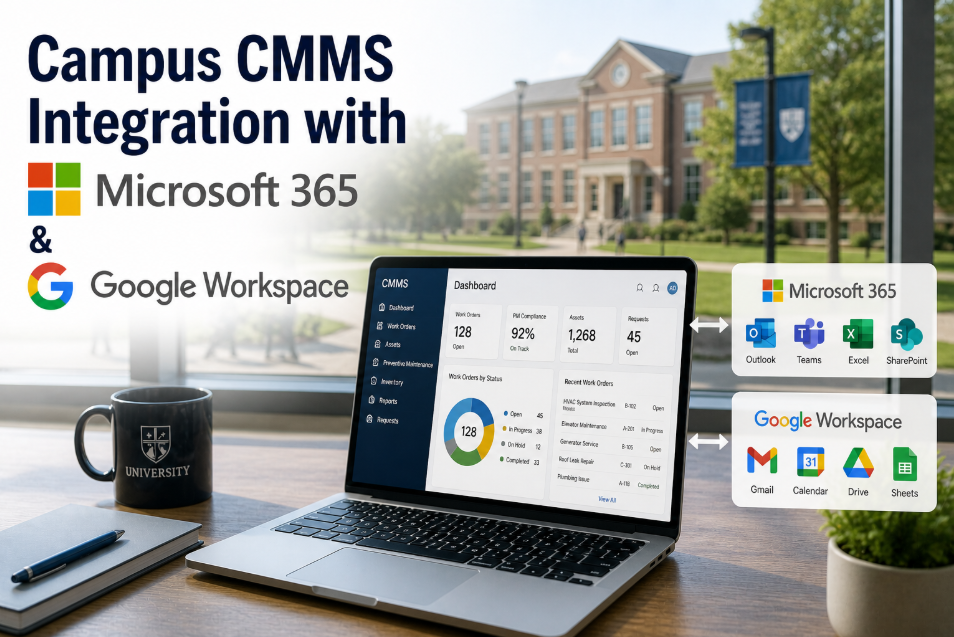
Campus Maintenance Integration with Microsoft Teams and Slack
Maintenance alerts, work order updates, and budget approvals delivered directly into the platform your campus already uses — no extra logins, no separate app, no adoption friction.
40-60%
CMMS adoption rate increase with chat integration
3 min
Average approval time vs 4+ hours via email
Zero
Extra logins required for approvers
Real-time
Work order status pushed to channel
How Notifications Flow: CMMS to Teams/Slack
Event Triggers
→
Work order created, status changed, approval needed, PM overdue, or emergency alert fires in OxMaint.
Channel Routed
→
Notification sent to the configured Teams channel or Slack workspace — routed by building, priority, or team assignment.
Action Taken
→
Approver clicks approve/reject inline. Technician acknowledges assignment. No CMMS login required for the action.
CMMS Updated
Action syncs back to OxMaint — work order approved, status updated, timestamp logged. Full audit trail maintained.
What Gets Pushed — and Where
Microsoft Teams Integration
Notifications delivered as adaptive cards in Teams channels — with inline action buttons for approve, reject, assign, and escalate.
Work order creation and status change alerts
Budget approval requests with cost details inline
PM overdue warnings by building and priority
Emergency work order escalation to director channel
Slack Integration
Rich message blocks posted to designated Slack channels — with threaded replies that sync back to the work order record.
New request notifications with building and category
Technician assignment confirmations
Completion notifications with resolution summary
Weekly maintenance digest posted to leadership channel
Four Use Cases That Change Campus Maintenance Speed
Budget Approval in Minutes, Not Days
A $4,200 pump replacement needs VP approval. Instead of an email that sits unread for 3 days, it appears as a Teams card with cost, asset history, and approve/reject buttons. Average approval time: 3 minutes.
Emergency Escalation to the Right Person
A water main break fires an emergency work order. OxMaint pushes it to the Facilities Director's Teams DM with a phone call prompt and building location. Response time: under 5 minutes.
Technician Coordination Without Radio Chatter
Work order assignments push to the maintenance team Slack channel. Technicians acknowledge, update status, and add photos from the field — all visible to the dispatcher without a single radio call or phone check-in.
Leadership Reporting Without Report Requests
A weekly maintenance digest — open work orders, PM completion rate, emergency count, cost summary — auto-posts to the VP Operations Teams channel every Monday at 8:00 AM. No one needs to build or request it.
Maintenance Alerts Where Your Team Already Works
OxMaint integrates with Microsoft Teams and Slack — pushing work order updates, approval requests, and emergency alerts to the platform your campus already uses daily. Zero extra logins. Zero adoption friction.
Frequently Asked Questions
Does the Teams/Slack integration replace the CMMS interface?
No — it extends it. Technicians still use the OxMaint mobile app for detailed work order execution, checklist completion, and photo documentation. The Teams/Slack integration adds a notification and approval layer that keeps approvers, managers, and leadership informed without requiring them to log into the CMMS directly. It's designed for the 80% of campus staff who need maintenance visibility but don't need full CMMS access.
Can notifications be routed to specific channels by building or priority?
Yes — OxMaint's integration supports granular routing rules. Emergency work orders can go to the director's direct message. Routine updates post to the team channel. Budget approvals route to the finance approver's channel. Building-specific alerts go to building-specific channels. You control the routing — OxMaint handles the delivery.
Start a free trial to configure routing for your campus.
Is the approval action in Teams/Slack legally auditable?
Yes — every action taken through the Teams/Slack integration syncs back to OxMaint with a timestamp, user identity, and action record. Approvals, rejections, and assignments are logged in the work order history the same way they would be if performed in the CMMS directly. The audit trail is complete and exportable.
How long does the Teams/Slack integration take to set up?
The OxMaint integration with Microsoft Teams or Slack is configured through the platform's settings — typically in under 30 minutes. You connect your Teams tenant or Slack workspace, define channel routing rules, and select which event types trigger notifications. No custom development required.
Book a demo to see the setup process live.
Stop Checking Another Platform. Let Maintenance Come to You.
Campus maintenance teams don't need another app to check. OxMaint pushes alerts, approvals, and status updates directly into Microsoft Teams or Slack — so everyone stays informed, approvals happen in minutes, and the CMMS stays the system of record without forcing everyone to log into it.



.png)
