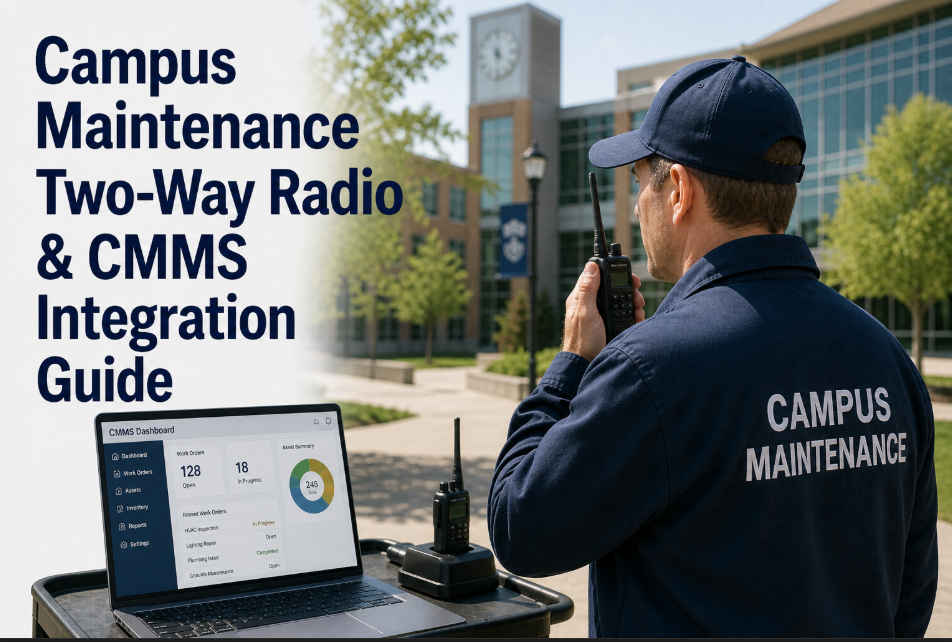
A regional university system with 42 buildings across three campuses had a maintenance team that lived on Motorola two-way radios. Every morning, the dispatch coordinator sat at a desk with a clipboard, a radio, and a whiteboard. Work requests came in by phone, email, and walk-up. She assigned them by radio — "Charlie, head to Whitman Hall room 214, toilet running" — and Charlie would respond with a click. At the end of the day, technicians filled out paper logs from memory. The system worked in the sense that things got fixed. It failed in every other sense: no timestamps on actual response times, no parts tracking, no labor hour accuracy, no proof of completion for compliance audits, and no data to justify the three additional FTEs the director had been requesting for two years. The director's budget request was denied because he could not demonstrate current team utilization — the radio system generated zero usable data. When the university finally deployed a CMMS, the technicians resisted for eleven days. They did not want to type on phones. They wanted their radios. The breakthrough came when the CMMS was configured to work alongside the radios — not replace them. Radio dispatch continued. But every dispatched task simultaneously created a digital work order that tracked what the radio could not: time, parts, cost, and completion evidence. Within 90 days, the director had utilization data showing his team was at 94% capacity — and the three FTEs were approved. If your campus maintenance team still runs on radios without digital backup, start a free trial with Oxmaint or book a demo to see radio-compatible CMMS workflows.
Campus Radio Dispatch Meets Digital Work Orders —
Your Team Relies on Radios. Your Budget Relies on Data. Bridge the Gap Without Forcing Technicians to Change How They Work.
78%
Campus teams using radios daily
APPA 2023 survey — two-way radio remains the primary dispatch method for campus maintenance crews
0%
Work order data from radio dispatch
Radio transmissions generate zero searchable records — response times, labor hours, parts used all lost
3.2 hrs
Weekly time lost to manual logging
Per technician — reconstructing the day's work from memory into paper or spreadsheet logs
$48K
Annual data gap cost per campus
Lost labor documentation, untracked parts, denied budget requests from missing utilization evidence
Keep the Radios. Add the Data. Prove the Workload.
Oxmaint runs alongside your existing radio dispatch — every radio call becomes a tracked, timestamped, costed work order without asking technicians to stop using the tools they trust.
Why Campus Maintenance Teams Still Depend on Two-Way Radios
Radio dependency on campus is not a technology failure — it is a workflow reality. Maintenance technicians work in basements with no cell signal, mechanical rooms with wet hands, and rooftops where pulling out a phone means risking a $1,200 device. Radios are instant, durable, one-handed, and require zero login credentials. A technician can acknowledge a dispatch in one second with a mic click. The same acknowledgment on a phone app takes 45–90 seconds: unlock, open app, find work order, tap accept. Multiply that by 18 dispatches per day across a 12-person team, and the productivity math argues for radios. The problem is not the radio — the problem is that the radio creates zero data. No response time measurement, no labor hour tracking, no parts consumption record, no completion evidence, no cost attribution by building or system. The radio is the best communication tool on campus and the worst documentation tool. The solution is not replacing one with the other — it is running both simultaneously. Modern CMMS platforms like Oxmaint are built for exactly this hybrid workflow. Want to see how it works with your current radio setup? Start a free trial and test the dispatcher workflow this week, or book a demo to walk through the radio-CMMS bridge.
Six Data Points Your Radio System Loses Every Single Day
01
Actual Response Time
The radio dispatch says "head to room 214." The technician clicks to acknowledge. Nobody records when the technician actually arrives. APPA benchmark response time is 24 minutes for routine requests — but without timestamps, you cannot measure, report, or improve it. SLA compliance becomes fiction.
02
Labor Hours Per Task
A technician spends 22 minutes fixing a toilet, 8 minutes walking to the next building, and 35 minutes on an electrical outlet. At end of day, the paper log says "plumbing 2 hrs, electrical 1 hr." The actual labor distribution — critical for staffing decisions — is lost to rounding and memory gaps averaging 18–26% inaccuracy.
03
Parts and Materials Used
The technician grabs a flush valve from the van, installs it, and moves on. The part is never logged against the work order. Inventory shows the part as "in stock" when it is installed in Whitman Hall. Reorder points fail. Stockouts on critical parts increase emergency procurement costs by 34% on average.
04
Cost Attribution by Building
Without digital work orders tied to locations, the annual maintenance cost per building is calculated by dividing the total budget by building count. A 1960s residence hall consuming 4x the maintenance of a 2018 classroom building shows the same per-building cost — making deferred maintenance prioritization impossible.
05
Completion Evidence for Compliance
Fire marshal asks: "Show me documentation that the kitchen hood suppression system was inspected in March." The answer lives in a paper log filed in a binder in the shop — if the technician remembered to write it down, and if the binder survived the office reorganization. Digital completion with photo evidence and timestamp eliminates this vulnerability.
06
Team Utilization and Capacity Data
The maintenance director knows the team is overworked. The VP of Administration sees 8 technicians and 14,000 work requests and asks "what are they doing all day?" Without task-level time tracking, the director cannot prove the team is at 94% capacity instead of the assumed 65%. Budget requests without utilization data get denied — 72% of the time according to NACUBO survey data.
The Radio-CMMS Bridge: How It Actually Works
Step 1
Request Comes In
Work request arrives by phone, email, web portal, or walk-up. The dispatcher enters it into Oxmaint — 15 seconds per request. The system auto-assigns building, room, category, and priority based on request content.
Digital work order created instantly
Step 2
Radio Dispatch Continues
The dispatcher does exactly what they have always done — picks up the radio and calls the technician. "Charlie, Whitman 214, running toilet." Charlie clicks to acknowledge. The human workflow does not change. The radio remains the primary communication channel.
Zero change to technician radio workflow
Step 3
CMMS Tracks Simultaneously
The dispatcher clicks "Dispatched" in Oxmaint at the same moment they key the radio. Timestamp recorded. When Charlie radios back "done," the dispatcher clicks "Completed" — elapsed time auto-calculated. If Charlie used a part, the dispatcher logs it in one tap from the parts dropdown.
Dispatch timestamp + completion timestamp captured
Step 4
Data Flows Automatically
Response time, labor hours, parts consumed, building cost attribution, technician workload, PM completion rates — all calculated automatically from the timestamps the dispatcher entered during normal radio operations. No end-of-day paper logs. No memory reconstruction. No data gaps.
Full reporting without technician data entry
The critical insight is that the dispatcher — who is already sitting at a desk managing the radio — becomes the digital bridge. The technicians never touch a phone or a keyboard during this workflow. They use their radios exactly as they always have. The dispatcher adds 4–6 seconds of screen taps per dispatch to capture the data the radio cannot. Over 50 dispatches per day, that is 4–5 additional minutes for the dispatcher — and the return is a complete digital maintenance record that transforms budget conversations, compliance audits, and staffing requests. For teams ready to add mobile technician input later, Oxmaint's app lets technicians tap "arrived," "completed," and snap a photo — but the radio-bridge model works immediately with zero technician behavior change. See how it fits your dispatch setup by starting a free trial or booking a demo.
Before vs. After: Radio-Only Dispatch vs. Radio + CMMS
| Operational Metric | Radio-Only Dispatch | Radio + Oxmaint CMMS |
| Response time tracking |
Not measured — estimated from memory at end of day |
Timestamped to the second — dispatch, arrival, completion |
| Labor cost per building |
Total budget divided by building count — no differentiation |
Actual labor hours attributed to each building, floor, and room |
| Parts inventory accuracy |
Physical count quarterly — 22–38% variance typical |
Real-time consumption logged per work order — variance under 5% |
| Compliance audit readiness |
Binder search for paper logs — hours to compile, gaps common |
Filtered export by date range, building, system — minutes to generate |
| Technician utilization proof |
Anecdotal — "the team is very busy" |
94% utilization documented with task-level time data per technician |
| Budget request success rate |
28% approval rate without utilization data (NACUBO) |
72% approval rate with documented workload evidence |
How Oxmaint Works for Radio-Dependent Campus Teams
01
Dispatcher-Centric Work Order Entry
The interface is built for speed — building dropdown, room field, category selector, priority flag, technician assignment. A trained dispatcher creates a complete work order in 12–15 seconds. Auto-fill from previous requests in the same location reduces repeat entries to 6 seconds. The dispatcher never leaves the screen between radio calls.
15-second work order creation at dispatch speed
02
One-Tap Status Updates
Dispatched, En Route, Arrived, In Progress, Completed, On Hold — each status is a single tap. The dispatcher updates status as the technician radios progress. Each tap creates a timestamp. The chain of timestamps becomes response time, travel time, wrench time, and total duration — calculated automatically.
Status timestamps replace end-of-day memory reconstruction
03
Parts Logging From Dropdown
When Charlie radios "used a flush valve and two supply lines," the dispatcher selects from the parts dropdown — pre-populated with the campus inventory. Part cost, vendor, and location auto-attached. Inventory count decrements in real time. Reorder alerts fire when stock hits minimum threshold — no more quarterly physical counts finding empty bins.
Real-time inventory accuracy without technician data entry
04
Push-to-Talk App Integration
For teams migrating from hardware radios to push-to-talk apps (Zello, Voxer, Microsoft Teams Walkie Talkie), Oxmaint notifications appear alongside PTT channels. A dispatched work order pings the technician's PTT device with the assignment details — combining voice and digital in one device without switching apps.
PTT and work orders on the same device
05
Technician Mobile Option (When Ready)
The radio-bridge model works on day one with zero technician app adoption. When individual technicians are ready — and they come around at their own pace — the Oxmaint mobile app lets them tap Arrived and Completed, snap a before/after photo, and add notes. Adoption typically reaches 60% within 90 days when the team sees how it reduces their paperwork.
Gradual adoption — no forced transition
06
Automated Reporting From Radio Workflow Data
Every timestamp the dispatcher entered during radio operations feeds automatic reports: average response time by priority, labor hours by building, PM completion rate, technician workload distribution, cost per system category, and trend analysis month over month. The reports that took the director 8 hours to compile manually now generate in 30 seconds.
Director gets reporting without anyone changing behavior
The ROI of Adding Digital Tracking to Radio Dispatch
3.2 hrs
Saved per technician weekly
Eliminated end-of-day paper logging and memory reconstruction across entire team
72%
Budget request approval rate
With documented utilization data vs. 28% without — NACUBO facilities survey
34%
Emergency procurement reduction
Real-time parts tracking eliminates stockouts that force expensive rush orders
$48K
Annual data gap cost eliminated
Lost labor documentation, untracked parts, and denied budget requests recovered
Frequently Asked Questions
Do technicians have to use phones or tablets for this to work?+
No. The radio-bridge model puts all data entry responsibility on the dispatcher — the person already sitting at the desk managing radio traffic. Technicians continue using their radios exactly as they do today. Zero behavior change required from field staff on day one. Mobile app adoption is optional and happens naturally over time as technicians see the benefits — reduced paperwork, eliminated end-of-day logs, and proof of their work for performance reviews.
Book a demo to see the dispatcher-only workflow.
How much additional work does this create for the dispatcher?+
Approximately 4–6 seconds per dispatch for work order creation and status updates. Over 50 dispatches per day, that totals 4–5 additional minutes. Most dispatchers report that the structured work order entry is actually faster than their previous clipboard-and-whiteboard tracking because the system auto-fills location data, technician assignments, and category codes from previous entries. The net time impact is often negative — the dispatcher saves time overall.
Can Oxmaint integrate directly with our Motorola or Kenwood radio hardware?+
Oxmaint does not replace or directly integrate with analog radio hardware — and it does not need to. The radio remains the voice communication channel. Oxmaint runs on the dispatcher's computer or tablet as the parallel digital tracking layer. For teams using push-to-talk apps (Zello, Teams Walkie Talkie, Voxer) on smartphones, Oxmaint notifications appear on the same device. The two systems complement each other without requiring hardware changes or API connections to radio infrastructure.
What happens to our existing paper logs and historical data?+
Historical paper logs remain archived per your institutional retention policy. Oxmaint does not require backfilling historical data — the system starts clean from go-live and builds the digital record forward. Within 90 days, you have enough data for meaningful reporting. Within 6 months, you have trend data for budget justification. Within 12 months, you have a complete annual baseline that makes every future budget cycle data-driven instead of anecdotal.
Start a free trial to begin building your digital baseline today.
Radio + CMMS Integration — Oxmaint
Keep Your Radios. Capture Your Data. Prove Your Workload. Get Your Budget Approved.
The radio stays in your technician's hand. The data starts flowing into your system. Response times, labor hours, parts costs, building attribution, compliance evidence, and team utilization — all captured from the same radio dispatch workflow your team already runs every day.
15 sec
Work order creation time
Zero
Technician behavior change required
72%
Budget approval rate with data
90 days
To meaningful reporting baseline


.png)
