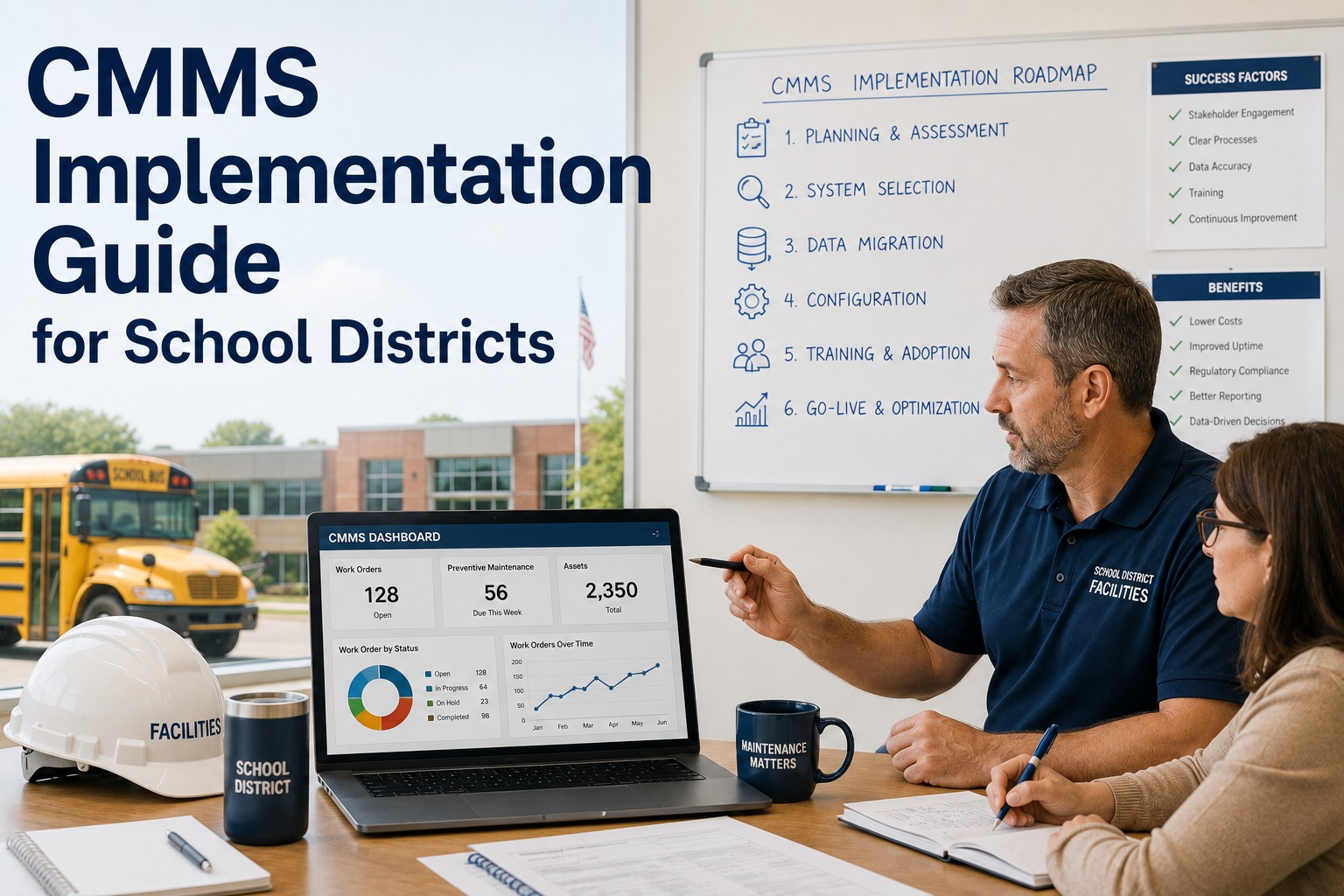
For most school districts, facilities management still lives in three-ring binders, work-order slips, and the institutional memory of a handful of veteran custodians. A well-deployed CMMS replaces that paper operation with a data-driven one—giving directors real-time visibility into 4,000+ assets, prioritizing preventive maintenance, and turning last-minute fire drills into scheduled work. The catch: roughly half of CMMS rollouts stall in adoption, becoming expensive shelfware that gets logged into once a quarter. The difference between a rollout that delivers 20%+ uptime gains and one that wastes six figures of budget comes down to system selection, clean data migration, and change management. Before you commit to a platform, consider this your field-tested playbook—you can Start Free Trial to follow along with a live environment as you read.
Rolling out a CMMS across a district of 12 buildings is not a software problem. It is a change-management problem.
The platform is the easy part. The hard part is migrating 3,000+ asset records, retraining custodians who have used paper for 20 years, and building PM schedules that actually run. This guide breaks the rollout into six phases—from selection through adoption—so your district gets measurable value in 90 days, not a dusty login.
A 90-day rollout, broken into six defensible phases
Districts that try to "go live" in week two almost always fail. The districts that hit 85%+ work-order adoption in one quarter follow a phased sequence—each gate closed before the next opens. Here is what 90 days looks like when it is run like a project, not a hope.
Selection & Scope Definition
Lock a cross-functional team—Facilities Director, Head Custodian, IT, and a Principal. Inventory every building, count assets (a mid-size district averages 3,500–5,000), and define 8–10 must-have features. Reject platforms that cannot handle K-12 specifics: seasonal shutdowns, bonded-fund tracking, and athletic facility scheduling.
Asset Data Cleanup & Migration
This is the phase most districts underestimate by 3x. Pull data from spreadsheets, old PM software, and boiler logs. Standardize naming conventions (Building-Room-Asset), deduplicate, and tag criticality. Budget 40–60 hours of staff time for a 4,000-asset district. Garbage in means the system never gets trusted.
PM Schedule Build-Out
Translate manufacturer-recommended intervals and institutional knowledge into recurring PMs. A typical district builds 150–250 PM templates in this window—HVAC filter changes, boiler inspections, gymnasium floor refinishing, fire-sprinkler tests. Attach estimated labor hours and parts to each so the system can auto-generate weekly workloads.
Pilot at One Building
Go live at a single, mid-complexity building—ideally a 600–900 student secondary school with 600+ assets. Run every work order through the CMMS for two weeks. Collect friction points, fix the naming taxonomy, and document the "first 10 minutes" of daily use. This pilot catches 80% of rollout problems before they scale.
Phased District-Wide Expansion
Roll out building-by-building, no more than 3–4 per week. Train each custodial team on-site, in their building, with their assets already loaded. Send the implementation champion to each kickoff. Resist the temptation to "flip the switch" district-wide on a Monday—it guarantees a help-desk flood.
Adoption Audit & Optimization
Pull the metrics that matter: work orders closed on time, PM-to-reactive ratio (target 60/40 by day 90), average response time, and asset downtime. Identify the 2–3 buildings lagging in adoption and intervene directly. This is where the CMMS shifts from "a new tool" to "how we work."
Paper operations quietly drain 15–20% of a facilities budget every year
A district spending $2.4M annually on facilities operations typically loses $360K–$480K to reactive maintenance, duplicate parts purchases, lost warranty claims, and overtime driven by unplanned failures. The math is not subtle—and it compounds every year a rollout is delayed.
Twelve gates to close before you cut over to the new system
Skip any one of these and adoption stalls. Print this list, assign an owner to each item, and do not schedule go-live until every box is checked. Districts that follow this checklist hit 80%+ custodial adoption in the first month—those that skip it average 35%.
Data & Assets
- Every asset tagged with Building-Room-Asset convention
- Criticality rating (A/B/C) assigned to all Tier-1 equipment
- Warranty docs scanned and attached to asset records
- Spare parts mapped to parent assets in inventory module
Process & Workflow
- Work-order priority matrix defined and signed off
- 150+ PM templates built with labor-hour estimates
- Approval routing set for expenditures over $500
- Seasonal shutdown schedules built for summer/winter breaks
People & Adoption
- Every custodian logged 30+ min in a sandbox environment
- Mobile app installed and tested on all field devices
- One "CMMS Champion" named per building
- Principal and admin staff trained on submitting work requests
What actually changes when a district moves off paper
The shift is not incremental—it is categorical. Below is what directors report within the first semester of a clean rollout, measured against the paper-based baseline most districts still operate on.
| Operational Metric | Paper / Spreadsheet Operation | CMMS (Day 90+) |
|---|---|---|
| Average work-order response time | 3–5 business days, often lost | Under 24 hours, auto-routed |
| PM-to-reactive ratio | 30/70 (firefighting default) | 60/40 (scheduled dominates) |
| Asset lifecycle (HVAC, boilers) | 12–15 years, failure-driven | 18–22 years, PM-extended |
| Warranty claims recovered | Under 10% (documentation lost) | 65%+ (auto-flagged at failure) |
| Parts inventory carrying cost | $85K–$120K with duplicates | $45K–$60K, min/max automated |
| Audit readiness (state/federal) | 2–3 weeks of manual compilation | One-click report generation |
The three adoption practices that separate wins from shelfware
Software selection matters less than the human system around it. These three practices—drawn from districts that hit sustained 80%+ adoption—cost almost nothing and predict success more reliably than any feature comparison.
Name a CMMS Champion in every building
The single highest-correlation factor with adoption. A champion is a custodian or lead—not an administrator—who owns the system in their building, answers peer questions, and surfaces friction to the implementation team. Districts without champions average 32% adoption; districts with them average 81%.
Make the CMMS the only path to a work order
As long as staff can call, email, or slip a paper note to a custodian, they will. On go-live, communicate that work requests submitted outside the system are not tracked, not prioritized, and not counted toward staffing reviews. Friction is the point—briefly—until the new habit forms. Most districts see call-in volume drop 70% within three weeks.
Publish a weekly metrics digest to leadership
Every Friday, auto-send a one-page dashboard to the Superintendent and Business Manager: work orders opened, closed, overdue, PM completion rate, and top failing assets. Visibility at the top creates accountability at the bottom. Districts that share metrics weekly maintain 25% higher custodial engagement than those that report quarterly.
Ready to replace the paper binder with a system that actually runs?
Start a free trial and load your first 500 assets today, or book a 30-minute walkthrough with a K-12 implementation specialist.
Five questions district leaders ask before they commit
These come up in nearly every selection conversation. The answers below are drawn from districts that have already gone through the rollout—both the ones that succeeded and the ones that had to restart.
How long should a realistic CMMS rollout take for a 10-building district?
Plan for 90 days from contract signing to district-wide go-live, assuming a dedicated implementation champion and clean-enough asset data. The first two weeks are selection and scope, weeks three through six are data migration and PM build-out, and weeks seven through ten are the pilot plus phased expansion. Districts that promise a 30-day rollout almost always extend it—and usually skip the pilot phase, which is where most failures originate.
What does a CMMS cost for a school district, and what is the typical ROI window?
Most K-12-focused CMMS platforms run $3–$8 per student annually, or $35K–$60K per year for a 10,000-student district, depending on modules and asset count. The ROI window is typically 9–14 months when you factor in reduced overtime, recovered warranty claims, extended asset lifecycle, and eliminated duplicate parts purchasing. A district spending $2.4M on facilities operations usually recovers the subscription cost in the first semester through reactive-maintenance reduction alone.
Our custodial staff is not tech-savvy. Will they actually use a mobile CMMS?
Yes—if you train them in their building, on their assets, with their accounts already loaded. The mistake is classroom-style training on generic data. Hand a custodian a phone with their boiler room already in it, show them how to close a work order in two taps, and adoption follows. The mobile interface matters: choose a platform optimized for gloved hands and outdoor visibility. You can Book a Demo to see the mobile workflow on a live device before deciding.
Can a CMMS track compliance for state-mandated inspections and IAQ requirements?
This is one of the highest-value use cases. A properly configured CMMS stores inspection forms, captures digital signatures, timestamps completion, and generates audit-ready reports on demand. For districts subject to annual indoor air quality, fire-sprinkler, and elevator inspections, this alone saves 40–60 hours of manual compilation per audit cycle—and eliminates the compliance gaps that paper checklists inevitably create.
What happens to our existing asset data if we switch platforms later?
Reputable K-12 CMMS providers offer full data export in standard formats—CSV for asset records, PDF for completed work orders, and open API access for ongoing integration. Before signing, confirm the export policy in writing. Your asset data is your district's intellectual property, not the vendor's. The cleanest migrations happen when data is structured under a consistent naming convention (Building-Room-Asset) from day one, regardless of which platform you eventually land on.
Turn your facilities operation from paper-driven to data-driven in 90 days
Load your first 500 assets today with a free trial, or walk through a K-12-specific implementation plan with our team in a 30-minute demo.
Free 14-day trial · No credit card