When a visitor falls on a wet lobby floor, the first question from an attorney is rarely about the fall. It is about what your team did before it: who inspected, when, what they found, and whether you can prove it. A paper checklist signed at the end of a shift is easy to challenge. A record created at the location, stamped by the system, and protected from later editing is far harder to dismiss. This guide explains what makes an inspection record defensible and how Oxmaint inspection software can help you build that record automatically.
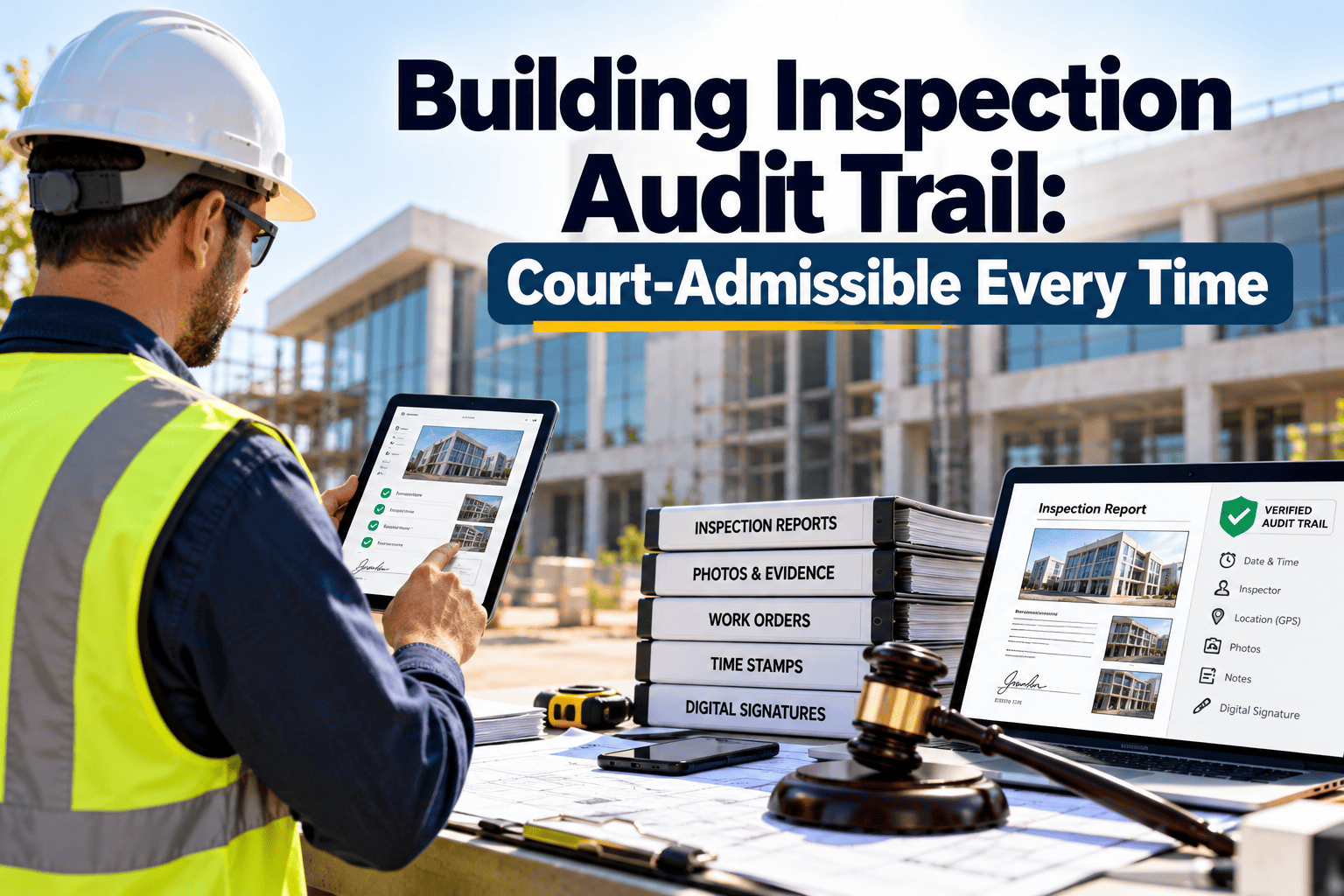
Building Inspection Audit Trail: Court-Admissible Every Time
Build inspection records that show who, what, where, and when, so your defense does not depend on anyone's memory.
What Opposing Counsel Looks for in Your Records
Premises liability claims often turn on whether the owner exercised reasonable care and whether it can show it. Rules differ by jurisdiction, so confirm requirements with your legal counsel. The patterns below are common.
- Checklists filled in batches after the fact
- Identical entries repeated day after day
- No location or time detail
- Handwriting that cannot be matched to a person
- Missing sheets and gaps in the schedule
- Entries created at the asset or area
- System-generated time and user identity
- Photos attached to findings
- Defects linked to a work order and its closure
- Edits tracked, never silently overwritten
The Evidence Elements of a Defensible Inspection
| Element | What it proves | Common failure with paper |
|---|---|---|
| Timestamp | The inspection occurred when the record says it did | Time written by hand, often rounded or reconstructed |
| Geo-tag or location tag | The inspector was at the inspected area | No proof of presence |
| User identity | A specific, authorized person performed the check | Initials, shared logins, or illegible signatures |
| Photo evidence | Actual condition at the time of inspection | No images, or images stored separately |
| Defect and response link | Hazards were reported and acted upon | Findings noted but never traced to repair |
| Edit history | The record was not altered afterward | Pages replaced or annotated later |
Chain of Custody for Inspection Data
Chain of custody means you can show who created the record, who touched it, and that it stayed intact. Digital systems make this practical.
Stop Relying on Memory and Paper
See how time-stamped, location-tagged inspections and linked work orders create a record your legal team can use.
Slip-and-Fall Scenario: Two Different Defenses
- Claim arrives months after the incident
- Team searches binders for the relevant shifts
- Entries are partial and cannot be verified
- Staff recall is uncertain and inconsistent
- Defense rests on testimony alone
- Search by location and date range
- Pull every inspection of the area before the incident
- Show time, user, photos, and findings
- Show any hazard report and its repair status
- Defense rests on a verifiable record
A strong record does not guarantee an outcome. It does remove the argument that you cannot show what you did.
Closing the Loop: Findings Must Lead to Action
An inspection that records a hazard and then nothing is a liability. Courts and insurers look at the response as closely as the finding.
- Convert every failed inspection item into a work order automatically.
- Assign priority and a due date based on the risk of the hazard.
- Require a completion photo before the item closes.
- Escalate overdue hazards to a manager.
- Keep the finding, work order, and closure in one connected history.
Hazards that deserve the strictest tracking
- Wet floors, leaks, and slippery entrances
- Damaged flooring, stairs, and handrails
- Lighting failures in walkways, stairwells, and parking
- Blocked egress routes and failed emergency lighting
- Fire protection impairments and expired equipment tags
Frequency, Retention, and Coverage
| Question | Practical approach |
|---|---|
| How often to inspect | Match frequency to risk and to codes, insurer requirements, and lease terms for the area |
| How long to keep records | Follow your counsel, insurer, and jurisdiction guidance; many owners retain well beyond the minimum |
| What to do on a claim | Preserve affected records so they are not changed or deleted during the hold |
| Who can export | Limit to defined roles and log each export |
Self-audit checklist
- Can you retrieve every inspection of a specific area for a given month?
- Does each record show the person, time, and place?
- Are photos stored with the inspection, not in a personal phone?
- Can you show what happened to every failed item?
- Can you prove no record was altered after submission?
How Oxmaint Supports Defensible Inspections
Audit Trail FAQs
Are digital inspection records automatically admissible?
Why does a geo-tag matter?
Can inspection entries be corrected?
Do I need to digitize old paper records?
Can multiple buildings share one standard?
Why Inspection Records Become Evidence
Inspection records are created for operations, but they often end up in a legal file. The way a record is made decides how it is treated later, so build for the harder audience from day one.
- Plaintiffs ask for inspection logs to test whether your stated routine actually happened.
- Insurers request them to evaluate whether a loss was preventable.
- Regulators and lenders may review them during audits or due diligence.
- Your own counsel needs them quickly, often with a short deadline.
The three questions every record must answer
- Who performed the inspection, and were they qualified and authorized?
- When and where was it done, according to a source the inspector cannot easily edit?
- What was found, and what happened next?
Building the Inspection Standard Before Technology
Software records what you tell it to record. A weak inspection standard produces a well-timestamped but weak record. Define the standard first.
| Standard element | What to define | Why it matters in a dispute |
|---|---|---|
| Scope | Which areas, assets, and hazards each inspection covers | Shows the inspection addressed the relevant condition |
| Frequency | How often each area is checked, based on risk and traffic | Demonstrates a reasoned, consistent routine |
| Criteria | What counts as pass, fail, or needs attention | Removes subjective judgment from the record |
| Response times | How fast each hazard class must be corrected or made safe | Shows you acted within your own stated policy |
| Training | Who is qualified to inspect and how that is recorded | Supports the reliability of the inspector |
| Escalation | When a finding goes to a manager or contractor | Shows hazards did not stall at one desk |
A routine you wrote down but did not follow can hurt more than having no routine. Write standards you can actually meet.
Design of a Defensible Digital Checklist
Common Weak Points Attorneys Exploit
- Pattern entries: every checkbox ticked identically for weeks suggests the form was not truly completed.
- Round-number times: inspections logged at exactly the same minute every day suggest backfilling.
- Unassigned hazards: a note that a floor is damaged with no repair record shows knowledge without action.
- Shared accounts: when several people use one login, no one can be tied to a specific inspection.
- Gaps: missing weekends, holidays, or shift changes are noticed quickly.
- Changed records: any evidence of editing after an incident invites accusations beyond the original claim.
- Inconsistent policies: records that contradict your written procedures weaken both.
How digital controls address them
- System-generated timestamps remove the round-number problem.
- Individual accounts tie each record to one person.
- Overdue and missed-round alerts surface gaps while they can still be fixed.
- Amendment logs show corrections openly instead of hiding them.
Responding to a Claim: A Practical Sequence
Multi-Site Portfolios: Keeping One Standard
Portfolios face a particular risk: one building follows the policy and another does not, and the weaker site becomes the example. Central control reduces that exposure.
- Use common inspection templates with site-specific additions only where needed.
- Review completion rates side by side to find the lagging building.
- Set the same response time rules for the same hazard classes.
- Give regional managers a view of open hazards across their sites.
- Audit a sample of records each quarter for quality, not just completion.
Quarterly record quality review
- Do photos clearly show the condition described?
- Are notes specific enough for a stranger to understand?
- Were failed items closed within the policy window?
- Are inspection durations plausible for the area size?
Audit Trail Maturity: Where Is Your Program Today?
| Level | Description | Main risk |
|---|---|---|
| Level 1: Informal | Verbal rounds, occasional notes, no consistent record | Cannot prove any inspection occurred |
| Level 2: Paper logs | Handwritten checklists filed in binders | Records are easy to challenge or lose |
| Level 3: Digital forms | Electronic checklists without strong controls | Timing and edits still questionable |
| Level 4: Controlled trail | Time, user, location, photos, amendment log, linked work orders | Residual risk is mostly process discipline |
Moving up a level
- From Level 1 to 2: define scope, frequency, and criteria, then record every round.
- From Level 2 to 3: move checklists to a mobile tool so entries are structured and searchable.
- From Level 3 to 4: add required photos, individual logins, amendment logs, and automatic work orders.
- Review a sample of records each quarter to confirm the controls work in practice.
Key Takeaways for Facility and Risk Teams
- Write an inspection standard you can actually follow, then record every round against it.
- Rely on system-generated time, user, and location rather than hand-entered details.
- Attach photos to failed items and link each to a work order through closure.
- Log all amendments openly, and never overwrite the original entry.
- Test your ability to retrieve records for one area and date range before you need to.
- Confirm retention periods and legal holds with counsel and your insurer.
Make Every Inspection Count as Evidence
Give your team an inspection process that records who, what, where, and when without extra paperwork.