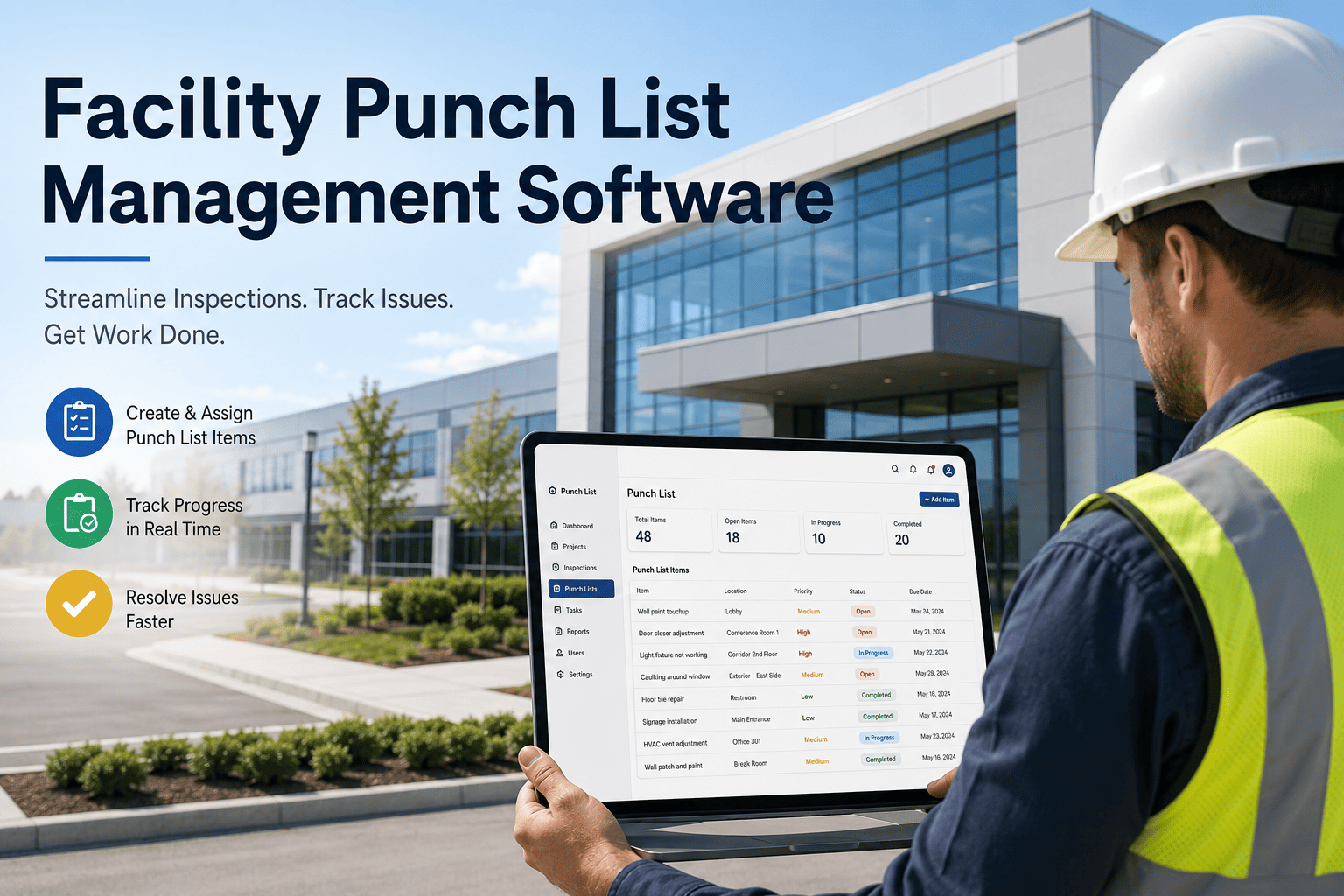
A punch list is the last obstacle between a finished building and a paid contractor. Walkthroughs after substantial completion typically surface 150 to 400 open items across architectural finishes, mechanical rooms, electrical panels, and life safety devices, and every one of them sits between the general contractor and final payment. Tenant improvement turnovers and warranty-period defect lists work the same way, except the person chasing closure is now the facility team, not the builder. Spreadsheets lose photos, paper walk sheets misplace trade contacts, and owners get no live view of what is actually closed versus what is marked closed on someone's clipboard. Oxmaint replaces that guesswork with a punch list platform built for post-construction closeout, TI turnover, and warranty tracking, and you can sign up free or book a demo to see your next closeout finish faster.
312
Average open punch items on a mid-size commercial project at substantial completion
41 days
Typical time from punch walk to full closure when items are tracked on paper or spreadsheets
1 in 4
Punch items reopened after being marked closed because verification photos were never captured
$0
Retention released to trade contractors until every assigned item on their list is verified shut
Close Every Punch Item Once, Not Three Times
Oxmaint turns every punch walk into a mobile checklist with photo evidence, trade assignment, and a verification step that has to happen before an item can be marked closed. Owners, GCs, and facility teams see the same live list, so nothing gets reopened over a disagreement about whether it was ever really fixed.
Where Punch Items Come From
6 Punch List Categories Oxmaint Organizes Automatically
Every open item belongs to a system and a trade. Oxmaint groups items the moment they are logged so closeout managers can see which category is dragging the schedule instead of scrolling one long undifferentiated list.
Architectural Finishes
Paint touch-ups, flooring transitions, ceiling tile alignment, caulking gaps, and door and hardware adjustment items logged room by room with a photo attached to each.
Mechanical and HVAC
Uncommissioned VAV boxes, thermostat programming, duct insulation gaps, and balancing report discrepancies tracked against the mechanical asset record for the space.
Electrical and Low Voltage
Missing panel labels, uncalibrated occupancy sensors, incomplete data drops, and lighting control programming items assigned directly to the electrical subcontractor.
Life Safety Systems
Fire alarm device programming, sprinkler head cover plates, exit sign function, and emergency lighting items flagged for priority closure ahead of occupancy permit.
Site and Exterior
Striping, signage placement, landscaping punch items, and building envelope sealant gaps logged with GPS-tagged photos for exterior scope verification.
Tenant Improvement and Warranty
Post-occupancy defect reports from tenants routed into the same punch workflow, with warranty expiration dates tracked per item so nothing slips past the claim window.
Who Relies on Punch List Software
Four Teams Working the Same List for Different Reasons
A punch list is not one person's job. It is the point where a general contractor's crew, an owner's representative, a property manager, and a tenant improvement contractor all have to agree on the same facts before money changes hands or keys get handed over.
General Contractors
Need every trade's outstanding items visible in one list so the schedule for substantial completion does not slip because one subcontractor's punch items were sitting in an inbox instead of assigned to a due date.
Owners and Owner's Reps
Need proof, not a verbal assurance, that every flagged deficiency was actually corrected before releasing retention or accepting the building, which is exactly what a photo-confirmed verification step provides.
Facility and Property Management Teams
Inherit the building the day the punch list closes, and need warranty-period defects tracked separately so a callback six months later does not get confused with an item from the original closeout.
TI and Fit-Out Contractors
Run the exact same closeout process on a compressed timeline for a single tenant suite, often across dozens of suites in a portfolio, where a shared dashboard replaces one spreadsheet per contractor.
The Closeout Workflow
From Flagged to Signed Off: How a Punch Item Moves Through Oxmaint
1
Walk and Flag
Inspector walks the space on a phone or tablet, logs the deficiency against the room or asset, attaches a photo, and sets a priority level in under thirty seconds per item.
2
Assign and Notify
Oxmaint routes the item to the responsible trade contractor or internal technician automatically based on category, with a due date tied to the closeout schedule.
3
Remediate
The assigned contractor completes the repair in the field and marks it ready for review, attaching a completion photo directly against the original item.
4
Verify and Photo-Confirm
A second reviewer, never the person who did the repair, confirms the fix against the before photo before the item can change status. This single rule is what stops reopened items.
5
Owner Sign-Off
Once every item on a trade's list is verified, Oxmaint generates a signed closeout package the owner can approve in one action, releasing retention without a manual audit.
Platform Comparison
Oxmaint vs Spreadsheets, Paper Walk Sheets, and Generic CMMS Tools
Punch list tracking looks simple until the seventh revision of a spreadsheet is circulating by email with three different versions of "closed" in it. Here is what actually differs.
Scroll to compare all methods
Retention Held Up by a Punch List Nobody Trusts Anymore
When every party is reading from a different version of the list, closeout stalls and payment stalls with it. Oxmaint gives owners, GCs, and trade contractors one shared list with evidence attached, so the argument over whether something was fixed never happens in the first place.
Client Results
What Project Teams See After Moving Their Punch List to Oxmaint
63%
Faster Closeout
Average time from initial punch walk to full sign-off dropped from 41 days to 15 days once items routed automatically to trades instead of waiting for a weekly email.
4%
Reopened Items
Down from roughly 1 in 4 items reopened under spreadsheet tracking, once every closure required a photo-confirmed independent verification step.
1 click
Owner Sign-Off
Retention release packages that once took a project engineer two days to assemble by hand now generate automatically the moment the last item on a trade's list closes.
220,000 SF Office Tower
Closeout compressed from 9 weeks to 3 weeks
A general contractor closing out a 220,000 square foot office tower logged 287 punch items across 11 trades in Oxmaint. Automatic trade routing and photo-confirmed verification let the owner release final retention three weeks after the initial walk instead of the nine weeks typical on the firm's previous three projects.
Multi-Tenant TI Rollout
38 suite turnovers tracked in one dashboard
A facility team managing tenant improvement turnover across 38 suites in a single building used Oxmaint to track punch items per suite against individual TI contracts, giving property management one dashboard instead of 38 separate spreadsheets from 38 different contractors.
Frequently Asked Questions
Punch List Software: What Project and Facility Teams Ask First
Can subcontractors update punch items directly from their phone without a login to the full project system?
Yes. Trade contractors get a mobile link scoped to only their assigned items, so they can mark work complete and attach a photo without needing broader project access.
Book a demo to see the trade contractor view.
Does Oxmaint separate warranty-period defects from the original substantial completion punch list?
Yes. Warranty items are logged as a distinct list tied to each item's warranty expiration date, so post-occupancy defects never get mixed in with original closeout items.
Sign up free to configure your warranty tracking window.
How does the verification step actually stop items from being reopened later?
A different person than the one who performed the repair has to confirm the after photo against the original deficiency before Oxmaint allows the item to close, removing the single biggest source of disputed closures.
Can an owner see punch list progress without asking the GC for a status update?
Yes. Owners get a live, read-only view of every item's status by trade and category, updated the moment a technician logs a change in the field.
Book a demo to see the owner dashboard.
How long does it take to set up Oxmaint for a project already mid-closeout with an existing spreadsheet list?
Existing punch lists import in a single session, typically under a day, with items categorized and routed to trades immediately after.
Sign up free to import your current list and start routing today.
Your Next Punch Walk Doesn't Have to End in a Spreadsheet
Oxmaint gives general contractors, owners, and facility teams a single punch list that closes items once, verifies them properly, and releases retention without an audit fight. Bring your next post-construction, TI, or warranty punch walk into Oxmaint.