When a critical air handling unit fails without warning in the middle of a heatwave, facility teams rarely ask why the compressor broke — they ask why nobody saw it coming. Failure Mode and Effects Analysis exists to answer that second question before the first one happens, scoring every plausible failure mode across severity, occurrence, and detection so maintenance teams know which risks deserve attention now and which can wait. Most facilities still treat FMEA as a one-time spreadsheet exercise filed away after an audit and never opened again, which means the risk data goes stale the moment a new failure mode shows up on the floor. Modern facility CMMS software turns FMEA into a living workflow instead, where every risk score connects to a preventive maintenance task and every closed work order feeds fresh data back into the model. Book a demo to see how OxMaint runs FMEA as a continuous reliability programme, or start free and score your first failure mode today.
Failure Mode Effects Analysis Software for Facility Teams
A practical breakdown of how facilities run FMEA inside a CMMS in 2026 — scoring failure modes, calculating Risk Priority Numbers, and turning the analysis into preventive maintenance that actually happens, instead of a document that sits in a shared drive.
What FMEA Actually Measures — and Why Facility Teams Get It Wrong
Failure Mode and Effects Analysis is not a compliance form. It is a structured way of asking three questions about every asset in a facility: how bad is it if this fails, how likely is that failure, and how early would we actually catch it. Facility teams that run FMEA once during a reliability audit and stop are answering those three questions for a single moment in time — the day the audit happened — and then treating that answer as permanent. Assets age, run hours accumulate, parts get substituted during emergency repairs, and none of that shows up in a spreadsheet that was closed out eighteen months ago. The result is a document that looks rigorous but drives no real decisions, because the maintenance team stopped trusting it as soon as the first failure mode it ranked "low risk" caused an unplanned shutdown.
The fix is not more FMEA. It is FMEA that lives inside the same system that generates work orders, closes preventive maintenance tasks, and records what technicians actually find in the field. When the analysis and the maintenance execution share one database, the Risk Priority Number for a given failure mode moves when reality moves — a bearing that keeps failing early gets its occurrence score bumped automatically instead of waiting for the next scheduled review.
The RPN Formula: Severity, Occurrence, Detection
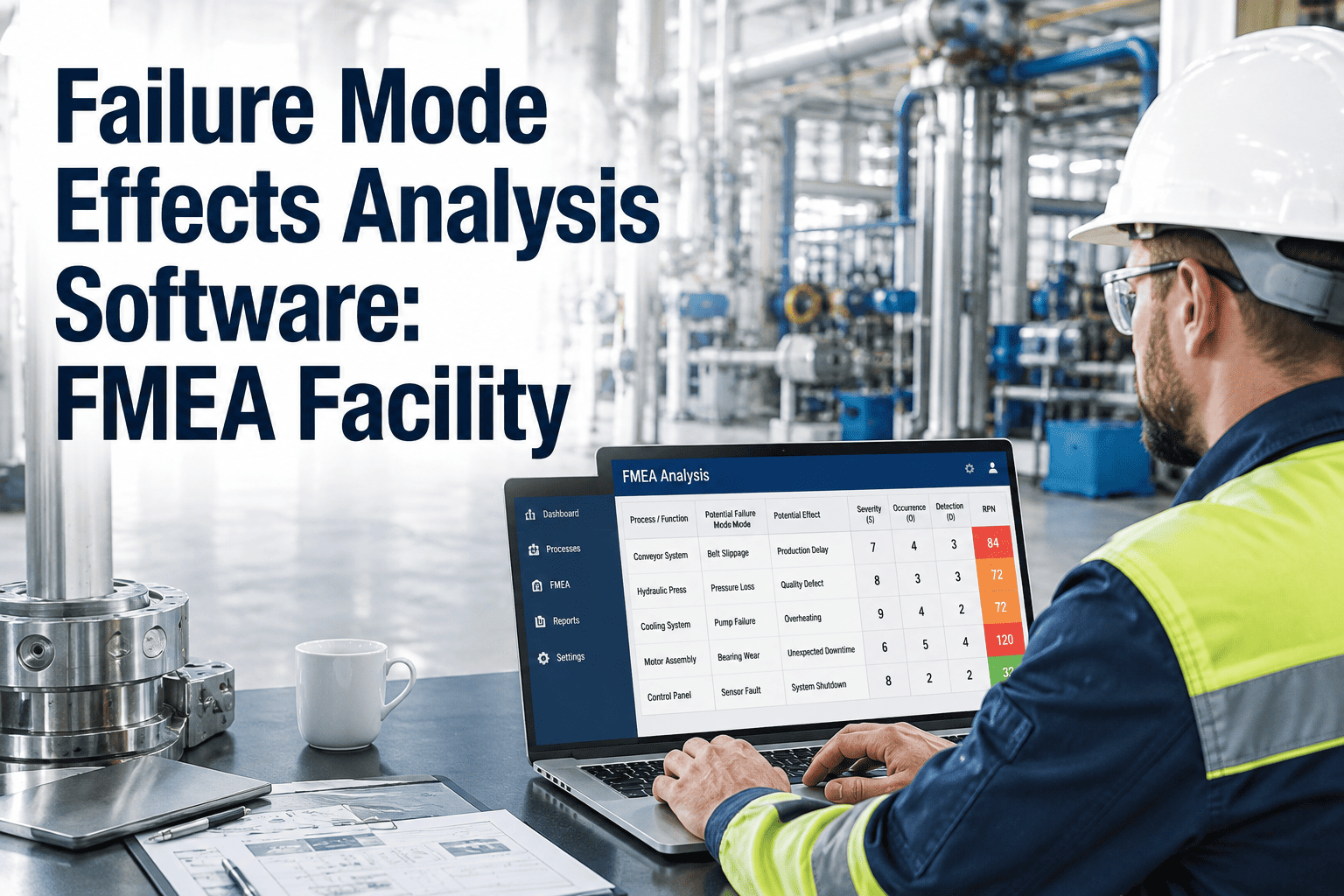
Every FMEA score comes down to the same three-factor calculation, and understanding each factor separately is what makes the Risk Priority Number defensible instead of arbitrary.
Stop Scoring Risk Once a Year. Start Tracking It Every Day.
OxMaint connects your FMEA scoring directly to preventive maintenance scheduling, work order history, and technician inspections — so the Risk Priority Number on every asset reflects what is actually happening on your floor, not what was true at last year's audit.
From Static Spreadsheet to Live CMMS Workflow — Four Steps
Turning FMEA into an operational habit rather than an annual document follows the same basic sequence across facility types, whether the portfolio is a hospital, a manufacturing plant, or a commercial office campus.
Spreadsheet FMEA vs FMEA Software Facility Teams Actually Use
The difference between a spreadsheet FMEA and a CMMS-connected FMEA is not formatting — it is whether the analysis can act on itself. The comparison below shows where the two approaches diverge in daily practice.
| Capability | Spreadsheet FMEA | FMEA Software (OxMaint) |
|---|---|---|
| RPN calculation | Manual entry, prone to formula errors and version drift across copies | Automatic, consistent scoring applied across every asset and department |
| Failure history | Relies on whoever remembers to update the file after a breakdown | Pulled directly from closed work orders and inspection records |
| High-risk follow-up | Flagged in a cell, easy to overlook once the file is closed | Auto-generates a preventive maintenance task with an assigned owner |
| Multi-site visibility | Separate files per site with no consolidated risk view | Single dashboard ranking risk across every facility in the portfolio |
| Audit readiness | Static document that may not reflect current asset condition | Live record with timestamped scoring history for every asset |
FMEA Looks Different Across Facility Types
The failure modes that matter most shift depending on what kind of facility you run — but the discipline of scoring, prioritising, and converting risk into maintenance action stays the same.
Your Highest-Risk Failure Mode Is Already in Your Maintenance History.
OxMaint reads your existing work order and inspection data to help you build a defensible FMEA baseline in days, not months — then keeps every Risk Priority Number current as new maintenance data comes in.
Frequently Asked Questions
Turn Your Next Failure Mode Into a Prevented Failure.
OxMaint gives facility and reliability teams a single platform to score risk, generate preventive maintenance from that scoring, and keep every Risk Priority Number current as real maintenance data comes in — so FMEA stops being a document and starts being a habit.