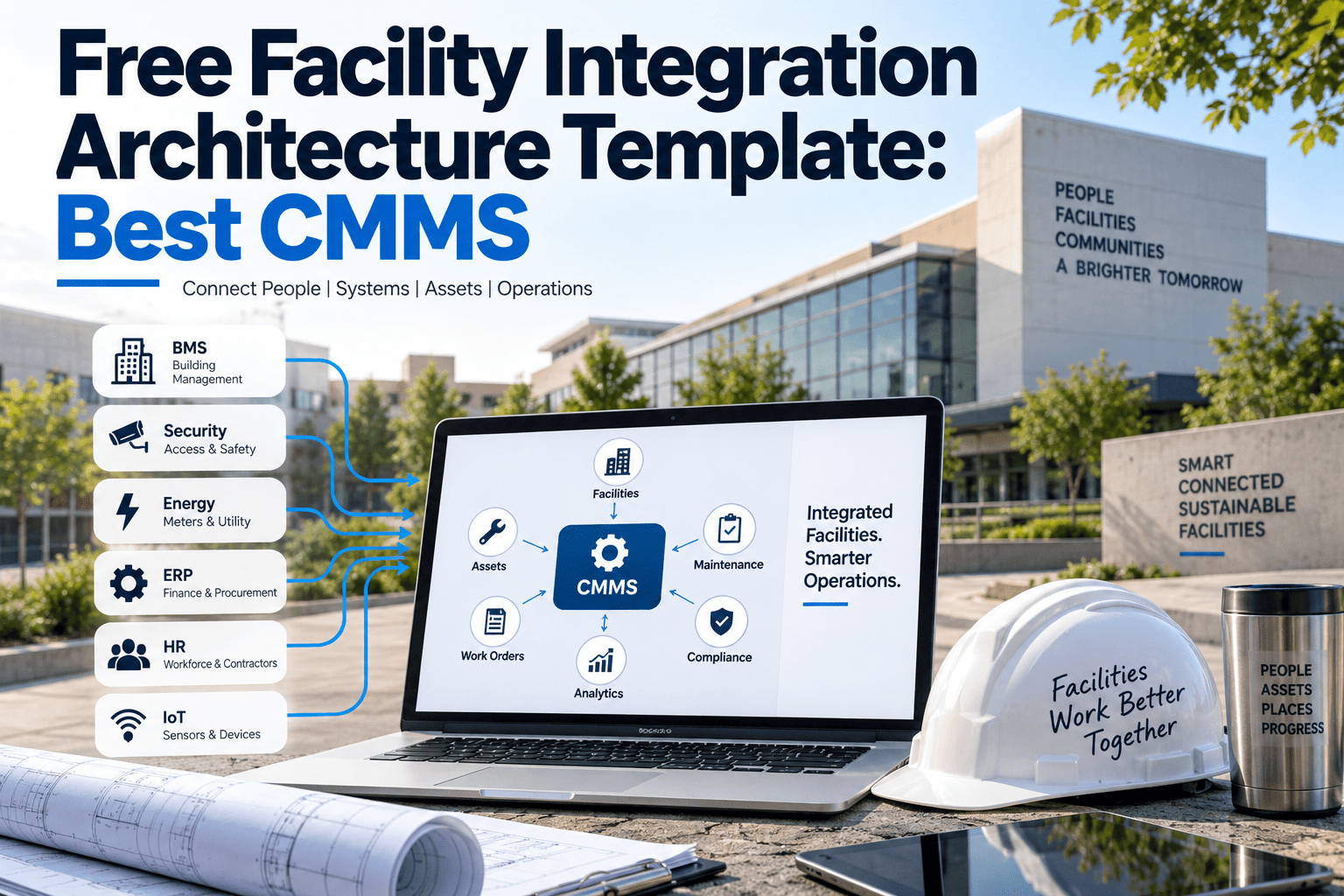
Every facility team eventually asks the same question: which system is the source of truth when a sensor, a technician, and a compliance officer each report something different about the same asset? Without a documented architecture, the answer changes depending on who you ask, and that inconsistency turns a small maintenance issue into a missed audit or an unplanned shutdown. An integration architecture template solves this by mapping exactly how data should move between your field devices, building systems, CMMS, ERP, and compliance records before you connect a single tool. Oxmaint's facility platform runs on this exact architecture today.
This template is built for the people who actually have to make an integration project work — facility directors weighing a new CMMS, reliability engineers tired of reconciling spreadsheets, and IT teams who need a data map before they will approve a new connector. If your team has ever debated which system is "correct" when two tools disagree about an asset, this architecture is written to settle that argument permanently.
Get the Architecture Running, Not Just Drawn on a Whiteboard
Oxmaint's platform is built on this exact six-layer architecture, so your team gets the template and the working system in one step.
What Each Layer of the Template Actually Does
A layer diagram is only useful if each layer has a clear job and a clear owner. Too many integration attempts fail because two layers quietly try to do the same job, creating duplicate records that nobody trusts. The cards below break down what data enters and leaves each of the six layers, so your team knows exactly where to plug in an existing tool instead of guessing where a new connection belongs.
Field Devices & IoT Sensors
Temperature, vibration, pressure, and energy sensors generate raw readings continuously. This layer's only job is accurate, timestamped data capture at the asset itself.
Building Management System
The BMS aggregates sensor data into alarms and setpoints for HVAC, lighting, and energy systems, translating raw readings into operational conditions worth acting on.
CMMS / EAM
The maintenance layer turns BMS alarms and sensor trends into work orders, asset history, and technician schedules — the operational core of the architecture.
ERP & Finance
Labor hours, parts costs, and vendor invoices from the CMMS map to consistent cost codes here, so maintenance spend and financial reporting always agree.
Analytics & Dashboards
This layer pulls from every layer below to surface trends — rising failure rates, budget drift, or recurring defect patterns — before they become expensive.
Compliance & Reporting
Inspection certificates, safety records, and audit trails are generated automatically from the layers below, always tied back to the correct asset and date.
Building the Architecture in Six Steps
A template is only a starting point. Turning it into a working architecture follows a consistent sequence, whether you are mapping a single building or a portfolio of fifty sites, and the order of these steps matters more than most teams expect. Facility teams that skip a step usually end up re-mapping asset identifiers later, which costs far more time and budget than doing it correctly the first time through.
Inventory Every Data Source
List every sensor type, building system, and software tool currently generating facility data, along with who owns and maintains each one.
Assign One Owner per Asset Record
Decide which layer holds the authoritative asset identifier, so every other system references the same name instead of creating its own.
Define the Data-Flow Direction
Map which layer sends data and which layer receives it for every connection, since not every link needs to flow both ways.
Set Thresholds That Trigger Action
Decide which sensor values or alarm conditions should automatically generate a work order rather than sit in a log nobody reviews.
Connect Compliance Last
Once the operational layers are stable, connect compliance reporting so every certificate and inspection record pulls from verified data.
Review and Re-Map Quarterly
New sensors and tools get added throughout the year, so revisit the architecture every quarter to keep every layer accurate and current.
Skip the Whiteboard — See This Architecture Live in Your Facility
Book a walkthrough and Oxmaint will map your current systems onto this six-layer architecture in real time.
What's Inside the Free Template
The template is more than a diagram. It includes the working documents facility and IT teams actually need to plan an integration project without hiring an outside consultant to translate it for them. Each document below is meant to be filled in with your own asset names, vendors, and thresholds, not used as a static reference that sits in a folder unopened.
Six-layer architecture diagram
A ready-to-edit visual map of every layer, formatted for both technical and non-technical stakeholders.
Data source inventory sheet
A structured worksheet to list every sensor, system, and tool currently in use across your facility portfolio.
Asset identifier naming guide
A naming convention checklist so every system references the same asset the same way, every time.
Data-flow direction map
A simple table format for documenting which layer sends and receives data for every connection point.
Threshold and alert rule sheet
A starting set of sensor and alarm thresholds proven to reduce false alerts while catching real issues early.
Compliance mapping worksheet
A worksheet linking each regulatory requirement to the layer and data source that will satisfy it automatically.
Four Mistakes That Break This Architecture Before It Starts
Most failed integration projects do not fail because a connector was technically difficult to build. They fail because a decision that should have been made on paper, before any connector was written, got skipped, and the gap only becomes visible months later when two reports disagree. These four mistakes account for the majority of stalled facility integration projects, and every one of them is avoidable with a documented architecture.
No Single Owner for Asset Names
When the CMMS, BMS, and ERP each use a different name for the same chiller, every cross-system report has to be manually reconciled, which quietly defeats the entire purpose of integrating in the first place.
Connecting Compliance Too Early
Teams that wire up compliance reporting before the operational layers are stable end up generating audit records from incomplete or inconsistent data, which creates more risk than having no automated reporting at all.
No Threshold Review Process
Alert thresholds set once during setup and never revisited generate alarm fatigue within months, and technicians start ignoring notifications altogether, which recreates the exact silo the architecture was meant to remove.
Treating the Template as One-Time Work
Facilities add new sensors, vendors, and software tools throughout the year, and an architecture that is never revisited slowly drifts back into the same disconnected state it replaced.
Layer → Data Flow → Integration Point
Once the architecture is documented, the abstract layer diagram becomes a concrete set of connections your team can actually build and test. The table below shows how data moves in practice, layer by layer, so both facility and IT teams can see exactly where a connector needs to exist and what it needs to carry.
| Layer | Sends Data To | Typical Data | Integration Point |
|---|---|---|---|
| Field Devices / IoT | Building Management System | Temperature, vibration, pressure readings | Sensor gateway API |
| Building Management | CMMS / EAM | Alarms, setpoints, equipment status | BMS-to-CMMS connector |
| CMMS / EAM | ERP & Finance | Labor hours, parts cost, vendor invoices | Cost code mapping |
| CMMS / EAM | Analytics & Dashboards | Work order history, failure trends | Reporting data feed |
| All Layers | Compliance & Reporting | Inspection records, certificates, audit logs | Compliance document engine |
Where This Template Fits Your Industry
The six layers stay identical across industries, but what flows through them changes with the type of facility. A hospital and a distribution warehouse will never have the same sensors or the same compliance requirements, yet both need the same underlying discipline: one asset name, one data-flow direction, and one place where the audit trail lives. Oxmaint's maintenance management software applies the same architecture underneath each of the industries below, adjusted only for the equipment and regulations specific to that sector.
Healthcare Facilities
Biomedical equipment and critical infrastructure sensors feed directly into compliance layers built for infection-control and safety regulations.
Manufacturing Plants
Production line sensors and spare parts inventory connect through the CMMS layer to minimize unplanned downtime on the floor.
Commercial Real Estate
Multi-tenant building systems and vendor work orders route through one architecture across every property in a portfolio.
Education Campuses
Classroom HVAC, safety inspections, and capital planning data stay connected across every building in a district or campus.
These numbers reflect what most teams see when they follow the six steps in order rather than jumping straight to connecting software. The time saved comes almost entirely from avoiding rework — remapping an asset identifier after three systems already reference it wrong is far more expensive than agreeing on the name once, upfront.
The projects that stall are almost never stopped by a missing feature. They stall because nobody agreed in advance which system owns the asset name, or which layer is allowed to trigger a work order. Once a team has a documented architecture, even a simple six-layer version, the actual technical integration becomes fast. The hard part was always the agreement, not the API. I have watched two-year integration efforts collapse to a six-week rollout once the team stopped debating tools and started debating layers instead.
Frequently Asked Questions
Turn This Template Into a Working Architecture This Month
Oxmaint runs the same six-layer architecture behind the scenes, so your facility team gets a documented plan and a live platform together.