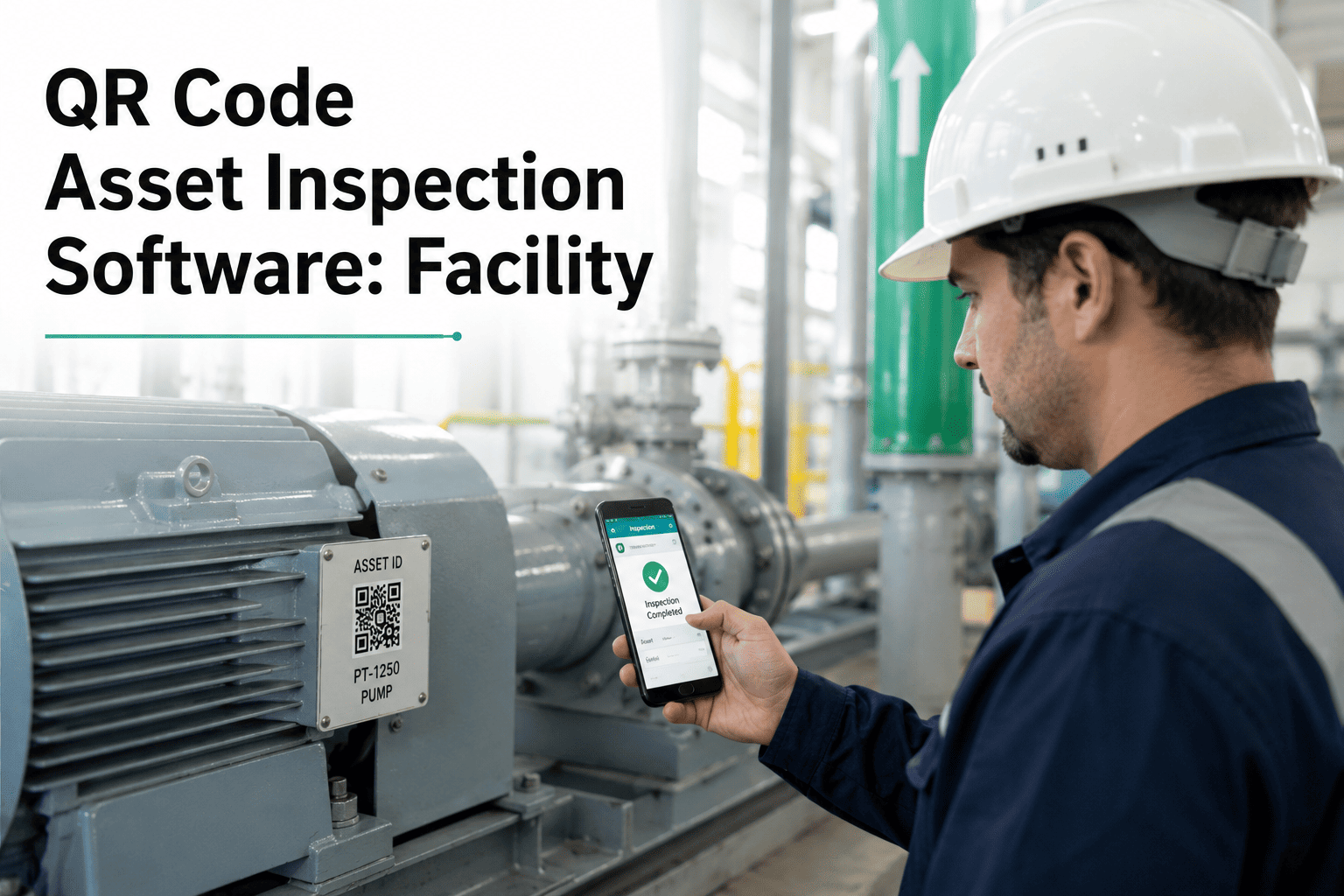
A technician standing in front of an unlabeled chiller has two options: dig through a spreadsheet for the asset ID, or guess. Neither gets an inspection started quickly, and both leave room for the wrong history getting logged against the wrong equipment. A QR label on the asset removes the guesswork entirely — one scan pulls up the exact unit, its full maintenance history, and the inspection form ready to fill out on the spot. It's a small change that removes one of the most common sources of delay and bad data on the floor. See how fast a scan-to-inspection workflow runs — Start Free Trial and label your first ten assets today.
How long does it take your team to find the right asset ID before an inspection even starts?
A QR label on every asset turns a scan into instant context — history, specs, and the inspection form, all pulled up before the technician sets down their tools.
From label to logged inspection in four steps
Scan the label
Any phone camera reads the QR code — no dedicated scanner and no app install required.
Asset context loads
Full asset record opens instantly — spec sheet, warranty status, and complete maintenance history.
Inspection form opens
The correct checklist for that exact asset class is already loaded — no searching, no wrong form.
Findings log automatically
Photos, readings, and notes attach directly to that asset's permanent record the moment the form closes.
What a missing label actually costs a technician
The gap between scanning a code and searching a spreadsheet shows up every single work order.
| Task | Manual Lookup | QR Scan |
|---|---|---|
| Finding the right asset ID | Search spreadsheet or ask a supervisor | Instant, tied to the physical label |
| Pulling maintenance history | Separate lookup, often incomplete | Loads automatically with the asset |
| Selecting the right checklist | Technician judgment, prone to error | Correct form pre-loaded for that asset class |
| Logging findings against the asset | Manual re-entry after the fact | Attached directly during the inspection |
Built for the assets that get mixed up most
Rows of near-identical RTUs stop getting confused once each one carries its own scannable identity.
Extinguishers, panels, and sprinkler heads get a scan-verified inspection trail for every audit cycle.
Equipment that moves between sites keeps its full history attached, no matter where it's scanned.
New technicians get instant context on unfamiliar equipment without waiting on a handover.
Choosing the right label for the asset
Not every asset needs the same label. Matching the format to the environment keeps codes scannable for years.
Standard indoor equipment — panels, pumps, and interior mechanical units that stay in one place.
High-heat or high-vibration equipment where an adhesive label would eventually peel or fade.
Rooftop units and yard equipment exposed to sun, rain, and temperature swings year-round.
Critical infrastructure where the label needs to outlast the asset's entire service life.
A practical path from spreadsheet to scannable asset
Start with critical assets
Label fire safety, life-safety, and high-downtime-cost equipment first, before moving to the wider inventory.
Batch-generate and print
Codes are generated directly from the existing asset register, so there's no separate labeling system to maintain.
Train on the first scan
Most technicians need no more than a single walkthrough before scanning becomes the default habit.
Expand site by site
Multi-site portfolios roll out one location at a time, reusing the same label templates and checklists.
Give every asset a scannable identity
Generate and print QR labels directly from your asset register, and turn every inspection into a one-scan workflow.
Questions maintenance teams ask before rolling out labels
Do technicians need a special scanner for QR asset labels?
No. Any smartphone camera reads a standard QR code, so there's no dedicated hardware or app install needed to start scanning assets.
What happens after an asset's QR code is scanned?
The asset's full record opens instantly — history, specs, and the correct inspection checklist — ready to complete on the spot. Try it — Start Free Trial.
Can QR labels survive outdoor or industrial conditions?
Labels are typically printed on weatherproof, UV-resistant material designed to stay scannable through years of outdoor or high-heat exposure.
How long does it take to label an entire asset portfolio?
Labels can be generated and printed directly from the existing asset register, so most teams label their top-priority assets within the first week.
Does QR scanning improve inspection audit readiness?
Yes. Every scan ties findings directly to the correct asset record, producing a clean, verifiable inspection trail. See it live — Book a Demo.
Turn every asset into a one-scan inspection
Label your assets, load the right checklist automatically, and keep every inspection tied to the correct history.
Free 14-day trial · No credit card