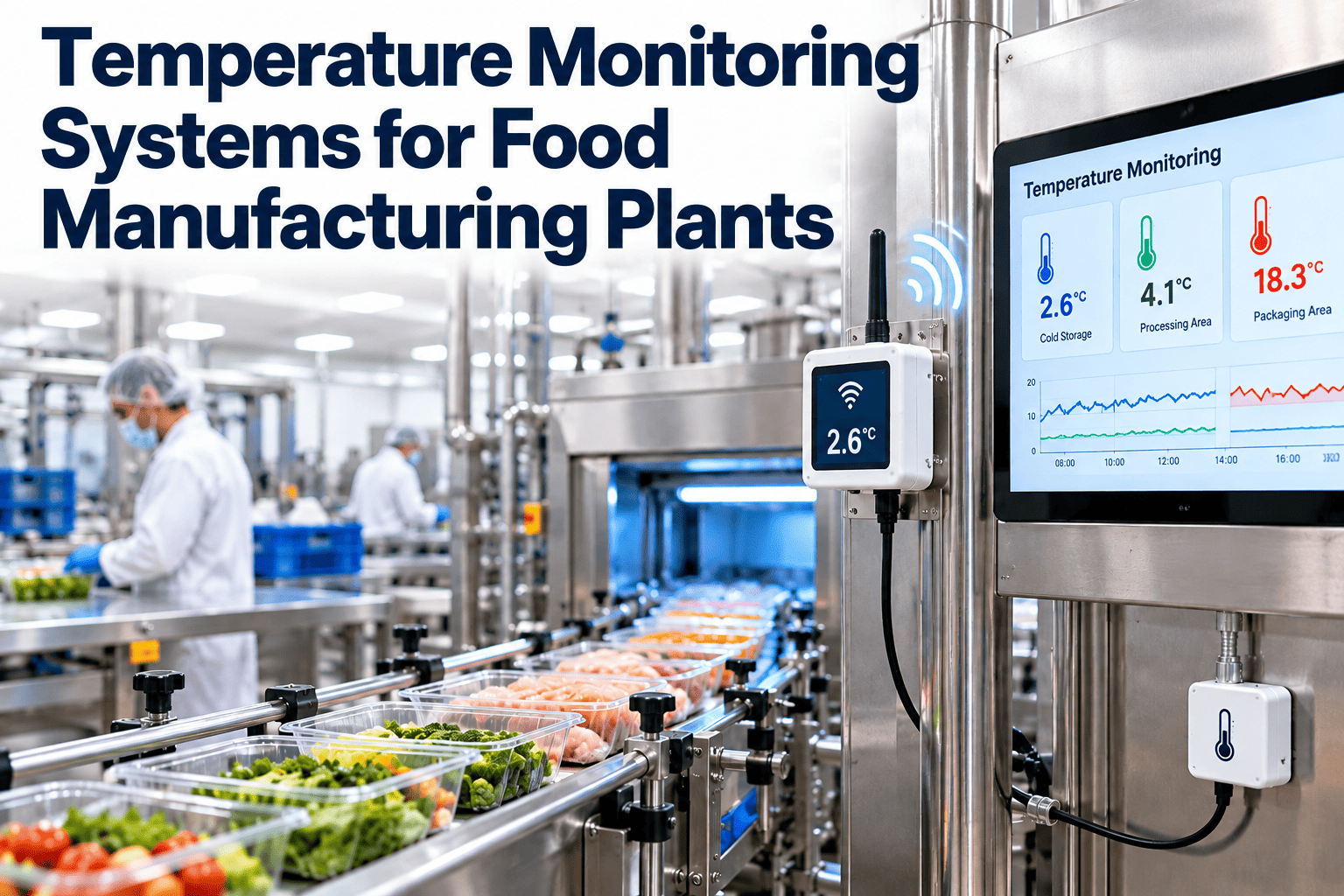
Temperature is one of the few food safety controls that can fail silently overnight. A cooler door left ajar, a failed evaporator fan or a blocked defrost drain can push product out of range before anyone is on site, and a missing reading is as damaging in an audit as a bad one. A reliable food temperature monitoring system combines the right sensors, loggers and alert rules with a clear response routine, so the data can be trusted when it matters. This guide explains how to choose each part for coolers, freezers and process lines, and how a maintenance management platform turns alarms into repairs.
Temperature Monitoring Systems for Food Manufacturing Plants
Choose sensors, loggers and alert rules that give reliable temperature data across coolers, freezers and process lines, and connect every alarm to action.
1SensorMeasures air or product temperature
to
2LoggerRecords readings with a time stamp
to
3GatewaySends data to the network or cloud
to
4SoftwareStores, trends and applies alert rules
to
5ActionAlarm, response and work order
Why temperature data often cannot be trusted
Measurement problems
- Sensors drift over time and read slightly warm or cold without anyone noticing.
- Probes are placed in the wrong spot, such as next to a door or an evaporator fan, and do not represent the product.
- Readings are taken by hand at fixed times, so excursions between checks go unseen.
- Wireless signals drop in metal-heavy rooms, leaving gaps in the record.
Process problems
- Alarms are set too tight and trigger constantly, so people ignore them.
- Nobody is clearly responsible for acknowledging an alarm out of hours.
- Alarms are acknowledged but no repair or product decision is recorded.
- Calibration is overdue or documented in a separate file nobody checks.
Where to monitor in a food manufacturing plant
Cold storage and coolersWalk-in coolers for ingredients and finished goods, where chilled product is held and where door traffic is heaviest.
Freezers and blast chillersFrozen storage and rapid cooling units, where both holding temperature and time to reach it matter.
Cook and chill linesCooking, cooling and holding steps that may be critical control points in the hazard analysis.
Process roomsAmbient or controlled rooms where product is handled, assembled or packed and temperature affects safety or quality.
Receiving and dispatchDocks, staging areas and vehicles, where product can warm up between storage and transport.
Utilities and refrigeration plantCompressors, condensers and glycol or ammonia systems whose condition predicts temperature problems.
System types compared
| Approach | How it works | Strengths | Limits |
|---|
| Manual checks | Staff read a display or thermometer and write the value on a sheet | Low cost, simple to start | Gaps between readings, human error, no alert while nobody is present |
| Standalone data loggers | Device records readings, data downloaded periodically | Continuous record, good for mapping studies and transport | No real-time alarm unless combined with another system |
| Wireless sensors with software | Sensors send readings through gateways to a cloud or local server | Real-time alerts, easy to add points, central dashboards | Needs good signal coverage and a plan for network outages |
| Wired systems or controls integration | Sensors connect to plant controls, building management or SCADA | Robust in large sites, integrates with existing controls | Higher installation cost and slower to expand |
Many plants combine approaches: wireless sensors for storage areas, loggers for validation and transport, and controls-based measurement for critical process steps.
Choosing sensors that suit the job
Range and accuracyMatch the working range to the area, including defrost peaks and blast-chill lows. Check the stated accuracy across that range, not just at one point.
Probe typeAir probes show room conditions, while product simulants such as glycol bottles react more slowly and better reflect load temperature. Choose according to what the critical limit refers to.
Response timeFast response suits process steps and cooling curves. Slower response suits storage, where brief door openings should not trigger every alarm.
Environmental ratingWashdown areas need devices rated for water, cleaning chemicals and low temperatures. Check battery performance in freezers, which is often reduced in the cold.
Calibration traceabilityLook for calibration certificates traceable to recognised standards, easy field verification and a clear process for replacing devices.
ConnectivityTest signal strength in the actual room. Thick insulated panels, metal racks and freezer doors can block wireless signals.
Turn temperature alarms into tracked repairs
Connect a high-temperature alert to a work order, an owner and a record of the fix.
Placing sensors where they tell the truth
Good placement habits
- Run a temperature mapping study to find warm and cold spots before fixing positions.
- Monitor the warmest location, often near doors, and keep a second sensor where product is stored.
- Keep probes clear of evaporator fans, heaters and direct airflow from the door.
- Label each sensor with the room and the exact position, and record it on the asset record.
Mistakes to avoid
- Mounting sensors beside the thermostat, which only shows what the control system already knows.
- Moving a sensor during cleaning without recording the new location.
- Using one sensor for a large room with different loading patterns.
- Leaving the sensor in a different position after replacement.
Designing alert rules people will act on
Level 1Warning on trend or driftTemperature is rising but still within the limit. Notify the maintenance team so the cause can be found before the limit is reached.
Level 2Alarm on limit exceeded for a set timeA delay allows for door openings and defrost cycles. Notify the shift supervisor and the on-call technician.
Level 3Escalation if unacknowledgedIf no one acknowledges within a defined time, alert the next person and a manager, and record each step.
Level 4Product decision and closureQuality reviews time and temperature exposure, decides on product disposition and closes the alarm with the cause and the fix.
Typical limits come from the hazard analysis, regulation and customer requirements. Chilled storage is commonly held at around 4 to 5 degrees Celsius or below and frozen storage at minus 18 degrees Celsius or below, but you should confirm the values that apply to your products and markets.
Keeping the data trustworthy
Time synchronizationMake sure devices and software use the same time source, so alarms and corrective actions line up on the record.
Gap handlingLoggers should buffer readings during network outages and upload them later. Record any gap and what was done to cover it.
Audit trailChanges to limits, delays and recipients should be logged with the name of the person who made them.
Calibration and verificationCalibrate on a schedule and also check against a reference thermometer between calibrations, recording the result.
Battery and signal healthTreat low battery and weak signal as maintenance tasks, because a silent sensor is a blind spot.
Running a temperature mapping study
Define the scopeChoose the room or unit, the normal loading pattern and the season or conditions that put the most stress on the system.
Place temporary loggersDistribute loggers at different heights and distances from doors, fans and walls, including the corners and the centre of the load.
Record for a representative periodInclude normal operation, door activity, defrost cycles and a loaded and a lightly loaded condition if both occur.
Identify the warmest and coldest pointsUse the results to position permanent sensors and to decide how many are needed to represent the room.
Repeat after changesRepeat the study after a major layout, refrigeration or loading change so the monitoring points remain valid.
Cook and chill lines: recording time as well as temperature
What to capture
- Start and end temperature for each cooling or holding step.
- Time taken to move between defined temperature points.
- Batch, product and equipment identifiers linked to each reading.
- Name of the person or system that verified the result.
Why it needs more than a room sensor
- A cooled room can look compliant while a dense batch is still warm in the core.
- Cooling curves reveal slow chillers, overloaded racks and failing equipment.
- Batch-linked records make a product decision easier after a deviation.
- Trends across batches help plan maintenance on chillers and blast units.
What to do when a temperature excursion happens
Step 1Confirm the readingCheck with a calibrated reference thermometer to rule out a failing sensor or a brief spike.
Step 2Contain the productHold affected product, record quantities and locations and move it to a working unit if possible.
Step 3Fix the causeOpen a work order, assign a technician and record the findings, parts used and the time the unit returned to range.
Step 4Decide and documentQuality assesses exposure, decides on release, rework or disposal and records the reasoning and the approver.
Training and roles around monitoring
OperatorsKnow normal ranges, what an alarm means, how to acknowledge it and when to call maintenance or quality.
Maintenance techniciansDiagnose refrigeration faults, verify sensors and record the cause and the fix against the asset.
Quality and food safetySet limits, review excursions, decide on product and look for patterns across rooms and shifts.
Using temperature trends as a maintenance signal
Slow rise over daysOften points to dirty condenser coils, failing fans, refrigerant loss or a door seal that no longer closes properly. Inspect before it becomes a limit breach.
Frequent short spikesMay reflect door handling, poor defrost timing or overloaded racks. Review practices and defrost settings together.
Long recovery after a door openingSuggests reduced cooling capacity or airflow blockages, which are cheaper to fix when found early.
Cycling pattern changesCompressors that run longer or cycle more often may be working harder to hold the same temperature.
Differences between sensorsA growing gap between sensors in the same room can indicate uneven airflow, icing or a failing probe.
How a CMMS connects monitoring to maintenance
What it adds
- Asset records for each cooler, freezer, compressor and sensor, with install dates and manuals.
- Preventive tasks for coil cleaning, gasket checks, defrost checks and sensor verification.
- Work orders raised from an alarm, with the cause, fix, parts and technician recorded.
- Reports on which rooms, units or sensors generate repeat alarms.
What it does not replace
- The sensors and loggers that measure temperature continuously.
- The hazard analysis that sets critical limits and responses.
- Quality decisions on product disposition after an excursion.
- The need to calibrate and verify measuring devices on schedule.
Oxmaint supports preventive maintenance, work orders, asset management, inspections, calibration-related tasks, mobile workflows and reporting. Integration options with monitoring tools depend on the system, so confirm how alerts are received and how readings or events are linked to a work order.
Rolling out monitoring without gaps in coverage
Start with the rooms that hold the most valuable or highest-risk product, and run the new system alongside your existing manual checks until you trust the data. Compare the two for a set period, resolve any differences and only then retire the manual round, or reduce it to a verification check. Add the remaining rooms in stages, record each sensor as an asset with its location, calibration date and battery status, and review alarm volumes every month so thresholds and delays can be tuned with real data instead of guesses.
First phaseCritical cold rooms and freezers, with alert recipients and escalation tested by a deliberate trial alarm.
Second phaseProcess rooms, blast chillers and dispatch areas, with product or cooling curves where the hazard analysis requires them.
Third phaseTrend reviews tied to preventive maintenance, so repeat alarms lead to scheduled work rather than repeated call-outs.
Checklist before selecting a temperature monitoring system
Critical limits and monitoring points are defined in the hazard analysis.
Sensor types suit air or product measurement and the washdown environment.
Wireless coverage is tested in each room under real conditions.
Alert delays reflect door and defrost patterns, with escalation if no response.
Time, audit trail and gap handling meet your record requirements.
Calibration certificates and verification checks are scheduled.
Every alarm can open a work order with a named owner.
Reports show repeat excursions by room, unit and sensor.
Temperature monitoring FAQs
How often should temperature be recorded?
Frequency depends on risk, product and regulation. Continuous monitoring with alerts is common for storage, while critical process steps may need closer measurement defined in your hazard analysis.
Is wireless monitoring reliable enough for audits?
It can be, when coverage is tested, devices are calibrated and the system buffers data during outages. Keep records of gaps and how they were handled.
How do we reduce nuisance alarms?
Use short delays for door openings and defrost, and review thresholds with data. Fixing the cause, such as a failing seal, usually works better than loosening limits.
What should happen after an alarm?
Acknowledge, contain product, fix the cause, and record the decision and closure. You can
get started to link alarms to work orders.
Can maintenance software help with refrigeration reliability?
Yes, through preventive tasks, asset history and repair records. You can
book a demo to see a refrigeration workflow.
Make every temperature alarm lead to a documented fix
Track refrigeration assets, schedule preventive work and keep a record of every response.