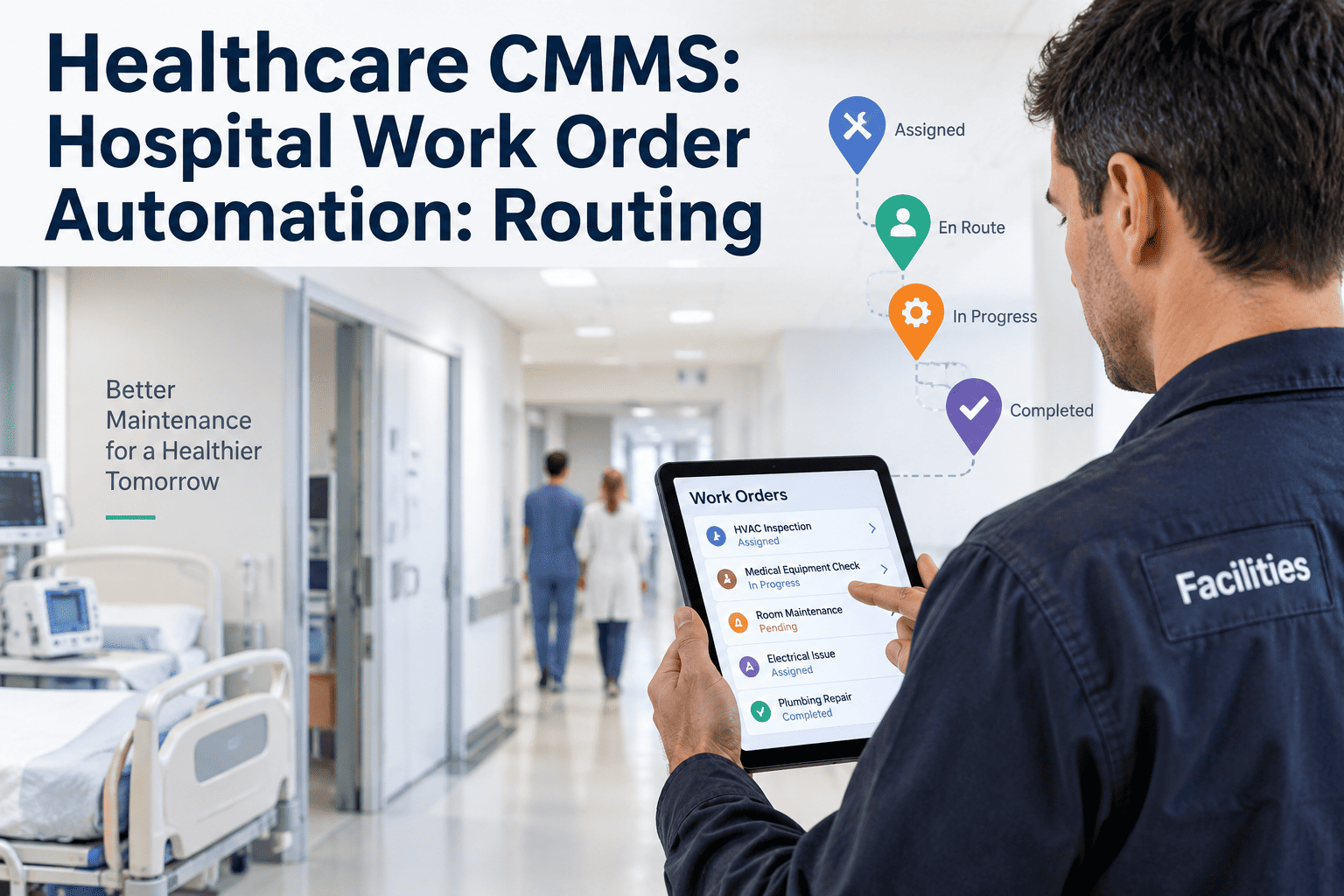
Healthcare maintenance teams are drowning in manual processes — work orders lost in email chains, preventive maintenance missed because no one got the alert, compliance documents scattered across paper binders. Workflow automation is the structural fix that modern healthcare facilities can no longer afford to delay. When a single missed PM on a ventilator or infusion pump becomes a patient safety incident, the cost of doing nothing becomes undeniable. Ready to eliminate the manual gaps? Start a free 30-day trial or book a demo with the Oxmaint team to see end-to-end workflow automation built for healthcare operations.
Workflow Automation in Healthcare
Streamlining Maintenance from Request to Resolution — without adding headcount, without missing compliance windows, and without reactive chaos eating your budget.
Stop Managing Maintenance Manually
Oxmaint gives healthcare facilities the automated workflow engine they need — from the moment a request comes in to the second it is documented, closed, and compliance-ready. Built for hospitals, multi-site health systems, and clinical environments where downtime is not an option.
What Is Workflow Automation in Healthcare Maintenance?
Workflow automation in healthcare maintenance means replacing every manual decision, handoff, and documentation step in your maintenance cycle with rule-based, trigger-driven processes that execute automatically. From the moment a technician submits a fault report or an IoT sensor flags an anomaly, the system takes over — classifying the request, routing it to the right person, escalating if SLAs are breached, notifying vendors, and generating compliance-ready documentation without a single manual input. Start a free 30-day trial to explore automated workflows or book a demo with our healthcare operations team.
Unlike generic task management tools, a purpose-built CMMS automation platform understands asset hierarchies, technician skill sets, regulatory compliance requirements, and equipment criticality — so routing decisions are intelligent, not just sequential. In a hospital environment, where a delayed response to a ventilator fault or a missed Joint Commission audit trail can have direct patient consequences, that intelligence is not optional.
6 Stages of a Fully Automated Maintenance Workflow
From the first signal to the final sign-off, every stage in the maintenance lifecycle can — and should — operate without manual bottlenecks. Here is how an automated CMMS handles each stage in a clinical environment.
4 Manual Workflow Failures That Are Costing Healthcare Facilities
Manual maintenance management does not just slow things down — it creates operational risk that compounds daily across every department, every shift, and every piece of critical equipment.
How Oxmaint Automates Healthcare Maintenance End-to-End
Oxmaint is built for the complexity of multi-site healthcare operations — where a single platform needs to handle thousands of assets, dozens of compliance frameworks, and real-time visibility across every location. Explore our platform by starting a free 30-day trial or book a personalized demo to walk through every automation layer with our team.
Manual Maintenance Management vs. CMMS Workflow Automation
The operational gap between manual and automated maintenance is not incremental — it is structural. Every row in this table represents a process where manual management creates risk and automation eliminates it.
| Process Area | Manual Approach | Oxmaint Automated |
|---|---|---|
| Work Order Creation | Phone call or email — often delayed, frequently lost | Auto-generated from IoT alerts, QR scans, or scheduled triggers |
| Routing and Assignment | Supervisor manually assigns — 30–120 min average delay | Instant auto-routing based on skill, load, and location |
| PM Scheduling | Manual calendar — missed windows, no usage-based triggers | Trigger-based: calendar, hours, cycles, sensor thresholds |
| SLA Compliance | No visibility until a complaint is raised | Real-time SLA tracking with auto-escalation on breach |
| Vendor Notification | Manual phone/email — technician dependency, delays | Auto-notification with full asset and fault detail attached |
| Compliance Documentation | Paper records, incomplete data, audit scrambles | Auto-generated digital records — Joint Commission and OSHA ready |
| Emergency Response Time | 2.1 hour average delay from fault to dispatch | Under 8 minutes from alert to technician notification |
| Multi-Site Visibility | No consolidated view — siloed spreadsheets per site | Single dashboard — portfolio-wide real-time operational status |
ROI of CMMS Workflow Automation in Healthcare
Operational and financial metrics that facility managers and VPs of Operations use to build the internal business case for automation.
Frequently Asked Questions
What is trigger-based PM scheduling and how does it differ from calendar-based maintenance? +
Calendar-based maintenance schedules PM work at fixed time intervals — every 30 days, every 6 months — regardless of how much the equipment has actually been used. Trigger-based PM fires based on real usage data: hours of operation, cycle counts, IoT sensor readings, or any combination. For high-utilization equipment like infusion pumps or imaging systems, trigger-based scheduling aligns maintenance to actual wear state — reducing both over-maintenance and under-maintenance. Oxmaint supports all trigger types simultaneously, with the system executing whichever threshold is hit first. To see trigger-based PM in action, start your free trial here or book a demo to walk through configuration.
How does automated work order routing work for healthcare facilities with multiple departments? +
Oxmaint allows you to configure routing rules based on asset type, department, technician certification, current workload, and shift schedule. When a work order enters the system, the routing engine applies your rules in sequence — matching the asset's requirements to the most appropriate available technician. For multi-department hospitals, you can define separate routing logic for ICU equipment, radiology, surgical theater, and general facilities — all managed from a single configuration panel. Cross-department escalation rules ensure nothing goes unassigned during off-hours or heavy load periods.
Can Oxmaint integrate with existing hospital systems like EHR platforms and SCADA infrastructure? +
Oxmaint integrates with IoT sensors and SCADA systems through standard APIs, enabling live equipment performance data to feed directly into the maintenance automation engine. For hospital-specific systems, Oxmaint supports integration with facility management platforms, building management systems, and procurement tools. EHR-level clinical data integration follows your facility's data governance policies. Oxmaint does not require heavy custom implementation — most integrations are live within days, not months, using pre-built connectors and documented API endpoints.
How does Oxmaint ensure compliance documentation meets Joint Commission and OSHA requirements? +
Every completed work order in Oxmaint generates a digital compliance record that captures: technician identity and digital signature, work performed, parts used, time and date stamps, and any regulatory tags attached to the asset. Documentation templates can be mapped to specific regulatory frameworks — OSHA, Joint Commission, NHS, and others — so every record is structured for direct audit use. Records are searchable, exportable, and retained in full audit-ready format. Healthcare facilities using Oxmaint report reducing audit preparation time from 2–3 days to under 4 hours.
From Manual Chaos to Automated Precision — Starting Today
Oxmaint gives healthcare facilities the end-to-end workflow automation platform they need to eliminate manual bottlenecks, close compliance gaps, and reduce unplanned equipment failures — without a lengthy implementation cycle or heavy upfront cost.
Trusted by operations teams across the USA, UK, Australia, UAE, and Germany. No heavy onboarding. No implementation fees. Up and running in days.