Mobile CMMS for Hotel Engineering Teams: Manage Maintenance from Rooftop to Basemen

By Peter Parker on February 25, 2026

mobile-cmms-hotel-engineering-teams

A hotel engineer at a 280-room resort starts his shift at 7 AM. By 7:40, he has walked from the pool plant room to the rooftop HVAC units to the basement boiler room — covering six floors in 40 minutes — responding to three separate radio calls, each requiring him to walk back to the engineering office to check paper logs before touching any equipment. By 8 AM he has completed zero repairs. That 40 minutes of non-productive time happens every single morning, and it multiplies across every technician on the team. Oxmaint's mobile CMMS eliminates every one of those dead walks — because asset history, work orders, and checklists live on the phone already in the engineer's pocket.

Blog · Mobile CMMS · Hotel Engineering

Mobile CMMS for Hotel Engineering Teams: Manage Maintenance from Rooftop to Basement

Hotel engineers cover more vertical distance per shift than almost any other maintenance workforce — rooftop plant rooms, guest floors, kitchen basements, pool decks, and loading docks. A mobile CMMS puts every work order, asset history, checklist, and QR scan on the device already in their pocket, delivering 30–40% productivity improvement with full offline capability across the entire property.


P1 Active · Room 412
AC Unit Not Cooling
Assigned · J. Torres · Now
PM Due · Pool Plant
Filter Backwash Cycle
Scheduled · Today 14:00
QR Scan Ready
Boiler B2 — History
3 service events · Last: Jan 14
Offline Mode: Active

Productivity Gain30–40%
Onboarding Time< 2 hrs
Offline Capable100%
Paper EliminatedDay 1
40%
Productivity Gain
Improvement in engineering team productivity with mobile CMMS
80%
Admin Reduction
Reduction in maintenance administration time with paperless workflows
32%
Less Downtime
Reduction in unplanned equipment downtime after mobile CMMS deployment
3–5 hrs
Daily Time Saved
Per technician recovered from manual data entry and office round trips
Property Coverage

Every Floor. Every Asset. Every Zone — Covered from One Device.

A 300-room hotel contains 2,000 to 5,000 individual maintainable assets spread across 15 to 30 distinct physical zones. Traditional paper-based management means engineers carry separate binders for each zone, return to the office to log completed work, and lose critical asset history when paper records go missing. Oxmaint maps every zone to a unified mobile system — start your free trial to see your property configured.

Hotel Property Zone Map — Mobile CMMS Coverage Full Building · All Zones
Rooftop
Mechanical Plant

HVAC Chillers (3)

Cooling Towers (2)

AHU Bank (8)

Solar Array
QR Scan Ready
Upper Floors
Guest Rooms 8–14

FCU Units (84)

Room 1102 — P1 Active

Fire Detectors

Keycard Readers
2 Open WOs
Mid Floors
Guest Rooms 3–7

FCU Units (120)

Corridor Lighting

Elevator 2 — Monitor

Sprinkler System
All Current
Level 2
F&B / Conference

Kitchen Hoods (4)

Grease Trap — PM Due

AV Systems (6 rooms)

Walk-in Refrigeration
1 PM Due
Level 1
Lobby / Reception

Lifts (3 units)

Feature Lighting

Entry Doors / Revolving

CCTV Network
All Clear
Basement B1
Pool / Spa / Gym

Pool Pumps (2)

Spa Heating — Monitor

Chemical Dosing

Gym HVAC
Offline Sync
Basement B2
Plant / Services

Boilers (2)

Electrical Switchgear

Laundry Equipment (6)

BMS Panel
Offline Sync

Dot legend: Green = operational, Orange = monitor/PM due, Red = active fault, Blue = scheduled attention

Every zone on that map is manageable from one mobile device — Oxmaint. Full offline capability in basement plant rooms. QR scanning at every asset. Real-time sync when signal returns.
Day-in-the-Life Comparison

A Hotel Engineer's Shift — Paper vs. Mobile CMMS

The same tasks. The same property. Radically different outcomes. Research shows hotel maintenance technicians lose 3 to 5 hours daily to non-productive activities when using paper-based systems — time that vanishes into office round trips, radio loops, and manual logging. See Oxmaint recover those hours — free trial, no credit card required.

Paper + Radio — 7 AM Shift
07:00
Office: Check paper log boardWalk to engineering office, read handwritten notes from night shift, try to decipher which room numbers match which faults.
15 min wasted
07:20
Walk to HVAC unit — no historyArrives at rooftop HVAC unit with no service history. Has to guess fault based on noise. Returns to office for last service record.
22 min wasted
08:05
Radio call missed — guest complaint escalatesEngineer was in basement boiler room — no signal. Guest HVAC complaint from room 412 was never received and has now reached GM level.
Unresolved fault
11:30
Paper log entry after 4 repairsWrites up all morning work orders from memory at desk. Missing parts info, wrong time estimates, no photos attached.
35 min admin
Productive repair time: 3.1 hours of 8 — 61% lost to admin
Oxmaint Mobile — 7 AM Shift
07:00
Phone: Full shift queue loadedOpens Oxmaint app. All work orders prioritised by zone and urgency. Night-shift notes already attached. Route optimised for the day.
0 min wasted
07:08
Scans QR on rooftop HVAC unitFull service history, last fault log, refrigerant charge dates, and any active work orders appear instantly. Diagnosis starts immediately on arrival.
18 min saved
08:05
Room 412 P1 alert — received in basementPush notification arrives via offline queue sync when engineer passes signal point. Work order accepted, front desk notified automatically.
Guest handled
11:30
All 4 repairs already logged on-siteEach work order closed with photos, parts used, and time at point of repair — no desk visit needed. Compliance records auto-generated.
35 min recovered
Productive repair time: 5.8 hours of 8 — 40% more output
Mobile CMMS Capabilities

6 Mobile Capabilities That Transform How Hotel Engineers Work

These are the specific features that drive the 30–40% productivity improvement number — not theoretical improvements, but direct time savings per task for each technician on the team. All six are live in Oxmaint — start your free trial and deploy to your team today.

01
Mobile Work Order Management — Create, Accept, Close on Device
Engineers receive push notifications for new work orders, view all task details including location, priority, and asset history, log time and parts used, attach photos, and close the work order — all from their phone without returning to a desk. Work orders created by front desk or guests route directly to the right technician based on skill and shift assignment.
Auto-Routing Push Alerts Photo Attach Parts Logging
47%
Faster mean time to repair
02
QR Code Asset Scanning — Full History in One Scan
Every tagged asset in the hotel — from rooftop chillers to basement boilers to individual guest room FCU units — carries a QR code. Engineers scan it with their phone camera and instantly see the complete maintenance history, active work orders, next PM due date, manufacturer documentation, and all previous fault diagnoses. No more guessing or office trips to pull paper files.
Instant History All Asset Types Manuals On-Device Fault Pattern View
22 min
Saved per diagnostic per tech
03
Offline Mode — Full Functionality Without WiFi
Hotel basements and plant rooms are notorious WiFi dead zones. Oxmaint works completely offline — engineers create work orders, close tasks, fill checklists, and attach photos with no signal. All data syncs automatically the moment the device regains connectivity, with timestamp integrity preserved. No data loss, no delayed logging, no excuses for incomplete records.
100% Offline Auto-Sync Timestamp Preserved No Data Loss
100%
Coverage across all building zones
04
Digital Inspection Checklists — Paperless, Signed, Auditable
Pre-built and customisable digital checklists for every inspection type — daily building walks, monthly fire safety checks, weekly pool chemistry logs, kitchen equipment inspections, and brand standard room audits. Engineers complete them on mobile, with mandatory photo capture for flagged items. Digital signatures confirm completion. Export-ready for health, safety, and brand audits at any time.
Pre-Built Templates Digital Signature Audit Export Mandatory Photo
80%
Reduction in compliance admin time
05
Photo Documentation — Visual Proof at Every Repair
Engineers photograph fault conditions before starting work and completed repairs after closure — both automatically timestamped and geo-tagged to the asset. Before/after photo pairs eliminate disputes about repair quality and create a visual evidence trail for warranty claims, insurance purposes, and brand standard verification. Multilingual teams communicate through photos when language is a barrier.
Before/After Pairs Geo-Tagged Warranty Evidence Language-Free
Zero
Disputed repair completions
06
Multilingual Interface — Works for Every Engineer on the Team
Hotel engineering teams are among the most linguistically diverse workforces in any industry. Oxmaint supports 14+ interface languages — English, Spanish, French, Arabic, Portuguese, Hindi, and more — so every technician uses the system in their strongest language. New staff onboarding averages under 2 hours because the mobile interface mirrors consumer apps they already understand.
14+ Languages 2hr Onboarding iOS + Android Intuitive UI
2 hrs
New technician onboarding time
All six capabilities live and working across 1,000+ hotel engineering teams worldwide. Deploy Oxmaint mobile to your team in under 2 weeks. Start free — no credit card required.
QR Code Workflow

From Asset Tag to Closed Work Order — The 4-Step QR Workflow

QR code scanning is the highest-impact single feature in a hotel mobile CMMS. A scan that takes 3 seconds surfaces information that would take 15–20 minutes to retrieve from paper files — and that time saving happens every time any technician touches any tagged asset. Oxmaint includes QR code asset tagging in every plan — sign up free to generate your first tags.

01
Scan the QR Tag
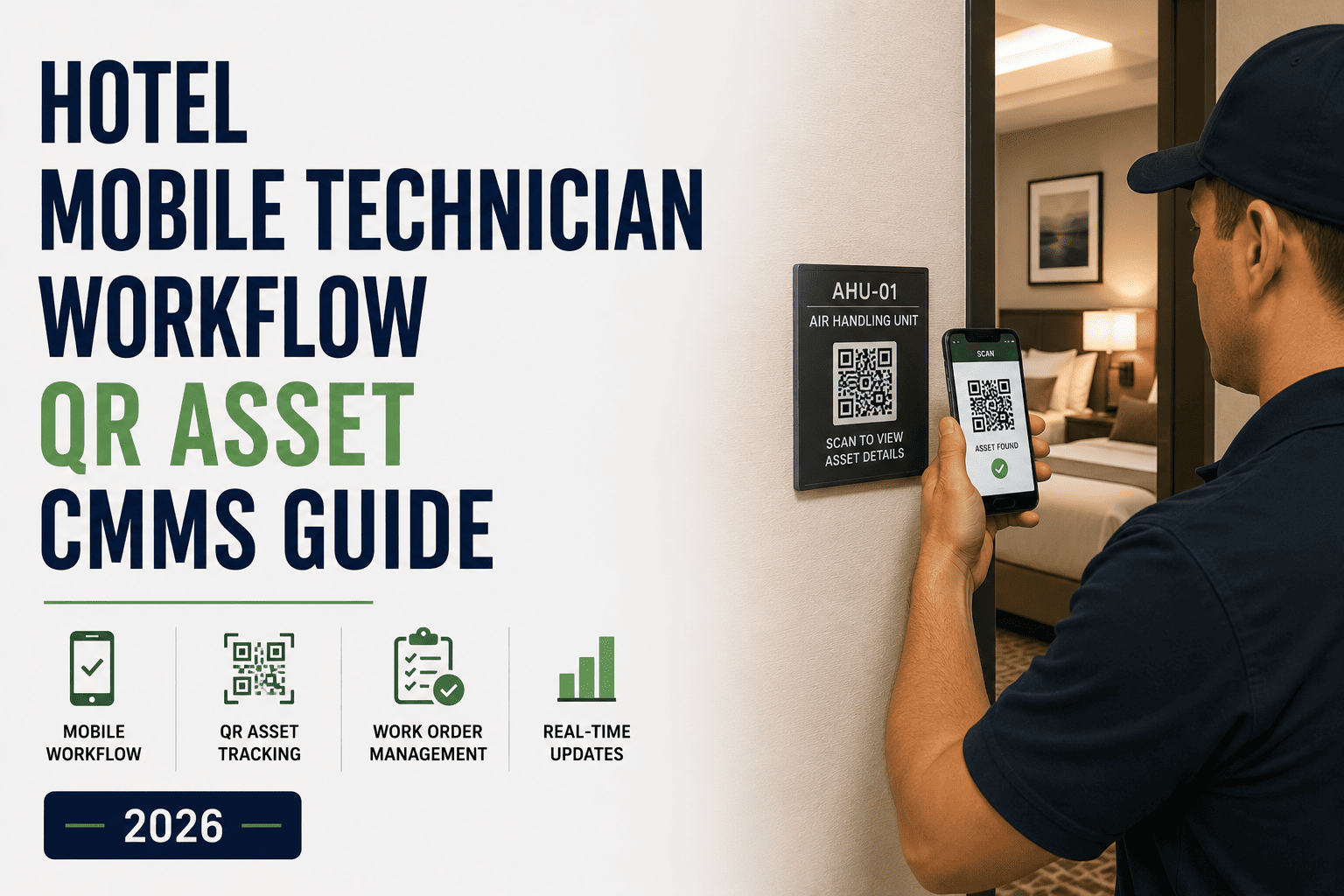
Engineer holds phone camera to the QR code on the tagged asset. No app navigation needed — scan opens the asset profile instantly.
3 seconds
02
View Full Asset History
All service events, fault codes, PM history, parts replaced, and assigned work orders appear on one screen. Manufacturer manuals linked directly.
Instant access
03
Log Fault or Start WO
Create a new work order from the asset page — fault type pre-populated, location auto-filled, priority assigned. Attach a fault photo. Takes under 45 seconds.
45 seconds
04
Close and Sync Record
After repair: log time, parts, attach completion photo, close the work order. Asset history updates instantly. If offline, syncs on next signal.
Record complete
Offline Capability

Hotel Dead Zones Are Not a Problem — They Are the Use Case

Basement plant rooms, electrical switchgear vaults, pool plant rooms, and loading dock areas — the spaces where hotel engineers spend a significant portion of their day — reliably have no WiFi coverage. Any mobile CMMS that requires connectivity is useless in these critical zones. Oxmaint is designed for exactly this reality.

ON

Online Mode — When Connected

  • Work orders sync in real time — changes visible to supervisors instantly
  • Push notifications arrive for new P1 assignments immediately
  • Photos upload at full resolution to cloud asset history
  • PMS room status updates happen automatically on work order closure
  • Inventory levels update — parts used deducted from stock in real time
OFF

Offline Mode — No Signal Required

  • All assigned work orders remain fully accessible without connection
  • QR asset scanning opens local cached history — complete records available
  • Checklists completed and signed with timestamps preserved accurately
  • Photos captured and stored locally — upload queued for sync
  • New work orders created offline and synced on next connection — zero loss
Signal Coverage vs. Oxmaint Mobile Coverage by ZoneFull offline capability closes every gap
Guest Floors (3–14)

WiFi: 90% · Oxmaint: 100%
Rooftop Plant Room

WiFi: 55% · Oxmaint: 100%
Basement B1 — Pool

WiFi: 40% · Oxmaint: 100%
Basement B2 — Plant

WiFi: 20% · Oxmaint: 100%
Loading Dock / Back of House

WiFi: 30% · Oxmaint: 100%
Kitchen / F&B Areas

WiFi: 70% · Oxmaint: 100%
"

Our engineers used to spend more than an hour a day just walking between equipment and the engineering office to check records and log work. The basement has no WiFi at all. With Oxmaint, the engineer walks in, scans the QR on the boiler, gets the full service history, completes the PM checklist offline, and the record is in the system the moment he comes back upstairs. We have not had a missing maintenance record since we deployed. That alone ended our compliance anxiety.

— Chief Engineer, 320-Room Luxury Hotel, Miami, FL
Common Questions

Mobile CMMS FAQ for Hotel Engineering Teams

Does mobile CMMS software work without internet in hotel basements and plant rooms?
Yes — and this is the most important technical requirement for any hotel mobile CMMS. Oxmaint works completely offline. Engineers can access all assigned work orders, complete PM checklists, scan QR codes against cached asset history, attach photos, and close work orders with zero signal. All data syncs automatically when the device reconnects. No data is lost and all timestamps are preserved accurately. Start your free trial to confirm offline capability in your specific building layout.
How long does it take to onboard hotel maintenance technicians onto mobile CMMS?
Oxmaint averages under 2 hours for a new technician to become fully operational. The interface is designed to mirror familiar consumer apps — the same mental model as a delivery or messaging app. The best onboarding test: hand the phone to your most technology-resistant engineer and ask them to close a work order without instructions. If they can do it, your entire team will adopt it. Most Oxmaint hotel deployments report full team adoption within 3 days of go-live.
Can the mobile app handle multiple languages for international hotel engineering teams?
Yes. Oxmaint supports 14+ interface languages including English, Spanish, French, Arabic, Portuguese, Hindi, and others. Each technician sets their preferred language independently — the same work order appears in Spanish to one engineer and English to their supervisor, with all data unified in the backend. This eliminates the communication errors that frequently cause missed assignments in multilingual engineering teams.
How do QR codes work in practice for hotel asset management?
Each piece of equipment receives a durable QR code label during the initial Oxmaint setup — typically a 1–2 day process for a standard hotel property. When an engineer scans the code with the Oxmaint app, the asset profile opens immediately: full service history, active work orders, PM schedule, and any linked manuals or documents. New work orders created from a QR scan are pre-populated with asset and location data automatically. Book a demo to see QR scanning live on a sample hotel asset database.
What is the realistic productivity improvement hotel engineering teams see with mobile CMMS?
Research consistently shows 30–40% productivity improvement for maintenance teams switching from paper to mobile CMMS — but the mechanism matters. The gain is not from working faster; it is from eliminating non-productive time: office round trips to check logs (15–22 min per occurrence), manual paper-based work order logging after shifts (30–40 min daily), and radio communication loops for assignment and status updates (cumulative 45–60 min daily). Those three categories together represent exactly the 3–5 hours of daily dead time that mobile access recovers.

Give Your Engineering Team the Tool That Works From Rooftop to Basement

Oxmaint mobile CMMS is built for how hotel engineers actually work — on the move, in dead zones, across every floor and plant room. Deploy in under 2 weeks. Start free with no credit card required.
Share This Story, Choose Your Platform!