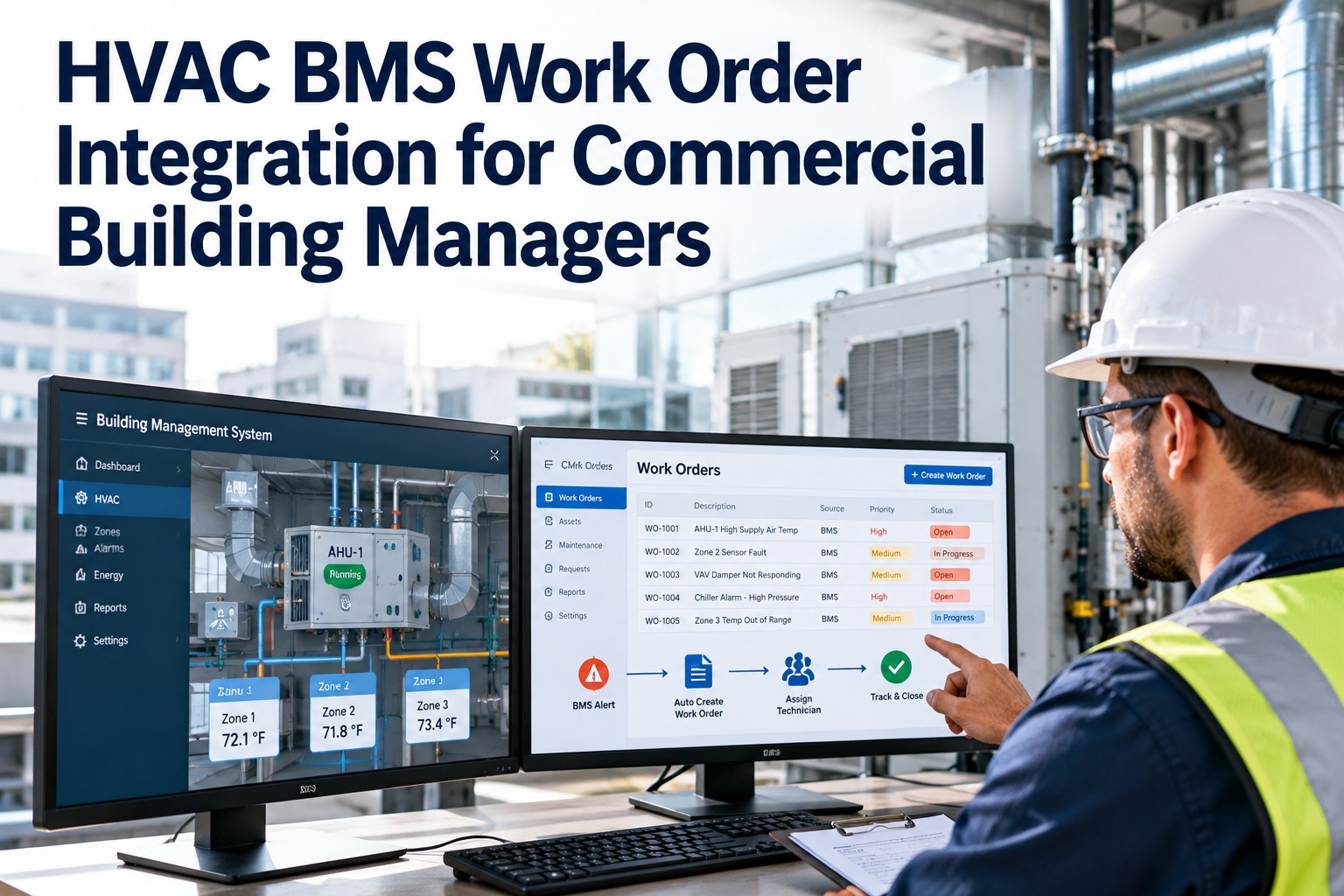
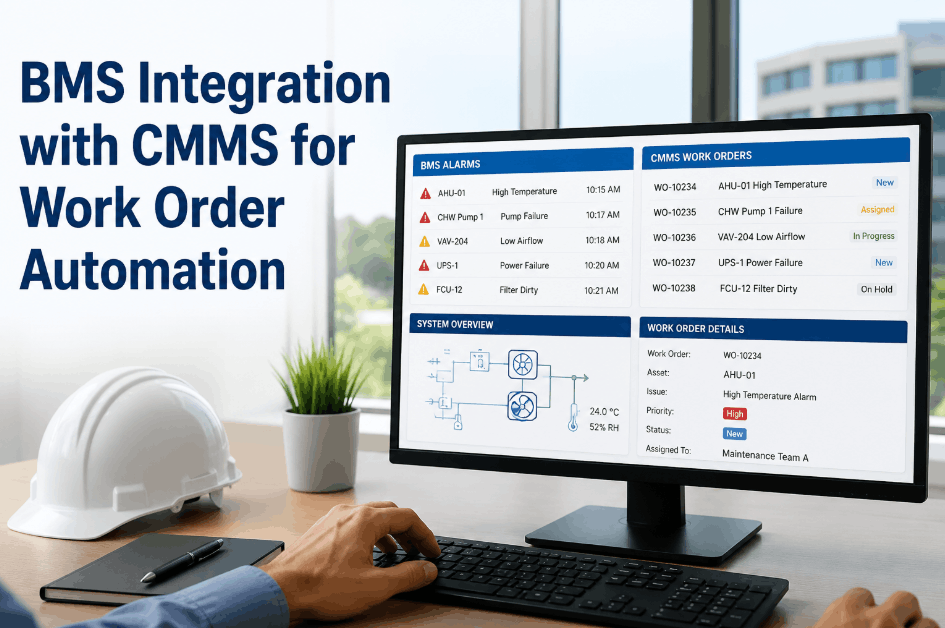
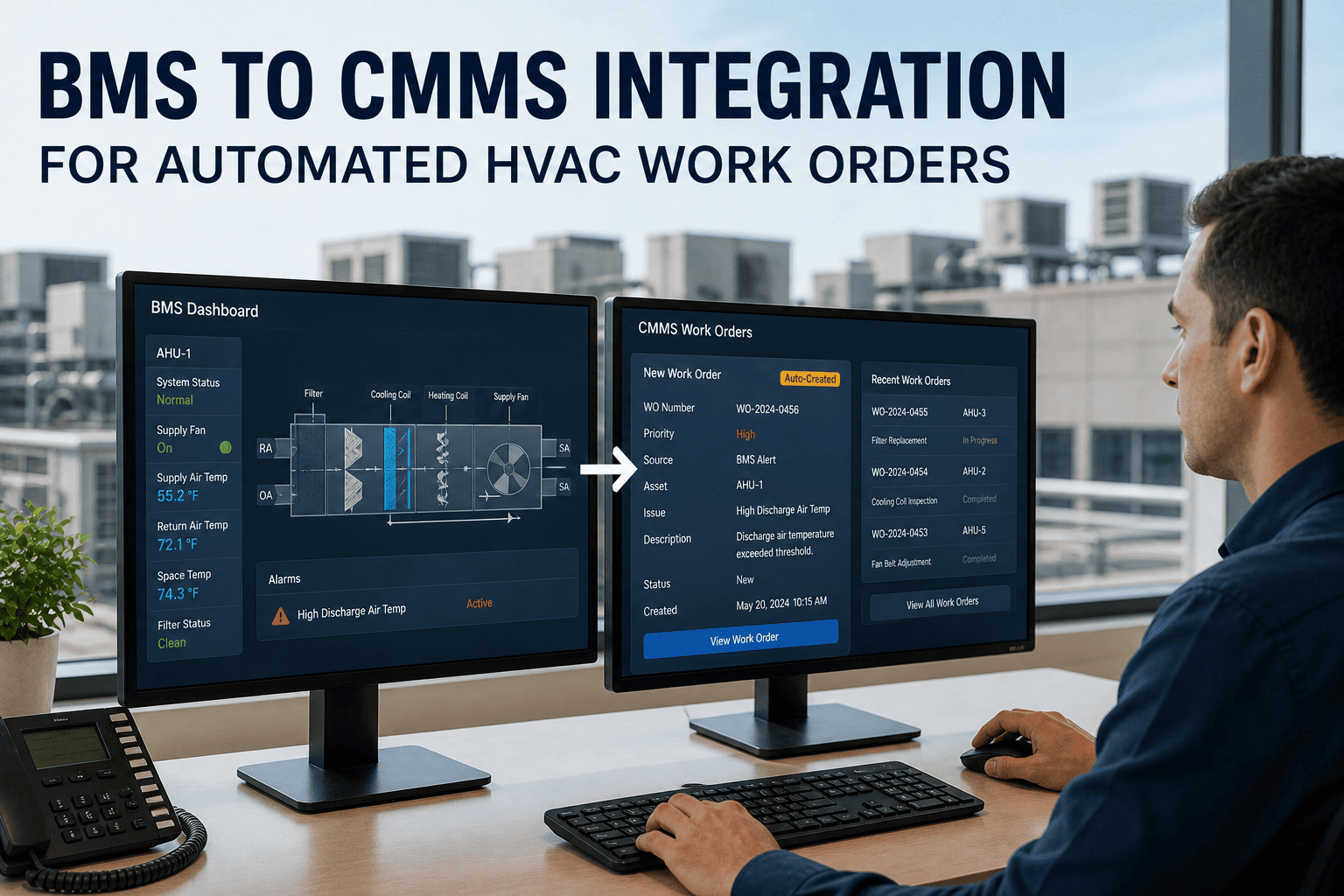
Your building management system detected a chiller running 15% above normal amperage draw at 2:14 AM on a Tuesday. It logged the alarm, timestamped it, and classified it as a medium-priority fault. By Friday morning, when a technician ran a manual report, a recoverable performance issue had progressed to an unplanned breakdown — the compressor seized. The same BMS that caught the anomaly 72 hours earlier couldn't do anything about it because there was no connection between the monitoring system and the maintenance execution system. This is the operational gap that exists in most commercial buildings: sophisticated detection on one side, manual response on the other, with alarm fatigue, transcription errors, and missed response windows filling the space between. Sign in to OxMaint to connect your BMS to automated work order generation — or book a demo to see BMS-to-CMMS integration configured live for your building's protocol and alarm structure.
The Integration Gap
What Disconnected BMS and CMMS Systems Cost You
45–65%
Reduction in unplanned equipment downtime for facilities that connect BMS to CMMS — versus facilities managing both systems separately
15–30%
Energy waste reduction from faster anomaly detection and resolution — equipment running degraded costs energy before it triggers a manual maintenance review
72 hrs
Typical delay between a BMS alarm and a maintenance work order in facilities relying on manual review — a window where minor faults become major repairs
150–300%
ROI within 18–24 months of BMS-CMMS integration — from fewer emergency repairs, lower energy waste, and extended equipment lifespan
The Problem
Five Ways the BMS-CMMS Gap Destroys Maintenance Value
Most commercial buildings already own a BMS with sophisticated monitoring capabilities. The problem is not data availability — it is data utilisation. When BMS fault codes sit inside a controls interface that the maintenance team rarely checks, early-warning signals arrive too late or not at all. These are the five most costly disconnection points. Sign in to OxMaint to eliminate all five simultaneously.
01
HVAC Performance Degradation Goes Unaddressed
Supply air temperatures creeping outside setpoints, VAV boxes losing calibration, chiller efficiency dropping 2–5% per month — all visible in BMS trend data but rarely triggering maintenance action without automated work order generation. The equipment runs degraded, consuming excess energy, until it fails.
02
Energy Waste Discovered Months Too Late
Equipment running during unoccupied hours, simultaneous heating and cooling, economiser failures — BMS logs show the waste pattern but maintenance teams discover it during utility bill reviews, not when the fault first appears. Weeks of energy waste accumulate per event.
03
Critical Safety Alarms Lost in Manual Triage
Damper position failures, pressurisation system drift, smoke detector sensitivity degradation — systems that generate BMS alarms requiring immediate maintenance response and compliance documentation. Manual triage means response time depends on who is watching the dashboard and when.
Sign in to auto-route critical alarms directly to on-call technicians.
04
Alarm Fatigue Causing Real Faults to Be Ignored
Buildings generate thousands of BMS alarms daily — most of them nuisance alerts from minor threshold breaches. Without intelligent filtering and priority routing, operators and maintenance teams become desensitised. The 2 AM chiller amperage alarm gets the same attention as a low-priority VAV drift: none.
05
No Closed Loop from Fault to Fix
Even when alarms are actioned, the repair is logged in the CMMS without a connection back to the BMS finding. The fault that triggered the work order is not traceable. After repair, nobody verifies that the BMS condition returned to normal. The closed loop — detection, action, verification, asset history — never forms.
Book a demo to see OxMaint's closed-loop fault resolution.
How It Works
The BMS-to-CMMS Integration Architecture — Three Layers
A functioning BMS-CMMS integration follows a three-layer architecture where each layer serves a distinct function. Missing any layer creates gaps in automation. OxMaint integrates at all three layers natively — no middleware required for BACnet/IP, Modbus TCP, and REST API connections. Sign in to OxMaint to begin your BMS connectivity assessment.
Layer 1
Detection — BMS / BAS
The building management system monitors thousands of sensors and controllers in real time — measuring temperatures, pressures, airflow rates, electrical consumption, valve positions, and equipment status. When a parameter exceeds a configured threshold or a fault code is generated by a controller, the BMS logs the event with timestamp, asset ID, severity classification, and parameter values. The BMS knows what happened. It does not know what to do about it.
Sensor data streams
Fault code generation
Alarm classification
Threshold monitoring
Controller diagnostics
Layer 2
Translation — Protocol and Rules Engine
OxMaint's integration layer connects to the BMS via BACnet/IP, Modbus TCP/RTU, or REST API — receiving alarm events and sensor data in the building's native protocol and translating them into work order triggers. The rules engine matches incoming fault codes against a pre-configured fault code library, determines priority tier and trade assignment, and applies alarm suppression rules that prevent nuisance alerts from generating unnecessary work orders. Alarm fatigue is eliminated at this layer — only actionable events pass through.
BACnet/IP receive
Modbus TCP/RTU
REST API / Webhooks
Fault code matching
Alarm suppression rules
Priority assignment
Layer 3
Action — OxMaint Work Order Engine
A work order is created in OxMaint with full fault context: asset history, last PM date, BMS trend data for the preceding 24 hours, parts inventory check, and a diagnostic checklist specific to the fault type. The assigned technician receives a mobile notification with all information attached. After repair, the technician closes the work order on mobile — and OxMaint monitors the BMS data point to verify the fault has cleared before marking the asset health status as resolved.
Book a demo to see the full fault-to-closure workflow.
Auto work order creation
Asset context populated
Mobile technician alert
BMS-verified closure
Asset history update
Your BMS Detects the Problem. OxMaint Fixes It — Automatically.
Every BMS alarm that meets your configured threshold triggers an OxMaint work order — pre-populated with asset context, assigned to the right technician, and tracked through to BMS-verified resolution. Zero manual triage required.
Protocol Guide
BMS Protocols and Integration Approaches for Facilities Teams
The integration approach depends on which protocol your BMS uses to communicate. Most commercial buildings use BACnet/IP as the primary protocol. Legacy systems and chillers often use Modbus. Cloud-native BAS platforms expose REST APIs. OxMaint supports all three natively. Book a demo to determine the right integration path for your specific BMS infrastructure.
| Protocol |
Common In |
Integration Method |
Timeline |
OxMaint Support |
| BACnet/IP |
Commercial HVAC, Siemens, Honeywell, JCI, Schneider, Tridium |
Native BACnet client — read alarm states, sensor values, and trend data. No BMS configuration changes required. |
4–8 weeks |
Native — no gateway required |
| Modbus TCP/RTU |
Chillers, boilers, legacy controllers, industrial HVAC |
Modbus polling — read register values at configurable intervals. Map registers to OxMaint asset data points. |
4–6 weeks |
Native TCP and RTU via gateway |
| REST API / Webhooks |
Cloud-native BAS, Schneider EcoStruxure, Tridium Niagara, new installations |
API subscription — BAS pushes alarm events to OxMaint webhook endpoint in real time. Lowest latency method. |
1–3 weeks |
Native REST + Webhook |
| MQTT |
IoT sensor networks, edge computing gateways, new smart building deployments |
MQTT subscriber — OxMaint subscribes to sensor topics and applies threshold rules at the rules engine layer. |
2–4 weeks |
Native MQTT broker |
| Legacy / Proprietary |
Pre-2010 BAS, non-standard controllers, some Honeywell and JCI installations |
Protocol gateway — BACnet or Modbus gateway ($500–$2,000 per controller) translates proprietary signals. Does not require BMS upgrade. |
8–16 weeks |
Gateway-assisted — legacy systems supported |
OxMaint connects as a read-and-subscribe client — it reads alarm states, sensor values, and trend data from the BMS without writing to or modifying any BMS programming. No changes to BMS configuration are required. Book a demo to run a connectivity assessment for your BMS.
Alarm Intelligence
How to Filter 10,000 BMS Alarms into 50 Actionable Work Orders
Buildings generate thousands of BMS alarm events daily — the majority of which are nuisance alerts, transient conditions, or duplicate notifications from cascading faults. Routing every BMS alarm to a CMMS work order produces alarm fatigue faster than manual triage does. The OxMaint rules engine filters, prioritises, and routes BMS alarm events into actionable maintenance tasks using four configurable layers. Sign in to configure alarm rules for your BMS fault library.
1
Suppression Rules — Eliminate Noise
Define conditions under which an alarm is suppressed rather than actioned: alarm clears within N minutes before a work order is created; same fault already has an open work order; equipment in a known maintenance mode; alarm occurs within a scheduled shutdown window. Suppression rules reduce work order volume by 60–80% without missing real faults.
2
Priority Mapping — Assign Severity
Map BMS alarm severity classifications to OxMaint work order priority tiers. High-priority alarms — chiller faults, AHU supply fan failures, critical damper faults — auto-generate P1 work orders routed directly to the on-shift technician's mobile device. Medium-priority alarms generate scheduled work orders for the next maintenance window. Low-priority alarms log to asset trend data without creating immediate work orders.
Book a demo to see priority mapping configured for your alarm library.
3
Trade and Asset Routing — Assign the Right Technician
Fault code templates in OxMaint specify which trade is required — HVAC, electrical, controls, plumbing — and which technician qualifications are needed. Work orders route automatically to technicians with the matching qualification on the current shift. For after-hours P1 alarms, escalation rules route to the on-call technician and notify the facilities manager simultaneously.
4
Context Enrichment — Give Technicians What They Need
The auto-generated work order is pre-populated with: asset history (last PM, last fault, cumulative repair cost), BMS trend data for the preceding 24 hours showing how the parameter approached the threshold, inventory check confirming whether required parts are in stock, and a fault-specific diagnostic checklist. The technician arrives at the equipment with a diagnosis, not an alarm code.
Sign in to configure fault code templates with diagnostic context.
What Facilities and Building Controls Engineers Say
"
We had a sophisticated Siemens Desigo CC BMS monitoring over 18,000 data points across a 40-floor office tower. The system was generating meaningful fault alerts — we could see chiller efficiency drift, AHU performance degradation, and energy anomalies in real time. But the maintenance team operated in a completely separate world. Work orders were raised in a spreadsheet. BMS alarms were triaged by one building operator who communicated to technicians via radio and phone. There was no formal link between what the BMS detected and what the maintenance team did about it. After integrating with OxMaint, we mapped all 847 active alarm classes to work order templates in a 14-week project. High-priority alarms now auto-generate P1 work orders directly to the technician's mobile device. The first year, we saw a 28% reduction in HVAC energy consumption and a 40% drop in unplanned equipment downtime. The BMS was always detecting the problems. We just weren't acting on the data fast enough.
OxMaint BMS Capabilities
What OxMaint Delivers for BMS-to-CMMS Integration
Connect
Native Protocol Support
BACnet/IP, Modbus TCP/RTU, REST API, Webhooks, and MQTT — native support without middleware for all major building automation protocols. No BMS configuration changes required. OxMaint connects as a read-and-subscribe client. Legacy systems connected via protocol gateways without requiring BMS upgrades.
Sign in to begin connectivity setup.
Filter
Intelligent Alarm Rules Engine
Configurable suppression, priority mapping, and routing rules that filter thousands of daily BMS events into actionable work orders. Alarm fatigue eliminated at the rules layer. Only faults that meet configured severity, duration, and context criteria create work orders.
Book a demo to configure alarm rules for your BMS.
Automate
Context-Rich Auto Work Orders
Auto-generated work orders pre-populated with asset history, BMS trend data, parts inventory status, and fault-specific diagnostic checklists. Technicians arrive with diagnostic context, not alarm codes. Priority determines routing — P1 alarms go directly to on-shift mobile, P2 and P3 schedule for next available window.
Verify
BMS-Verified Closure
After technician repair and CMMS work order closure, OxMaint monitors the originating BMS data point to confirm the fault condition has cleared — temperatures returned to setpoint, fault codes cleared, runtimes normalised. BMS-verified closure prevents false resolutions.
Sign in to activate BMS-verified closure.
Condition
Condition-Based PM Triggers
Replace fixed-calendar PM intervals with BMS-data-driven triggers — PM scheduled when runtime hours accumulate, when efficiency trends downward past a configured threshold, or when a parameter approaches (but hasn't yet breached) an alarm limit. Maintenance happens when equipment needs it, not on an arbitrary calendar.
Book a demo to configure condition-based PM triggers.
Analyse
BMS Trend and Fault History
BMS trend data stored in the OxMaint asset record — building the equipment health history that identifies recurring fault patterns, confirms PM effectiveness, and surfaces candidates for replacement planning. The asset record becomes the single source of truth for both maintenance history and BMS performance history.
Your BMS Has Been Detecting Problems for Years. OxMaint Turns Every Detection into an Action.
Native BACnet/IP, Modbus, REST API, and MQTT support. Intelligent alarm filtering. Auto work orders with full asset context. BMS-verified closure. Condition-based PM triggers. Free trial — no implementation fees.
Common Questions
Facilities Engineers Ask These About BMS-CMMS Integration
Does BMS-CMMS integration require changes to the existing BMS configuration?
No. OxMaint connects as a read-and-subscribe client — it reads alarm states, sensor values, and trend data from the BMS without writing to or modifying any BMS programming. The only BMS-side requirement is enabling the appropriate communication protocol (BACnet/IP is most common) and confirming that the OxMaint integration server has network access to the BMS supervisor. Your controls contractor does not need to be involved.
Book a demo to run a connectivity assessment for your specific BMS platform.
How long does a BMS-CMMS integration project typically take?
Integration timelines range from 1–3 weeks for cloud-native BAS platforms with REST API connectivity to 4–8 weeks for BACnet/IP deployments with well-documented point databases. Legacy systems requiring protocol gateways typically complete in 8–16 weeks. The most time-intensive phase is usually fault code library development and alarm suppression rule configuration — not the technical protocol connection itself.
Sign in to begin your BMS point mapping and fault code library configuration.
Can OxMaint integrate with older BMS platforms that lack modern API connectivity?
Yes. Legacy BAS platforms that lack modern API connectivity integrate using protocol gateways — hardware or software bridges that translate older communication standards (BACnet/MSTP, Modbus RTU, proprietary protocols) into IP-accessible data streams. BACnet and Modbus gateways typically cost $500–$2,000 per controller. Many legacy Honeywell, Siemens, and Johnson Controls systems have gateway options available. Legacy infrastructure is not a barrier to integration — it is an engineering challenge with established solutions.
Book a demo to assess your legacy BMS integration path.
How does OxMaint prevent alarm fatigue from BMS integration generating too many work orders?
OxMaint's rules engine applies four filtering layers before generating a work order: suppression rules (alarms that clear within N minutes, duplicate faults with open work orders, maintenance mode exclusions), priority mapping (only alarms above configured severity create immediate work orders), alarm duration requirements (sustained threshold breach vs. transient spike), and deduplication (one work order per active fault regardless of repeat alarm events). Most buildings reduce their actionable work order volume by 60–80% versus routing all BMS alarms.
Sign in to configure alarm filtering rules for your BMS alarm library.
Which BMS platforms does OxMaint support for native integration?
OxMaint integrates natively with any BMS communicating via BACnet/IP, Modbus TCP/RTU, REST API, Webhooks, or MQTT — covering Siemens Desigo CC and APOGEE, Honeywell Building Commander and EBI, Johnson Controls Metasys, Schneider Electric EcoStruxure, Tridium Niagara, and all manufacturer-neutral systems using standard protocols. Proprietary protocol BMS platforms require a gateway layer but are fully supported.
Book a demo to confirm integration support for your specific BMS platform and version.