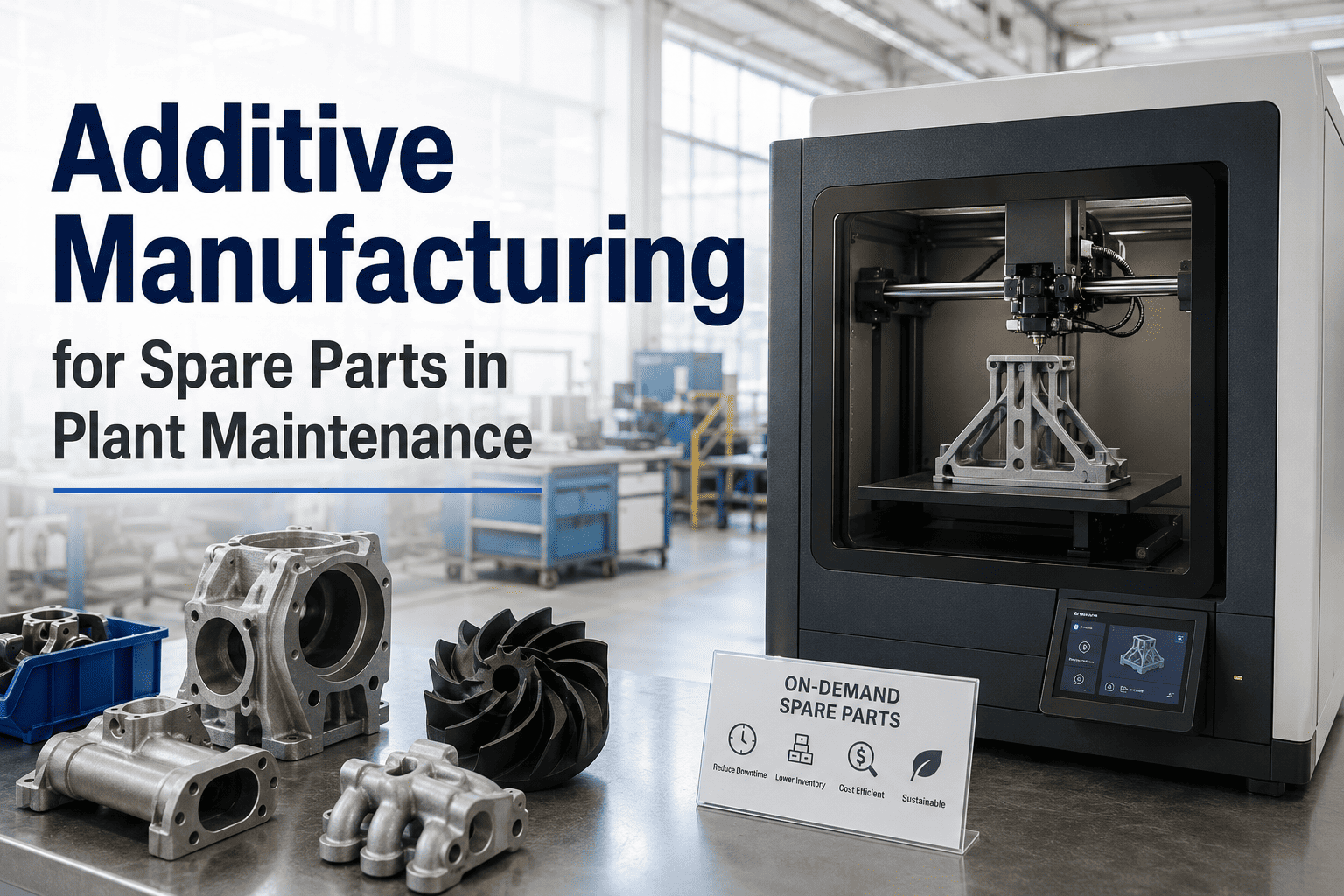
Additive manufacturing for spare parts is reshaping how plant maintenance teams conquer the long tail of unavailable, obsolete and long-lead-time components. By using 3D printing for maintenance spare parts, manufacturers can shift from stocking physical inventory to maintaining a CMMS-linked digital part library — printing exact replacement components on demand. This guide covers which parts to print vs. source, material selection, print-on-demand workflows, quality qualification, and how a modern CMMS like OxMaint ties your digital inventory to live work orders. Ready to eliminate lead times? Start Free Trial.
$50B lost annually to obsolete spare parts. A single emergency machined replacement can take 6–12 weeks — while unplanned downtime costs up to $260,000 per hour.
Discover how additive manufacturing for spare parts eliminates lead times and how OxMaint links your 3D printing library directly to live maintenance work orders.
Which Spare Parts Should You 3D Print vs. Source Traditionally?
Not every component is a candidate for additive manufacturing maintenance. The rule of thumb: if a spare part is obsolete, has a lead time over 4 weeks, or is needed in low volumes (1–50 units/year), it is a strong candidate for 3D printing spare parts manufacturing. High-volume consumables and safety-critical pressure vessels are still better sourced or machined.
Print On-Demand
- ✓ Obsolete & legacy parts (OEM discontinued)
- ✓ Long lead-time imports (4+ weeks)
- ✓ Low-volume, complex geometries
- ✓ Custom brackets, jigs & fixtures
- ✓ Non-rotating, low-load housings
Source Traditionally
- ✓ High-speed rotating shafts
- ✓ Pressure-rated valves & vessels
- ✓ High-volume fasteners & bearings
- ✓ Certified safety-critical components
- ✓ Seals & high-wear consumables
Evaluate Case-by-Case
- ✓ Gearboxes & drive housings
- ✓ Impellers & pump volutes
- ✓ Motor mounts & vibration dampeners
- ✓ Sensor enclosures & wiring clips
- ✓ Conveyor guides & wear plates
Metal 3D Printing & Polymer Materials for Maintenance Spare Parts
Selecting the right material determines whether a 3D printed part survives plant conditions. Metal 3D printing (DMLS/SLM) using 316L stainless steel, Inconel 718, or titanium covers 70% of industrial mechanical repairs, while industrial-grade polymers like PEEK, PA12 (Nylon), and ULTEM handle chemical exposure, heat, and electrical insulation.
| Material | Process | Best Fit Spare Parts | Max Temp | Tensile Strength |
|---|---|---|---|---|
| 316L Stainless | DMLS / SLM | Pump housings, valve bodies, flanges | 540°C | 540 MPa |
| Inconel 718 | DMLS / SLM | High-temp exhaust, turbine blades | 700°C | 1100 MPa |
| Titanium Ti6Al4V | DMLS / SLM | Lightweight brackets, aerospace parts | 400°C | 950 MPa |
| PEEK | FDM / SLS | Bearings, gears, electrical insulators | 250°C | 100 MPa |
| PA12 (Nylon) | SLS / MJF | Pipe fittings, clips, covers, jigs | 120°C | 50 MPa |
| ULTEM 9085 | FDM | Enclosures, ducting, tooling | 150°C | 70 MPa |
5 Steps to a CMMS-Linked 3D Printing Spare Parts Workflow
A mature manufacturing 3D printing workflow doesn't just print parts — it triggers them automatically. By linking your digital part library to a CMMS 3D printing integration, a work order can automatically generate a print file, eliminating procurement delays entirely.
Digital Inventory Audit
Scan physical storerooms and tag obsolete or slow-moving parts. A 180-asset plant typically identifies 300–500 candidates for digital conversion, freeing up to 40% of shelving space.
CAD & Reverse Engineering
3D scan legacy components with no existing drawings. Convert point clouds to STEP/STL files and validate dimensions against original tolerances (typically ±0.1mm for industrial SLS).
Material & Process Selection
Match operational stress, temperature, and chemical exposure to the correct additive process (DMLS for metals, SLS for polymers). Store material specs inside the CMMS asset record.
CMMS Print Trigger
When a work order is generated, OxMaint automatically checks the digital library. If the part is flagged "Print-on-Demand," the STL file is routed to the internal print farm or external service bureau.
Quality Qualification & Tracking
Post-print inspection (dimensional, tensile, dye-penetrant) closes the loop. The serialized 3D printed part is logged back into the CMMS with full traceability for compliance.
How OxMaint Connects Additive Manufacturing to Plant Maintenance
OxMaint bridges the gap between your physical assets, digital spare parts library, and maintenance execution — transforming 3D printing from an isolated engineering experiment into a fully automated maintenance workflow.
CMMS-Linked Part Library
Store STL/STEP files alongside asset records. When a pump seal fails, OxMaint surfaces the 3D file, material spec, and print history instantly — no more searching shared drives for outdated drawings.
Work Order to Print File
Generate a work order in OxMaint, and the system automatically routes the approved print file to your additive manufacturing queue, cutting spare part lead time from weeks to hours.
Predict Failures & Pre-Print
OxMaint's predictive analytics detect vibration and temperature anomalies, prompting the system to 3D print replacement parts before catastrophic failure occurs — reducing unplanned downtime by 30–50%.
Serialized Print Tracking
Every 3D printed spare part is serialized, tracked, and linked to its parent asset. Full audit trails satisfy ISO 55000 asset management and FDA/FMCSA compliance requirements.
Spare Parts Spend Analytics
Compare the cost of 3D printing vs. traditional sourcing side-by-side. Plants using OxMaint report 20–40% reductions in emergency parts spend and a 60% drop in obsolete inventory holding costs.
Floor-to-Print Mobile Access
Technicians scan a QR code on a downed asset, view the digital spare part, and trigger a print request from the plant floor via the OxMaint mobile app — accelerating MTTR dramatically.
The True Cost Savings of 3D Printing Spare Parts in Manufacturing
A mid-sized manufacturing plant spending $42,000 annually on emergency spare parts can recoup their additive manufacturing investment in under 14 months. The savings come from four distinct areas: eliminated lead times, reduced inventory holding costs, lower emergency freight, and minimized downtime.
Total Savings = (Emergency Freight Avoided) + (Inventory Holding Cost Reduced) + (Downtime Hours Saved × Hourly Cost) + (Obsolete Write-offs Eliminated)
| Savings Category | Traditional Cost (Annual) | With 3D Printing + OxMaint | Net Savings |
|---|---|---|---|
| Emergency Part Freight | $8,500 | $1,200 | $7,300 |
| Inventory Holding (Obsolete) | $15,000 | $4,500 | $10,500 |
| Downtime (Waiting for Parts) | $18,000 | $2,500 | $15,500 |
| Part Sourcing (OEM Markup) | $10,500 | $6,800 | $3,700 |
| Total Annual Impact | $52,000 | $15,000 | $37,000 |
A 180-Asset Plant Cuts Lead Times by 92% with OxMaint
A food processing facility running 180 assets faced chronic downtime waiting for obsolete conveyor gearbox brackets from a discontinued European OEM line. By implementing a digital spare parts library in OxMaint and a metal 3D printing workflow, they transformed their maintenance operation.
We were waiting 8 weeks for a custom gearbox bracket from Germany. After reverse-engineering the part and linking the STL file to OxMaint, our work orders now trigger an automatic print job. We have the part on the floor in 14 hours. OxMaint made the transition from reactive chaos to a predictive, digital inventory seamless.
Link Your 3D Print Farm to a Smarter CMMS
See how OxMaint connects your digital spare parts library to live work orders, predictive maintenance, and full asset traceability.
3D Printing Spare Parts in Manufacturing: Frequently Asked Questions
Can 3D printed spare parts handle the same stress as machined parts?
For many applications, yes. Metal 3D printed parts using DMLS achieve tensile strengths equal to or exceeding forged equivalents (e.g., 316L stainless reaches 540 MPa). However, fatigue resistance and surface finish differ, so rotating or cyclically loaded parts require case-by-case engineering validation and post-print machining.
How does a CMMS integrate with additive manufacturing?
A CMMS like OxMaint stores the digital twin (STL/STEP file) of each spare part. When a work order is triggered, the CMMS automatically routes the print file to your 3D printer or service bureau. You can Book a Demo to see this workflow in action.
What is the ROI timeline for 3D printing spare parts in plant maintenance?
Most mid-sized plants (100–300 assets) achieve payback in 12–18 months. The primary savings come from eliminating emergency freight, reducing obsolete inventory by up to 60%, and cutting unplanned downtime. A $50,000–$80,000 metal printer typically pays for itself within the first year for plants with legacy equipment.
Is it safe to 3D print parts for pressure vessels or safety-critical systems?
Generally, no. Pressure-rated valves, lifting equipment, and safety-critical components should be sourced through certified traditional channels. 3D printed parts are best suited for non-pressurized housings, brackets, fixtures, covers, and internal components that do not pose immediate life-safety risks if they fail.
What file formats are needed for a CMMS-linked digital part library?
OxMaint stores STL (for printing), STEP (for editing and reverse engineering), and PDF drawings side-by-side in the asset record. This ensures technicians have the print file, engineering file, and dimensional reference available the moment a work order is generated.
Build Your Digital Spare Parts Library Today
Start your free trial or book a demo to see how OxMaint links 3D printing, work orders, and predictive maintenance into one powerful platform.
Free 14-day trial · No credit card