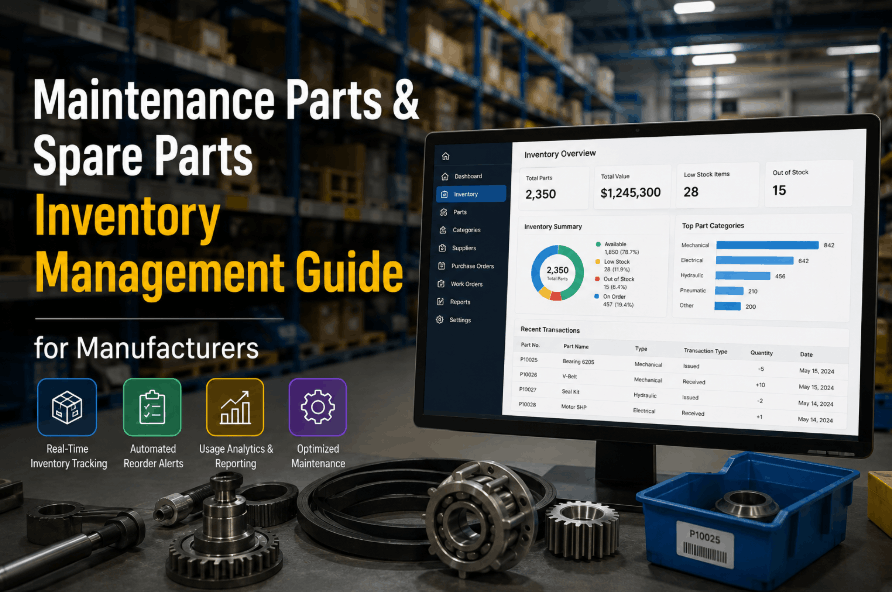
A critical conveyor motor fails on your production line. You rush to the storeroom — the shelf is empty. Production stops. Every hour costs thousands of dollars. Now picture the opposite: your warehouse holds $2 million in spare parts, but 60% of it hasn't moved in two years, tying up capital that could fund three new machines. Both scenarios are real, both are preventable, and both trace back to the same root cause: no structured system connecting part criticality, usage patterns, reorder logic, and work order consumption. Manufacturing organizations that fix this reduce inventory carrying costs by 15–30% while cutting stockout-driven downtime by 20–40%. Start managing spare parts in Oxmaint free and connect your inventory directly to work orders, PM schedules, and automated reorder triggers — or book a live demo to see how Oxmaint handles parts tracking, min-max levels, and procurement automation.
Spare Parts Inventory Management for Manufacturing
From ABC classification and min-max levels to automated reordering and CMMS integration — the complete guide to eliminating stockouts and overstocking in manufacturing maintenance operations.
Why Most Maintenance Storerooms Are Either Empty or Overflowing
Spare parts inventory management fails in two predictable directions. The first is understocking: critical parts are not on hand when equipment fails, production stops, and teams place emergency orders at 3 to 5 times the standard cost. The second is overstocking: non-critical parts accumulate over years, tying up working capital, consuming storage space, and eventually becoming obsolete. Both problems share the same root cause — no systematic connection between part criticality, historical usage data, lead times, and reorder logic. Without this structure, inventory decisions are made by gut feel, and gut feel consistently gets both sides wrong.
ABC-XYZ Classification: The Foundation of Every Spare Parts Strategy
Before you can set stocking levels, you need to know what each part is worth to your operation — not just its purchase cost, but the cost of not having it. ABC-XYZ classification combines two dimensions: value (how much the part costs) and demand variability (how predictably it gets consumed). This two-dimensional view separates parts that need tight, active management from parts that can run on simple min-max rules or even be sourced reactively.
Scroll horizontally to view full grid on smaller screens
Setting Min-Max Levels, Reorder Points, and Safety Stock
Min-max inventory management sets a minimum stock level that triggers a reorder and a maximum level that the replenishment order should not exceed. The reorder point accounts for average daily usage and supplier lead time. Safety stock adds a buffer for demand spikes and supply disruptions. These three numbers — reorder point, safety stock, and maximum level — are the operational core of any spare parts system, and all three must be calculated from real usage and lead time data, not guesswork.
Triggers a purchase order automatically when stock on hand reaches this level. Adjust for supplier reliability — unreliable suppliers need a higher ROP.
The buffer against demand spikes and supply delays. For A-class critical parts, use statistical method with higher Z-score for greater protection.
The ceiling for replenishment orders. Exceeding this level signals overstocking. Review quarterly for slow-moving parts and annually for fast-movers.
Stop Setting Stock Levels by Gut Feel. Let Oxmaint Calculate and Automate Them.
Oxmaint tracks part consumption per work order, calculates reorder points from your actual usage history, and generates purchase requisitions automatically when stock hits the trigger level. No spreadsheets. No manual reorder chasing.
Critical Spares vs. Consumables vs. Insurance Spares: Different Rules for Each
Not all spare parts follow the same stocking logic. A standard fastener can be sourced in 24 hours and run to stockout without consequence. A custom gearbox with a 16-week lead time that sits on a single critical production line needs a completely different strategy. Manufacturing maintenance teams need three separate inventory frameworks running simultaneously — one for high-frequency consumables, one for planned maintenance parts, and one for insurance spares that may never be used but cannot be absent when needed.
Automated Reordering: Closing the Loop Between Work Orders and Procurement
The most damaging gap in spare parts management is the one between part consumption and replenishment. A technician uses the last bearing on a work order. Nobody updates the stock count. Three weeks later, the same bearing is needed again — and it is gone. Closing this loop requires automated consumption tracking: every part pulled for a work order updates the inventory count in real time, and when the count reaches the reorder point, a purchase requisition is generated automatically without any human trigger. This single automation eliminates the most common cause of stockouts in maintenance operations.
Technician opens work order. Required parts list from BOM is visible. Parts are reserved against current stock.
Technician picks parts from storeroom. CMMS records consumption against work order. Stock count updates instantly.
Updated stock count hits the reorder point. System checks lead time and verifies no open PO exists for the part.
Purchase requisition generated with part number, preferred supplier, quantity, and required-by date linked to next PM window.
Six KPIs Every Maintenance Manager Should Track for Inventory Health
Spare parts inventory management cannot improve without measurement. These six KPIs give a complete view of inventory health — covering both the cost side (carrying cost, inventory turns) and the service side (stockout rate, fill rate, emergency order percentage). World-class manufacturing operations track all six on a monthly cadence and use deviations to trigger inventory strategy reviews rather than waiting for a production stoppage to surface a problem.
The primary indicator of service failure. A rate above 5% means critical parts are regularly unavailable when needed. Investigate by part class — A-class stockouts are the highest priority.
The percentage of part requests fulfilled from existing stock without delay. Track separately by ABC class — A-class parts need higher fill rates than C-class parts.
Low inventory turns signal overstocking. MRO parts typically turn 2–4 times annually — well below retail, but turns below 1.5 indicate excess dead stock that should be reviewed for disposal.
Emergency orders cost 3 to 5 times more than planned procurement. A high emergency order rate directly indicates that reorder points are set too low or not triggering correctly.
Includes storage, insurance, obsolescence, and capital cost of holding inventory. Most manufacturing plants hold more inventory than their carrying cost analysis justifies — reviewing this KPI annually surfaces overstocking.
If system records do not match physical stock, reorder points fire at the wrong time. Cycle counting — counting a rotating subset of bins rather than shutting down for a full count — is the most effective way to maintain accuracy.
How Oxmaint Manages Spare Parts Inventory Across Your Entire Plant
Oxmaint connects spare parts inventory directly to the maintenance operations that consume it — work orders, PM schedules, and asset records. Every part transaction is logged in real time, every reorder trigger is automated, and every parts requirement for a planned maintenance window is visible before the work begins. Here is what that looks like in practice.
Every asset in Oxmaint has a Bill of Materials (BOM) listing all associated spare parts. When a work order is created against an asset, its required parts are visible immediately — enabling pre-kitting before the technician enters the field.
Technicians log parts used directly on the mobile work order. Stock counts update instantly. No manual reconciliation between the storeroom system and the CMMS — they are the same system.
Min-max levels are set per part in Oxmaint. When stock reaches the reorder point, a purchase requisition is auto-generated with part number, quantity, preferred supplier, and the work order reference that consumed the last unit.
Oxmaint reads your PM schedule forward and surfaces parts requirements before the maintenance window arrives. Parts for a planned bearing replacement in 3 weeks are flagged for procurement today — not the day before the job.
For plants with multiple storerooms or satellite locations, Oxmaint shows stock levels across all locations in a single view. Transfer between locations without creating new purchase orders when parts are available elsewhere in the facility.
Preferred supplier, lead time, unit cost, and part specifications are stored per part in Oxmaint. Lead time data feeds directly into reorder point calculations — longer lead times automatically increase the ROP for affected parts.
Frequently Asked Questions About Spare Parts Inventory Management
How do we set min-max levels when we have no historical usage data?
Start with OEM maintenance schedules and asset criticality to estimate annual consumption per part type. Set conservative minimums — slightly higher than you think you need — and track actual usage in your CMMS for 6 to 12 months before tightening the levels based on real data. The cost of a few months of slight overstocking is far lower than the cost of a stockout during the data-collection period. Start tracking consumption in Oxmaint free and build your usage history from day one.
What is the right approach for managing spare parts with very long supplier lead times?
Long lead time parts require a higher reorder point and a formal justification analysis comparing production loss cost (cost per hour of downtime × lead time in days) against holding cost. For any part where a single stockout event would cost more than holding the part for a full year, the decision is almost always to stock one unit as insurance. Document the justification in your CMMS asset record so the decision is visible at the next annual review. Book a demo to see how Oxmaint stores and surfaces these justification records.
How often should min-max levels be reviewed and updated?
A-class and critical parts should be reviewed quarterly. B-class parts semi-annually. C-class parts annually. Any major change — new equipment installed, PM schedules revised, supplier lead times changed, or a production volume shift — should trigger an immediate review of affected parts regardless of the calendar cycle. Oxmaint flags parts whose usage has deviated significantly from the assumptions behind their current min-max levels — start free to configure these alerts.
How do we handle obsolete spare parts that are no longer needed?
Obsolete parts — components for assets that have been retired or upgraded — should be identified in the annual inventory review and either returned to the supplier (if return policy applies), sold to secondary market buyers, or written off. The CMMS is the most efficient tool for identifying obsolescence: if a part has had zero consumption in 24 months and its associated assets are still in service, it is a candidate for disposal review. Book a demo to see how Oxmaint surfaces zero-movement parts for review.
Right Part. Right Quantity. Right Time. Every Time — With Oxmaint.
Oxmaint connects spare parts inventory to work orders, PM schedules, asset BOMs, and automated procurement triggers. No more stockout surprises. No more excess capital tied up in parts that don't move. Start free and have your first automated reorder triggers live today.