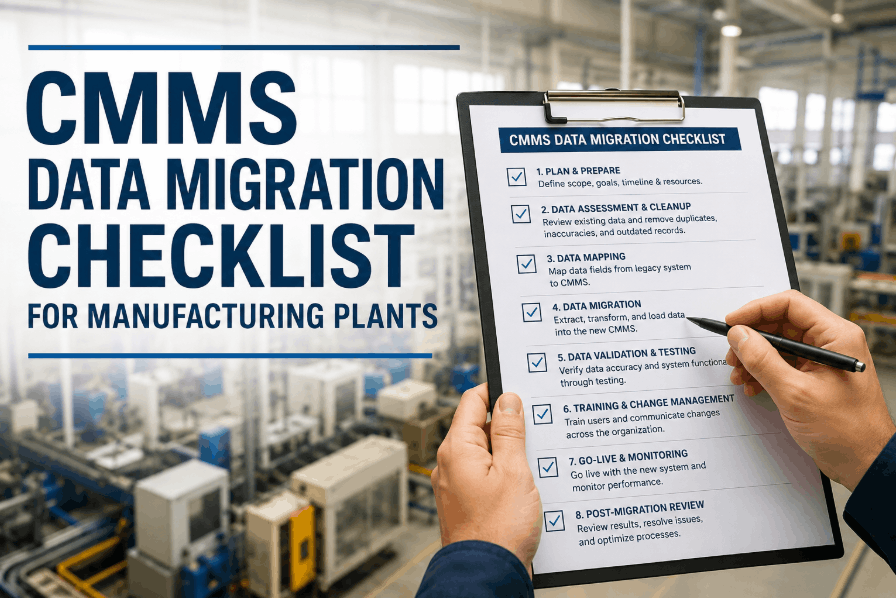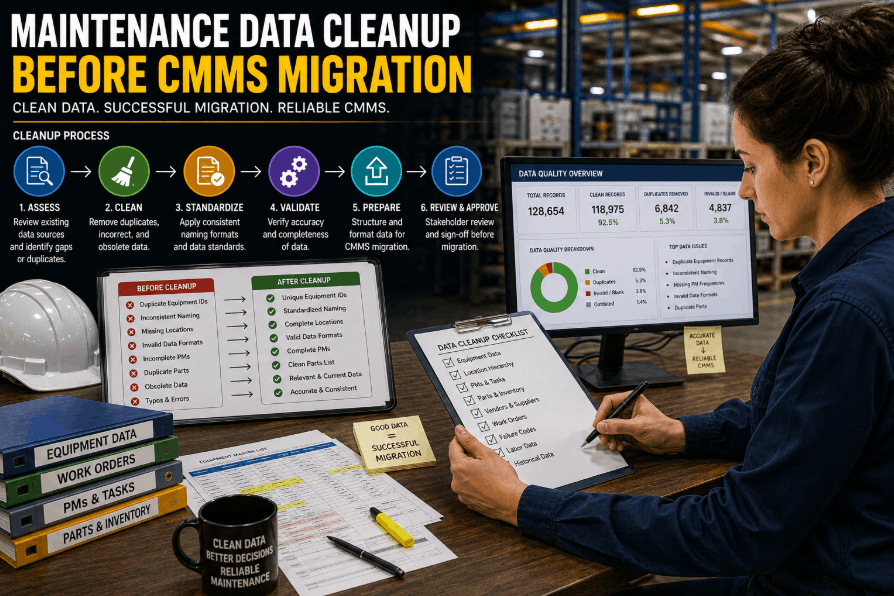
Migrating to a new CMMS platform is one of the highest-impact decisions a maintenance and reliability team can make — yet most implementations fail not because of the software, but because of the data carried into it. Dirty asset records, duplicate work orders, inconsistent equipment naming conventions, and unmapped PM schedules become permanent liabilities the moment they are imported. Maintenance teams ready to build a clean data foundation before go-live can Sign Up Free on Oxmaint and use the asset register to validate, structure, and migrate equipment hierarchies without spreadsheet chaos. This guide covers every phase of maintenance data cleanup — from asset validation and duplicate removal to field mapping and PM schedule migration — so your CMMS implementation starts with data you can trust. Teams evaluating their migration readiness should Book a Demo to see how Oxmaint structures asset data for fast, clean go-lives.
Oxmaint gives facility and maintenance teams a structured asset register, PM templates, and open API layer — so your CMMS migration starts clean and stays clean. Go live in 30 days.
Why Maintenance Data Cleanup Is the Most Critical Pre-Migration Step
A CMMS migration timeline is typically measured in weeks — but the data quality problems that derail it are measured in years of accumulated neglect. Asset records without location hierarchies, PM schedules with no owner assignments, and work order histories linked to decommissioned equipment all compound into implementation delays and post-go-live unreliability. Facilities that Book a Demo with Oxmaint understand how a structured asset register and templated PM library eliminate the most common migration failure points before the first record is imported.
Every asset migrated must have a verified equipment ID, location code, asset class, and operational status — without these fields populated, PM scheduling and work order routing break immediately after go-live.
Duplicate asset records inflate inventory counts, split work order history, and cause PM schedules to fire twice. Deduplication must occur before import — not after failed go-live audits.
Plant, system, equipment, and component levels must be mapped explicitly before migration. Flat asset lists without parent-child hierarchy block roll-up reporting and multi-site visibility from day one.
Outdated PM schedules copied verbatim into a new CMMS carry all their original inefficiencies. Migration is the right moment to align intervals with actual runtime data and OEM recommendations.
Historical work orders provide MTBF baselines, failure pattern analysis, and warranty documentation — but only if correctly linked to migrated asset records using consistent field mapping before import.
Spare parts records must be linked to asset records before migration — not reconciled manually after go-live. MRO inventory accuracy depends on clean asset-to-part relationships from the first import.
What Maintenance Data Actually Needs to Be Cleaned Before CMMS Migration?
Most facilities underestimate the volume of pre-migration data work because legacy systems hide problems behind functional-looking screens. The table below maps each data category to its cleanup priority and integration path for CMMS import. Teams that Sign Up Free on Oxmaint can use the asset register import template to immediately identify gaps in existing equipment records before the migration clock starts.
| Data Category | Cleanup Priority | Common Problems | Migration Action |
|---|---|---|---|
| Asset Master Records | Critical | Missing location codes, duplicate IDs, no asset class | Validate against physical asset list; assign hierarchy |
| PM Schedule Library | Critical | Orphaned schedules, outdated intervals, no task steps | Rationalise against OEM specs; assign asset links |
| Work Order History | High | Broken asset references, missing failure codes | Re-map to validated asset IDs; standardise failure taxonomy |
| Parts / Inventory Records | High | Unlinked parts, duplicate SKUs, no reorder points | Deduplicate; link to asset register; set min/max levels |
| Vendor and Contractor Data | Medium | Outdated contacts, missing contract terms | Validate active vendors; import with asset scope tags |
| User and Role Assignments | Medium | Inactive users, undefined role permissions | Audit active technicians; map role permissions to new CMMS |
CMMS Migration Data Cleanup: Phase-by-Phase Execution Framework
Effective pre-migration data cleanup follows a structured sequence — not a parallel free-for-all where every team member cleans their own spreadsheet differently. The phases below reflect how Oxmaint implementation teams structure data readiness for facilities migrating from legacy CMMS platforms or paper-based systems. Facilities evaluating migration timelines should Book a Demo to map their current data state against each phase.
- Export full asset list from legacy CMMS or spreadsheet system
- Count total asset records vs physically verified equipment count
- Identify fields with greater than 20% null values — flag for cleanup or removal
- Catalogue all PM schedules and cross-reference against active equipment
- Assess work order history completeness — what period is recoverable?
- Output: data quality scorecard per category with cleanup effort estimates
- Apply consistent equipment naming convention across all asset records
- Merge or delete duplicate asset entries using equipment ID and location matching
- Standardise failure codes, priority levels, and work order categories
- Assign every asset to a location in the defined plant-system-equipment hierarchy
- Validate OEM-recommended PM intervals against current schedule library
- Output: deduplicated asset register and rationalised PM template library
Maintenance Data Field Mapping: Connecting Legacy Records to CMMS Structure
Field mapping is where most CMMS migrations lose time. Legacy systems rarely align field names, data types, or required values with the destination CMMS schema. The integration points below describe how Oxmaint structures field mapping to eliminate manual rework during import. Maintenance teams can Sign Up Free and access the asset import template to begin mapping legacy fields against the required CMMS structure before migration day.
Legacy asset IDs must be mapped to a consistent format before import. Oxmaint accepts alphanumeric equipment IDs and preserves legacy reference codes as secondary identifiers — preventing broken work order history links.
Site, building, floor, and system fields must be pre-populated before import. Flat location records without hierarchy cannot support multi-site roll-up reporting or location-based work order routing after go-live.
Free-text PM instructions from legacy systems must be converted to structured task checklists before migration — Oxmaint's PM template library supports step-by-step inspection formats, pass/fail fields, and photo capture.
Legacy work order types (corrective, preventive, emergency) must map to destination system categories before import. Inconsistent category data breaks planned maintenance ratio reporting from the first post-migration KPI review.
Spare part records must carry the asset IDs they service before import — not as a post-migration reconciliation task. Oxmaint's import template includes a parts-asset link field that maps inventory to equipment during initial load.
Technician, supervisor, planner, and read-only roles from the legacy system must be mapped to the new CMMS permission model before go-live — preventing access gaps that delay first work order assignments.
60-Day Maintenance Data Cleanup Roadmap Before CMMS Go-Live
Facility teams with 200–2,000 assets can complete a full pre-migration data cleanup in 60 days without a dedicated IT project — using existing exports, Oxmaint's structured import templates, and a phased validation process. Teams evaluating this timeline should Book a Demo with Oxmaint to assess their data readiness and map each cleanup phase to the go-live schedule.
- Export full asset, PM, work order, and parts data from legacy system
- Count records per category — identify volume and completeness gaps
- Flag duplicate asset IDs and missing mandatory fields
- Produce data quality scorecard for stakeholder sign-off
- Define target equipment naming convention and hierarchy levels
- Apply naming convention to all asset records in source file
- Merge duplicate records — preserve primary ID, archive secondary
- Assign location hierarchy to every asset record
- Rationalise PM library — remove orphaned schedules, update intervals
- Standardise work order category codes across historical records
- Map legacy fields to CMMS import template fields — column by column
- Validate data types: dates, numeric IDs, status codes match destination schema
- Link parts records to asset IDs in import file
- Test import on sandbox environment — review error log
- Resolve validation errors before production import
- Execute production import — assets, PMs, parts in sequence
- Verify record counts match expected totals per category
- Spot-check 10% of assets for field accuracy and hierarchy placement
- Assign user roles and run first PM schedule generation
- Document final data baseline for post-go-live audit comparison
Measuring CMMS Migration Data Quality: Metrics That Predict Go-Live Success
Data cleanup quality is measurable before go-live — and the metrics below predict whether a CMMS implementation will deliver value in the first 90 days or spend those days in post-migration remediation. Oxmaint's asset register and KPI dashboard track these metrics natively. Teams that Sign Up Free can configure data quality dashboards alongside PM performance tracking without custom reporting development.
Asset Record Completeness Rate: percentage of migrated asset records with all mandatory fields populated — target above 95% before production import to prevent post-go-live data patching.
Duplicate Record Rate: percentage of duplicate asset entries identified and resolved during cleanup — a pre-migration rate above 5% signals deeper data governance issues requiring process fixes, not just cleanup.
PM Schedule Asset Coverage: percentage of active assets with at least one assigned PM schedule in the migrated library — target above 80% for critical equipment classes before go-live.
Orphaned PM Schedule Rate: percentage of PM schedules in the legacy system with no linked asset record — these must be resolved or deleted before migration to prevent phantom work order generation.
Post-Go-Live Planned Maintenance Ratio: percentage of work orders generated by PM schedules vs reactive requests in the first 30 days — clean migration data directly drives this number above 60% in month one.
Work Order History Recovery Rate: percentage of pre-migration work order history successfully linked to migrated asset records — enables MTBF baseline calculation and failure pattern analysis from day one.
Oxmaint's structured asset register, PM template library, and open API import layer give maintenance teams everything needed for a clean CMMS go-live — mobile-first, no IT project required.
Maintenance Data Cleanup Before CMMS Migration — Common Questions
Most facilities with 200–2,000 assets complete pre-migration data cleanup in 30–60 days. The timeline depends on data volume, legacy system export quality, and how many duplicates or missing fields need resolution before import.
Duplicate asset records, missing location hierarchy, orphaned PM schedules with no linked equipment, and inconsistent work order category codes are the four most common issues — all must be resolved before import to prevent post-go-live rework.
Yes, at least 12–24 months of work order history should be migrated if it can be correctly linked to validated asset records. Historical data enables MTBF baselines, failure analysis, and warranty documentation from day one in the new system.
Yes. Oxmaint provides structured import templates for assets, PM schedules, parts records, and work order history — with field validation rules that identify errors before production import. Teams can access these immediately after sign-up.
Dirty data migrated into a new CMMS creates duplicate work orders, broken PM schedules, inaccurate KPI reporting, and inventory mismatches — problems that take months to resolve post-go-live and reduce adoption rates significantly.
Yes. Once asset and PM records are cleanly migrated, Oxmaint supports meter-based and condition-triggered PM scheduling alongside calendar intervals — allowing teams to move from time-based to reliability-centred maintenance immediately after go-live. Book a Demo to see the configuration.
Oxmaint gives maintenance teams mobile-first CMMS with structured asset registers, PM scheduling, condition-based triggers, and live KPI dashboards — go live in 30 days, no IT project required.