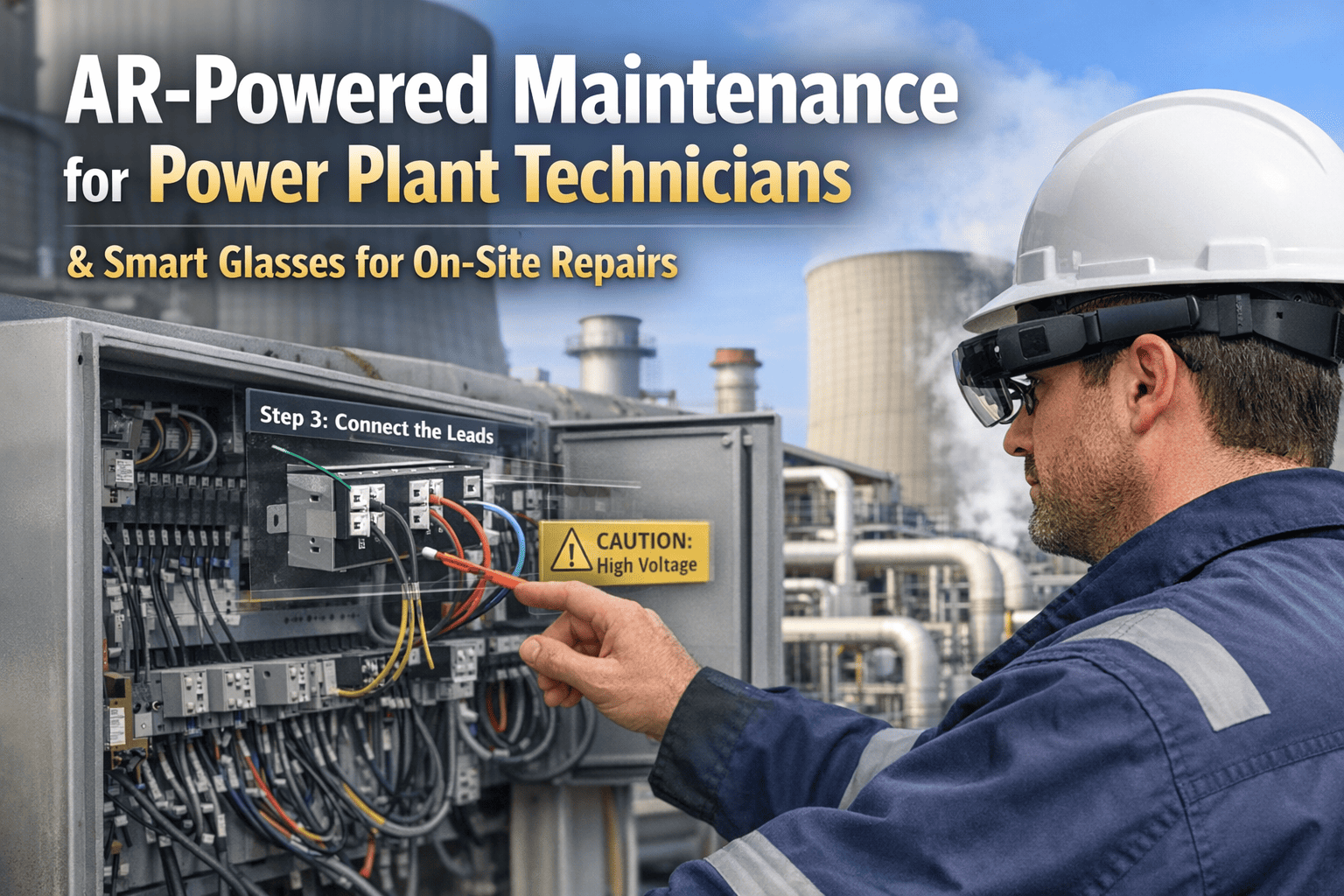
Power plant technicians spend an average of 23 minutes per work order searching for the right procedure manual, cross-referencing wiring diagrams, and confirming torque specs — before touching a single bolt. Multiply that by hundreds of work orders a month, factor in the cost of callbacks and rework from misread instructions, and the hidden labor drain becomes significant. AR-powered maintenance eliminates that search time entirely. OxMaint's AR Maintenance module delivers live repair instructions, real-time wiring overlays, and expert remote guidance directly into a technician's field of view — through smart glasses or a mobile device — while both hands stay on the equipment. Book a Demo to see how OxMaint brings AR to your plant floor today.
See the Repair. Fix It Faster. AR for Power Plant Technicians.
OxMaint overlays step-by-step instructions, live schematics, and remote expert guidance directly onto your equipment — through smart glasses or your phone — so technicians never break workflow to chase a manual.
Why the Old Way Breaks Down at the Turbine Floor
Printed manuals and PDF procedures are written for desks, not turbine bays. When a technician is 30 feet up on a gas turbine casing with two hands occupied and a confined-space timer running, flipping to page 47 of a laminated binder is not a workflow — it is a hazard. AR maintenance was built specifically for this environment.
How AR Works on the Plant Floor — Step by Step
OxMaint's AR Maintenance is not a standalone app — it is embedded in your CMMS workflow. When a work order is assigned, the AR experience for that specific job is already preloaded and waiting. Here is the technician's experience from notification to completion.
Ready to Put AR in Your Technicians' Hands?
OxMaint AR Maintenance connects to your existing CMMS and equipment library — no rebuild required.
What AR Overlays in OxMaint — By Job Type
Different maintenance tasks call for different types of AR support. OxMaint's AR content engine is pre-built for the most common power plant maintenance scenarios — and configurable for plant-specific procedures.
AR-Compatible Smart Glasses Supported by OxMaint
OxMaint's AR Maintenance module is device-agnostic — it runs on leading industrial smart glasses and standard smartphones. Plants can deploy on devices they already own or select the hardware best suited to their environment.
| Device | Best For | Display Type | Hands-Free | IP Rating | OxMaint Support |
|---|---|---|---|---|---|
| RealWear Navigator 520 | Industrial field use, loud environments | Projected micro-display | Full — voice control | IP66 | Full |
| Microsoft HoloLens 2 | Complex spatial overlays, precision work | Holographic mixed reality | Full — gesture + voice | IP5X | Full |
| Epson Moverio BT-40S | Outdoor and transition spaces | Transparent OLED | Partial — touch controller | IP5X | Full |
| Google Glass Enterprise 2 | Light inspection, data lookup | Prism projection | Full — voice control | Splash resistant | Core |
| iOS / Android Mobile | All environments, lowest barrier to entry | Smartphone screen AR | Partial — phone hold required | Device-dependent | Full |
The ROI of AR Maintenance in Power Generation
AR maintenance ROI is built on four measurable outcomes — faster repairs, fewer errors, reduced travel for remote experts, and accelerated onboarding. For a 500 MW plant running a 40-person maintenance team, the numbers compound quickly.
Frequently Asked Questions
Does AR maintenance require purchasing expensive smart glasses for every technician?
No. OxMaint's AR Maintenance runs fully on standard iOS and Android smartphones — which your technicians likely already carry. Smart glasses like RealWear or HoloLens are supported for hands-free work in confined or hazardous environments, but are not required to start. Many plants begin with a mobile-first AR rollout and upgrade to smart glasses for their most demanding job types after measuring first-quarter ROI.
How are the AR work instructions created and kept up to date?
OxMaint imports your existing procedure documents, OEM manuals, and engineering drawings — PDFs, CAD files, and existing CMMS procedures are all supported. Your engineering team can author and update AR step sequences through OxMaint's web-based content editor without any coding required. When a procedure is revised, every technician accessing that job type automatically receives the updated version in their AR session at next access.
Can AR maintenance work offline in areas with poor plant connectivity?
Yes. OxMaint pre-downloads work order content — instructions, diagrams, and schematics — to the device when the work order is assigned, before the technician enters the field. The AR guidance runs fully offline inside congested, shielded, or underground plant areas. Completion data, photos, and step logs sync back to the CMMS when connectivity is restored, automatically.
How does OxMaint AR connect to the digital twin and CMMS data?
OxMaint is a unified platform — the AR Maintenance module shares the same asset data layer as the CMMS and digital twin. When a technician opens an AR session on an asset, the digital twin's current health scores, active alerts, and predicted failure risks are surfaced in context within the AR overlay. If the twin has flagged an adjacent bearing as degraded, the technician sees that flag while working — without opening a separate system or leaving the work context.
Your Technicians Deserve Better Than a PDF at the Turbine Casing
OxMaint AR Maintenance gives your team the right instruction at the right moment — overlaid exactly where they are working. Start with your highest-turnover job types. Prove first-time fix rates in 30 days. Scale with data your ops manager cannot ignore.