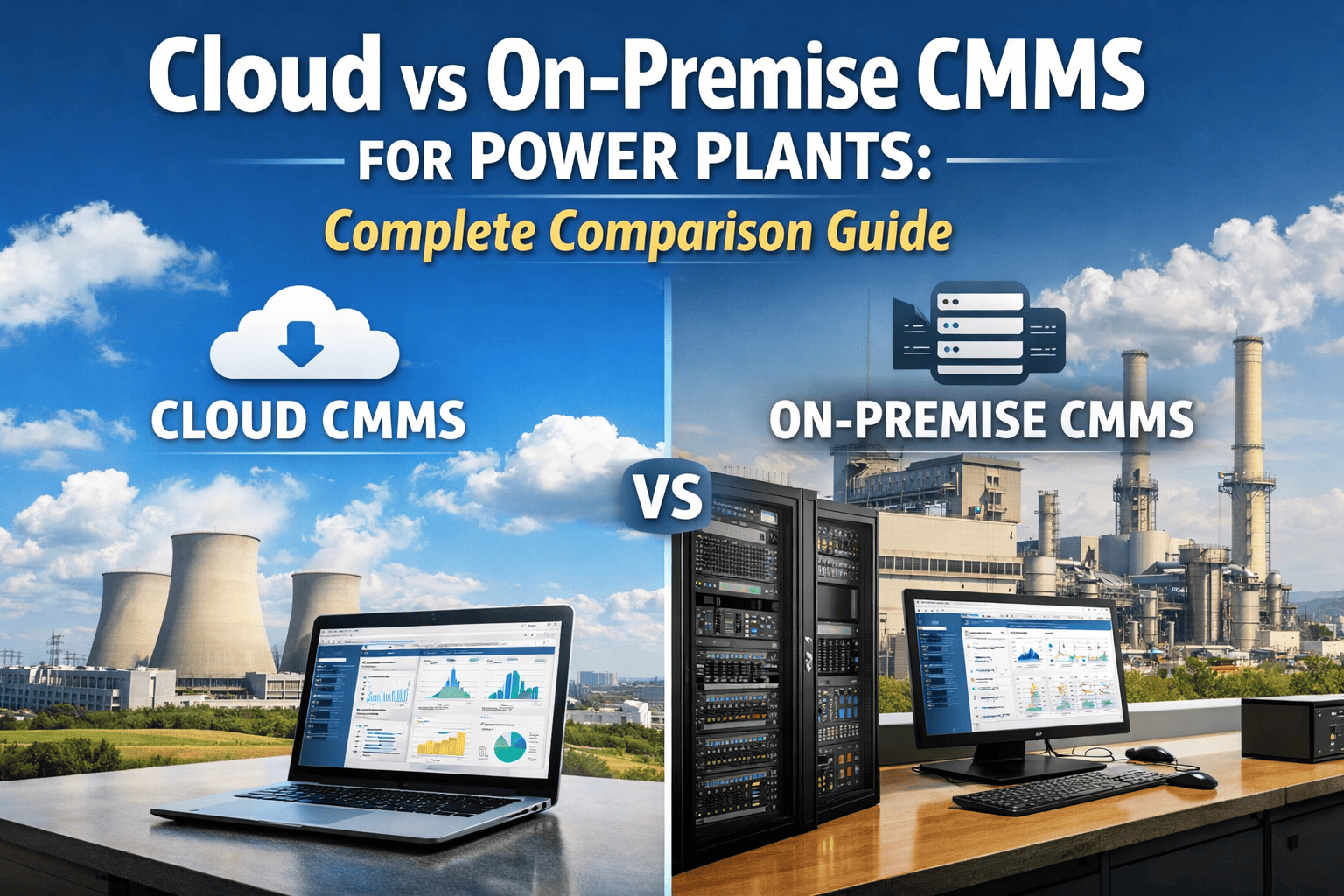
Choosing between a cloud CMMS and an on-premise deployment is one of the most consequential infrastructure decisions a power plant operations team will make — and getting it wrong means years of mismatched costs, security risk exposure, or scalability constraints that limit your digital maintenance roadmap. This guide breaks down every dimension that matters — total cost of ownership, data security, compliance, scalability, and disaster recovery — so you can make the decision that is right for your facility's specific risk profile and operational requirements. If you want to see how OxMaint handles both deployment models, a 30-minute walkthrough covers both options in detail.
Cloud vs On-Premise CMMS for Power Plants: Complete Deployment Comparison
An objective, detailed comparison of cloud and on-premise CMMS deployment models for power generation facilities — covering security, total cost, scalability, compliance, and the hybrid option most large utilities are choosing in 2025.
Cloud vs On-Premise: Strengths and Limitations
Neither deployment model is universally superior. The right choice depends on your facility's regulatory environment, IT capability, budget structure, and operational connectivity requirements.
Head-to-Head Comparison Across 10 Key Dimensions
This scorecard covers every dimension that power plant operations teams and IT security teams evaluate when selecting a CMMS deployment model for critical infrastructure.
| Evaluation Dimension | Cloud CMMS | On-Premise CMMS | Advantage |
|---|---|---|---|
| Upfront Cost (Year 1) | Low — subscription, no hardware | High — server + license + install | Cloud |
| 5-Year Total Cost | Predictable OpEx subscription | Lower at scale with CapEx amortized | Depends on scale |
| Deployment Speed | 1–2 weeks | 3–6 months | Cloud |
| Data Security Control | Vendor-managed (SOC 2, ISO 27001) | Full internal control | On-Premise |
| Regulatory Compliance (Nuclear/Govt) | May not meet air-gap requirements | Full compliance possible | On-Premise |
| Multi-Site Scalability | Instant — zero infrastructure | New server per site required | Cloud |
| Disaster Recovery | Vendor SLA — 99.9% uptime typical | Internal team responsibility | Cloud |
| Offline / Air-Gap Operation | Limited — requires mobile sync | Full air-gap capable | On-Premise |
| IT Maintenance Burden | None — vendor managed | Significant — internal IT required | Cloud |
| Feature Update Frequency | Continuous — automatic | Annual or biannual projects | Cloud |
Which Deployment Model Fits Your Facility?
These profiles describe the operational and regulatory conditions that point clearly toward each deployment model. If your facility matches two or more criteria in a profile, that is your optimal starting point.
Ideal Candidate Profile: Cloud Deployment
Multi-site utility or independent power producer with 2+ plants in different locations. IT team is small or focused on OT security rather than application management. Budget is structured as operating expense. Speed of deployment and mobile access for field technicians are high priorities. Current maintenance operations are paper-based or use spreadsheets with no CMMS history to migrate.
Ideal Candidate Profile: On-Premise Deployment
Single large facility — nuclear, defense-connected, or government-regulated — with strict data residency requirements that prohibit transmission of operational data outside facility boundaries. Dedicated IT team available for infrastructure management. Strong existing ERP (SAP, Oracle) integration requirements. 10+ year asset lifecycle planning horizon where CapEx investment amortization is favorable.
Distributed Generation Portfolio
Operators managing solar farms, wind sites, or peakers across multiple geographic locations benefit most from cloud deployment — with technicians accessing work orders on mobile devices at remote sites without VPN complexity or site-specific server infrastructure.
High-Criticality Single Asset
Base load thermal, hydro, or nuclear stations with dedicated operations technology networks benefit from on-premise CMMS with edge computing for real-time IIoT data processing — keeping maintenance workflow and sensor data fully within the OT network perimeter.
Security Considerations for Power Plant CMMS
Critical infrastructure cybersecurity requirements are tightening globally. Both deployment models can meet NERC CIP and IEC 62443 requirements — but the implementation path differs significantly.
Cloud CMMS Security Standards
Leading cloud CMMS vendors maintain SOC 2 Type II, ISO 27001, and TLS 1.3 encryption in transit and at rest. Data segregation between tenants is enforced at the infrastructure level. Vendor responsibility for patch management eliminates the most common vulnerability window in enterprise software.
On-Premise Security Responsibility
On-premise deployments place full security responsibility on your IT and OT teams — including OS patching, database encryption, network segmentation, backup integrity, and access control management. The advantage is complete audit control; the risk is that internal resource constraints often lead to deferred patches.
NERC CIP Compliance Path
NERC CIP requirements for electronic security perimeters are technically achievable on both deployment models. Cloud deployment requires vendor CIP attestation documentation. On-premise deployment requires internal audit trails and access control logging that your IT team must implement and maintain continuously.
Total Cost of Ownership: Cloud vs On-Premise Over 5 Years
Initial pricing rarely reflects the true cost difference between deployment models. This structure maps the full cost categories that should appear in any honest five-year TCO comparison for a 200-asset power plant.
See OxMaint Cloud Deployment in a 30-Minute Live Walkthrough
OxMaint's cloud CMMS deploys in days, not months — with mobile access for field teams, IIoT alert integration, and multi-plant dashboards available from day one. Book a walkthrough to see it configured for your asset type.
Decision Framework: How to Choose Your Deployment Model
Use this three-factor framework to reach a clear deployment decision. If two or more factors align with a single model, that is your answer. If factors conflict, hybrid deployment resolves most tension points.
Choose Cloud If…
- Deployment speed is a priority
- IT team is lean or OT-focused
- OpEx budget model preferred
- Multi-site scale planned within 2 years
- No air-gap regulatory requirement
- Field teams need mobile access
Choose On-Premise If…
- Strict data residency rules apply
- Air-gap operation is required
- Dedicated IT team available
- CapEx model preferred for TCO
- Deep legacy ERP integration needed
- Single large-facility operation
Choose Hybrid If…
- Security and mobility both matter
- OT data must stay on-site, IT can be cloud
- Multiple facilities with different profiles
- Phased migration from legacy on-prem system
- Disaster recovery redundancy required
- Regulatory environment is evolving
Frequently Asked Questions
Make the Right CMMS Deployment Decision for Your Plant
OxMaint works with power plant operations teams to configure the deployment model that fits their security, compliance, and operational requirements — cloud, hybrid, or guided on-premise evaluation. Start with a 30-minute consultation to map your requirements to the right solution.